8 Advertising Flyer Maker Tools for Brands in the United States

Riten Debnath
18 Mar, 2026
Have you ever wondered why some local businesses have lines wrapping around the block while others, offering the exact same service, seem to be invisible? It usually comes down to a single piece of paper or a digital image that either whispers "ignore me" or screams "look at this." In a high-speed market like the United States, your advertising flyer is often the only handshake you get with a potential customer before they keep scrolling or walking. If that handshake is limp and pixelated, you have lost them. But if it is bold and professional, you have a lead. You do not need a degree from a fancy art school to bridge that gap, you just need to know which digital hammers to swing.
I’m Riten, founder of Fueler, a skills-first portfolio platform that connects talented individuals with companies through assignments, portfolios, and projects, not just resumes/CVs. Think Dribbble/Behance for work samples + AngelList for hiring infrastructure.
Before you spend another dime on ads that do not convert, check out these elite tools that help American brands turn "maybe" into "must-have."
High-Intent Design Software for US Marketing
1. Canva
Canva is essentially the Swiss Army knife of modern design, built to ensure that nobody ever has to look at a poorly formatted flyer again. It has revolutionized how small businesses in the US approach marketing by providing a library of millions of assets that feel current, sleek, and high-end. Whether you are prepping for a Black Friday blitz or a local community fundraiser, this platform allows you to move from a blank screen to a finished masterpiece in minutes. It lives in your browser and on your phone, making it the ultimate tool for the "on-the-go" business owner who needs to approve a design while waiting for a flight.
- Massive Template Library: You gain access to over 1.6 million premium templates that are updated daily to reflect the latest American design trends, ensuring your brand never looks like it is stuck in the early 2000s. This massive variety allows you to maintain a constant flow of fresh marketing materials without ever repeating the same look, which is vital for keeping your audience engaged on social media.
- One-Click Background Remover: This feature is a total game-changer for product-based brands because it instantly deletes messy backgrounds from your photos with terrifying accuracy. It allows you to take a photo on your kitchen table and make it look like it was shot in a professional studio in Manhattan, giving your flyers an immediate boost in perceived value and professional credibility.
- Brand Kit Management: You can lock in your specific brand colors, logos, and fonts in one central dashboard, so every team member stays on the same page without having to ask for hex codes. This prevents the "identity crisis" look where your flyers look like they were made by three different companies, helping you build a recognizable and trusted brand presence across the United States.
- Magic Resize Tool: This allows you to take a single flyer design and instantly transform it into ten different sizes for Instagram, Facebook, LinkedIn, and even physical print dimensions with a single click. It saves hours of tedious manual resizing work, allowing you to focus your energy on the actual marketing strategy rather than fighting with pixel dimensions and aspect ratios.
- Real-Time Collaboration: You can invite partners or employees to edit and comment on your flyers directly within the app, which completely eliminates the nightmare of back-and-forth email chains. This streamlined workflow ensures that everyone is looking at the latest version of the design, reducing errors and speeding up the time it takes to get your ad out into the world.
Pricing: * Free Plan: $0 (Basic tools and 5GB storage).
- Canva Pro: $15.00 per month or $120.00 per year (Best for individuals).
- Canva for Teams: $29.99 per month for the first 2 people (Perfect for small businesses).
Why it matters: In the competitive US landscape, the brand that moves the fastest usually wins. Canva gives you the power to respond to market shifts or trending news stories with professional flyers in under ten minutes. It removes the "design bottleneck" that prevents many small brands from scaling their advertising efforts effectively.
2. Adobe Express
Adobe Express is the more approachable, user-friendly relative of Photoshop that provides high-end design power without the steep learning curve. It is specifically designed for marketers and small business owners who want that "premium agency" look but do not have the time to master complex layers and masks. For American brands that want to lean into a more polished, artistic aesthetic, this tool offers a level of sophistication that is hard to match. It bridges the gap between simple drag-and-drop editors and professional-grade creative software perfectly.
- Adobe Stock Integration: You get direct access to millions of high-resolution, licensed photos from the world-class Adobe Stock collection, ensuring your flyers always look crisp and professional. This eliminates the risk of using "cheesy" stock photos that can make your brand look cheap, replacing them with artistic imagery that resonates with a modern, high-intent American consumer.
- Advanced Typography Tools: Unlike basic editors, Adobe Express gives you access to the legendary Adobe Fonts library, allowing you to use professional-grade lettering that makes your headlines pop. High-quality typography is one of the quickest ways to signal that your brand is premium, and this tool makes it easy to apply shadows, curves, and outlines with a single click.
- Generative AI Features: Powered by Adobe Firefly, you can use simple text prompts to generate unique images or text effects that literally do not exist anywhere else. This gives your brand a "first-to-market" visual edge, allowing you to create stunning, one-of-a-kind flyers that will make your competitors wonder which expensive design firm you hired to help you.
- Seamless Creative Cloud Sync: If you already have assets like logos or product shots stored in other Adobe apps, they sync perfectly with Adobe Express for an effortless workflow. This is a huge benefit for established brands that want to maintain a high level of creative control while still moving fast enough to keep up with daily marketing demands.
- One-Click Quick Actions: You can perform complex tasks like converting videos to GIFs, generating QR codes, or resizing images for specific US mailer sizes with just a single button. These "mini-tools" handle the technical heavy lifting in the background, so you can spend your time worrying about your marketing copy instead of worrying about file formats and resolutions.
Pricing: * Free Plan: $0 (Basic features and 25 AI credits).
- Premium Plan: $9.99 per month (Full library and 250 AI credits).
- Teams Plan: $9.99 per user per month (2-user minimum required, billed annually).
Why it matters: American consumers are increasingly visually literate and can spot a "DIY" flyer from a mile away. Adobe Express helps you avoid that trap by providing a professional polish that commands respect. It is the ideal tool for brands that want to elevate their image and compete with much larger companies on a visual level.
3. VistaCreate
VistaCreate is a rising star in the design world that focuses heavily on making marketing as effortless as possible for non-designers. It offers a massive collection of "ready-to-print" templates that are specifically sized for common US advertising formats like flyers, posters, and postcards. If you are looking for an alternative to the most popular apps that still offer professional-grade results and a massive library of stock assets, this is a fantastic choice. It is particularly well-suited for retail and e-commerce brands that need to churn out high volumes of promotional content.
- Huge Media Library: You get access to over 70 million photos, videos, and vectors, which means you will never be stuck searching for the "right" image for your flyer. This massive selection ensures that your marketing materials feel diverse and tailored to your specific niche, whether you are selling high-end real estate or organic pet food in a local market.
- Professional Print Preparation: One of the standout features is how easily the tool prepares your designs for physical printing, ensuring colors and margins are perfect for US print shops. This saves you from the frustration of receiving 500 blurry flyers in the mail, as the software guides you through the technical requirements of professional printing from start to finish.
- Animated Design Elements: You can easily add subtle animations to your flyers for digital use, which is a proven way to increase engagement rates on social media ads. These moving elements grab the eye much faster than a static image, helping your brand stand out in a crowded digital feed where everyone else is just posting flat pictures.
- Multi-Platform Resizing: Similar to other top-tier tools, VistaCreate allows you to take one flyer design and instantly adapt it for a dozen different social media formats. This ensures that your brand looks consistent whether someone sees your ad on a physical telephone pole in Seattle or in their Instagram feed while they are waiting for the bus.
- Custom Font Uploads: You can easily upload your own unique brand fonts, which is essential for businesses that have a very specific visual identity they need to maintain. This level of customization ensures that your flyers never feel "generic" and always carry the unique DNA of your brand, helping you build long-term recognition and loyalty with your audience.
Pricing: * Starter Plan: $0 (Basic tools and limited templates).
- Pro Plan: $10.00 per month (Unlimited assets and team features).
Why it matters: VistaCreate is a budget-friendly powerhouse that does not compromise on quality, making it perfect for American startups and small businesses. It simplifies the transition from digital design to physical print, which is a critical step for many brands that still rely on local, boots-on-the-ground marketing to drive sales.
4. Visme
Visme is much more than a simple flyer maker; it is a comprehensive visual communication platform that specializes in data-heavy designs. If your advertising flyers need to showcase statistics, growth charts, or complex information in an easy-to-digest way, Visme is the best tool for the job. It is widely used by B2B brands and professional service providers across the United States who need to prove their value through numbers while still looking incredibly stylish and modern.
- Interactive Data Visualization: You can turn boring spreadsheets into beautiful, interactive charts and graphs that make your brand's success stories look undeniable. This is a massive advantage for US-based consulting firms or agencies that need to include "proof of results" on their flyers to win over high-value clients who care about the bottom line.
- Professional Infographic Templates: Visme offers the best selection of infographic-style flyer templates on the market, which are perfect for explaining complex products or services. Instead of overwhelming your audience with a wall of text, you can use these templates to tell a visual story that guides them toward making a purchase decision much faster.
- Brand Wizard Tool: This feature automatically pulls your brand colors and logos from your website and applies them to every template you choose, saving you hours of manual setup. It ensures that your flyers are "on-brand" the moment you open a new project, allowing you to focus on the creative message rather than the technical details of color matching.
- High-Resolution Export Options: You can download your designs in various professional formats, including high-res PDF and HTML5, which are perfect for both physical printing and interactive digital flyers. This flexibility ensures that your marketing looks sharp on a massive billboard in Times Square or a tiny smartphone screen in the palm of a customer's hand.
- Engagement Analytics: For digital flyers, Visme provides detailed analytics that show you how many people viewed your design and how much time they spent looking at it. This data is incredibly valuable for US marketers who need to track their ROI and understand which parts of their flyers are actually capturing the audience's interest.
Pricing: * Basic Plan: $0 (Limited assets and projects).
- Starter Plan: $29.00 per month (Full templates and 24/7 support).
- Pro Plan: $59.00 per month (Privacy controls and team collaboration).
Why it matters: Visme is the go-to tool for brands that need to look "smart" as well as "pretty." In a professional US market where data is king, being able to present information clearly and beautifully gives you a significant competitive advantage over brands that just use flashy images without any substance.
5. Piktochart
Piktochart is a favorite among educators, non-profits, and corporate communication teams in the US because it turns complex information into stunning visual stories. While many people think of it as just an infographic tool, its flyer maker is surprisingly powerful and focuses on clarity and impact. It is designed for those who have a lot to say but want to make sure people actually enjoy reading it. If your brand relies on storytelling and educational marketing, this tool will help you cut through the noise with ease.
- Story-Driven Templates: The flyer templates in Piktochart are built with a logical flow in mind, guiding the reader's eye from the headline to the call-to-action seamlessly. This is crucial for advertising flyers that need to explain a process or a cause, ensuring that your message is not just seen, but actually understood by your target audience.
- High-Quality Icon Library: You get access to thousands of professionally designed icons that help break up text and make your flyers feel more approachable. Icons are a universal language, and using them effectively on your flyers can help you reach a wider, more diverse audience across different regions of the United States without needing extra translation.
- Ease of Use for Teams: The platform is incredibly intuitive, meaning you can train a new intern or team member to use it in about fifteen minutes. This low barrier to entry is perfect for fast-growing US companies that need to delegate design tasks without worrying about a drop in quality or a long, expensive training period.
- Customizable Maps: If you are a national brand or a local business with multiple locations, Piktochart’s map feature allows you to create custom visuals that show exactly where you operate. This adds a level of geographic relevance to your flyers that can help build a stronger connection with local customers who want to support businesses in their specific area.
- Professional Video to Visuals: You can easily pull stills and data from your brand videos and integrate them into your flyers for a truly cohesive multi-media campaign. This ensures that your print marketing feels like a natural extension of your digital video ads, reinforcing your brand's message across every single platform your customers use.
Pricing: * Free Plan: $0 (Limited to 2 active projects).
- Pro Plan: $24.00 per user per month (Unlimited projects and brand kits).
- Enterprise Plan: Custom pricing (For large organizations).
Why it matters: Piktochart is perfect for brands that want to be viewed as authorities in their field. By presenting information in a clear, structured, and visually appealing way, you build an image of competence and reliability that is highly valued by American consumers in any industry.
6. Venngage
Venngage is a specialized design tool that focuses on "data-driven" flyers and infographics, making it a secret weapon for the insurance, finance, and healthcare industries in the US. It takes the "scary" out of professional documents, allowing you to create flyers that are both informative and aesthetically pleasing. If you are tired of your informational flyers looking like boring white papers from the 1980s, Venngage is the tool that will bring your brand into the modern era with style.
- Smart Features for Consistency: The platform uses "smart" templates that automatically adjust the layout as you add or remove elements, ensuring your design always stays balanced. This is a huge help for non-designers who often struggle with spacing and alignment, as the software does the hard work of maintaining a professional look for you automatically.
- Accessibility Checker: Venngage includes a built-in tool that checks if your flyer designs are accessible to people with color blindness or visual impairments. This is a massive benefit for US brands that want to be inclusive and ensure their marketing materials meet modern accessibility standards, which is becoming increasingly important in American corporate culture.
- B2B Focused Templates: The library is packed with templates specifically designed for business-to-business marketing, such as case studies, project proposals, and professional event flyers. These designs carry a level of "corporate cool" that is perfect for winning over professional clients who value efficiency and clear communication above all else.
- Real-Time Team Feedback: You can share a live link to your design with stakeholders and get instant feedback through comments, making the revision process incredibly fast. This is vital for US agencies that need to get quick approvals from clients before a big campaign launch, helping them meet tight deadlines without any unnecessary delays.
- Automated Brand Alignment: Like the other top-tier tools, Venngage can ingest your brand assets and apply them across your entire flyer collection with one click. This ensures that even your most data-heavy documents look like they were produced by a high-end creative team, boosting your brand's authority and professional standing in the eyes of your clients.
Pricing: * Free Plan: $0 (Limited to 5 designs).
- Premium Plan: $19.00 per month (For individuals).
- Business Plan: $49.00 per user per month (Best for professional teams).
Why it matters: Venngage helps you win the "trust" game. In industries where precision and clarity are everything, having a flyer that looks organized and data-backed can be the difference between a new contract and a missed opportunity. It is the ultimate tool for brands that need to prove they know exactly what they are talking about.
7. Design.com
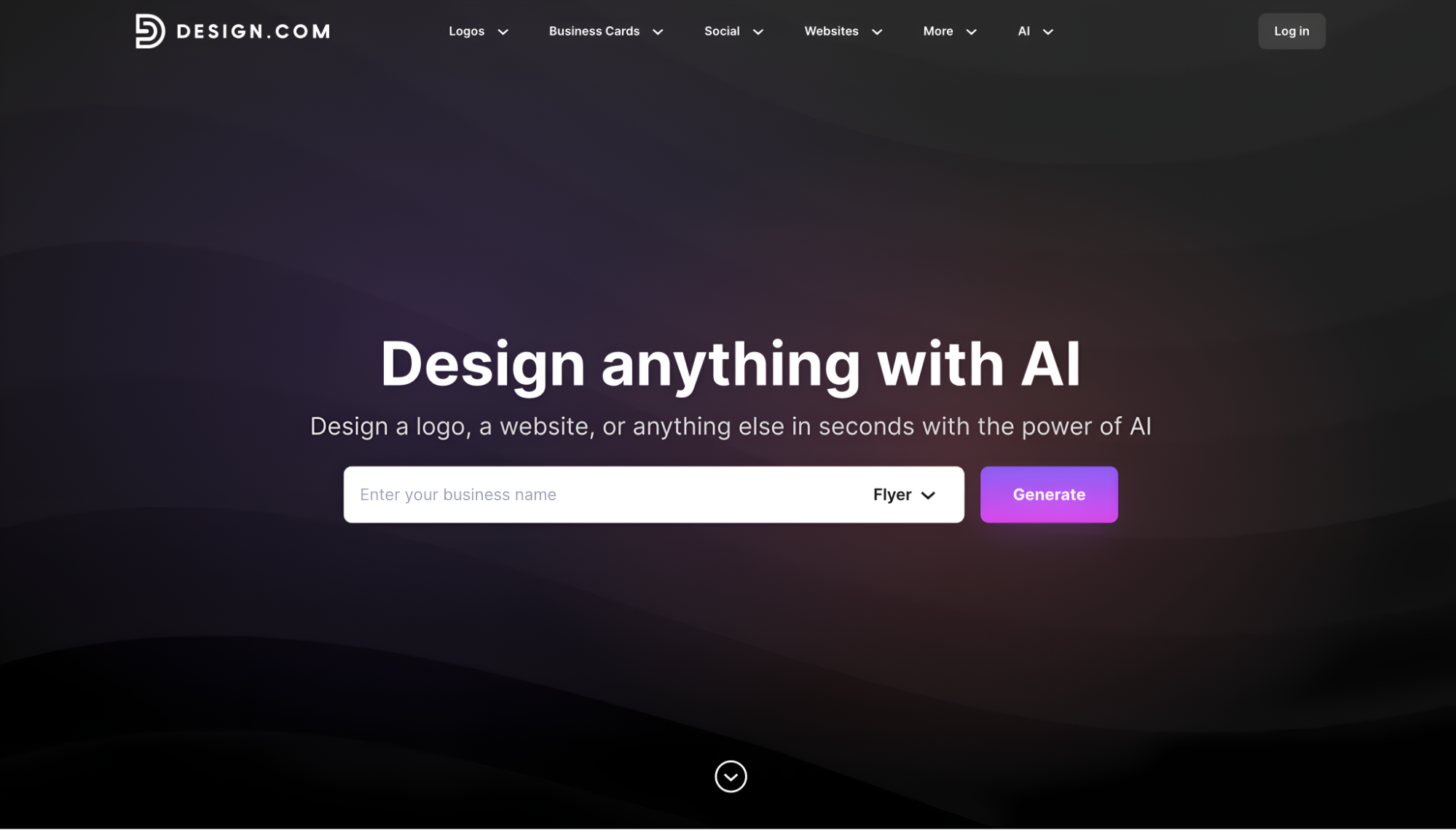
Design.com is an AI flyer generator that creates professional designs in seconds. Simply enter your business name or promotional text, and the AI generates multiple custom flyer options instantly. The platform stands out with automatic brand coordination across 50+ design tools, ensuring your flyers, logo, business cards, and marketing materials all match perfectly.
- AI-driven flyer creation with instant results
- Thousands of professionally designed templates
- Automatic brand coordination across 50+ tools
- Complete file formats (PNG, JPG, SVG, EPS, PDF)
- Professional printing options (4-4,000 flyers)
- Free worldwide shipping or express delivery
- 750+ fonts with 525+ exclusive options
- 62,000+ custom vector shapes
Pricing:
- Free plan with AI flyer generator access
- Premium plan at $7/month (annual billing)
- Premium + Website at $12/month (annual billing)
Why it matters: Design.com solves the consistency problem by automatically applying your brand colors and fonts across all marketing materials. This means businesses get professional flyers, matching business cards, websites, and social graphics without juggling multiple tools or manually coordinating designs.
See it in action
Here is how Design.com handles flyer creation for an events management business:
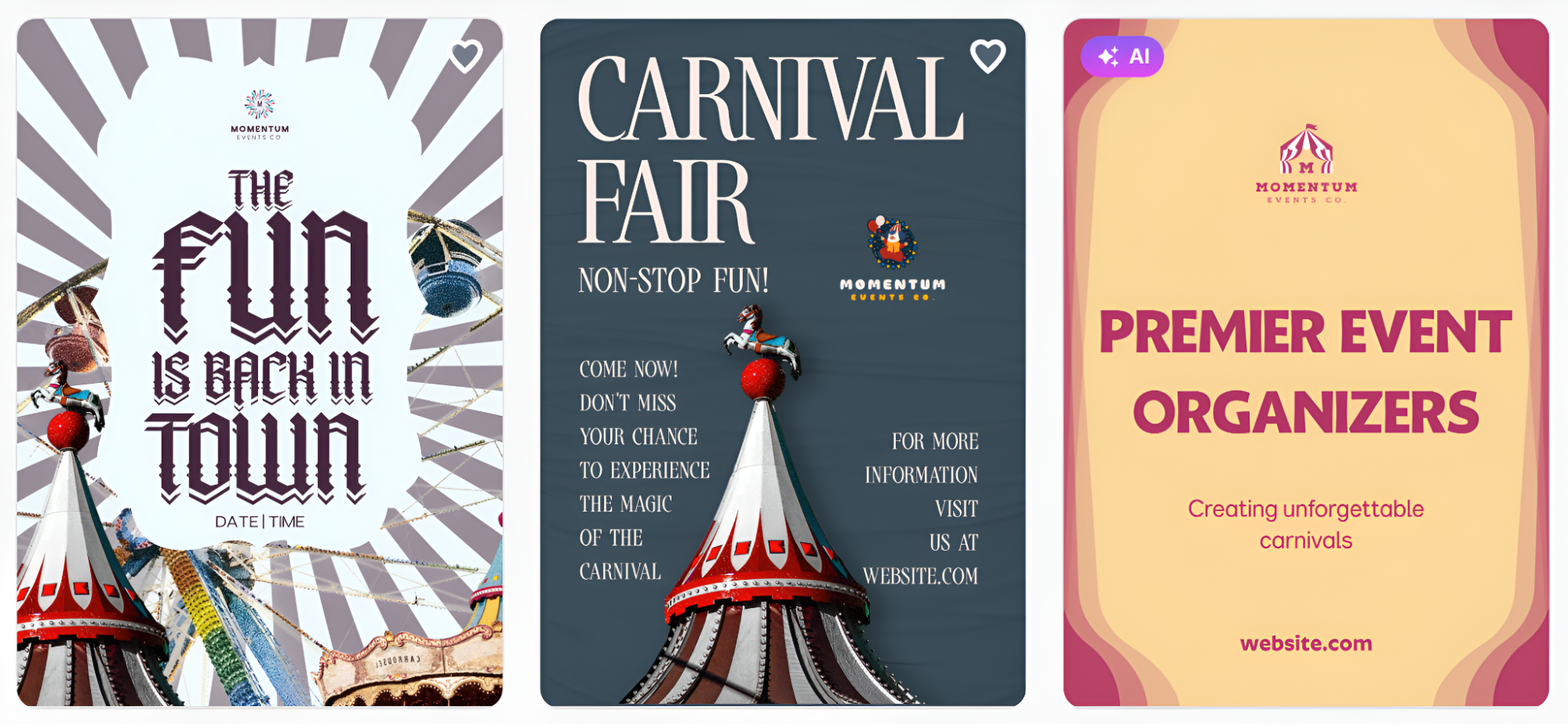
Using Momentum Events Co. as the business name, the AI instantly pulls together layouts, brand colors, and typography that feel intentional and cohesive across every asset.
8. BrandCrowd
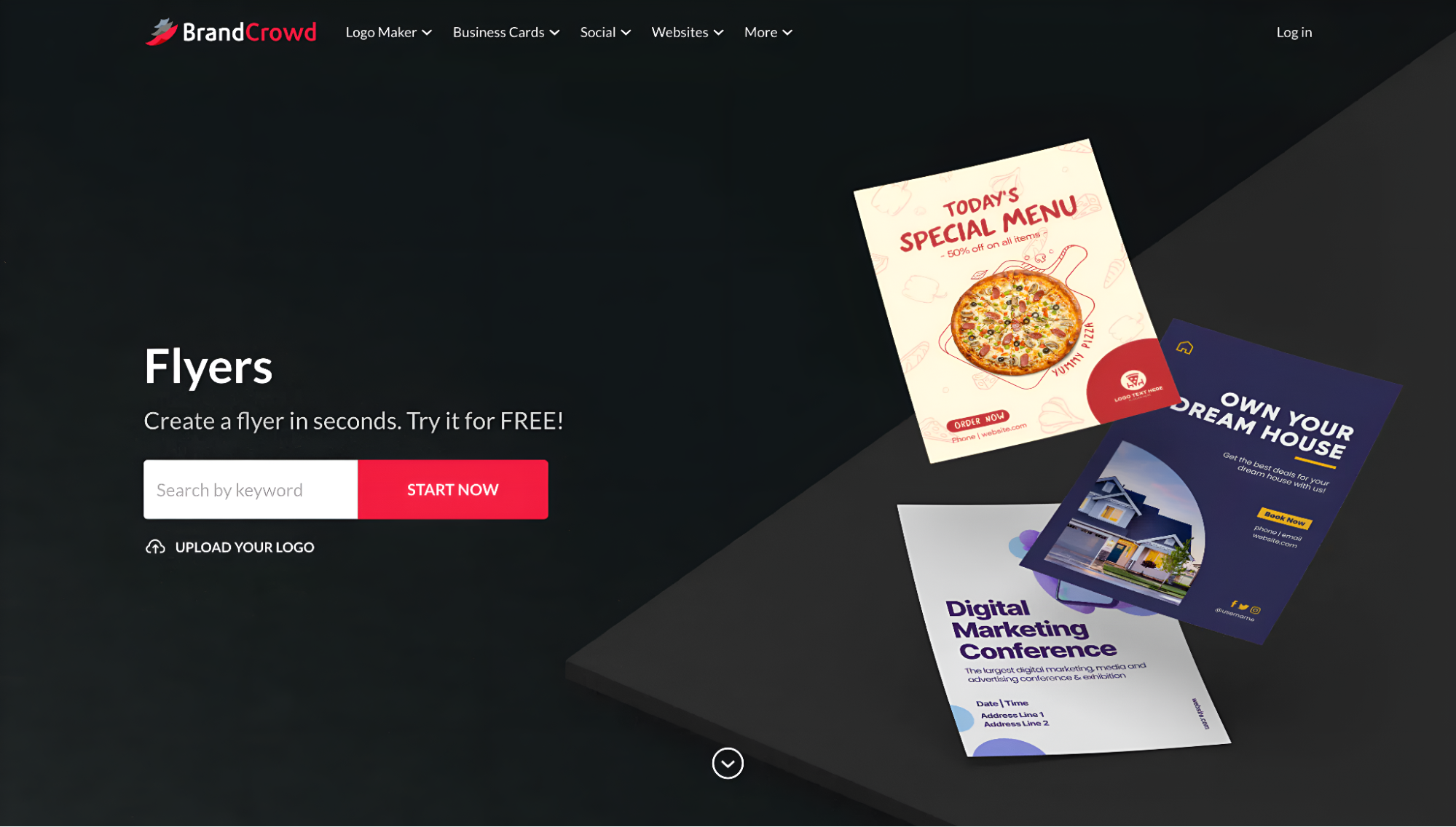
BrandCrowd is a flyer maker that prioritizes design quality through professional designer verification. Every template is created by experienced designers and checked for originality, ensuring your flyers stand out rather than look generic. The drag-and-drop editor makes customization simple, even for complete beginners.
- Designer-verified templates for quality assurance
- Instant design options based on keywords
- Easy editing with a drag-and-drop interface
- Quick creation perfect for time-sensitive promotions
- Complete file formats (PNG, JPG, SVG, EPS, PDF)
- Professional printing options (4-4,000 flyers)
- Free worldwide shipping or express delivery
- 750+ fonts with 525+ exclusive options
- 4.8 Trustpilot rating from 9,000+ reviews
Pricing:
- Free plan with template access
- Premium plan at $7/month (annual billing)
- Premium plan at $12/month (monthly billing)
Why it matters: BrandCrowd eliminates the template roulette frustration by providing designs crafted by professional designers who understand composition and visual hierarchy. Businesses get flyers that look intentionally designed rather than auto-generated, building credibility with customers.
See it in action
Spark & Celebrate is a boutique social events planner, and BrandCrowd's designer-verified library is exactly the kind of tool a business like this needs.
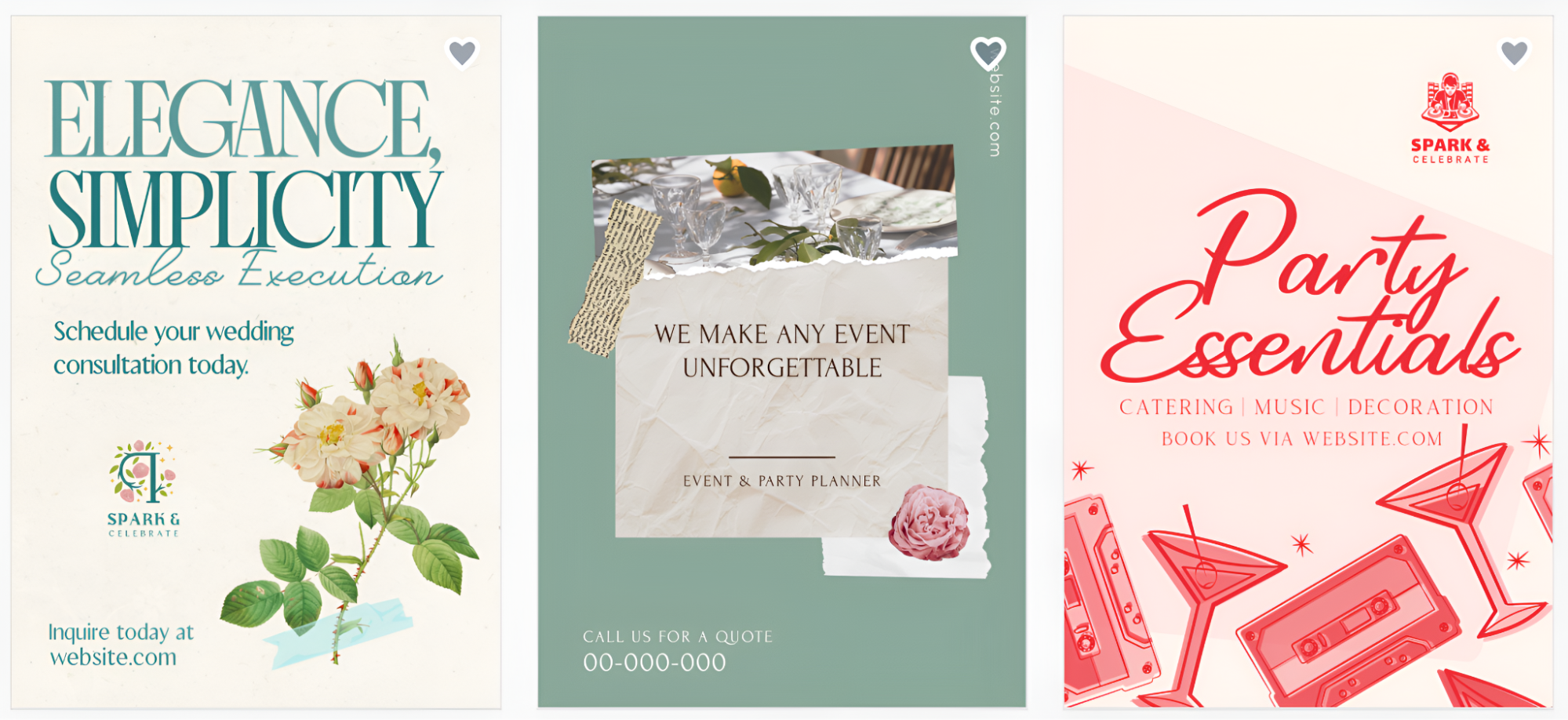
Just type in "events" or "party planner" in the search bar, and you get a strong set of polished, ready-to-customize flyer templates right away. No blank canvas, no guesswork.
Showcase Your Creative Work on Fueler
Once you have used these incredible tools to build a stunning portfolio of advertising flyers, you need a professional place to show them off to the world. This is where Fueler comes in. Instead of just listing "graphic design" as a skill on a boring resume, you can use Fueler to build a visual proof-of-work portfolio that shows potential employers and clients exactly what you are capable of. It allows you to display your flyers, projects, and assignments in a sleek, professional format that proves your value before you even walk into the room. It is the best way for talented individuals in the US to get hired based on their actual skills rather than just their work history.
Final Thoughts
The American market is too fast and too competitive to settle for "good enough" when it comes to your advertising. Every flyer you put out is a direct reflection of your brand's quality and attention to detail. By using the right tools, you can transform your marketing from an ignored piece of paper into a powerful engine for growth. Whether you need the data-heavy precision of Visme or the creative flair of PicMonkey, there is a tool on this list that will help you dominate your local or national market. Stop waiting for the "perfect time" to start and dive into these tools today to see your brand finally get the attention it deserves.
FAQs
1. What are the best free flyer maker tools for small businesses in the USA in 2026?
Canva and Adobe Express remain the top choices because they offer incredibly robust free versions that allow you to create professional-quality flyers without spending a dime. These platforms provide thousands of free templates and high-quality assets that are perfect for businesses on a tight budget.
2. How can I make my advertising flyers stand out in a crowded market?
Focus on high-quality imagery, bold typography, and a very clear call to action. Using tools like Fotor for AI photo enhancement or PicMonkey for unique textures can give your flyers an artistic edge that most generic advertisements lack.
3. Do I need professional design skills to use these flyer makers?
Absolutely not. Most modern flyer makers are designed with a "drag-and-drop" philosophy, meaning if you can move a mouse or tap a screen, you can create a professional design. They provide the structure and the art, you just provide the information.
4. Which tool is best for printing high-quality physical flyers in the US?
VistaCreate is particularly strong in this area as it focuses on "print-ready" designs that meet the technical standards of most American print shops. It helps you manage margins and color profiles to ensure your physical flyers look exactly like they did on your screen.
5. Can I use these tools to create social media ads as well?
Yes, almost all of these tools include a "magic resize" or "smart resize" feature. This allows you to take your flyer design and instantly adapt it for Instagram, Facebook, and LinkedIn, ensuring your brand looks consistent across both physical and digital marketing channels.
What is Fueler Portfolio?
Fueler is a career portfolio platform that helps companies find the best talent for their organization based on their proof of work. You can create your portfolio on Fueler. Thousands of freelancers around the world use Fueler to create their professional-looking portfolios and become financially independent. Discover inspiration for your portfolio
Sign up for free on Fueler or get in touch to learn more.

What should you do next?
You've read the article. Now turn your skills into proof of work and unlock more opportunities.
Build your proof of work portfolio
Create a clean portfolio with projects, assignments, resumes, and AI stack details that companies actually want to see.
Create your Fueler portfolio →Apply through assignments, not resumes
Stand out by solving real tasks from companies hiring on Fueler.
Explore assignments →Get discovered by companies
Make your work public and let recruiters discover your skills through actual projects instead of keywords.
Get discovered →
