7 Best AI Business Card Generator Tools for Professionals

Riten Debnath
22 Mar, 2026
Last updated: March 2026
Networking isn’t about handing out a piece of dead tree and hoping someone doesn’t use it as a coaster; it’s about making sure they actually remember your face when you’re not in the room.
I’m Riten, founder of Fueler, a skills-first portfolio platform that connects talented individuals with companies through assignments, portfolios, and projects, not just resumes/CVs. Think Dribbble/Behance for work samples + AngelList for hiring infrastructure.
The business card hasn’t died; it just got a brain transplant thanks to Artificial Intelligence. If you are still using a basic template from 2012, you are essentially telling people you still use a flip phone. Modern AI tools can now take your brand colors, your vibe, and your industry, then spit out a design that looks like you paid a boutique agency thousands of dollars. Here are the tools actually worth your time this year.
Before you jump into the list, keep in mind that these tools do the heavy lifting so you can focus on actually talking to people.
At a glance: Comparing the Best AI Business Card Generator Tools for Professionals
1. Design.com
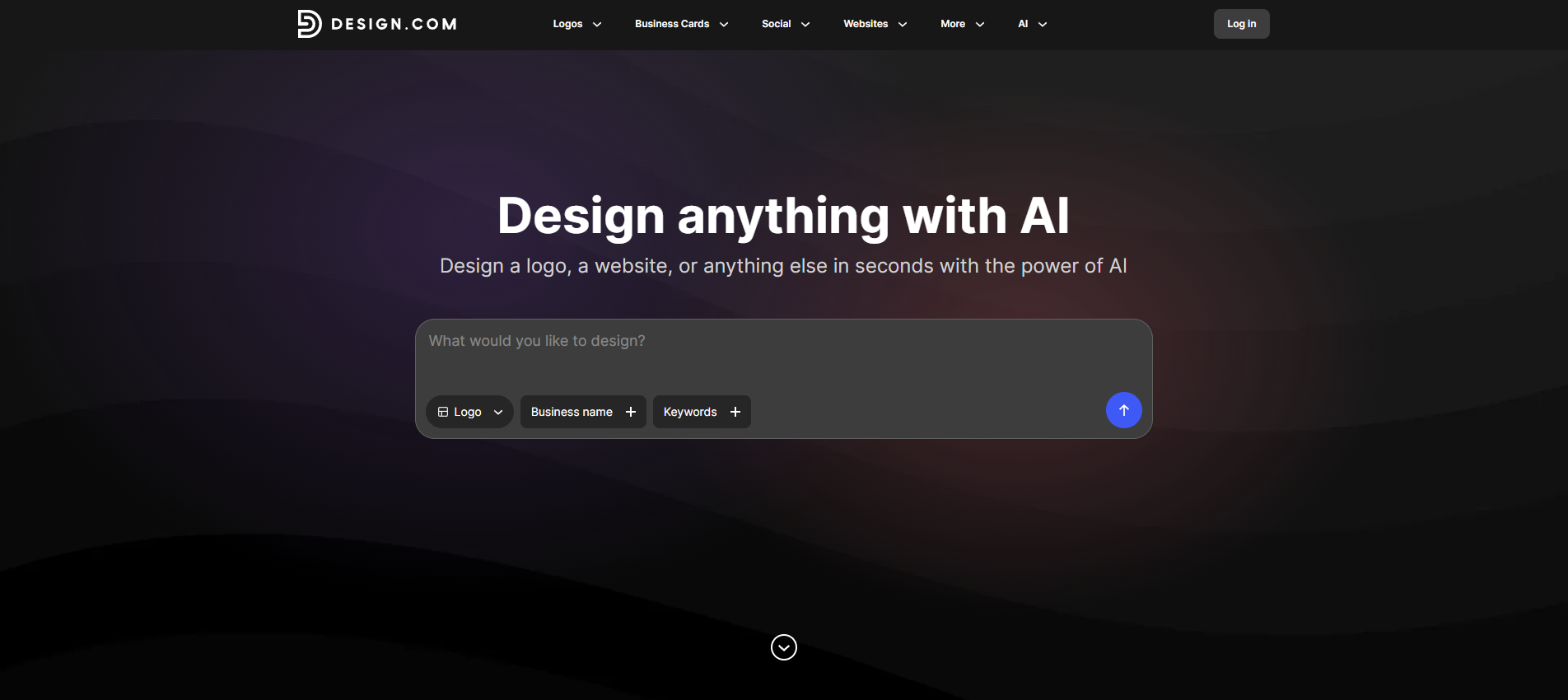
Design.com’s business card generator is the best choice for entrepreneurs, startups, and growing businesses that want tailored and on-brand business cards without hiring a designer or spending hours doing it manually. And unlike other card makers that provide just templates, Design.com offers printing + a complete branding ecosystem in one platform. You can go from entering your business name to downloading a print-ready business card and making matching marketing materials from it in minutes, making it one of the fastest and most versatile solutions available today.
- AI-Powered Business Card Generation: Simply enter your business name and a few keywords, and Design.com instantly generates multiple business card concepts tailored to your industry and style. Instead of starting with a generic template, you begin with options that are already tailored and relevant to you.
- 20,000+ Professional Business Card Designs: Design.com gives you access to one of the largest business card design libraries available, featuring over 20,000 handcrafted templates created by professional designers. Whether you're building a modern tech brand, a luxury consultancy, or a local service business, you'll find designs that fit your brand identity.
- Advanced Customization Tools: Unlike many template-based platforms, Design.com gives you complete creative control. You can edit fonts, colors, layouts, shapes, gradients, and even curved text, allowing you to create a card that feels uniquely yours rather than a modified template.
- Complete Brand Identity System: Your business card is only the beginning. Design.com can generate matching social media graphics, email signatures, letterheads, and other branded assets using the same visual style and colors. This ensures a consistent and professional brand presence across every customer touchpoint.
- Direct Business Card Printing: Design.com doesn't stop at design creation. Once your card is ready, you can order professional printing directly through the platform with options for quantities from 250 to 5,000 cards, single- or double-sided layouts, rounded or square corners, and multiple premium finishes. This allows businesses to move from concept to printed cards without needing a separate printing provider.
Pricing:
- Premium Plan: US$3/month (billed annually)
- Premium Design Pack + Website: US$6/month (billed annually)
- Business card printing available separately with multiple print and finish options
Why it matters: Design.com isn't just a business card maker—it's a complete branding platform. Its combination of integrated branding tools, direct printing, and smart AI that gives you on-brand results rather than a generic slew of elements makes it the strongest all-around choice for modern businesses. If you want a business card that looks custom made without all the hassle, Design.com is the platform to beat.
2. Adobe Express
Adobe Express is essentially the more approachable, smarter cousin of Photoshop, packed with Firefly AI that makes professional-grade design feel like a simple game. It uses generative AI to fill in backgrounds, suggest font pairings that actually look good, and ensure your layout follows the golden rules of visual hierarchy. If you want that "Adobe look" without the steep learning curve of professional software, this is your best bet for a card that stands out in a pile of boring white rectangles.
- Firefly Generative Fill: This is a total game-changer for business cards because it allows you to add or remove elements using simple text commands. If you have a great photo but hate the background, you can tell the AI to "add a professional marble texture" or "remove the messy office desk," and it will seamlessly blend the new elements into your card design with realistic lighting.
- AI Font Recommendations: Choosing the right font is usually the hardest part of design, but Adobe’s AI analyzes the "vibe" of your text and suggests pairings that are professionally balanced. It looks at your industry, whether you are a lawyer or a creative director, and ensures your contact information is readable while still maintaining a distinct personality that matches your overall brand identity.
- Automated Layout Refinement: If you find yourself struggling to fit your name, title, website, and social handles on a tiny card, the AI layout engine can automatically reorganize your elements. It uses professional design principles to ensure there is enough "white space," making sure your card looks clean and high-end rather than cluttered and desperate, which is a common mistake for DIY designers.
- Creative Cloud Library Sync: For professionals who already use Adobe tools, the AI can pull assets directly from your other projects and adapt them for your business card. This means your logo, specific brand colors, and unique textures are always at your fingertips, and the AI will suggest ways to incorporate them that you might not have thought of, like using a logo texture as a subtle background.
- High-Resolution Vector Exports: Unlike many basic generators, Adobe’s AI ensures that your final file is a high-resolution vector, which means it will never look blurry when printed. The AI checks your resolution in real-time and warns you if a photo is too low-quality for print, saving you the embarrassment of ordering 500 cards only to realize they look pixelated and cheap.
Pricing: * Free Plan: $0.00 per month (Basic Firefly credits).
- Premium Plan: $9.99 per month (250 generative credits and premium assets).
- Teams Plan: $6.49 per user per month (Min. 2 seats).
Why it matters: Adobe Express is vital for professionals who care about the "prestige" of their brand. Because it uses the same engine as professional design software, the AI-generated results have a level of polish and sophistication that cheaper tools simply cannot replicate. It’s for the person who wants their business card to feel like a premium product.
3. Brandmark.io
Brandmark.io is the best choice for busy professionals who do not want to spend an hour "tweaking" a design and just want a high-quality brand identity in under sixty seconds. It uses a proprietary AI engine that specializes in color psychology and iconography to build a cohesive look for your business. You don't start with a template; the AI builds the card from the ground up based on the keywords you provide about your business and your personal style.
- AI Color Psychology Mapping: Instead of just picking colors you like, Brandmark’s AI chooses palettes based on the emotional response they trigger in your specific industry. If you are in finance, it will lean toward trust-building blues; if you are in high-energy tech, it might suggest vibrant gradients, ensuring your business card psychologically aligns with the expectations of your target clients or partners.
- Logo-First Design Generation: This tool is unique because it treats your business card as an extension of your logo rather than a separate document. The AI generates dozens of card variations that play with your logo’s shapes and negative space, creating a professional look that feels like it was custom-made by a brand agency that charges five figures for a single identity package.
- Real-Time Layout Swapping: As you browse through designs, you can click a button to see the same information in 50 different layouts instantly. The AI understands the relationship between your name and your contact details, ensuring that no matter which layout you choose, the most important information is always the most prominent, which is essential for effective networking and quick scanning.
- Direct Branding Asset Export: When you find a card design you love, the AI prepares a "Designer Account" for you that includes all the source files you need for professional printing. This includes the exact CMYK color codes and vector files that print shops require, removing the technical headache of trying to explain your design needs to a printer who just wants a specific file format.
- Keyword-Driven Iconography: By entering a few simple keywords about your work, the AI scans millions of professional design combinations to find icons that aren't "clip art." It selects sophisticated, modern icons that represent your professional niche, ensuring that even a small detail like a phone or email icon looks like it was designed specifically for your brand’s modern and updated aesthetic.
Pricing: * Basic Package: $25.00 (One-time fee for logo and card files).
- Designer Package: $65.00 (Includes full brand guide and business materials).
- Enterprise Package: $175.00 (Original concepts created by a design team).
Why it matters: Brandmark is the "get it done" tool for the professional who values time above all else. Its AI is specifically tuned to create "minimalist luxury" designs that are trending in 2026. If you want a card that looks clean, modern, and authoritative without having to learn how to use a single design tool, this is your winner.
4. Looka
Looka is an AI-powered design platform that feels like you are sitting across from a human designer who actually listens to you. It uses a "preference-learning" AI that asks you to pick designs you like before it starts creating yours. This ensures the business cards it generates aren't just random, but are actually tailored to your personal taste. It’s one of the few tools that provides a complete "Brand Kit," making your business card just one part of a much larger, perfectly synced identity.
- Interactive Style Learning: Before the AI generates a single card, it shows you a series of designs and asks you to rate them. This allows the machine learning algorithm to understand if you prefer bold, aggressive designs or soft, approachable ones, meaning the first round of business cards it shows you will already be 90% closer to what you actually want to see.
- Full Brand Kit Synchronization: Looka’s AI doesn't just make a card; it makes a brand. Once you pick a card design, the AI automatically generates matching letterheads, social media profile pictures, and even invoices. This level of automation is perfect for professionals who are tired of their marketing materials looking like they were made by five different people in five different decades.
- AI-Generated Variations: If you see a card you almost like, the "Variations" feature allows the AI to generate 20 more versions of that specific design with slight tweaks to the font weight, icon placement, or color saturation. It allows you to fine-tune your professional card with extreme precision without you having to manually drag items around a screen or worry about alignment.
- Commercial Licensing Guidance: The AI ensures that all fonts and icons used in your card are legally cleared for commercial use. This is a massive relief for professionals who worry about copyright issues. The tool provides you with the peace of mind that your brand is protected and that you actually own the rights to the beautiful design the AI has helped you create from scratch.
- Dynamic Information Preview: As you change your professional title or contact details, the AI updates the design in real-time to show you how the new text fits. It will automatically shrink or grow font sizes to ensure the layout remains balanced, which is incredibly helpful if you have a long name or a complicated business address that usually breaks standard design templates.
Pricing: * Basic Logo Package: $20.00 (One-time fee for one file).
- Brand Kit Subscription: $96.00 per year (Logo + business card + 300 templates).
- Brand Kit Web Subscription: $129.00 per year (Everything plus a website).
Why it matters: Looka is perfect for the professional who is building something bigger than just a card. If you are starting a new consultancy or a boutique firm, Looka’s AI ensures your business card is the centerpiece of a professional look that spans across your entire business. It makes you look established from day one.
5. Designhill AI Business Card Maker
Designhill takes a unique approach by combining a massive database of human-designed templates with an AI engine that learns from what actually converts in the real world. Its AI focuses on "utility," making sure that while your card looks great, it is also highly functional. It offers a "Smart Card" feature that bridges the gap between the physical and digital worlds, which is exactly where professional networking is headed in 2026.
- High-Intent Template Matching: The AI asks you a series of questions about your specific target audience and the "goal" of your card. Based on this data, it filters through millions of professional designs to present you with the ones most likely to appeal to your specific demographic, whether you are trying to impress a CEO or a creative freelancer in a casual setting.
- Smart Card Digital Integration: Designhill’s AI can generate a digital version of your card that is optimized for mobile screens and Apple/Google Wallets. It creates a personalized link that you can share via text or QR code, ensuring that even if you run out of physical cards, you are never without a way to share your professional contact information and your portfolio with a new contact.
- AI-Driven Font Hierarchy: The tool uses an algorithm to determine which parts of your card should be seen first. It automatically applies "visual weight" to your name or your most important call to action, like "Book a Call." This ensures your card isn't just a pretty piece of paper, but a functional marketing tool designed to get people to take the next step with you.
- Unlimited AI Revisions: Unlike hiring a human designer where revisions might cost extra, Designhill’s AI allows you to generate unlimited versions of your card until you are 100% satisfied. You can experiment with wild colors or conservative layouts as much as you want, giving you the creative freedom to explore your professional identity without any financial risk or time-consuming back-and-forth.
- Professional Designer Review: If you love your AI-generated card but want a "human touch" before printing, Designhill offers a hybrid service where a professional designer can give your AI file a final polish. This "best of both worlds" approach ensures that you get the speed and low cost of AI with the high-level quality control of a human expert who knows exactly how ink hits paper.
Pricing: * Basic Package: $9.99 (One-time fee for a simple design).
- Professional Package: $8.99 per user (Billed biannually for digital cards).
- Full Design Contest: $199.00+ (If you want human designers to work on your AI ideas).
Why it matters: This tool is for the professional who wants a "smart" business card. If you are constantly moving between physical conferences and digital meetings, Designhill’s AI ensures your identity is consistent and accessible in both spaces. It’s the ultimate tool for the modern, multi-platform professional.
6. Vistaprint AI Assistant
Vistaprint is the world leader in physical cards, and their new AI assistant is designed specifically to ensure what you see on your screen is exactly what shows up in your mailbox. The AI specializes in "print-readiness," checking things like bleeds, margins, and ink density that other AI tools often ignore. It is the best choice for professionals who don't want to worry about their cards looking "off" once they are physically printed on high-quality cardstock.
- Industry-Specific Layout Logic: The AI assistant uses data from millions of successful business card orders to suggest layouts that are proven to work in your specific field. If you are a real estate agent, it will suggest a layout that prioritizes your headshot and phone number; if you are an artist, it will give more space to your visuals, using data-backed logic to make you more effective.
- AI Texture and Finish Suggestions: One of the coolest features is the AI suggesting physical finishes like "Spot UV" or "Gold Foil" based on your digital design. It analyzes the elements of your card and tells you, "Hey, this logo would look amazing if it was embossed," helping you create a tactile experience for the person holding your card that goes way beyond just a simple digital image.
- Real-Time Print Preview AI: This isn't just a flat image on a screen; the AI generates a 3D, high-fidelity mockup of your card in a real-world setting. You can see how light reflects off different paper types and how the colors will look under natural lighting, which prevents the common disappointment of cards looking darker or less vibrant in person than they did on a bright computer monitor.
- VistaConnect NFC Integration: The AI helps you set up an NFC-enabled card where someone can just tap their phone to your card to instantly save your contact info. The AI guides you through setting up your digital profile, ensuring that your "analog" piece of paper is actually a gateway to your entire digital ecosystem, including your LinkedIn profile, portfolio, and social media channels.
- Automated Proofing Engine: Before you checkout, the AI runs a 20-point check on your design to catch mistakes like typos, low-resolution images, or text that is too close to the edge. It acts as a final safety net, ensuring you don't waste money on a batch of cards that have a glaring error that you were too tired to notice during the design phase.
Pricing: * AI Design Assistant: $0.00 (Free to use for designing).
- Standard Cards: ~$15.00 for 100 cards (Varies by paper quality).
- Premium NFC Cards: ~$25.00 per unit (One-time purchase).
Why it matters: Vistaprint matters because it bridges the gap between "cool AI art" and "professional business tool." If your goal is to have high-quality, physical cards that feel premium in the hand, this AI ensures that the transition from your computer screen to a physical product is absolutely flawless and professional.
7. Tailor Brands
Tailor Brands is built for the professional who is essentially a "business of one." Its AI doesn't just look at your business card in isolation; it looks at your entire business structure. It is an "ecosystem" AI that helps you with everything from LLC formation to your business card design. It’s perfect for freelancers and new consultants who need a professional identity that feels cohesive and legally sound from the very first day.
- Holistic Brand Identity AI: When you design a business card, the AI checks your chosen name against business registries and domain availability. It ensures that the brand you are building on your card is one you can actually own and scale, preventing you from falling in love with a design for a business name that is already taken or trademarked by someone else.
- AI-Generated Social Media Kits: The tool takes your business card design and automatically creates "social-ready" versions of it. It generates posts for Instagram, X (Twitter), and Facebook that feature your card's branding, allowing you to announce your new professional venture with a set of graphics that look like they were designed by a social media marketing agency.
- Dynamic Design Resizing: If you decide you want a vertical business card instead of a horizontal one, or perhaps a square card, the AI handles the redistribution of your contact info instantly. It recalculates the spacing and font sizes to ensure the new format is just as readable and professional as the original, saving you from having to start the entire design process over from scratch.
- Niche-Specific Iconography: Tailor Brands has one of the most sophisticated AI icon libraries. Instead of generic symbols, it uses "abstracted" icons that represent complex professional services. This gives your business card a more high-end, "corporate boutique" feel that is very popular with high-ticket consultants and professional service providers who want to look established and trustworthy.
- Seamless LLC and Domain Integration: The AI assistant guides you through the process of making your brand "official." It links your business card design to your website domain and your legal business filing, making it the only tool on this list that treats your business card as a legal and digital asset rather than just a design project. It is truly an all-in-one "business in a box."
Pricing: * Lite Plan: $0.00 + State Fees (Focuses on LLC formation).
- Basic Plan: $3.99 per month (Billed annually for branding tools).
- Elite Plan: $249.00 per year (Full business suite including digital cards).
Why it matters: Tailor Brands is for the professional who is serious about building a real company. Its AI takes the guesswork out of branding and legal setup, allowing you to walk into a meeting with a business card that isn't just a design, but a representation of a fully-formed, legally registered, and digitally present professional entity.
How Fueler Helps You Showcase Your Real Skills
While a great business card gets you through the door, it’s your work that actually closes the deal. This is where Fueler comes in. Think of your AI-generated business card as the "invite" and your Fueler profile as the "event." Instead of just telling someone you are a "Marketing Expert" on a piece of paper, you can use the QR code on your card to link directly to your Fueler portfolio. There, they can see your actual campaign results, your writing samples, or your design projects in a clean, professional layout that proves you can do exactly what you say you can. It turns a simple "nice to meet you" into a "wow, look at what they’ve actually built."
Final Thoughts
Choosing an AI business card generator is about more than just picking a pretty layout; it is about finding a tool that understands your professional "vibe." Whether you need the massive creative library of Canva, the high-end polish of Adobe Express, or the "business-in-a-box" approach of Tailor Brands, these tools are here to make you look like a pro without the pro-level price tag. The best part? You can always iterate. As your skills grow and your career evolves, your AI partner is ready to update your look in seconds, ensuring you are always putting your best foot forward in every handshake.
FAQs
What are the best free AI business card generators in 2026?
The best free options currently are Canva and Adobe Express. Both offer generous free tiers that include their basic AI design tools, though you may have to pay for premium stock images or specific high-end "Magic" features. They allow you to design and download high-resolution files without a subscription.
Can I print AI-generated business cards at home?
Yes, most AI tools like Vistaprint and Canva provide "print-ready" PDF files with bleed marks. However, for a truly professional look, it is usually better to use their integrated printing services which ensure the paper quality and ink saturation match the high-end digital design the AI created.
Do AI business card tools offer digital or NFC cards?
Absolutely. Tools like Vistaprint (VistaConnect) and Designhill are leaders in the NFC space. They allow you to create a physical card with a built-in chip that, when tapped against a smartphone, instantly opens your digital profile, portfolio, or contact save screen.
Is it better to use a template or let AI generate a card from scratch?
If you want to look unique, let the AI generate a card from a text prompt. Templates are great for speed, but AI generation ensures that your color combinations and layouts are customized specifically to your industry keywords, making it less likely you'll run into someone with an identical card.
How do I link my portfolio to my AI business card?
The most professional way is to generate a dynamic QR code using the AI tool's built-in features. You should link this code to a dedicated portfolio platform like Fueler, where people can see your "Proof of Work" immediately after meeting you, rather than just a static LinkedIn page.
What is Fueler Portfolio?
Fueler is a career portfolio platform that helps companies find the best talent for their organization based on their proof of work. You can create your portfolio on Fueler. Thousands of freelancers around the world use Fueler to create their professional-looking portfolios and become financially independent. Discover inspiration for your portfolio
Sign up for free on Fueler or get in touch to learn more.

What should you do next?
You've read the article. Now turn your skills into proof of work and unlock more opportunities.
Build your proof of work portfolio
Create a clean portfolio with projects, assignments, resumes, and AI stack details that companies actually want to see.
Create your Fueler portfolio →Apply through assignments, not resumes
Stand out by solving real tasks from companies hiring on Fueler.
Explore assignments →Get discovered by companies
Make your work public and let recruiters discover your skills through actual projects instead of keywords.
Get discovered →
