8 Best AI Logo Maker Tools for Startups in 2026 (Free and Paid Compared)

Riten Debnath
09 Mar, 2026
You have got a massive vision, a rock-solid business plan, and enough ambition to fill a skyscraper. But there is one thing standing between you and looking like a genuine, market-ready powerhouse: a logo that doesn't look like you drew it on a napkin with a crayon. In 2026, you don't need a massive agency budget to build a brand identity. Here is the lowdown on the seven best AI logo makers that will make your startup look expensive without actually costing you a fortune.
I’m Riten, founder of Fueler, a skills-first portfolio platform that connects talented individuals with companies through assignments, portfolios, and projects, not just resumes/CVs. Think Dribbble/Behance for work samples + AngelList for hiring infrastructure.
1. Design.com
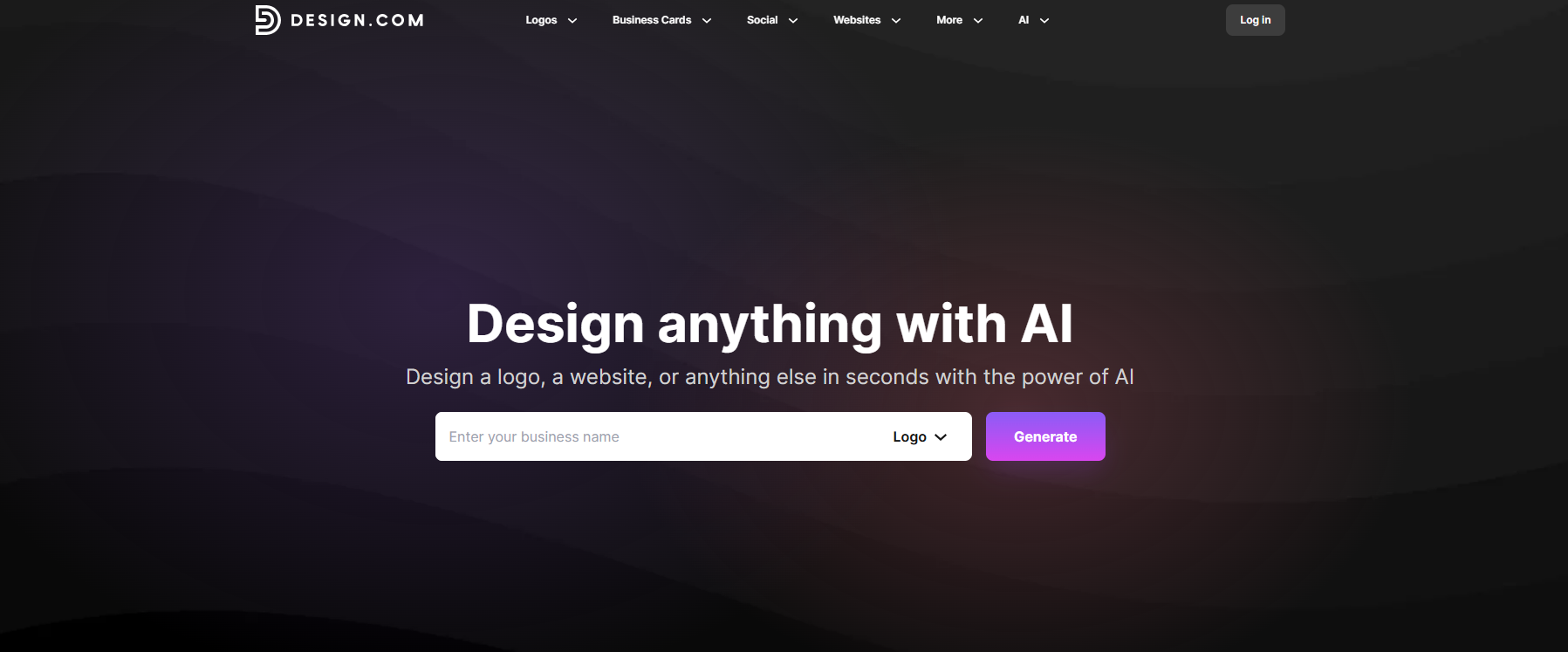
Design.com is a top AI logo maker that makes creating professional logos fast and easy. Simply enter your business name and the AI logo generator instantly creates dozens of high-quality, ready-to-use logos. With over 400k+ logo design templates and more than a million design assets, you can fully customize fonts, colors, and icons to match your brand and build a complete identity fast.
Features:
- AI Logo Generator: Instantly generates thousands of unique logo options based on your business name and style preferences.
- Advanced AI Logo Editing: Edit your logo using AI by changing icons, text, or styles through a simple chat-based interface for fast and precise refinements.
- Extensive Template Library: Access over 400,000+ professional logo templates across every industry, giving you endless starting points for your design.
- Integrated Branding System: Your logo automatically connects with other designs like websites, business cards, and social media, so your brand identity stays consistent everywhere.
- Multi-Format Downloads: Export your logo in PNG, JPG, SVG, and PDF formats for use across digital and print platforms.
Pricing
- Free Plan: Create and explore logo designs. The free plan also includes access to a free website builder, a digital business card maker, a link-in-bio creator, and 50+ additional design tools. Downloading or exporting designs requires a premium subscription.
- Starter Plan: From $5/month (billed annually), unlock premium downloads, full customization features, and extended branding tools.
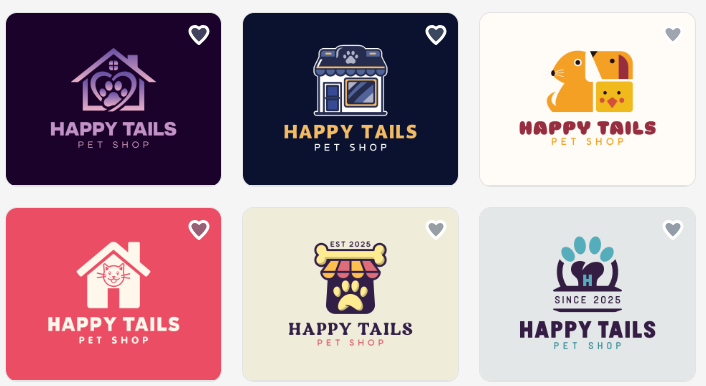
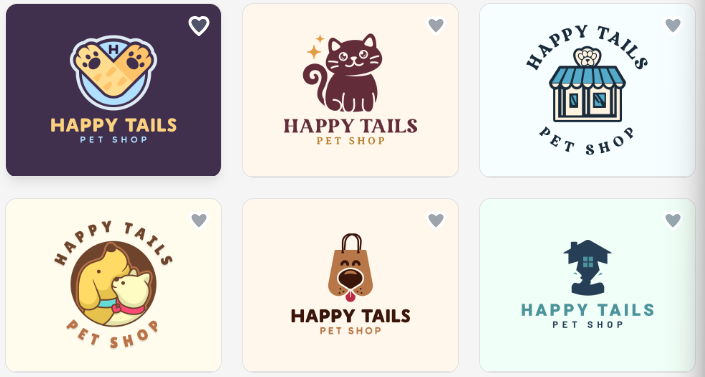
Browse logo samples from Design.com to spark your creativity:
And more:
Why it matters in 2026 branding:
- Brands need assets across more channels than ever; Design.com covers logos, web, and social in one workflow.
- Your brand colors and identity automatically cascade across templates and design tools, keeping everything visually consistent without manual effort.
- AI-powered generation and editing let you create dozens of logo options in seconds, helping you move from idea to identity much faster without sacrificing quality.
- Solo founders and small teams can build a full brand identity without hiring a designer.
- The free tier makes professional branding accessible at any budget
2. BrandCrowd
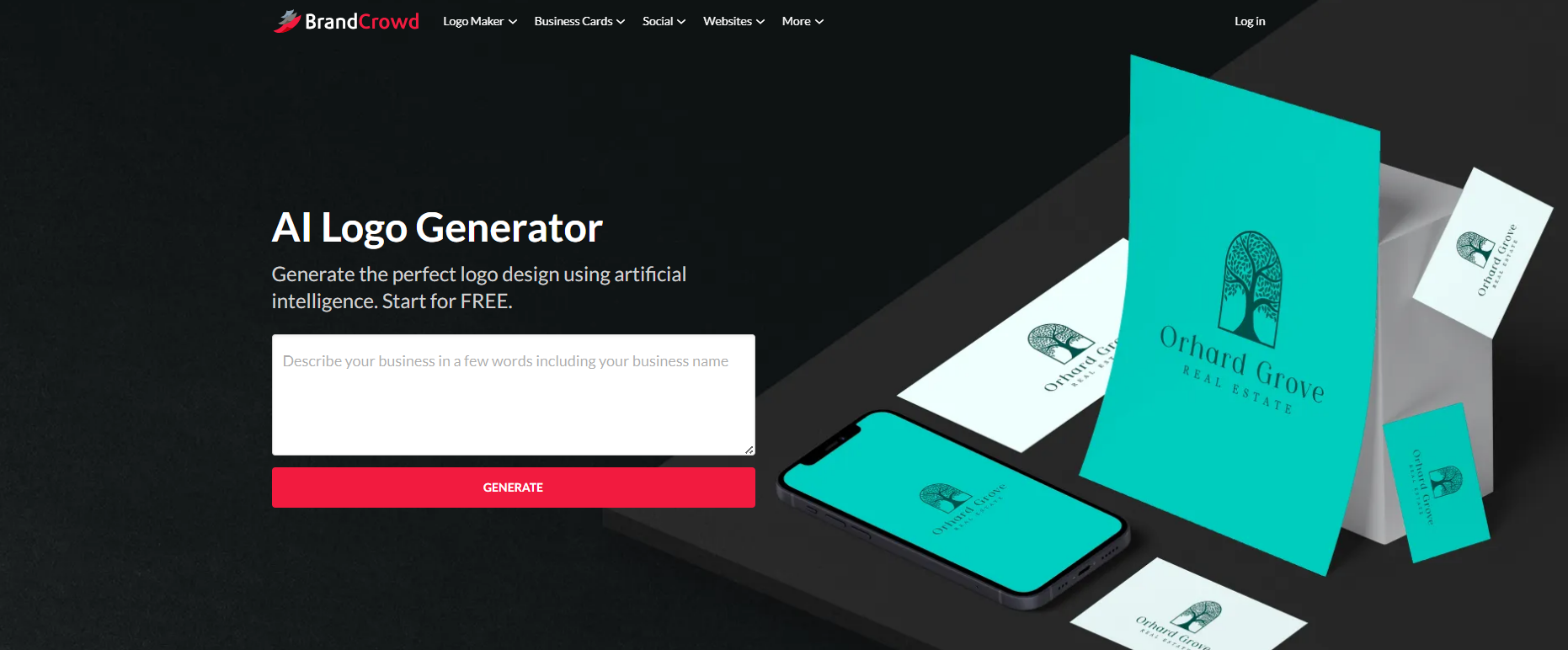
BrandCrowd is an all-in-one branding platform that helps businesses create professional logos and complete brand assets in minutes. It lets users generate logo ideas tailored to their industry and fully customize them to match their brand identity.
With over 380K logo templates and a wide range of design tools, it's easy to build a consistent brand across every channel, including social media graphics, business cards, and other marketing materials.
If you're looking for the best AI Logo generator, BrandCrowd is a strong option for building a complete and cohesive brand quickly.
Features:
- AI-Powered Logo Generator: Instantly generates logo ideas tailored to your business and industry so you can move from concept to design in seconds.
- Advanced AI Logo Editing: Edit your logo using AI by changing icons, text, and styles through a simple chat interface, making refinements fast and precise.
- Extensive Template Library: Access over 380,000+ logo templates and more than 1 million total design assets to quickly find a design that fits your brand.
- Brand Identity System: Your logo, colors, and design style automatically carry across social media posts, business cards, and other assets, keeping your branding consistent everywhere.
- Fonts, Shapes, and Icons Library: Choose from hundreds of fonts (including exclusive options) and thousands of custom vector shapes to refine your brand identity.
- Multi-Format Downloads: Export high-quality logos and designs in PNG, JPG, SVG, and PDF formats for both digital and print use.
Pricing:
- Free Plan: Create and test logo designs at no cost. You also get access to additional tools like a website builder, link-in-bio creator, and digital business card maker, along with 50+ other design tools. To download or export your final designs, a premium subscription is required.
- Starter Plan: From around $3/month, unlock premium downloads, full customization features, and extended branding capabilities.
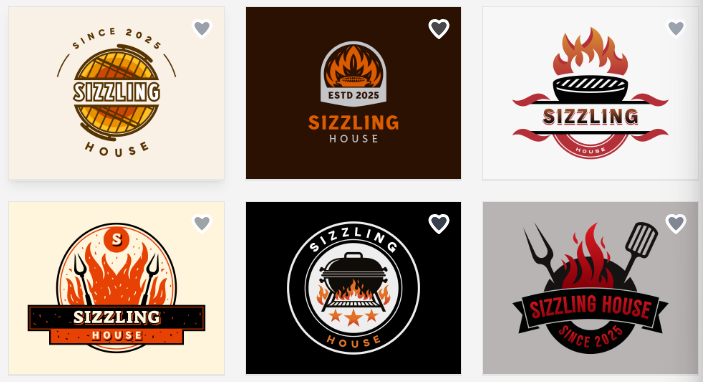
Explore BrandCrowd sample templates below for your next logo idea:
Why it matters in 2026 branding:
- Strong branding is no longer optional, and BrandCrowd helps businesses build a recognizable identity quickly without needing design experience.
- It focuses on giving founders ready-made creative assets they can adapt fast, making it easier to move from idea to market-ready branding.
- Brand colors and design styles can cascade across logos, social media posts, and marketing materials, helping maintain a consistent look as the brand expands.
- The platform is especially useful for startups that want flexible branding tools to create logos, marketing materials, and digital assets as they grow.
- AI-assisted creation and editing help speed up the design process, reducing the time it takes to produce usable brand assets.
3. Canva
Canva is the Swiss Army knife of design for a reason. It isn't just an AI tool; it is a full design ecosystem that feels like a warm hug for your creativity. Even if you haven't touched a design tool in your life, you will feel like a pro within minutes of opening the editor.
- Ease of Use: This tool is incredibly approachable, making the design process feel like play rather than a chore. It provides a massive, constantly updated library of elements, fonts, and layouts that do the heavy lifting for you. You are not just dropping an icon on a page; you are using a sophisticated system that guides you toward balanced, aesthetically pleasing results without needing any previous design experience or technical training.
- Design Quality: Because it relies on a massive shared library of icons and templates, the designs are clean and modern, though sometimes they can feel a bit "template-heavy." It is perfect for getting started quickly, though you might find that your logo looks similar to others if you don't take the time to customize the fonts, colors, and layout elements to truly make it your own.
- Versatility: This platform shines because it is not just a logo maker; it is a full-service design suite. You can use your logo across all your social media graphics, pitch decks, business cards, and marketing flyers in one centralized location, ensuring that your branding remains consistent and professional-looking without having to jump between different software programs or learn new, complex interfaces for every single task.
- Customization: The drag-and-drop editor is genuinely intuitive, allowing you to move, resize, recolor, or layer elements without needing to learn complex tools or shortcuts. You can iterate through 10–15 different concepts in under half an hour, which is fantastic during the early brainstorming phase when you are still trying to figure out the visual identity of your business and what truly resonates with your target audience.
- Export Options: You can export your designs in PNG, JPG, PDF, or even SVG formats (if you have the Pro subscription). The ability to go back and modify your logo at any time, re-downloading it in different formats or sizes at no extra cost, is a major benefit for early-stage startups that might need to change their branding as their business model matures and evolves over time.
4. Looka
Looka is the refined older brother of simple generators. It is less about you "drawing" and more about you "curating" a professional identity. The AI acts like a boutique design firm, asking specific questions about your industry, favorite styles, and color preferences before presenting you with a polished grid of options that feel truly tailored to your business goals.
- AI Intelligence: The system uses smart algorithms to combine your style preferences, preferred colors, and icon choices into a grid of logo ideas. It is more about recombining curated assets smartly rather than inventing new shapes from scratch, which ensures that the results are consistently professional, high-quality, and structurally sound, avoiding the common pitfalls of messy, amateurish, or poorly balanced AI-generated marks.
- Brand Kit Power: Once you select a concept you love, the tool automatically builds out a full brand kit, including social media covers, email signatures, and business card layouts. This is a massive advantage for founders who want to establish immediate credibility and look like a mature, established brand from their very first customer interaction, saving you from having to design every single asset manually from the ground up.
- Ease of Onboarding: The platform has a very simple, guided interface that walks you through the entire generation process step-by-step. You don't need to have a pre-existing vision to get started; you just enter your company name, select your industry, pick a few styles you like, and the AI does the heavy lifting, giving you many decent logo options in just a few minutes of effort.
- Real-World Preview: You can instantly see how your logo will look on physical and digital assets like merchandise, business cards, storefront signs, or billboards. This is incredibly helpful for visualizing your brand in a real-world context, helping you confirm that your chosen logo is balanced and legible at different sizes and on different backgrounds before you commit your time and money to a final purchase.
- Professionalism: Looka focuses on providing a cohesive brand experience that feels "corporate-ready" from day one. It helps you avoid the risk of creating a brand that looks fragmented or messy, ensuring that your fonts, colors, and layout remain consistent across all your professional touchpoints, which is essential for building long-term recognition and trust with potential customers, partners, and investors in a competitive market.
5. Logo.com
If your "seed round" is effectively just your personal savings account and you are watching every penny, Logo.com is arguably the most generous option currently available. It doesn't treat you like a second-class citizen just because you are using their free tier, providing a surprisingly high volume of templates that are actually worth using for a serious business venture.
- Generosity: This platform stands out as the most generous AI logo generator, offering completely free logo creation with no hidden costs or watermarks. It is a fantastic option for early-stage startups that need a clean, professional-looking logo without forcing an immediate financial commitment, allowing you to allocate your limited startup budget toward more critical areas like product development, traffic acquisition, or store setup and optimization.
- Speed: The user interface is incredibly fast and keeps complexity to a minimum, allowing you to generate dozens of concepts in the time it takes to brew your morning coffee. Unlike many competitors that trap you in a "free to look, pay to touch" loop, this platform is genuinely committed to helping you get a functional logo without forcing an immediate payment before you even see what you are getting.
- Template Variety: With access to thousands of professionally designed templates, you have plenty of starting points for your creative journey. Whether you are looking for something sleek, playful, or bold, there is a design for you. Don't you see the perfect fit? Just start with a base template and customize it to your heart's content, swapping out icons, changing colors, and adjusting fonts to make it uniquely yours.
- Customization: You have total control to customize your logo after the AI generates it, meaning you can adjust colors, fonts, layouts, and icons until everything is perfect. The platform is packed with millions of icons and fonts, giving you enough creative freedom to ensure that your logo reflects your specific business personality rather than just being a generic mark that could belong to any other random company out there.
- Brand Kit Utility: Once your logo is ready, you can download your full brand kit with everything you need: logo files, fonts, watermarks, social media templates, and more! The AI logo generator will also create thousands of customizable marketing designs based on your logo colors and fonts, so you are ready to take your brand to the next level immediately, without having to design everything from scratch yourself.
6. LogoDiffusion
This tool is for the founder who is slightly more design-savvy and needs more than just a flat image. LogoDiffusion is built on generative AI technology that allows for genuine creativity and iteration, making it the perfect choice if you need true vector filesthe kind that stay sharp and crisp even when you blow them up for a massive billboard or a storefront sign.
- Technical Quality: Unlike basic template-shuffling apps that trace shapes, this platform constructs true vector logos that prioritize clarity, originality, and professional logo fundamentals. Because it uses models trained on clean, curated datasets created by professional logo designersnot bulk internet imagesyou don't risk getting a generic, low-quality mark, and you end up with a high-fidelity output that truly stands on its own as a professional brand identity.
- Creative Control: You get fine-grained control through various style, detail, and industry settings that let you art-direct the results. The "Magic Editor" allows you to perform precision edits while preserving the rest of your design, giving you the ability to iterate on your vision without having to start over every time you want to make a minor change to a specific icon, font, or layout element.
- Unique Output: Every logo generated is unique, meaning you don't risk having the same logo as another brand in your niche. The platform supports 11 different logo stylesranging from abstract and pictorial to mascot and badge/crest designsand provides a comprehensive workflow that covers prompt enhancement, professional-grade mockups, and the ability to turn any image into a logo, giving you immense flexibility during the design process.
- Vectorizer Workflow: The built-in vectorizer rebuilds your logo cleanly, which saves you hours of manual work and ensures that your final file is high-quality, scalable, and ready for any professional print application. Having access to these vector files is critical for any growing business, as it ensures your branding will look crisp and clear at any size, providing you with the technical quality that professional printers and manufacturers expect.
- Workflow Integration: From prompt to concept to refinement, mockup, and vector export, this tool provides a full system for logo creation. It is ideal for founders who want many high-quality concepts quickly without sacrificing the structural integrity, balance, or professional principles that make a logo effective. It’s perfect for those who care about scalability, uniqueness, and long-term brand use, making it a powerful investment for your startup’s visual future.
7. Brandmark.io
Brandmark uses an AI engine that feels significantly more "human" and less like it is just picking random icons from a database. It focuses heavily on typography and clean, balanced aesthetics, ensuring your logo doesn't just look like a "generic startup mark" but rather something that could plausibly have been designed by a boutique firm with a focus on modern minimalism.
- Aesthetic Intelligence: The intelligence behind this tool is specifically tuned for balance, spacing, and font harmony. It is a fantastic choice for brands that care more about the long-term impact of their visual language than they do about flashy, trendy icons that might look dated in six months. It builds a brand identity that feels thoughtful, sophisticated, and intentionally crafted for your specific market niche and business personality.
- Typography Focus: Because the tool excels at pairing fonts and symbols, your final logo will have a cohesive, high-end feel that is difficult to achieve with basic generators. The attention to detail in how the text interacts with the icon makes the entire mark feel more "designed" and less "assembled," giving your startup a sense of maturity and professionalism that can really help you stand out from the competition.
- Revision Freedom: One of the best features of this platform is that it gives you unlimited edits even after you have purchased your logo. This is a game-changer for founders who like to refine things over time or who might need to tweak their brand identity slightly as they grow, ensuring that you always have access to your designs and can make adjustments whenever necessary to keep your branding fresh and accurate.
- Asset Suite: Beyond just a logo, you get access to hundreds of brand assetsincluding business cards, letterheads, and brand guidelinesall tailored to match your specific logo choice. This is an incredibly powerful value proposition for a one-time fee, providing you with a complete, cohesive brand identity package that makes your startup look established and capable from the very first day you launch your marketing efforts.
- Commercial Rights: You get full copyright included with all your projects, which is a significant legal benefit for any new business owner. Knowing that the intellectual property of your logo belongs entirely to you, and that you have lifetime access to your branding tools and assets, gives you peace of mind as you scale, allowing you to focus on growing your business without worrying about future branding headaches or licensing issues down the road.
8. LogoAI
LogoAI is built for the founder who loves seeing the "big picture" immediately. It doesn't just show you a logo; it shows you exactly how that logo lives in the wild. It displays your mark on mockups of business cards, stationery, invoices, and social media headers, giving you a complete "visual proof" of what your brand will actually look like once it is fully operational.
- Practical Visualization: The emphasis on practical application is its superpower. By seeing your logo on physical and digital assets, you can instantly identify if the design is too busy or if the colors look wrong in a real-world context. This saves you from the common mistake of designing a logo that looks great on a screen but fails to work when printed on a tiny business card or as a website favicon.
- Industry Customization: The tool uses advanced algorithms to tailor designs based on your specific business type, ensuring the results are relevant and appropriate for your sector. From color scheme selection with professional psychological descriptions to font style options that range from modern and corporate to futuristic and edgy, the tool provides a sophisticated level of industry-specific intelligence that makes your final design feel both relevant and intentional.
- Professional Output: The quality of the final files is consistently high, and you receive them in multiple formats, making it easy to use your logo everywhere from your website and mobile app to your official company stationery and printed marketing materials. The output is structured to feel like work from an experienced identity designer, not just a collection of random clip art, providing you with the professional foundation you need to launch.
- Brand Identity Tools: Beyond the logo itself, you get access to a brand center that helps you manage your identity consistently. This tool is excellent for startups that need to see the "full picture" of their visual identity before they commit to a final, permanent design choice, allowing you to experiment with variations and confirm everything fits your vision before you invest in your official brand assets and materials.
- Efficiency: The generation process is fast, taking only about 1–2 minutes to provide you with a wide array of options to choose from. It is perfect for entrepreneurs who value speed and want to minimize the time they spend on mechanical design tasks, enabling you to focus on the high-level strategy of your business while the AI handles the heavy lifting of producing a polished, credible, and scalable logo identity.
BONUS
Hatchful (by Shopify)
If your startup’s primary goal is selling things online, Hatchful is the "set it and forget it" tool you didn't know you needed. Since it is built by Shopify, it inherently understands the specific needs of e-commerce store owners, from social media profile pictures to website favicons. It gets straight to the point and delivers exactly what an online business needs to look professional.
- E-commerce Optimization: The platform is purpose-built to help you get your store up and running, ensuring that all your digital assets are sized correctly and ready to be uploaded to your store within minutes of signing up. It understands that you don't need complex, decorative graphics; you need a clean, functional logo that performs well in the digital shopping environment, where clarity and speed are everything.
- Total Accessibility: It is completely free to use, and you don't even need to create an account or provide any credit card information to get started. This makes it an incredibly low-risk option for anyone just starting their journey in the world of online retail, allowing you to allocate your limited budget to other crucial areas like inventory, digital advertising, or product shipping while still having a professional-looking storefront.
- Template Breadth: Despite being free, it offers a surprisingly wide variety of templates across different industries and styles, giving you multiple starting points for your creative journey. You can browse through industry-specific templates that already look great, and then customize them slightly to fit your brand name and slogan, making it very simple to build a professional-looking digital presence without needing any design skills at all.
- Asset Pack Generation: Once you pick a design, you don't just get one logo; you get a pack of images pre-sized for all the social media platforms you might useFacebook, Instagram, Twitter, Pinterest, and more. This is an enormous time-saver for busy store owners who don't want to spend hours resizing their logo for different profile pictures and banners, allowing you to launch your store with a cohesive, professional look instantly.
- Beginner-Friendly Workflow: The entire process is guided by clear, step-by-step prompts that take you from "no logo" to "ready to launch" in just a few minutes. It is designed to move you past the early roadblocks of new business ownership quickly, providing you with a practical, clean, and e-commerce-ready identity that works perfectly for store headers, checkout pages, and your social channels, helping you build trust with your online customers from day one.
Final Verdict
Choosing the right tool depends entirely on your specific startup needs:
- If you are on a strict budget and just need something fast, go straight to Hatchful or Logo.com. They are incredibly fast, free or low-cost, and specifically designed for quick deployment.
- If you want the best balance of professional "real-company" vibes and comprehensive brand kits, Looka is the winner. It provides a complete, polished brand identity that makes you look established immediately.
- If you are a design geek who needs professional vector files for printing, Use LogoDiffusion. Its ability to generate clean, scalable vector assets is unmatched among AI-only tools.
- If you want a modern, design-conscious brand that feels high-end: Go with Brandmark.io. Its focus on typography and intentional design is perfect for premium, sophisticated brands.
Using an AI logo maker is an excellent way for startups to establish a professional visual foundation without the massive overhead of a design agency. While these tools excel at speed and affordability, remember that the initial output is just a starting point; the real value comes from your creative input. To avoid a generic look, you should actively customize the fonts, colors, and layout elements, as a truly unique brand identity requires that extra layer of human intentionality to stand out in a crowded market.
Frequently Asked Questions (FAQs)
1. Is it safe to use an AI-generated logo for my business?
Yes, but you must verify that the platform grants you full commercial usage rights. Always review the terms of service to ensure you legally own the final design for business use.
2. Can I trademark an AI-generated logo?
Yes, you can often trademark an AI-generated logo because trademarks protect brand identifiers used in commerce, not the creative process. However, to be eligible, the design must be distinct and unique; pure, unedited AI output can be challenging to protect, so customize it heavily.
3. Why are vector files so important?
Vector files (such as .SVG or .EPS) are built on mathematical equations rather than pixels. This means you can scale your logo to any sizefrom a tiny business card to a massive billboardwithout it ever becoming blurry or pixelated.
4. Why does my AI logo look generic?
Many AI generators rely on popular templates. To fix this, don't just accept the first result; manually tweak the letter spacing (kerning), select custom colors that fit your specific brand, and pair unique fonts to ensure the final result doesn't look like a template.
5. Should I copyright my AI logo?
Copyright protection for purely AI-generated work is extremely limited in many jurisdictions because it lacks "human authorship." If you want stronger legal protection, focus on heavily modifying the AI output with your own original design elements, which helps demonstrate significant human creative input.
What is Fueler Portfolio?
Fueler is a career portfolio platform that helps companies find the best talent for their organization based on their proof of work. You can create your portfolio on Fueler. Thousands of freelancers around the world use Fueler to create their professional-looking portfolios and become financially independent. Discover inspiration for your portfolio
Sign up for free on Fueler or get in touch to learn more.

What should you do next?
You've read the article. Now turn your skills into proof of work and unlock more opportunities.
Build your proof of work portfolio
Create a clean portfolio with projects, assignments, resumes, and AI stack details that companies actually want to see.
Create your Fueler portfolio →Apply through assignments, not resumes
Stand out by solving real tasks from companies hiring on Fueler.
Explore assignments →Get discovered by companies
Make your work public and let recruiters discover your skills through actual projects instead of keywords.
Get discovered →
