6 Best Facebook Cover Maker Tools for Businesses and Creators

Riten Debnath
08 Mar, 2026
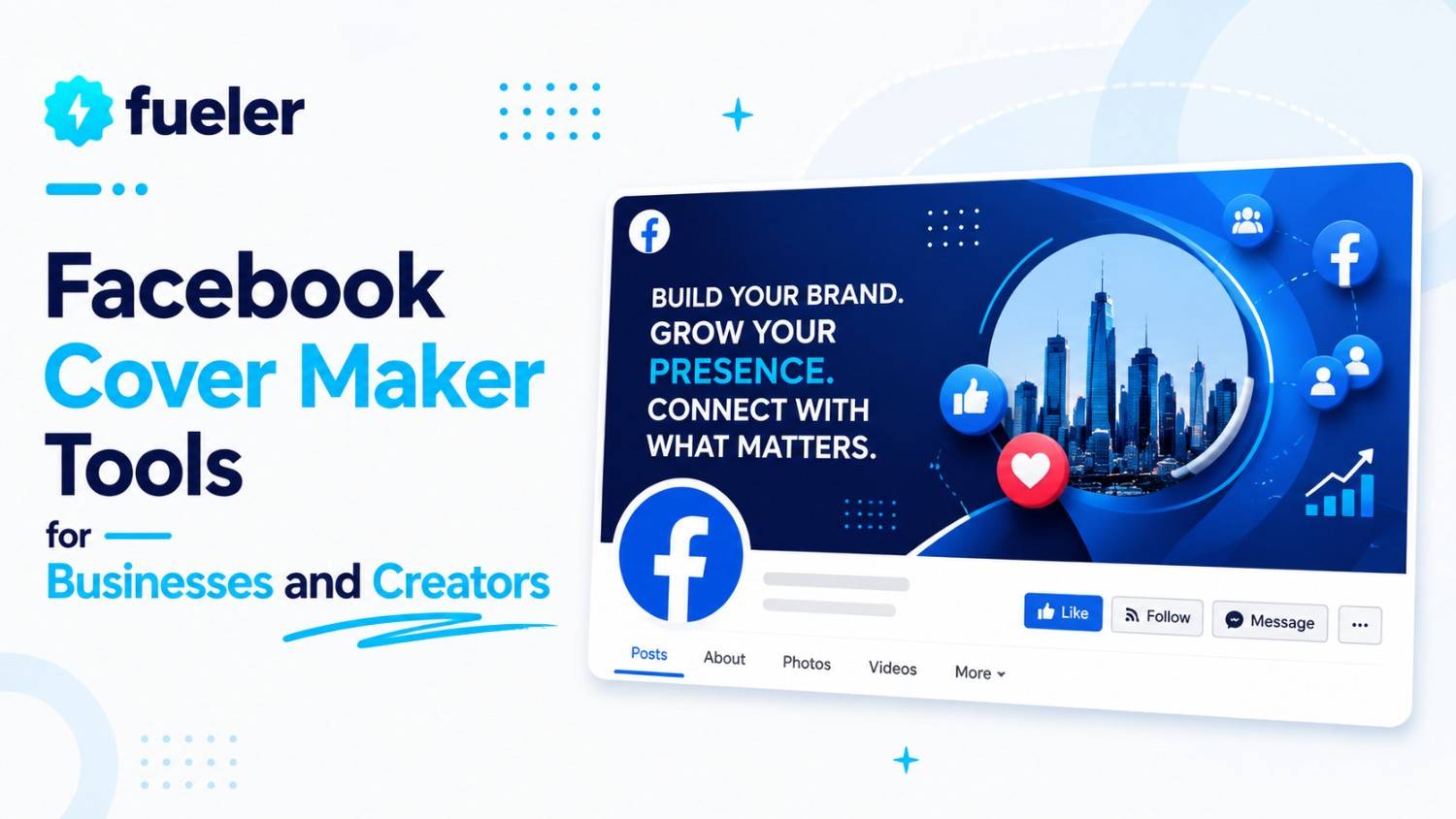
Your Facebook cover is the digital equivalent of a shop window. When someone lands on your page, it is the first thing they see, and you have about three seconds to convince them that you are worth their time. A cluttered, low-resolution, or outdated cover image tells potential clients that you don't care about the details. Conversely, a sharp, branded, and professional cover signals that you are an authority in your space.
I’m Riten, founder of Fueler, a skills-first portfolio platform that connects talented individuals with companies through assignments, portfolios, and projects, not just resumes/CVs. Think Dribbble/Behance for work samples + AngelList for hiring infrastructure.
1. Canva
Canva is the heavyweight champion of design for a reason. Its drag-and-drop interface is so intuitive that anyone can produce professional results in minutes, making it the go-to tool for millions of creators who need to handle technical dimensions and mobile optimization without having to do the math themselves.
- Massive Template Library: Canva offers an exhaustive library of pre-sized Facebook cover templates that are mobile-optimized, ensuring your text and logo never get awkwardly cropped on a user's phone screen. This saves you from the frustration of manual resizing and ensures a professional look across both desktop and mobile devices immediately, keeping your brand looking sharp without the need for constant design adjustments or trial-and-error uploads.
- Collaboration Made Simple: You can share your designs with team members or clients in real-time, allowing them to leave comments or make small edits before you finalize the design. This collaborative workflow is essential for small businesses that need to get quick approvals or feedback from partners, ensuring that everyone is aligned on the brand message before the cover photo goes live on your official business page.
- Drag-and-Drop Assets: The platform includes millions of free and premium stock images, graphics, and icons that you can drop directly into your project to make it look unique. This massive repository eliminates the need to pay for external stock photography websites, allowing you to find the perfect visual elements that match your industry, brand colors, and overall aesthetic in just a few quick clicks.
- Brand Kit Consistency: If you use the Pro plan, you can save your specific brand colors, fonts, and logos so that every design you create maintains a cohesive look and feel. This level of organization is what separates professional companies from amateur side-hustles, ensuring that every touchpoint a customer has with your business feels like part of a single, unified, and highly trustworthy, polished professional identity.
- Magic Switch Functionality: You can easily resize a cover photo design into an Instagram post or a LinkedIn banner with one click, saving you time when you need to repurpose content. This efficiency is a massive win for busy founders, allowing you to maintain a consistent visual presence across all your social media channels without having to recreate your designs from scratch for every single platform.
Pricing: Free version available; Pro plan is $15/month for individuals or $10/user per month for teams.
Why it matters: Consistency is the backbone of brand authority. When your visual assets are perfectly sized for every device and align with your brand colors, your business looks established and trustworthy. Canva removes the technical barriers to high-quality design, allowing you to focus on the message you want to send to your audience rather than struggling with software settings.
2. Adobe Express
If you want your brand to have a sleek, editorial, or high-end magazine look, Adobe Express is where you should head. It brings the power of Adobe’s professional design heritage into a format that is actually fun and approachable to use, even if you have never opened Photoshop in your life.
- World-Class Font Library: You gain access to thousands of licensed, high-end Adobe fonts that give your text a level of sophistication and professional polish that generic tools cannot reproduce. This allows you to choose typography that carries the right emotional weight for your brand, whether you want to appear as a traditional, reliable consultant or a cutting-edge creative agency with a truly bold and modern perspective.
- One-Click Background Removal: The platform makes it incredibly easy to remove the background from your headshots or product photos, giving you clean, professional cutouts for your cover banners. This is particularly useful for freelancers whose face is a core part of their brand, as it ensures the image integrates perfectly with the rest of the cover design for a seamless, studio-quality, and highly professional finish.
- Seamless Adobe Integration: If you ever hire a professional designer, they can easily take your Express files and open them in full-blown Illustrator or Photoshop for further refinement. This makes your brand future-proof, allowing your visual identity to evolve and grow alongside your business without having to start from zero every time you upgrade your marketing materials, professional needs, or visual standards as you scale.
- AI-Powered Quick Actions: Use built-in AI to instantly resize images, convert file formats, or apply creative filters that would otherwise take hours of manual editing in complex software. These intelligent tools act as a shortcut for busy entrepreneurs, allowing you to achieve complex, professional-looking effects with minimal effort, ensuring your covers always look fresh, current, and aligned with the latest trends in social media design.
- Access to Adobe Stock: You have a massive selection of high-quality, curated stock images and video assets that add a premium layer to your Facebook page’s visual identity. Because these images are professionally shot and curated, they help your page avoid the "generic" look of common stock photos, giving your business a more authentic, high-end feel that resonates deeply with your target audience and potential clients.
Pricing: Free version available; Premium plan is $9.99/month.
Why it matters: Typography is the silent language of design. Using high-end Adobe fonts makes your cover photo feel expensive and premium. This elevates your perceived value in the market, allowing you to command higher prices because you look like a top-tier professional who invests in high-quality visual assets and maintains a professional presentation that separates your business from the noise of the competition.
3. Snappa
Snappa is designed for the busy founder or creator who simply does not have the time to tinker with a project for an hour. It is arguably the fastest tool on this list, allowing you to get in, customize a template, and get out in under five minutes flat.
- Optimized Dimensions: Snappa comes pre-loaded with every social media dimension you could possibly need, ensuring your Facebook cover fits perfectly every time without you having to check pixel sizes. This removes the guesswork and the dreaded pixelated or cut-off results that happen when you guess the dimensions, giving you total confidence that your banner will look crisp, clean, and perfectly aligned on any device.
- Royalty-Free Stock Library: All their high-resolution photos are royalty-free and ready for commercial use, so you never have to worry about copyright strikes or purchasing expensive third-party photos. Having an integrated, legal, and high-quality image library is a massive time-saver, allowing you to find the right visuals for your brand's story without ever leaving the design tool or worrying about licensing or future legal risks.
- Effortless Text and Shape Additions: You can drag and drop text boxes, shapes, and icons to create a clean layout, making it easy to display your tagline or contact info. This simplicity is designed for speed, ensuring you don't waste time on complex layers or advanced software tools, allowing you to get your message across quickly and effectively to anyone visiting your Facebook business page.
- Automatic Image Resizing: You can resize your cover design into other formats like YouTube banners or LinkedIn headers with just a few clicks, ensuring consistent branding. This automated feature is perfect for maintaining a unified look across multiple social media platforms, ensuring your brand identity remains strong and recognizable, whether someone finds you on Facebook, LinkedIn, or any other professional network or platform.
- One-Click Download: Once finished, you can download your design in high-resolution, making it easy to upload straight to your Facebook page without any extra conversion steps. This direct-to-upload workflow is the ultimate time-saver, helping you update your page for seasonal promotions, events, or sales in minutes, keeping your business looking active and engaged without ever taking you away from your actual core business operations.
Pricing: Free version available; Pro plan is $10/month (billed annually).
Why it matters: Speed is a competitive advantage for small business owners. Being able to generate a professional design in seconds means you can spend less time being a "designer" and more time being an "entrepreneur." It allows you to launch your brand identity today instead of next week, helping you capture opportunities that might have disappeared while you were struggling with slow, complex, or bloated design software.
4. BrandCrowd
BrandCrowd is famous for its logo maker, but its cover tool is secretly one of the best on the web for creating a unified brand vibe. It focuses heavily on the relationship between your logo and your cover, making sure they feel like part of the same family. If you already have a logo, BrandCrowd’s editor makes it easy to sync your colors and icons.
- Handpicked Designer Layouts: The platform features thousands of templates that are organized by industry, so you aren't sifting through generic designs that don't fit your business. This industry-specific focus means the visual language of your coverthe icons, the spacing, and the overall feel will already align with what your customers expect to see from a professional in your specific field, ensuring you always make the right first impression.
- Integrated Logo Support: The tool is built to let you drop in your logo and automatically suggest color schemes that complement your brand's main colors. This prevents the color clashing that often happens when people try to pick colors by eye, ensuring that your Facebook cover looks like a natural, intentional, and perfectly polished extension of your website and other marketing materials without any guesswork.
- Intuitive Editor Interface: The interface is clean and incredibly easy to use, allowing you to move elements around with a simple mouse click without any learning curve. This simplicity is perfect for business owners who want a professional result without having to learn complex design layers or watch hour-long tutorials, allowing you to build and update your social media presence quickly and effectively.
- Consistent Brand Kits: The platform stores your fonts, colors, and logos, meaning you can pull them into any new design instantly for total visual uniformity. This makes it effortless to create matching designs for your covers, social posts, invoices, and other assets, keeping your business identity looking cohesive, professional, and much larger than a one-person operation across every single piece of content you produce.
- Instant Mockup Previews: Before you download, you can view a mockup of how your cover will look on a page, helping you catch potential layout issues. This is a massive help for ensuring that your profile picture doesn't cover up important text, allowing you to make small, final adjustments that lead to a perfect final result that looks great on both desktop and mobile screens.
Pricing: Tool is free to use; high-resolution files usually start at $20 to $40 for a single design or brand bundle.
Why it matters: Consistency builds trust. If your Facebook cover colors don't match your website, it creates a tiny friction point in the mind of your client. BrandCrowd helps you eliminate that friction by ensuring your visual identity is tight and professional across the board, which makes you look organized, reliable, and much larger than a one-person operation in the eyes of your potential customers.
5. Pixlr
Pixlr is a web-based photo editor that feels much closer to professional desktop software than a simple "maker." If you are someone who likes to do a little bit of manual photo editing, like adjusting curves, adding advanced filters, or working with complex layersPixlr is the best tool on this list for your needs and specific creative style.
- Advanced Layer-Based Editing: Unlike simple templates, Pixlr lets you work with layers, giving you full control over every element, from the background image to the text overlays. This is essential for creators who need to composite multiple images or create a specific, custom vibe that a standard, rigid template cannot provide, allowing you to produce truly unique, custom, and highly professional-looking artwork every single time.
- Professional Photo Adjustments: You can fine-tune your images with professional-grade tools like exposure, curves, contrast, and color balance, turning average photos into stunning visuals. This level of granular control is perfect for photographers or high-end product brands, ensuring that your Facebook cover photos look like they were edited by a professional, showcasing your work in the absolute best possible light for your audience.
- AI-Powered Editing Features: Pixlr includes advanced AI tools for removing backgrounds, resizing, and generating elements, making complex edits feel fast and effortless for the user. These smart tools bridge the gap between amateur and pro results, helping you achieve high-end effects without having to master complicated software or spend hours on manual work, keeping your creative process flowing and your visual quality extremely high.
- Responsive Design Canvas: The tool ensures you are working within the correct aspect ratio for Facebook, preventing any awkward cropping when you finally upload your finished work. This technical assurance is vital, as it lets you focus entirely on the artistic side of the design without worrying about the underlying dimensions, knowing that your final file will look perfect as soon as you hit publish.
- Extensive File Compatibility: Pixlr supports a wide range of file types, allowing you to import your existing assets and export them in exactly the quality you need. This flexibility is great for business owners who already have assets created in other programs, enabling you to bring all your existing branding together into one cohesive, high-quality, and professionally edited Facebook cover design for your business.
Pricing: Free version available (with ads); Premium plan is $7.99/month for ad-free access.
Why it matters: Sometimes, a simple template isn't enough; you need granular control over your images. Pixlr allows you to treat your cover like a real piece of digital art. For creators who already have high-quality photos, this tool provides the editing muscle to make those images pop, ensuring your brand stands out with a unique, custom look rather than a generic, cookie-cutter template.
6. VistaCreate
VistaCreate is a fantastic alternative for those who want a massive selection of templates but also crave a bit more animation in their social media presence. It is particularly strong if you are looking to create dynamic, moving covers that catch the eye of people scrolling through their busy, crowded, and fast-moving Facebook news feeds.
- Dynamic Animated Templates: VistaCreate offers a huge library of animated templates that bring your Facebook cover to life with movement, which is a powerful way to stop the scroll. By adding subtle, engaging, or bold animations to your banner, you instantly differentiate your brand from competitors who are only using static images, making your page feel alive, current, and much more engaging.
- Massive Stock Media Library: You get access to a massive library of high-quality photos, videos, and music clips to include in your design for a richer feel. Having this variety of media at your fingertips allows you to experiment with different storytelling formats, helping you create a cover that is not just an image, but a short, compelling, and memorable experience for your visitors.
- Easy Style Management: The tool allows you to save "Brand Styles" including your logo, font, and palette, ensuring all your designs remain perfectly consistent throughout. This organizational feature is a huge time-saver for growing businesses, allowing you to scale your content production while maintaining a tight, professional, and cohesive visual identity that makes your brand instantly recognizable and memorable to your target market.
- User-Friendly Drag-and-Drop Editor: The interface is built for speed, making it incredibly simple to add, remove, or edit any element on your design with just a few clicks. This accessibility is great for creators who are balancing content production with other business tasks, ensuring you can design high-quality, professional assets quickly, effectively, and without any significant time investment or technical learning curve.
- Wide Export Options: You can download your designs in multiple formats, including video formats for your animated covers, making them ready for instant upload. This flexibility is key, as it ensures your design works exactly how you intended it to on Facebook's platform, giving you a smooth, professional, and high-quality final result that looks great to your followers and potential new customers.
Pricing: Free version available; Pro plan is $10/month.
Why it matters: In a social feed where everyone is static, motion is the ultimate attention-grabber. VistaCreate gives you the ability to add that pro touch of animation to your Facebook cover without requiring a motion graphics degree. It positions your brand as modern, tech-savvy, and ready to stand out in a crowded digital marketplace, which is essential for capturing attention in 2026.
Final Thoughts
Your Facebook cover is a prime piece of real estate, and it should be working for you every single day. Whether you prioritize speed with Snappa, design control with Pixlr, or motion with VistaCreate, the most important thing is to update it regularly to reflect your current offers and brand goals. Don't let it stay static; rotate it with new content or promos to show that your business is active and thriving.
FAQs
1. What is the recommended size for a Facebook cover photo?
The recommended size for a Facebook cover photo is 820 pixels wide by 360 pixels tall. While Facebook will display it at 820x312 on desktop, the 360px height ensures that your cover looks great on mobile devices without getting cut off. Always keep your critical text and logo in the safe zone centered in the middle to ensure nothing gets cropped on smaller screens.
2. Is it better to use a static image or an animated video cover?
It depends on your goal. A static image is often better for displaying clear, readable text or a specific call to action. However, an animated or video cover is incredible for stopping the scroll and showing personality. If you're a creative, a restaurant, or a retail brand, go with video. If you're a consultant or law firm, a clean, high-quality static image often builds more trust.
3. Do I really need to use these tools if I have a designer?
If you have a professional designer on staff, they are likely already using Adobe Illustrator or Photoshop, which are much more powerful than these web-based tools. However, these tools are still useful for you to have as a backup when you need to make a quick update, change a promotion date, or test a new idea without waiting for the design team's schedule to clear.
4. How often should I update my Facebook cover?
You should aim to update your Facebook cover at least every season, or whenever you have a major business update. If you are running a special promotion, a sale, or launching a new product, your cover is the best place to shout it from the rooftops. A stale, year-old cover photo is a silent signal that your business might not be active, which can lose you potential customers.
5. Can I use a QR code on my Facebook cover?
Yes, and it’s a brilliant idea! You can place a QR code in the corner of your cover that leads directly to your Fueler portfolio, a sign-up page for your newsletter, or a direct booking link. Just make sure the code is large enough to be scanned easily from a phone screen and that it doesn't clash with your logo or other critical design elements.
What is Fueler Portfolio?
Fueler is a career portfolio platform that helps companies find the best talent for their organization based on their proof of work. You can create your portfolio on Fueler. Thousands of freelancers around the world use Fueler to create their professional-looking portfolios and become financially independent. Discover inspiration for your portfolio
Sign up for free on Fueler or get in touch to learn more.

What should you do next?
You've read the article. Now turn your skills into proof of work and unlock more opportunities.
Build your proof of work portfolio
Create a clean portfolio with projects, assignments, resumes, and AI stack details that companies actually want to see.
Create your Fueler portfolio →Apply through assignments, not resumes
Stand out by solving real tasks from companies hiring on Fueler.
Explore assignments →Get discovered by companies
Make your work public and let recruiters discover your skills through actual projects instead of keywords.
Get discovered →
