7 Best Flyer Maker Tools for Small Business Marketing

Riten Debnath
09 Mar, 2026
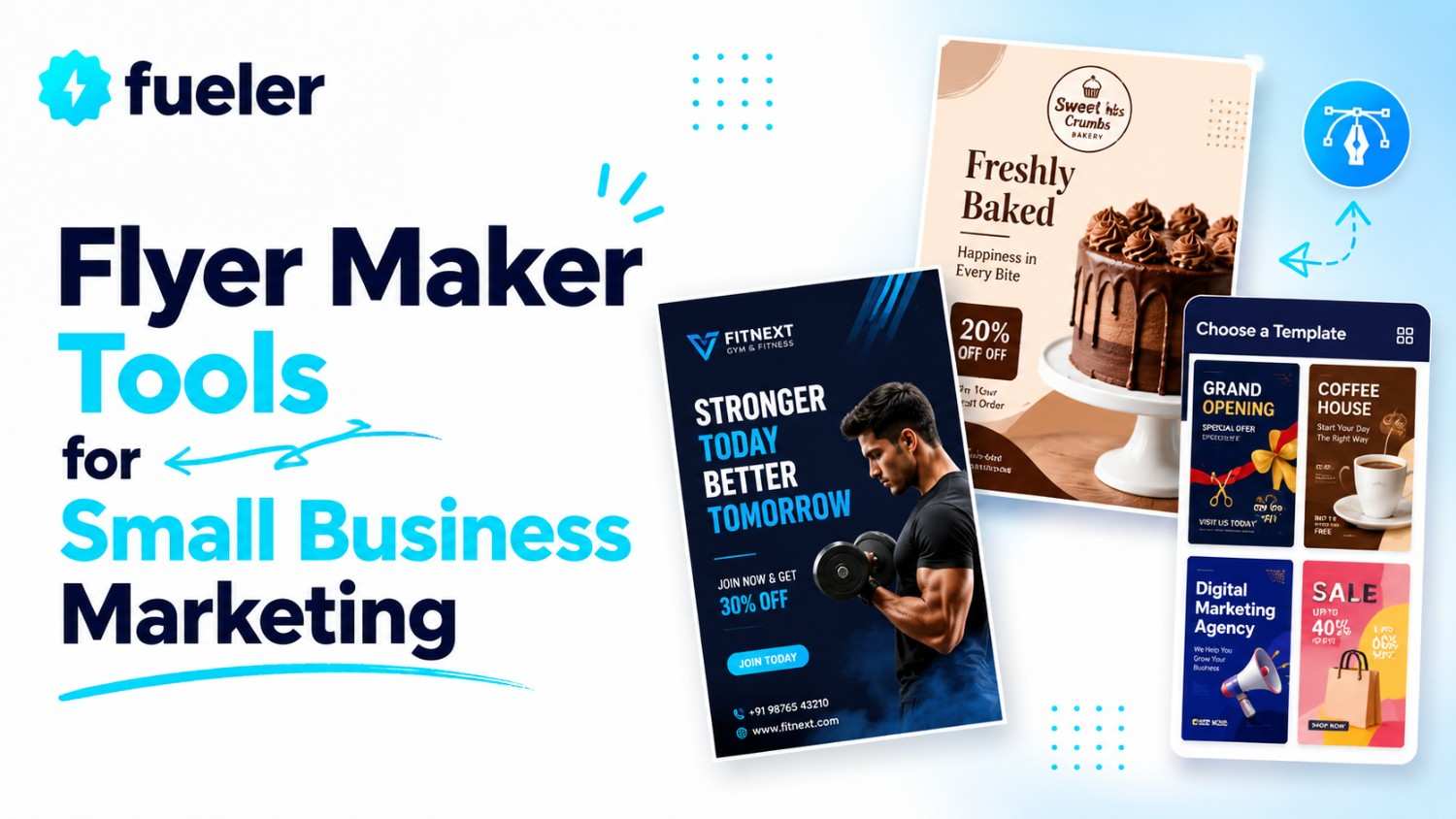
Trying to get the word out about your small business without a marketing budget that looks like a phone number? You are in the right spot. Flyers are still the undisputed kings of local marketing they are physical, they are direct, and they do not get buried in a spam folder. But let’s be honest, staring at a blank screen hoping for design inspiration is a recipe for a headache. You need tools that work as hard as you do, turning "I have a sale" into "Everyone is lining up at my door." Here are the seven best flyer makers that make you look like you hired a pro designer, even if your actual artistic talent begins and ends with stick figures.
I’m Riten, founder of Fueler, a skills-first portfolio platform that connects talented individuals with companies through assignments, portfolios, and projects, not just resumes/CVs. Think Dribbble/Behance for work samples + AngelList for hiring infrastructure.
1. Design.com: The All-in-One Brand Builder
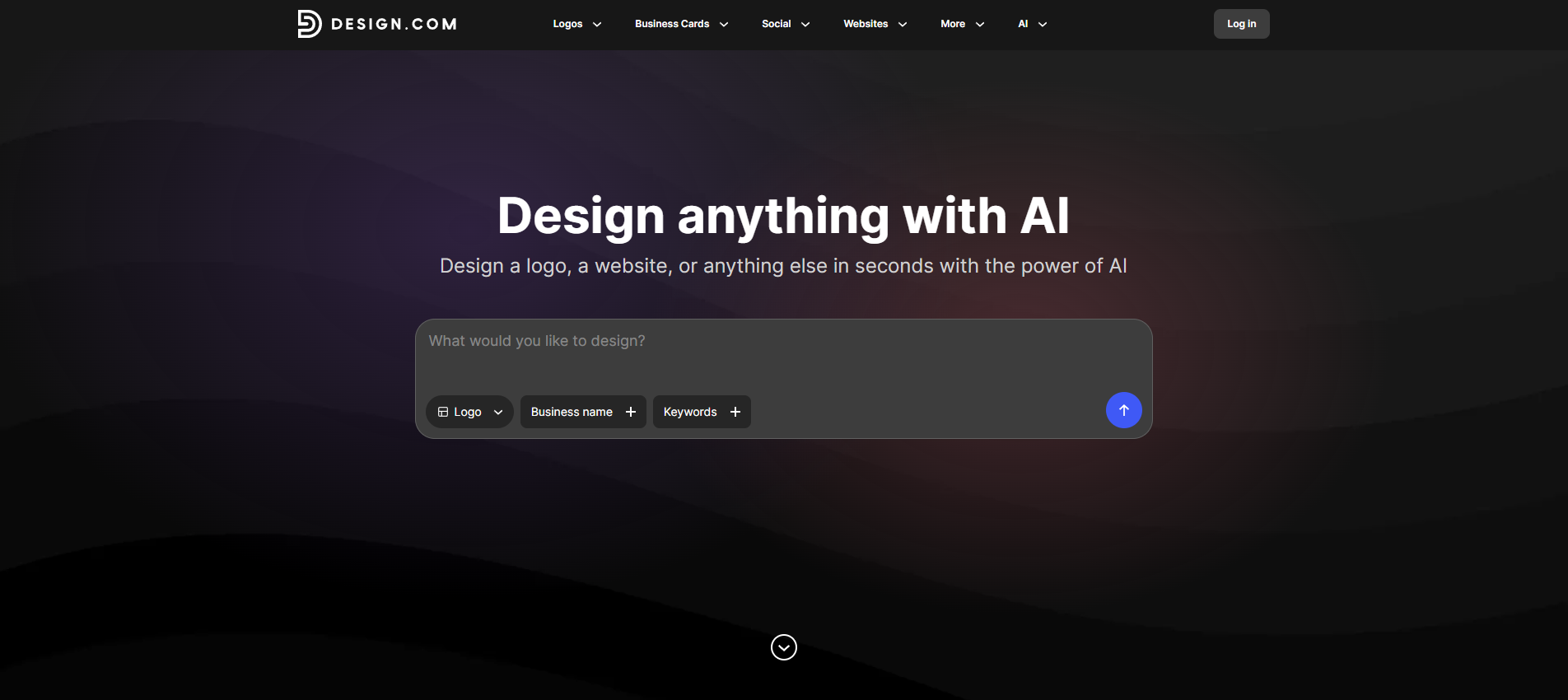
If you have ever spent an embarrassing amount of time trying to make a flyer look like it was not made in a panic the night before an event, Design.com is about to become your favorite tool. It's powerful flyer maker takes everything you need to create polished, professional flyers and wraps it into one surprisingly easy platform, so you can focus on your business instead of wrestling with design software.
- Thousands of Professionally Designed Templates: Whether you are promoting a weekend sale, a grand opening, a local event, or a new service, there is a template already available. The library covers an enormous range of business types and use cases, and every design is polished enough to use straight out of the box. You are not starting with a generic placeholder and hoping for the best. You are starting with something that was designed to look good for businesses like yours.
- Drag-and-Drop Customization Without the Headache: The editor makes it genuinely easy to make any template your own. Swap fonts, adjust colors, rearrange layouts, drop in your own graphics, and fine-tune every detail without any design experience. If you can click and drag, you have everything you need to produce something that looks like it came from a professional studio.
- Automatic Brand Color and Font Sync: This feature quietly saves you hours every week. Set up your brand colors, fonts, and logo once, and Design.com applies them automatically every time you create a new flyer. Every design you produce looks like it belongs to the same brand, which is exactly the kind of consistency that makes your business look established and trustworthy, even if you are still figuring things out as you go.
- Professional Print Options with Worldwide Shipping: This is where Design.com genuinely pulls ahead of the pack. You can go from a finished design to printed flyers without ever leaving the platform. Print runs range from as few as 4 flyers to 4,000, with paper finishes including Standard Matte, Premium Matte, Standard Glossy, and Premium Glossy. Free worldwide shipping delivers in 9 to 11 business days, or you can pay a little extra for express delivery in 3 to 4 business days if your event is coming up fast.
- High-Resolution Downloads in Every Format You Need: When you are ready to go digital, the download options have you covered. Export your flyer as a high-res PNG or JPG for email campaigns and social media, or grab professional vector formats like SVG, EPS, and PDF for large-format printing or handing off to a local print shop. No compromising on quality, no resizing nightmares, just clean files that look sharp wherever you use them.
Pricing Plans: The Free plan lets you access the template library and design tools at no cost, and you only pay if you want to print. The Premium plan starts at approximately $7 per month, billed annually, and gives you permanent ownership of all your designs, perpetual file storage, access to the flyer maker, 50+ other design tools, plus the full template and editing suite. If you want to add a website to the mix, the Premium Design Pack + Website plan is approximately $12 per month, billed annually, and bundles everything together.
Why it matters
Design.com treats your flyer like the first piece of a bigger brand puzzle, not just a one-off piece of paper you print and forget. Every design you create reinforces your visual identity, and when you are ready to take things further, the same platform has tools for posters, business cards, social media graphics, and more. For small business owners who want their marketing to look cohesive and professional without hiring an agency or learning Photoshop, that kind of all-in-one setup is not just convenient. It is genuinely a game-changer.
VistaCreate: The Animation Specialist
If you want your flyers to do more than just sit there looking pretty, VistaCreate is your new best friend. It bridges the gap between static print design and the high-energy world of digital marketing. While most tools focus on paper, this one gives you the power to add motion, making it perfect for social media posts or digital displays that need to grab attention in a crowded feed.
- Massive Library of Animated Objects: You get access to thousands of animated stickers, objects, and text effects that make your flyers jump off the screen. Instead of a boring static image, you can create a dynamic, eye-catching visual that stops people mid-scroll, which is a fantastic way to boost your social media engagement without needing advanced video editing skills.
- Easy-to-Use Brand Kit: This feature is a lifesaver for small business owners who struggle to stay consistent. You can save your logo, preferred color palettes, and specific fonts directly in the tool, so every flyer you create looks like it belongs to the same professional brand, building trust with your customers every single time they see your marketing materials.
- Smart Resize Tool: Have you ever designed the perfect flyer only to realize it looks terrible when you try to post it to Instagram or Facebook? With the smart resize feature, you can automatically adjust your flyer’s dimensions to fit any social media platform in seconds, saving you from the headache of redesigning the same content five different times for five different apps.
- Background Removal Magic: One of the most annoying parts of design is cutting out the background of your product photos, but this tool handles it automatically. You can turn any ordinary photo into a professional-looking graphic with just one click, allowing you to place your products on custom backgrounds that match your brand’s personality and make your offers look truly premium.
- Large Collection of Licensed Music: Since this tool is geared toward animated digital flyers, it comes with a huge library of royalty-free music and sound effects. Adding a subtle, upbeat track to your digital flyer can make a huge difference in how your audience perceives your business, turning a simple ad into an immersive experience that feels much more professional and engaging.
Pricing Plans: The Starter plan is $0 and includes access to thousands of free templates and assets. The Pro plan is $10 per month, which unlocks unlimited projects, background remover, brand kits, and access to over 70 million premium stock assets.
Why it matters
VistaCreate is essential because it helps you create content that doesn't just inform, but also entertains. In a digital world, motion captures the eye faster than static text. By adding simple animations to your flyers, you make your business feel modern, energetic, and impossible to ignore.
2. Venngage: The Data-Driven Choice
If your business flyer needs to do more than just announce a sale like showing off a menu, a service list, or some impressive company statistics, Venngage is your go-to. It is designed to make complex information look simple, clean, and professional. It is the perfect tool for business owners who want to look like experts and need a layout that organizes a lot of text without looking messy.
- Infographic-Style Templates: Unlike standard flyer makers, Venngage excels at organizing information. If you have a lot of details to communicate, their templates are built to keep things readable and logical. This is perfect for restaurants showcasing menus, service businesses listing packages, or anyone who needs to present facts in a way that is easy for a customer to digest in just a few seconds.
- Drag-and-Drop Information Widgets: You can easily insert charts, maps, and icons that represent your business data, making your flyers look incredibly professional. If you want to show how much your customers have saved or how many people you have helped, these widgets do the hard work for you, adding a layer of credibility that simple text-only flyers just cannot match.
- Professional Layout Guides: The platform uses smart guides that help you keep your text and images perfectly aligned. This is crucial when you are cramming a lot of details into a small space. By keeping everything in its place, the tool ensures your flyer looks structured and intentional rather than cluttered, which helps maintain a high level of professionalism that customers associate with quality brands.
- Easy Export to Interactive Formats: If you are sending your flyer via email, Venngage lets you export your designs in formats that are actually interactive. You can add links to your website, your booking page, or your social media accounts, making your flyer a functional piece of your sales funnel rather than just a static piece of paper that gets forgotten.
- Extensive Icon Library: You have access to thousands of clean, modern icons that can replace long paragraphs of text. Using a simple icon instead of three sentences can make your flyer look much more sophisticated and easier to scan, ensuring that your most important information is understood immediately by your busy potential customers who do not have time to read long-winded ads.
Pricing Plans: The Free plan is $0 and includes access to limited templates and icons. The Premium plan is $19 per month, which unlocks all templates, private sharing, and more advanced export options. The Business plan is $49 per month, offering team features and advanced brand customization.
Why it matters
Venngage matters because it values clarity. If your flyer is too cluttered, people will stop looking at it. By using this tool, you ensure your message is clear, professional, and easy to read, which directly increases the chances that your customers will actually take action on your offer.
3. PosterMyWall: The All-in-One Marketing Tool
If you want a flyer maker that goes beyond just design and helps you actually promote your business, PosterMyWall is one of the best choices for small businesses. It combines AI-powered design tools, social media publishing, email marketing, event promotion and more, in one platform. Whether you are promoting a weekend sale, restaurant special, community event, or product launch, PosterMyWall makes it easy to create professional marketing materials without needing design experience.
- AI-powered design creation: PosterMyWall AI lets you generate visuals, copy and marketing ideas in seconds using simple text prompts. Just describe your business or promotion, and the AI generates ready-made flyer designs instantly. This acts as a complete creative partner that brainstorms, designs, writes, and helps generate fresh ideas to execute.
- Massive Template Collection: You get access to 3M+ professionally designed templates for restaurants, retail stores, salons, gyms, churches, events, and more. Instead of building a design from zero, you can customize a ready-made layout that already looks polished and professional, helping you launch promotions faster and maintain high-quality branding.
- Built-In Social Media & Email Marketing: Unlike most flyer makers, PosterMyWall helps you distribute your marketing too. You can post flyers directly to social media platforms or turn them into email campaigns without switching tools. This makes it incredibly useful for small businesses trying to manage all their marketing from one dashboard instead of juggling multiple apps.
- Easy Brand Customization: You can upload your logo, save brand colors, fonts, and business details in your Brand Kits so every flyer stays consistent with your branding. This helps your business look more established and recognizable across print, email, and social media marketing materials, even if you are creating new promotions every week.
- Pricing Plans: The Free plan includes access to thousands of templates, basic downloads, and publishing tools. Premium plans start at $13 per month, unlocking high-quality downloads, advanced branding features, AI tools, and additional advanced features.
Why it matters
PosterMyWall matters because it combines marketing and design in one place. Instead of just helping you make a flyer, it helps you publish, share, and promote your business faster, making it one of the best all-in-one marketing platforms for small businesses.
4. Marq: The Print-Ready Powerhouse
Formerly known as Lucidpress, Marq is a dream for any business owner who is serious about print. If your strategy involves handing out flyers, mailing postcards, or putting ads in local publications, this is the tool you need. It is built for creators who understand that a flyer needs to be physical, and it handles the tricky technical side of printing so you can focus on the creative side.
- Advanced Print Formatting Tools: Unlike most web tools, Marq offers professional settings like bleed, margin, and crop marks. These are standard in the professional printing world but are usually missing from free apps. By using these settings, you ensure your flyers come back from the print shop looking perfect, with no white edges or cut-off text, which makes your business look like the real deal.
- Template Locking for Brand Safety: If you have a team helping you create flyers, Marq allows you to lock parts of the template so they cannot be accidentally moved or deleted. This is brilliant for keeping your brand identity safe. You can let your team change the text for a specific sale but keep the logo and color scheme perfectly locked in place, ensuring total consistency across all your marketing.
- Direct Integration with Print Services: The tool connects directly with professional printing services, allowing you to order your flyers and have them shipped straight to your door without ever leaving the app. This is the ultimate "set it and forget it" workflow, which is exactly what a busy small business owner needs to stay efficient while maintaining professional-quality materials.
- Smart Data Automation: For businesses that do recurring promotions, Marq can auto-populate information into your templates. If you have a standard event flyer, you can update the date and time in one place and have it reflect across all your materials. This saves hours of manual work every month, letting you run your marketing campaigns on autopilot without sacrificing quality.
- Cloud-Based Brand Repository: You can store all your brand assets/logos, fonts, high-res photos, and color swatches in one central location. Whenever you start a new flyer, everything you need is already waiting for you. It keeps your creative process moving quickly and prevents you from hunting through folders on your computer for that one specific logo file.
Pricing Plans: The Free plan is $0 and includes access to basic templates and assets. The Pro plan starts at $10 per month, which unlocks premium templates, full print-ready controls, and enhanced brand management tools.
Why it matters
Marq removes the mystery of printing. Most people avoid printing because they don't know about bleed or resolution settings, but Marq does that for you. It ensures that your hard work looks just as professional on physical paper as it does on your screen, which is vital for physical marketing.
5. Zoviz: The AI-Powered Designer
Zoviz is a newer player that uses clever artificial intelligence to do the heavy lifting for you. If you really have zero design skills and want the tool to make the decisions, this is your best option. You feed it some basic info about your business, and it generates a range of flyer concepts. It is like having a junior designer on call who never sleeps and works in seconds.
- Automated Flyer Generation: This is the core magic of Zoviz. You provide some simple input about your brand name, what you are promoting, and your industry, and the AI generates multiple flyer designs instantly. This is perfect for when your brain is totally tapped out and you just need a starting point to spark some inspiration and get moving.
- One-Click Brand Adaptation: Once you select a design, Zoviz applies your brand colors and fonts automatically. It does not just suggest colors; it cleverly rearranges the design to make sure your logo and specific branding look like they were meant to be there. This ensures that every flyer you generate feels like a custom job without you having to manually tweak every little detail.
- Built-in Image Enhancer: If the photos you have of your business are a bit dark or low-quality, the AI tool can automatically enhance them. It adjusts the lighting, sharpness, and color balance, making your original business photos look good enough for a professional marketing flyer. This saves you from having to hire a professional photographer every time you want to announce a new product or sale.
- Fast Object Remover: Sometimes your product photos have distracting backgrounds or unwanted objects. Zoviz uses AI to detect and remove these elements in seconds. This lets you focus your flyer on the main subject, your product or service, without any visual clutter, which helps your audience focus on what you are actually trying to sell them.
- Multilingual Export Options: If you are in a neighborhood with a diverse population, this is a massive win. Zoviz makes it easy to create versions of your flyer in different languages while keeping the design identical. It is a very thoughtful feature that helps you reach more potential customers in your area and shows that your business cares about connecting with every single member of your community.
Pricing Plans: The Free plan is $0 and includes access to core templates and basic AI editing. The Premium plan starts at $9.99 per month, which unlocks high-resolution exports, advanced AI design features, and full commercial usage rights for all your flyer designs.
Why it matters
Zoviz is the perfect tool for when you need speed above all else. It leverages AI to handle the difficult parts of design, ensuring you can go from "I need a flyer" to "I have a flyer" in the fastest time possible, which is a major advantage for busy business owners.
6. Microsoft Word: The Familiar Reliable
Yes, you read that right. Microsoft Word is actually a surprisingly effective flyer maker if you know how to use its template features. For many small business owners, it is already installed, familiar, and ready to go. While it does not have the fancy AI tricks of other tools, it is rock solid and perfect for simple, text-heavy flyers where you want to emphasize information over complex graphics.
- Familiar Editing Interface: You already know how to use it, so there is zero learning curve. You can type, format, and resize text exactly the same way you do for a business letter. For someone who feels overwhelmed by the "designer" interfaces of modern online tools, Word is a safe, comfortable, and highly capable environment that gets the job done without any stress.
- Rich Template Library: Microsoft provides a surprisingly good library of free, downloadable flyer templates directly within the app. These are already formatted for standard page sizes and include basic placeholders for photos and headlines. You can just pick one, swap the details, and you have a clean, standard flyer that communicates your message effectively without needing any special software.
- Powerful Text Handling: Because it is essentially a word processor, it is better at handling large amounts of text than most dedicated design tools. If you are creating a flyer that needs to explain a complex new service or provide detailed instructions for an event, Word makes it easy to format that text cleanly, ensuring everything is legible and professional-looking.
- Seamless Compatibility: Every printer and computer on earth can open a Word file or a saved PDF from Word. You will never run into a situation where a print shop cannot open your file or a colleague cannot view your draft. This compatibility is a major hidden advantage that saves you from all sorts of technical headaches during the marketing campaign planning process.
- No Subscription Needed (If already owned): If you already pay for a Microsoft Office subscription, this tool is effectively free. You do not have to worry about adding another monthly subscription to your business expenses. It is a cost-effective way to get your marketing materials printed and distributed without adding any extra overhead to your business budget each month.
Pricing Plans: Access is included with your existing Microsoft 365 subscription. If you do not have one, you can use the free web-based version of Microsoft Word, which provides access to the same basic templates and formatting tools for free.
Why it matters
Microsoft Word is all about accessibility. It proves you don't need fancy tools to make a functional flyer. For simple promotions, clean text, and easy printing, it is still one of the most reliable ways to get your message onto a piece of paper and into the hands of your customers.
7. Desygner: The Mobile-First Pro
If you are the type of person who is always on the move, Desygner is the tool you have been waiting for. It is built from the ground up with mobile users in mind, making it arguably the best flyer maker if you are doing all your design work from your smartphone or tablet. It is incredibly lightweight, fast, and does not sacrifice power for portability, keeping your workflow moving smoothly.
- True Mobile-Optimized Interface: Most design tools feel clunky on a small screen, but Desygner feels like it was made for it. The buttons are easy to tap, the menus are clean, and the overall experience is buttery smooth. This is a game-changer if you do not have access to a desktop computer and need to create a professional-looking flyer while you are at your office, your shop, or on the go.
- Access to Thousands of Ready-Made Layouts: Despite its focus on mobile, the platform still provides an enormous library of templates that look great on any screen. You can browse through professional designs that are already optimized for different sizes and formats, ensuring that no matter what kind of flyer you need, you have a solid, high-quality starting point that helps you get the job done in minutes.
- Easy Image Importing from Social Media: Because it is designed for your phone, it makes it incredibly easy to pull images directly from your camera roll or your social media accounts. This is a huge time-saver when you are working on the fly and want to use recent photos of your business, your team, or your event to create a fresh, relevant flyer that really resonates with your local audience.
- Collaborative Design Functionality: Just like desktop-heavy platforms, Desygner lets you invite other people to work on your designs. Whether you want a second pair of eyes to check your work or you are working with a partner to finalize a marketing campaign, the app makes it easy to communicate and edit together, ensuring that your team stays in sync even when everyone is working from their own separate mobile devices.
- Flexible Output and Sharing Options: Once your design is finished, the app provides a wide variety of ways to share it. You can save the file to your phone, share it directly to your favorite social media apps, or export it to a PDF for professional printing. This flexibility is exactly what modern, mobile-first small business owners need to keep their marketing campaigns running fast and efficiently without missing a beat.
Pricing Plans: The Free plan is $0 and includes access to thousands of templates and images. The Pro+ plan is $9.95 per month, which unlocks brand kits, PDF editing, and all premium templates and stock assets.
Why it matters
Desygner is a lifesaver for the busy professional who is constantly on the move. By letting you create high-quality flyers from your phone, it removes the need to sit down at a desk to get marketing work done. It keeps your business moving at your pace, ensuring you never miss a marketing opportunity.
BONUS
Piktochart: The Professional Workhorse
Piktochart is for the business owner who wants a flyer that looks like it came from a corporate marketing department but was actually whipped up in a back office. It is incredibly reliable, robust, and focuses on creating polished, clean designs that command respect. It is less about "flashy stickers" and more about high-quality, professional layouts that help you build serious trust with your local audience.
- Consistent Brand Kit Integration: Piktochart makes it ridiculously easy to upload your own fonts, logos, and specific brand colors. Once set up, you can apply your brand’s look to any template with a single click, which is an absolute life-saver for keeping your flyers consistent and making your business look established and serious, even if you are just a team of one.
- Smart Grid System: The design editor features a very precise grid system that helps you align everything perfectly. It is almost impossible to create a messy flyer because the tool subtly forces you to keep elements in alignment. This attention to layout is what makes your final output look like high-end professional work rather than something that was put together in a home word processor.
- High-Quality Print Prep: Because this tool focuses on professional results, the export options are excellent for printing. It produces high-resolution files that look crisp and professional on paper, ensuring that when you hang your flyer in a shop window or hand it out on the street, it looks vibrant, sharp, and high-quality, avoiding that blurry, cheap look that often happens with lower-end online tools.
- Data-Focused Design Elements: If you need to highlight price changes, special discount percentages, or unique service metrics, Piktochart has the best-in-class widgets for this. You can create eye-catching visual representations of your business value, which makes your offer feel more significant and more attractive to potential customers compared to just putting a standard price tag on your flyer.
- Collaboration-Ready Workspace: If you have a team, Piktochart makes it very easy to share your designs for feedback. You can leave comments directly on the flyer, which streamlines the approval process significantly. This is great for making sure your branding is perfect before you spend money on professional printing, saving you from costly mistakes and ensuring everyone is on the same page.
Pricing Plans: The Free plan is $0 and includes 60 AI credits monthly. The Pro plan is $14 per month, which gives you 250 AI credits, unlimited projects, and more advanced customization. The Business plan is $24 per month, offering team collaboration and custom templates.
Why it matters
Piktochart provides a level of maturity to your marketing that helps you compete with bigger, more established businesses. It doesn't distract the reader with fluff; it presents your offer with authority and clean design, which is key to gaining the trust of potential customers.
Showcase Your Skills with Fueler
If you are constantly creating amazing flyers for your business or passion projects, you should not just let them sit in a folder on your computer. You should be showcasing that work to the world. Fueler is a platform designed to help you build a portfolio of these work samples and assignments. Whether you are a designer, a marketer, or a student, Fueler helps you present your projects in a way that attracts companies and clients, turning your creative efforts into real career or business opportunities.
Final Thoughts
Marketing your small business does not require a massive budget or a professional design agency. With tools like these, you have everything you need to create flyers that look professional, grab attention, and get people interested in what you have to offer. The best tool is simply the one that makes you feel most comfortable and allows you to move the fastest. Whether you want to add animations with VistaCreate, organize complex data with Venngage, or design on the fly with Desygner, you have options. Start experimenting with these tools today, pick your favorite, and watch how much better your local marketing performs when it has a professional, polished look.
FAQs
1. Can I use these tools if I have zero design experience?
Yes, absolutely. All these tools are designed for non-designers. They provide ready-made templates, drag-and-drop editors, and intuitive interfaces, meaning you do not need any prior training or artistic skills to create flyers that look like they were made by a professional.
2. Are these flyer makers actually free to use?
Yes, they all offer robust free plans that allow you to design and download your flyers. While they do have premium tiers for extra features or assets, you can create and distribute professional-quality marketing materials entirely for free.
3. Which tool is best for printing flyers professionally?
Marq is widely considered the best for print-ready projects because it offers advanced technical settings like bleed and crop marks. However, Canva and Piktochart also provide high-quality PDF exports that are excellent for professional printing at local shops.
4. Can I create animated or digital flyers?
Yes, tools like VistaCreate are specifically built for digital and animated marketing. You can create eye-catching, motion-based flyers that are perfect for social media, email newsletters, or digital signage where a static image might not be enough to grab attention.
5. How do I make sure my flyers stay consistent with my brand?
Most of these tools offer "Brand Kit" features, which allow you to save your specific logo, color palette, and fonts. By using these, you can ensure that every single flyer you create carries your brand's unique look, which helps build trust and recognition with your customers over time.
What is Fueler Portfolio?
Fueler is a career portfolio platform that helps companies find the best talent for their organization based on their proof of work. You can create your portfolio on Fueler. Thousands of freelancers around the world use Fueler to create their professional-looking portfolios and become financially independent. Discover inspiration for your portfolio
Sign up for free on Fueler or get in touch to learn more.

What should you do next?
You've read the article. Now turn your skills into proof of work and unlock more opportunities.
Build your proof of work portfolio
Create a clean portfolio with projects, assignments, resumes, and AI stack details that companies actually want to see.
Create your Fueler portfolio →Apply through assignments, not resumes
Stand out by solving real tasks from companies hiring on Fueler.
Explore assignments →Get discovered by companies
Make your work public and let recruiters discover your skills through actual projects instead of keywords.
Get discovered →
