7 Best Logo Maker Tools for Small Businesses in 2026

Riten Debnath
09 Mar, 2026
Are you tired of staring at a blank screen, desperately trying to conjure up a logo that doesn't look like it was drawn by a caffeinated toddler? We have all been there. You have a brilliant business idea, but the visual face of your company currently exists only in your imagination. Hiring a fancy agency can cost more than your car, and asking your cousin who knows a bit about Photoshop usually ends in a family tragedy. Thankfully, the year is 2026, and technology has finally caught up to our collective lack of artistic talent.
I’m Riten, founder of Fueler, a skills-first portfolio platform that connects talented individuals with companies through assignments, portfolios, and projects, not just resumes/CVs. Think Dribbble/Behance for work samples + AngelList for hiring infrastructure.
Here are the 8 best logo maker tools to help you build a professional brand identity without needing a degree in design or a small fortune in the bank.
1. Design.com
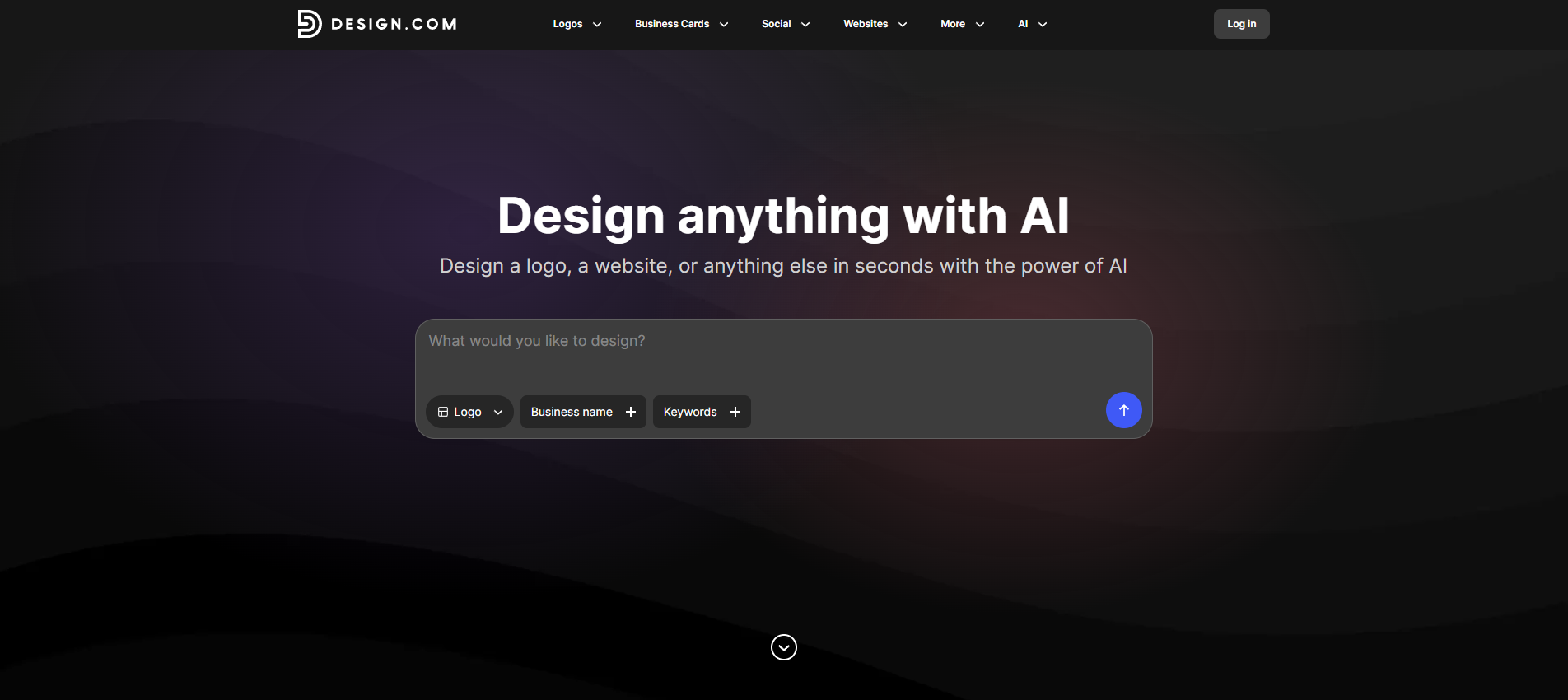
Design.com is built for small businesses that want professional branding without spending weeks working with a designer. The platform combines an AI-powered logo maker with a huge template library, giving you a fast way to create logos that actually look polished and business-ready. Whether you run a local shop, an online business, or a growing startup, it gives you enough flexibility to create something that feels unique to your brand rather than generic.
Design.com is built for small businesses that want professional branding without spending weeks working with a designer. The platform combines an AI-powered logo maker with a huge template library, giving you a fast way to create logos that actually look polished and business-ready. Whether you run a local shop, an online business, or a growing startup, it gives you enough flexibility to create something that feels unique to your brand rather than generic.
- AI-Powered Logo Generation: The logo maker instantly creates multiple logo ideas based on your business name and keywords, helping you skip the blank-canvas problem entirely. Instead of spending hours brainstorming concepts from scratch, you can quickly explore different styles, layouts, and branding directions until something clicks with your business vision.
- Massive Logo Template Library: Design.com gives you access to over 500K+ professionally designed logo templates across a wide range of industries. From clean minimalist styles to bold modern branding, the large selection makes it easier to find designs that fit both traditional small businesses and newer digital-first brands.
- Simple Customization Tools: The editor is beginner-friendly and designed for speed, letting you change fonts, colors, icons, spacing, and layouts without design experience. You can easily test different looks until the logo feels right, which is especially useful for small business owners handling branding on their own.
- Complete Branding Tools: Beyond the logo maker, Design.com includes tools for creating business cards, websites, social media graphics, flyers, and more. This helps small businesses keep a consistent visual identity without switching between multiple platforms or hiring extra designers for every new asset.
- High-Resolution & Vector Downloads: Logos are available in PNG, JPG, SVG, PDF, and other formats suitable for both print and digital use. Whether you need signage, packaging, social media graphics, or embroidered uniforms, your logo files are ready for professional use across different platforms.
Pricing: Free logo creation available. Paid plans start at around $3/month, billed annually, depending on the features and branding tools included.
Why it matters: Design.com works well for small businesses that need a fast, affordable logo maker while still having room to build a full brand identity as the business grows.
2. Looka
Looka feels like having a personal designer who doesn't complain about the coffee machine. It uses AI to digest your preferences, colors, and industry vibe before spitting out a grid of high-quality logo concepts. It is less about you dragging shapes around and more about you telling the machine, "I like this," until it refines the design into something you actually want to put on a business card.
- Smart Guided Onboarding: You answer a few simple questions about your business, such as your industry and personality traits, and the AI essentially does the heavy lifting. This saves you from the dreaded "blank page" syndrome by narrowing down thousands of possibilities into a selection of relevant concepts that feel tailored to your company identity, significantly reducing the time you spend wandering through generic design menus.
- Automated Brand Kit: Once you pick a logo, it generates an entire brand kit for you, giving you social media covers, business card designs, and email signatures in seconds. This is a massive time-saver because it ensures that your logo looks great on every platform without you having to manually adjust the design to fit different dimension requirements, providing a cohesive look across all your touchpoints.
- Professional Vector Files: When you choose the right package, you get access to high-quality vector files like SVG and EPS. This means your logo will look pixel-perfect and sharp even if you plaster it on the side of a massive billboard or shrink it down to a tiny favicon on a browser tab, preventing the embarrassing blurriness that often happens when you try to resize low-resolution images.
- Endless Design Variations: The engine creates hundreds of specific variations based on your inputs, giving you plenty of room to find the one that truly feels like "the one." Because the AI keeps iterating based on your likes and dislikes, you can quickly filter out the junk and find a unique combination of fonts and icons that you might never have thought to pair together on your own.
- Detailed Customization Controls: Even after the AI does its heavy lifting, you still have full control to change fonts, icon spacing, and element positioning until it feels perfectly balanced. It strikes that rare, sweet spot between doing the hard work for you and letting you retain the final say, so you never feel like your brand is just another generic template being sold to dozens of other businesses.
Pricing: Basic logo package starts at $20 (one-time purchase for low-res file). Premium package with high-res files is $65. Brand Kit subscription starts at $96 per year.
Why it matters: It is the ideal shortcut for entrepreneurs who want a professional, industry-specific look in minutes rather than spending days struggling with manual design tools.
3. Adobe Express
Adobe Express is like the cooler, younger sibling of the professional Adobe Suite. It is powerful enough to make you look like a pro, but simple enough that you won't need to watch 40 hours of YouTube tutorials to figure out how to add a line of text. It taps into Adobe’s massive library of fonts and design assets, giving your brand that polished, expensive look for free.
- Professional Assets Library: You get access to thousands of world-class Adobe Fonts and premium stock icons that make amateur-looking logos look like absolute child's play. Because these assets are curated by industry experts, even if you are just throwing things together, they tend to look visually harmonious and high-end, which is a massive win for businesses that do not have the time to hunt for decent design resources elsewhere.
- Powerful Generative AI: Use the built-in AI tools to add textures, intricate effects, or even generate custom imagery that makes your logo pop off the screen in a crowded digital marketplace. If you have an idea that is a bit "out there," the AI can help you manifest it without requiring you to actually know how to use advanced illustration software, effectively acting as a creative partner in your pocket.
- Lightning-Fast Quick Actions: There are incredible one-click tools for removing backgrounds, resizing images for specific social media needs, or converting file formats. This saves you from wasting precious hours wrestling with technical settings, letting you focus on the creative side of your business instead of getting bogged down in the tedious, repetitive manual tasks that usually turn logo design into a soul-crushing chore.
- Seamless Brand Integration: Once you create your logo, you can upload it to the Adobe Express Brand Kit. This allows you to instantly apply your custom colors, logos, and fonts to future designs like social media posts, flyers, or business cards. It creates a unified visual identity that stays consistent across every single touchpoint, helping you build that elusive "brand authority" that customers trust when they land on your page.
- Massive Template Collection: With thousands of professionally designed templates at your fingertips, you will never have to start from scratch unless you really want to. You can pick a layout that fits your industry vibe, tweak the text and colors, and walk away with a high-quality asset in minutes, which is perfect for busy entrepreneurs who need to get their brand off the ground yesterday.
Pricing: Free version available. Premium plan costs approximately $9.99 per month.
Why it matters: Adobe Express bridges the gap between total amateur and design professional, offering high-end capabilities to anyone who needs a brand identity that commands respect without needing a massive budget.
4. Brandmark.io
If you want a logo that looks like it was made by an agency but costs the price of a fancy lunch, Brandmark.io is your go-to. It uses a very smart, proprietary AI that focuses on creating professional-looking logos based on your specific industry and brand preferences. It is perfect for people who know what they like but have no idea how to actually build it from scratch.
- Smart AI-Powered Generation: You simply enter your company name, a few keywords, and your preferred style. The engine then spins up a huge collection of unique, high-quality concepts that actually look like they belong in your niche. It avoids the "generic template" look by using a more sophisticated algorithm that understands modern design trends, ensuring your brand looks current rather than stuck in the year 2010.
- One-Time Purchase Model: Unlike many other platforms that trap you in a subscription loop, Brandmark uses a simple, one-time payment structure for their logo files. This is a massive relief for small business owners who prefer to pay once and never worry about recurring monthly fees for a logo they have already designed. You own the assets, you keep the files, and you have peace of mind.
- Comprehensive Brand Assets: When you go for one of their higher-tier packages, you don't just get a logo. You get a complete suite of assets including social media icons, letterheads, business card designs, and brand style guides. This saves you from having to hire extra designers later on, as you have everything you need to launch your brand identity confidently across all your digital and physical platforms.
- Unlimited Revisions: Even after you purchase your logo, you can go back and modify your design at any time. This flexibility is incredible because as your business evolves, you might want to tweak a color or change a font. You aren't locked into a final decision forever, meaning you can iterate as your business grows without having to pay for a completely new logo design.
- Professional Typography Focus: Brandmark is particularly good at pairing fonts, which is where most beginners fail. It automatically suggests combinations that feel balanced and professional, ensuring that your business name is legible, impactful, and appropriately styled for your specific target audience. It takes the guesswork out of design, so you end up with a result that actually looks like a real business.
Pricing: Basic plan starts at a one-time fee of $35. Designer package is $95 one-time.
Why it matters: It is a dream come true for founders who are terrified of monthly subscriptions and just want a high-quality, professional-looking logo that they can buy once and use forever.
5. Wix Logo Maker
Most people know Wix as the platform for building websites, but their logo maker is surprisingly capable. Because it is tied to the Wix ecosystem, it is perfect if you are planning to build your website on their platform anyway. It uses a clean, intuitive, and guided process that asks you about your style and brand personality before it ever presents you with a design.
- Industry-Specific AI Logic: The tool asks you a series of questions about your brand personality (are you bold? are you formal? are you playful?) and uses those answers to filter through thousands of design variations. This keeps you from being overwhelmed by irrelevant options, presenting you with a curated list of logos that are actually aligned with the specific "vibe" of your business or project.
- Drag-and-Drop Editor: Once the AI generates some initial ideas, you can use the familiar Wix drag-and-drop editor to move, resize, or change every single element of the design. If you want to move an icon to the left, change the shadow, or swap the typeface, you can do it without knowing a single line of code or a single design principle, making it extremely beginner-friendly.
- Integrated Web Ecosystem: The true power of this tool is how it plays with the rest of your site. Once your logo is finalized, you can pull it directly into your Wix website builder, instantly matching your site’s color palette and fonts to your new logo. It makes the branding process feel incredibly cohesive because your logo and your website are born from the same design language.
- High-Quality File Exports: When you buy a plan, you get access to high-resolution files, including vector formats like SVG. This ensures your logo stays sharp whether you are putting it on a website header, a business card, or a storefront window. It is exactly the kind of quality control you need to ensure your small business looks legitimate to any potential customer.
- Full Design Flexibility: Unlike some rigid logo makers that lock you into a template, Wix gives you plenty of room to move. You can add extra shapes, upload your own images, or play with different layering techniques to create something that feels truly yours. It strikes a great balance between helping you get started with AI and letting you have the final creative say.
Pricing: Free to try. Paid packages for high-res files typically start around $20 to $50 depending on the plan.
Why it matters: It is the best choice for small business owners who want their website and branding handled in one place without needing to play "connect the dots" with different software tools.
6. Designhill Logo Maker
Designhill is a heavy hitter in the world of online design, and their logo maker is backed by a massive community of professionals. While it offers a DIY AI tool, you also have the option to pivot to a human-led process if the AI isn't giving you exactly what you want. It is effectively a "gateway" to professional design, making it a very safe bet for serious businesses.
- AI-Assisted Efficiency: You enter your brand name, pick your industry, and choose a few style preferences. The algorithm then generates a huge variety of logo options in seconds. This initial step is completely free and allows you to experiment endlessly, meaning you don’t have to spend a single penny until you see a design that you absolutely love and want to take home.
- Unbeatable Design Community: If you find that the AI-generated results are just a bit too "computer-made" for your taste, Designhill makes it incredibly easy to launch a design contest. You can have actual human designers submit custom concepts for your business, giving you a level of creativity and nuanced thinking that no current algorithm can perfectly mimic, especially for unique brand stories.
- Comprehensive Brand Kits: Once you settle on a design, you receive a full brand kit that includes everything from color codes to font names and a variety of file formats like EPS, PNG, and JPEG. This is vital for small businesses because it means you don't have to keep asking a designer for different files; you have a library ready for any print or digital need.
- Full Copyright Ownership: When you purchase your logo, you get full legal rights to use it however you want. This is huge for peace of mind, as you don’t have to worry about trademark issues or licensing disputes later down the line. You are paying for the asset, and the asset is yours to use on everything from billboards to your company’s custom coffee mugs.
- Real-Time Preview: The platform lets you see how your logo will look in the real world before you buy it. It shows you your design on business cards, t-shirts, website mockups, and social media banners. Seeing the design "in the wild" is much more helpful than just looking at it on a flat white background, helping you make a more informed decision before you commit.
Pricing: Free to use. Basic logo packages start at $20, while custom design contests start at $99.
Why it matters: Designhill is perfect for business owners who want the speed of an AI tool but also want the option to upgrade to professional human creativity if their brand requires a truly bespoke touch.
7. Tailor Brands
Tailor Brands is known for being a comprehensive "business in a box." Their logo maker is part of a larger suite that helps you do everything from forming an LLC to building a website. If you are starting from zero and need a logo, a business email, and a web presence all at once, this is likely where you want to land.
- End-to-End Branding Strategy: When you start with their logo maker, the system doesn't just look at icons; it looks at your brand’s personality. The onboarding process is extremely thorough, asking about your tone of voice and industry. It feels like you are working with a consultant rather than a robot, which helps you end up with a logo that feels like a natural extension of your business mission.
- Massive Icon and Font Library: They have a very high volume of assets to choose from, which means the likelihood of your logo looking like someone else's is low. The platform is designed to mix and match elements in creative ways, giving you a custom-feel result that moves way beyond the generic clip-art style logos that plague some of the cheaper, lazier platforms out there.
- Easy-to-Use Editor: The editing interface is very clean and does not clutter your screen with complex buttons. You can change everything about your logo from the colors to the specific font weights, with just a few clicks. It is a very "what you see is what you get" experience, which is great for people who have a vision in their head and just need the right tool to pull it out.
- Social Media Formatting: One of the biggest headaches for small business owners is resizing logos for different social profiles. Tailor Brands solves this by automatically generating dozens of ready-to-use versions of your logo specifically for Instagram, Facebook, Twitter, and LinkedIn. It saves you an enormous amount of time and ensures your branding looks polished everywhere you exist online.
- Business-Ready Tools: Beyond just the logo, you get access to business card design tools, digital business cards, and other marketing materials that are all synced to your new logo. It keeps your brand consistent because you aren't trying to manually recreate your logo colors in a different software package for your business cards; it’s all pre-configured and ready to print.
Pricing: Free logo design. Logo packages often start at a monthly subscription model (around $9.99/mo) that includes other business tools.
Why it matters: Tailor Brands is the ultimate time-saver for busy founders who want to handle their branding and business setup in one go, ensuring that their visual identity is locked in from day one.
8. Namecheap Logo Maker
Namecheap is most famous for buying domain names, but their free logo maker is a hidden gem that many people overlook. It is completely free, which is perfect if you are on a shoestring budget and just need a clean, functional logo to get your website up and running. It is straightforward, no-nonsense, and gets the job done without any hidden fees.
- Completely Free Access: Yes, you read that right. You can use their tools and download your logo files for free. This is a massive win for early-stage startups that have zero budget for design but still need something better than a word document logo to launch their brand. You don't have to worry about trials or upselling; it is just a solid tool provided to help you get your business online.
- Fast and Intuitive Flow: Namecheap keeps the process simple. You input your company name, select a style, choose some fonts, and the generator does the rest. It doesn't take 30 minutes to get a result; you can have a professional-looking mark ready to go in just a few minutes, which is exactly what you need when you are trying to launch your domain and site today.
- Integration with Visual Tools: Once you create your logo, it integrates seamlessly with their other tools, like their Site Maker. If you are already using Namecheap for your hosting or domains, having your logo right there in your account dashboard makes the whole process feel much more organized. You aren't hunting through folders on your computer for the right file; it is just right there, waiting for you.
- Clean Design Output: The designs themselves are clean, modern, and professional. They avoid the over-complicated, messy look that some free tools produce, focusing instead on typography and simple, recognizable icons. It’s perfect for service-based businesses, bloggers, or anyone who wants a "minimalist but serious" vibe that doesn't scream that it was made with a free generator.
- Easy Customization: Even though it is a simple tool, it gives you enough control to change the layout, the color palette, and the icon choice. It is not as powerful as Canva, but it doesn't need to be. It is perfect for that first iteration of your brand, and you can always upgrade to a more advanced tool later if your business eventually needs a massive, custom rebrand.
Pricing: Completely free to use and download.
Why it matters: It is the best starting point for bootstrapped entrepreneurs who need to get a professional look immediately without spending a dime, allowing them to save their cash for other critical startup expenses.
Promoting Your Skills with Fueler
Once you have your brand logo, you need a place to show off your expertise and the projects you have completed. Fueler is the perfect platform to build your professional portfolio, allowing you to showcase not just your logo design skills but all your work samples and assignments to potential clients and employers. Instead of just sending a static resume, you can link to your Fueler profile to provide proof of your capabilities and land your next big opportunity.
Final Thoughts
Creating a logo for your small business in 2026 is no longer a task that requires an art degree or a massive agency budget. By using these intuitive, AI-powered tools, you can translate your brand vision into a professional visual asset that builds trust with your customers. The key is to keep it simple, ensure it looks great in any size, and focus on representing your business values honestly. Don't be afraid to experiment with different looks until you find one that sticks, because the best brand identities are built through iteration and clarity.
Frequently Asked Questions
1. Are these free logo makers actually good enough for a real business?
Yes, most of these tools have evolved significantly. While they aren't the same as a hand-crafted bespoke logo from a boutique agency, they are more than capable of creating professional, clean, and memorable logos that work perfectly for websites, social media, and basic marketing needs for any growing small business.
2. Do I own the logo if I use a free tool?
Always check the terms of service. Usually, if you use a free plan, you might not have full commercial ownership, or the file quality might be low. It is almost always better to pay for a "Premium" or "Pro" plan if you intend to use the logo for commercial purposes to ensure you get the high-resolution files and legal rights.
3. Which tool is best for beginners with zero design experience?
Canva is generally considered the easiest to start with because of its massive library of pre-made templates and its highly intuitive, drag-and-drop editor. You don't need to understand technical design principles; you just need to find a template you like and swap in your business name and colors.
4. What files do I need for a professional logo?
You should aim for vector files like SVG or EPS. These are scalable, meaning you can make them as large as a billboard or as small as a business card without losing any quality. You will also want a transparent PNG version for use on websites and over images.
5. How can I make my logo stand out from competitors?
Focus on simplicity and uniqueness. Don't just pick a generic icon that everyone else in your industry uses. Try to choose a font or a color combination that reflects your brand personality, and make sure your logo passes the "doodle test," where you can draw it from memory.
What is Fueler Portfolio?
Fueler is a career portfolio platform that helps companies find the best talent for their organization based on their proof of work. You can create your portfolio on Fueler. Thousands of freelancers around the world use Fueler to create their professional-looking portfolios and become financially independent. Discover inspiration for your portfolio
Sign up for free on Fueler or get in touch to learn more.

What should you do next?
You've read the article. Now turn your skills into proof of work and unlock more opportunities.
Build your proof of work portfolio
Create a clean portfolio with projects, assignments, resumes, and AI stack details that companies actually want to see.
Create your Fueler portfolio →Apply through assignments, not resumes
Stand out by solving real tasks from companies hiring on Fueler.
Explore assignments →Get discovered by companies
Make your work public and let recruiters discover your skills through actual projects instead of keywords.
Get discovered →
