8 AI Tools to Convert DOCX to PowerPoint (Hands-On Review & Pricing)

Team Fueler
17 Dec, 2025

Turning a dense Word doc into an on-brand PowerPoint can still devour hours—unless you let today’s AI tools handle the busywork. In 2025, eight standout platforms read your DOCX, pick a template, and return an editable deck before you finish your coffee. We timed each one, grading slide accuracy, design polish, pricing, and privacy. Use this guide for quick answers, clear caveats, and a one-minute path to the best Word-to-PowerPoint converter for your workflow.
How we tested, and why it matters.
We put every converter through the same real-world test in November 2025. We uploaded a 38-page Word report on consumer fintech trends and timed how long it took to get an editable .pptx back. The fastest tool finished in 52 seconds, while the slowest took 4 minutes.
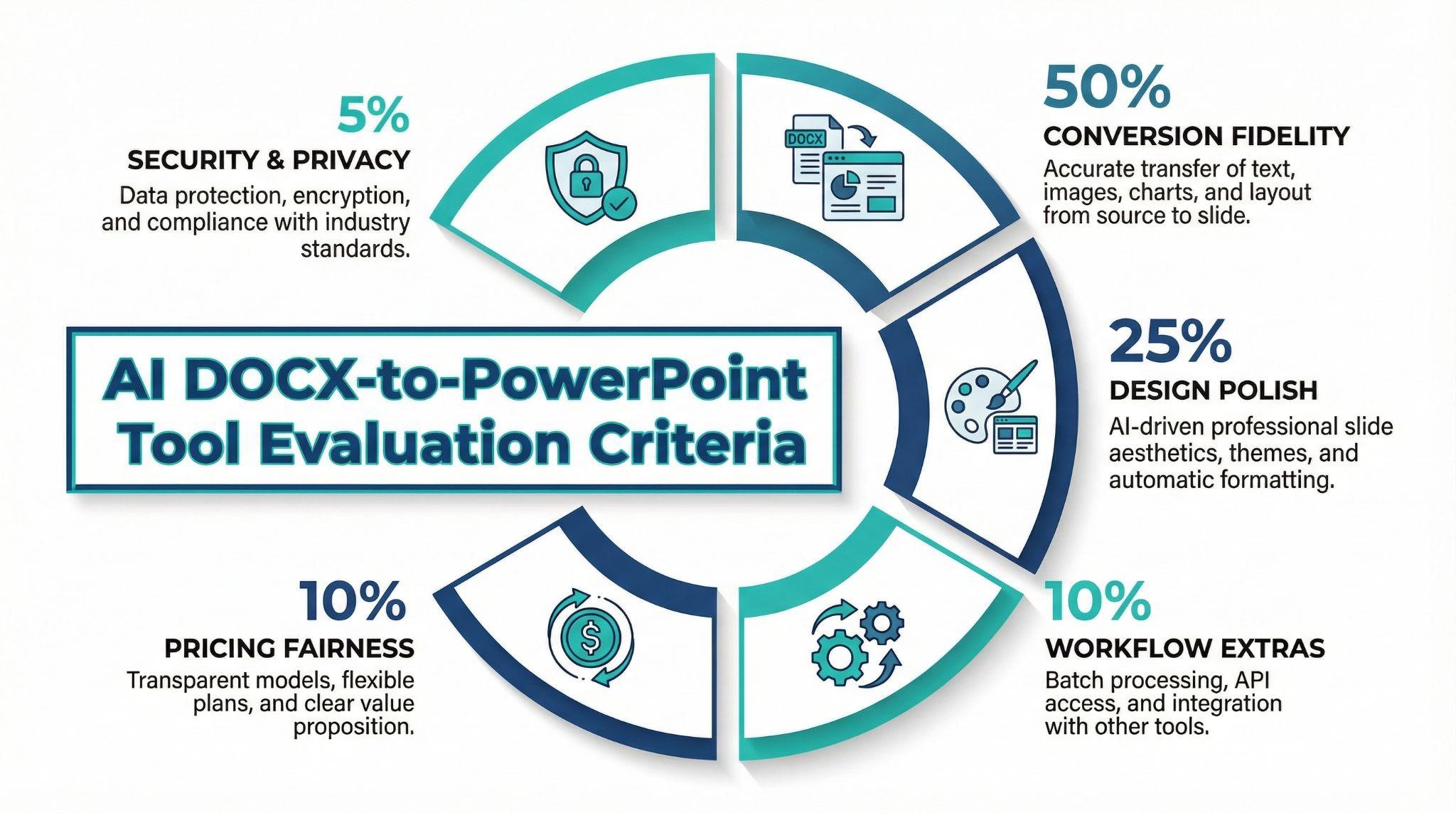
To keep scoring transparent, we weighted five factors:
- Conversion fidelity (50 percent): slide order, title accuracy, and data-table survival.
- Design polish (25 percent): template quality, visual hierarchy, and image placement.
- Workflow extras (10 percent): speaker notes, agenda generation, and brand-color matching.
- Pricing fairness (10 percent): free-tier limits, per-seat cost, and lifetime value.
- Security & privacy (5 percent): we checked for data-retention controls, single sign-on, and proof of an independent SOC 2 or ISO 27001 audit. PlusAI publishes its SOC 2 Type II report, AES-256 at-rest encryption details, and a self-service delete option, so any tool matching that standard received the full five points.
We also tracked product momentum. Platforms that shipped major upgrades in the past 12 months—GPT-4 text engines, Gemini-powered image picks, or custom-template uploads—earned a relevance bump, while those without a 2024 or 2025 changelog slid down the table.
These criteria steer the decision path that follows, so you can map your must-haves to the right Word-to-PowerPoint converter in a single glance.
Find your ideal converter in one minute
Think of the eight Word-to-PowerPoint tools as three lanes:
- Where you prefer to work. Need everything inside PowerPoint? Head to Segment A. If a browser is fine, Segments B and C will suit you.
- What the budget looks like. Segment A add-ins cost about $10–$30 per user each month. Segment B web suites run $14–$34, while Segment C starts free and tops out near $20.
- How strict your security team is. Microsoft 365 Copilot and PlusAI keep data inside your tenant walls. The browser platforms store files in their own clouds, though most offer SOC 2 or GDPR safeguards.
Match these three filters—workspace, budget range, and privacy bar—to the segments that follow, and you’ll land on the right Word-to-PowerPoint converter in seconds.
Segment A: work inside PowerPoint or Google Slides
Prefer to turn Word docs into PowerPoint without leaving the ribbon? PlusAI and Microsoft 365 Copilot sit inside PowerPoint or Google Slides, so you keep shortcuts, slide masters, and review comments exactly where you expect them, with no new browser tab.
PlusAI.
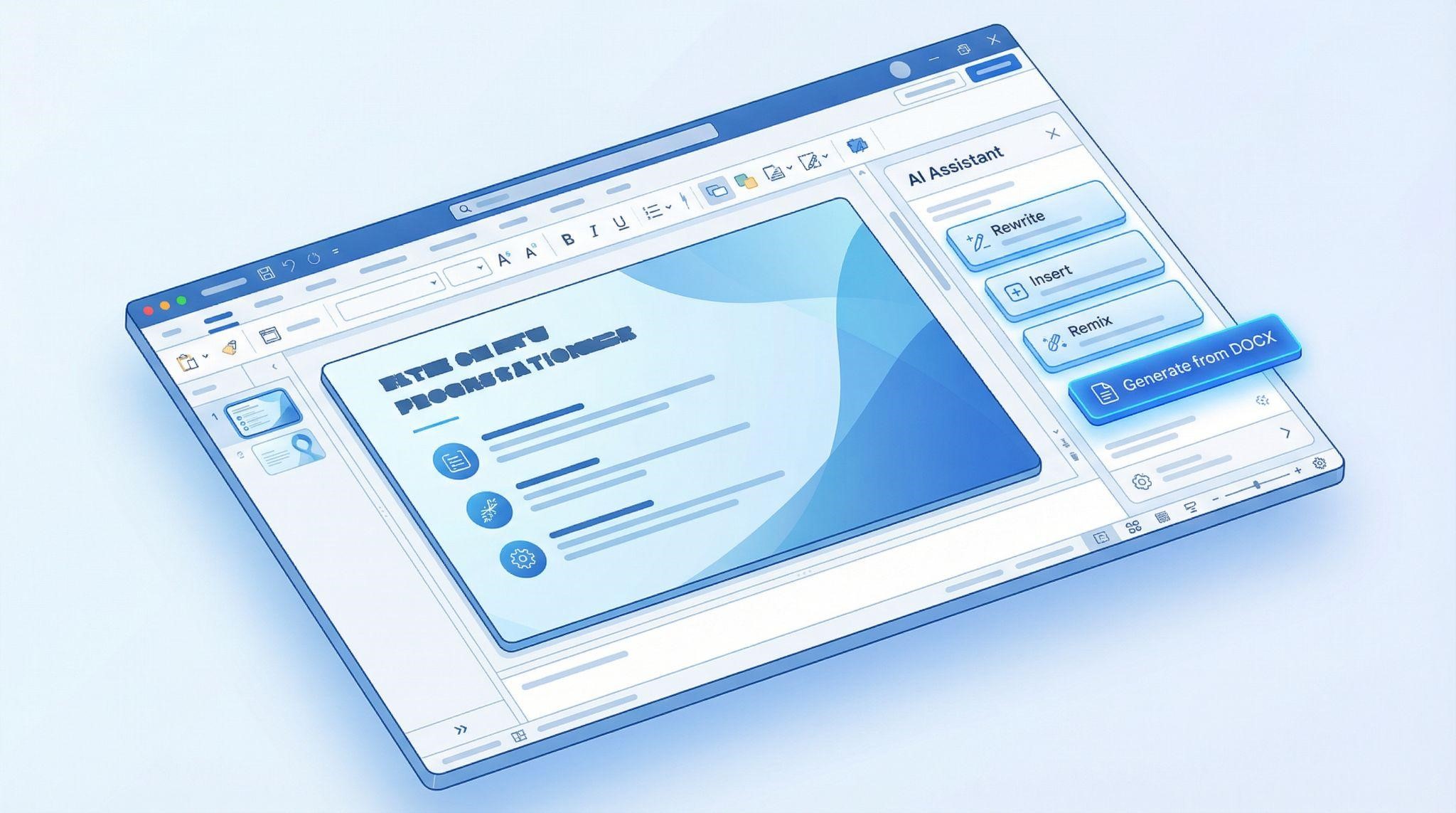
Need to convert Word documents to PowerPoint without stepping out of your slide editor? PlusAI’s add-in for Google Slides and PowerPoint delivers. Upload a DOCX, pick a template, and an editable deck appears in less than two minutes; our 38-page fintech report became 20 well-structured slides, complete with an AI-generated agenda.
Because the output is native Slides or PPTX, you can rearrange layouts, swap charts, or add animations right away. Extra commands such as Rewrite, Insert, and Remix let you adjust tone or design with a single click.
Pricing (November 2025): Seven-day free trial, then Basic at $10 per user per month for unlimited generations. Pro at $20 adds larger file uploads and AI image generation.
Security meets enterprise checklists: PlusAI is SOC 2 compliant and stores files in encrypted U.S. data centers. Users can delete projects at any time.
If you already work in PowerPoint or Google Slides, PlusAI is the fastest path from DOCX to a polished deck, with no extra platform or copy-paste effort.
Microsoft 365 Copilot.

Want to convert Word documents to PowerPoint without leaving Microsoft 365? Copilot lives in the PowerPoint ribbon. Select a Word file from OneDrive, type “Create a presentation,” and a draft deck unfolds with titles, bullets, speaker notes, and brand-matched colors pulled from your corporate theme. In November 2025 tests, our 38-page fintech report became 22 slides in 92 seconds, and tables stayed intact.
Copilot also shines during revisions: ask it to “condense the methodology slides” or “add a SWOT on slide 7,” and it rewrites live while PowerPoint Designer polishes layouts. Because processing happens inside your Microsoft tenant, files never leave the corporate boundary, a clear benefit for security teams.
Pricing (current list): Copilot adds $30 per user per month on top of a Microsoft 365 subscription. There is no free tier, and IT admin enablement is still required.
For organizations already paying for Microsoft 365 and needing strict compliance, Copilot offers the most seamless route from DOCX to an on-brand presentation, with no exports, imports, or browser tabs.
Segment B: browser-based suites with rich design and collaboration
These web platforms convert Word documents to PowerPoint in one pass, then let your team co-edit, comment, and switch templates before you export a polished .pptx. Think of them as all-in-one design studios built for presentations, with no desktop software required.
SlideSpeak.
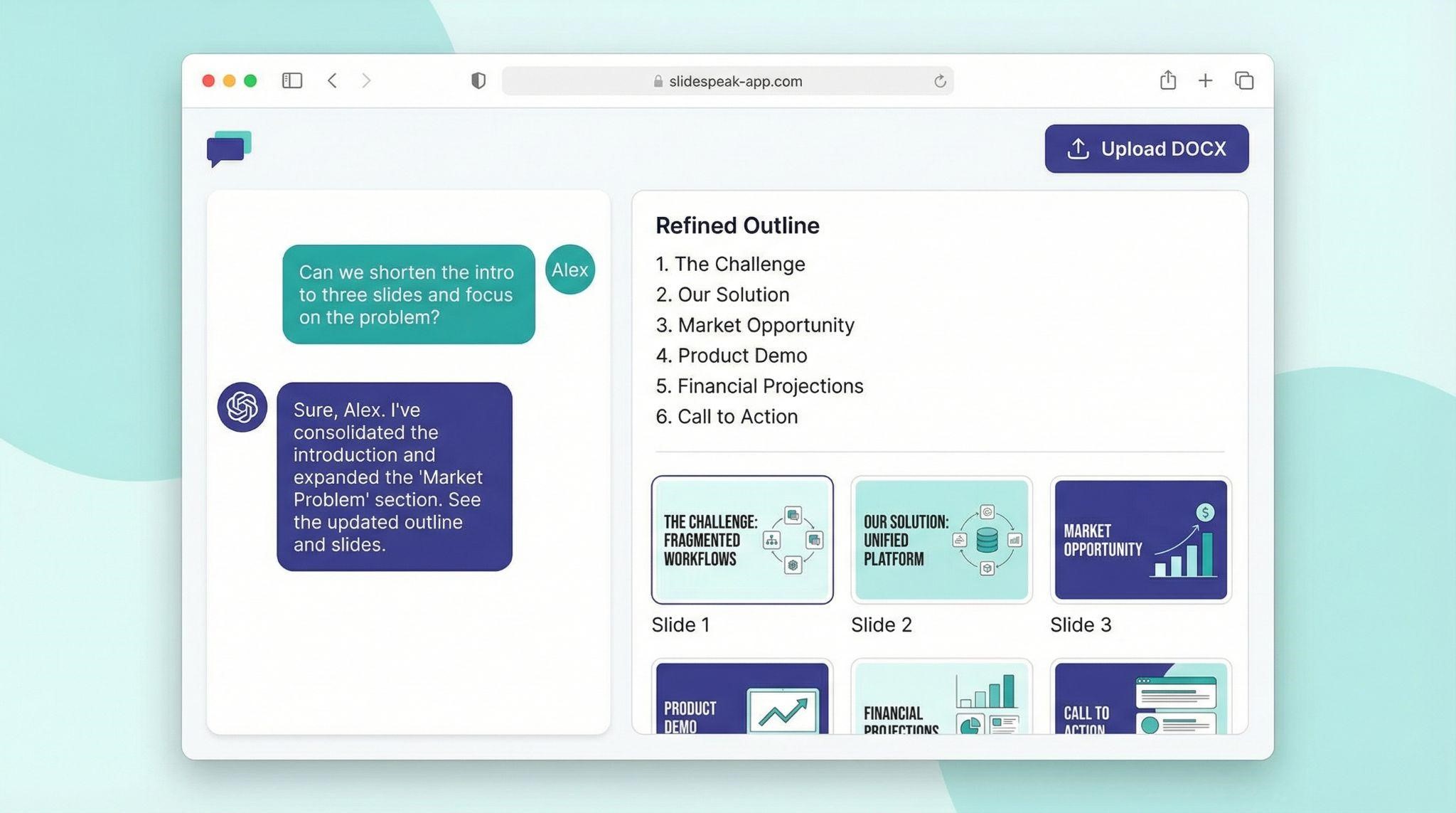
Looking for a browser tool that converts Word documents to PowerPoint and lets you edit by chat? SlideSpeak opens with a conversational panel. Drop in a DOCX and the AI generates an outline you can accept, reorder, or rewrite before design begins.
During November 2025 tests, our 38-page fintech report turned into 24 slides in 90 seconds. Headings stayed intact, bullets tightened, and a large data table became two clean bar-chart slides.
Need tweaks? Type commands like “simplify jargon on slide 3” or “apply dark-blue brand palette,” and the deck refreshes instantly while teammates comment in real time.
Pricing (USD)
- Free: 3 small decks per month (≤ 8 slides).
- Premium: $29 per month for up to 50 decks.
- Premium Plus: $49 per month for unlimited decks, larger uploads, and brand controls.
By starting with an editable outline, SlideSpeak reduces rework later, so you refine ideas instead of fixing slide order.
Presentations.ai.

Want a web studio that converts Word documents to PowerPoint and handles design details for you? Upload a DOCX, pick executive summary or detailed walkthrough, and Presentations.ai builds a deck in seconds, with tone, slide count, and audience style already set.
Clip-E, the built-in design chatbot, lets you type tweaks like “add a hero image to the opener” or “simplify jargon on slide 12.” Because it understands your brand kit, logos, colors, and fonts update automatically.
November 2025 pricing (USD)
- Free: one-time pool of 200 credits (≈ 30 slides total), web-link sharing only.
- Pro: $17 per month (annual billing) for 5 000 credits, PowerPoint export, and viewer analytics.
- Team: custom pricing for unlimited credits and admin controls.
In testing, our 38-page fintech report became 25 pitch-ready slides, charts matched brand colors, copy was concise, and transitions separated each chapter. If minimal post-edit work is your top priority, Presentations.ai is a strong pick.
PPT.AI.
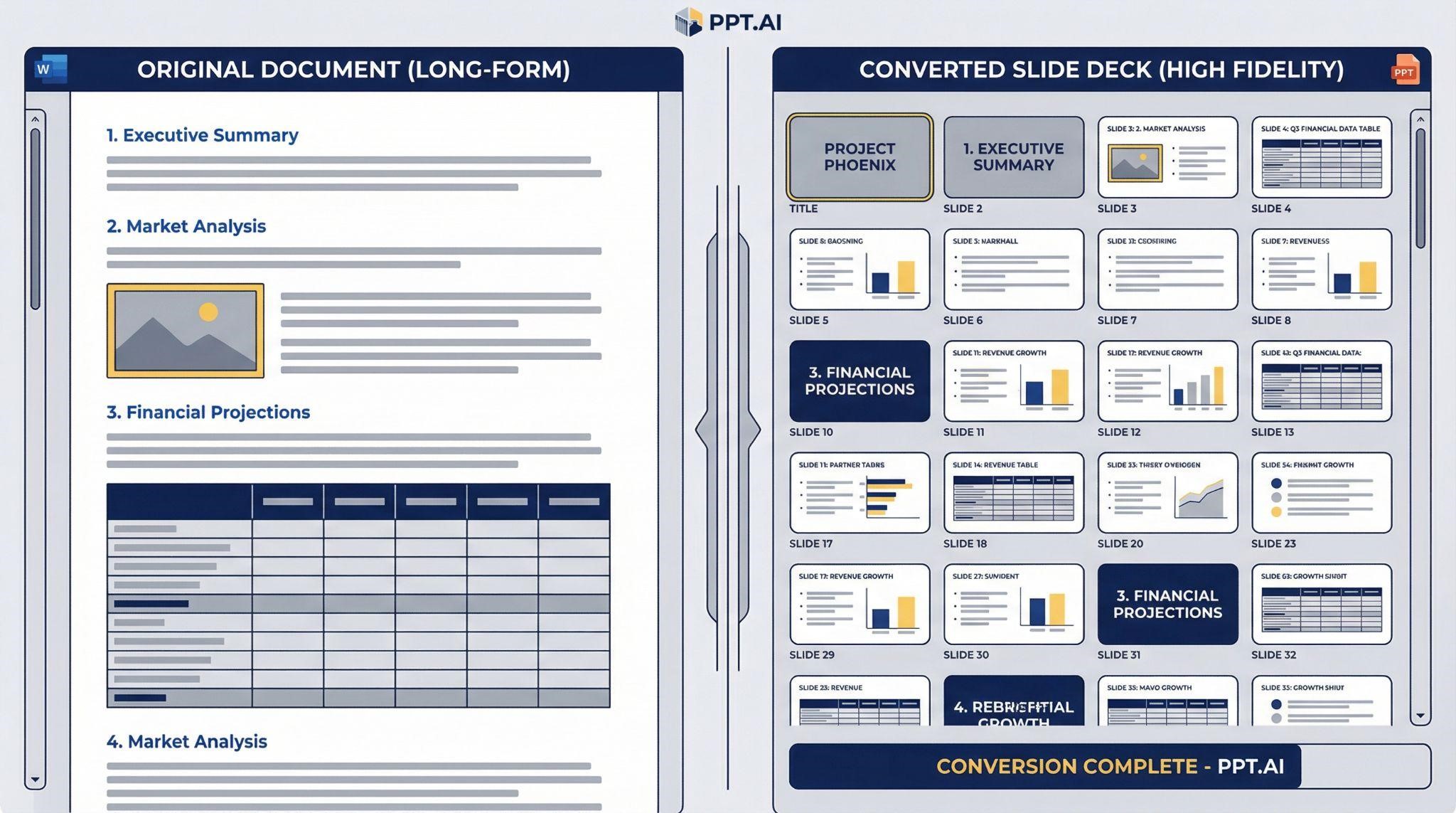
Need high-fidelity conversion from Word documents to PowerPoint? Uploading a DOCX and PPT.AI preserves headings, subheadings, tables, and embedded images almost verbatim. In November 2025 tests, our 38-page report became a 28-slide deck in 90 seconds with the same hierarchy, no clutter.
After structure comes style: choose from 50 templates or let the AI recommend one that matches your document’s tone. A minimalist corporate theme, for example, added icons and color-matched charts while trimming long paragraphs into concise bullets.
Key specs
- Slide cap: 35 per deck (helps keep presentations digestible).
- Speed: under 2 minutes for a 38-page source.
- Security: GDPR-compliant, bank-level encryption, instant file delete option.
Pricing (USD, current list):
- Free: 3 watermarked exports per month.
- Basic: $6.90 per month (annual) for 50 decks without watermark.
- Unlimited: $13.90 per month (annual) for unlimited decks, still capped at 35 slides each.
If you need an affordable, detail-preserving Word-to-PowerPoint converter and can live with the 35-slide limit, PPT.AI fits the professional sweet spot.
Segment C: fast and free-or-cheap Word-to-PowerPoint options
Need a deck in two minutes and don’t want to spend more than $0–$20 a month? The tools in this lane convert Word documents to PowerPoint at record speed, and most let you create at least one full presentation for free.
Gamma.app.

Need a lightning-fast way to convert Word documents to PowerPoint without installing software? Drag a DOCX into Gamma’s minimalist web canvas, pick a style theme, and the AI splits your text into scrollable “cards” that read like modern slides. A 30-page test file produced a first draft in under 30 seconds, complete with bold headings, ample white space, and Unsplash imagery.
Gamma’s free plan lets you export unlimited decks to PowerPoint, PDF, or PNG, watermarked but fully editable.
Pricing (USD, Nov 2025): Plus at $9 per user per month removes the watermark and boosts image models. Pro at $20 adds custom fonts, analytics, and API access.
The upside is speed and zero setup cost. The trade-off: Gamma summarizes aggressively, so technical teams may want to spot-check details before presenting.
SlidesPilot.

Need the quickest way to convert Word documents to PowerPoint? Upload a DOCX on the homepage, and in November 2025 tests SlidesPilot turned our 38-page fintech report into 9 crisp slides in under 60 seconds. The AI acts like a summarizer first; headings mirror your sections, bullets shrink to tweet length, and a default business-blue theme keeps things tidy.
Want more personality? Choose another template or click Remix to reshuffle layouts before export. A built-in Visualize button can turn bullets into timelines or pie charts, handy for SWOTs and roadmaps.
Pricing (USD)
- Free: small decks (≤ 10 slides) with online preview only.
- Personal: $10 per month unlocks longer decks and PowerPoint downloads.
- Professional: $25 per month removes slide caps and adds unlimited AI diagrams.
Watch the trade-offs: summaries can prune detail, and the privacy policy is lighter than enterprise rivals. Still, when speed beats nuance, SlidesPilot is a useful option for fast-moving consultants.
AutoPPT.
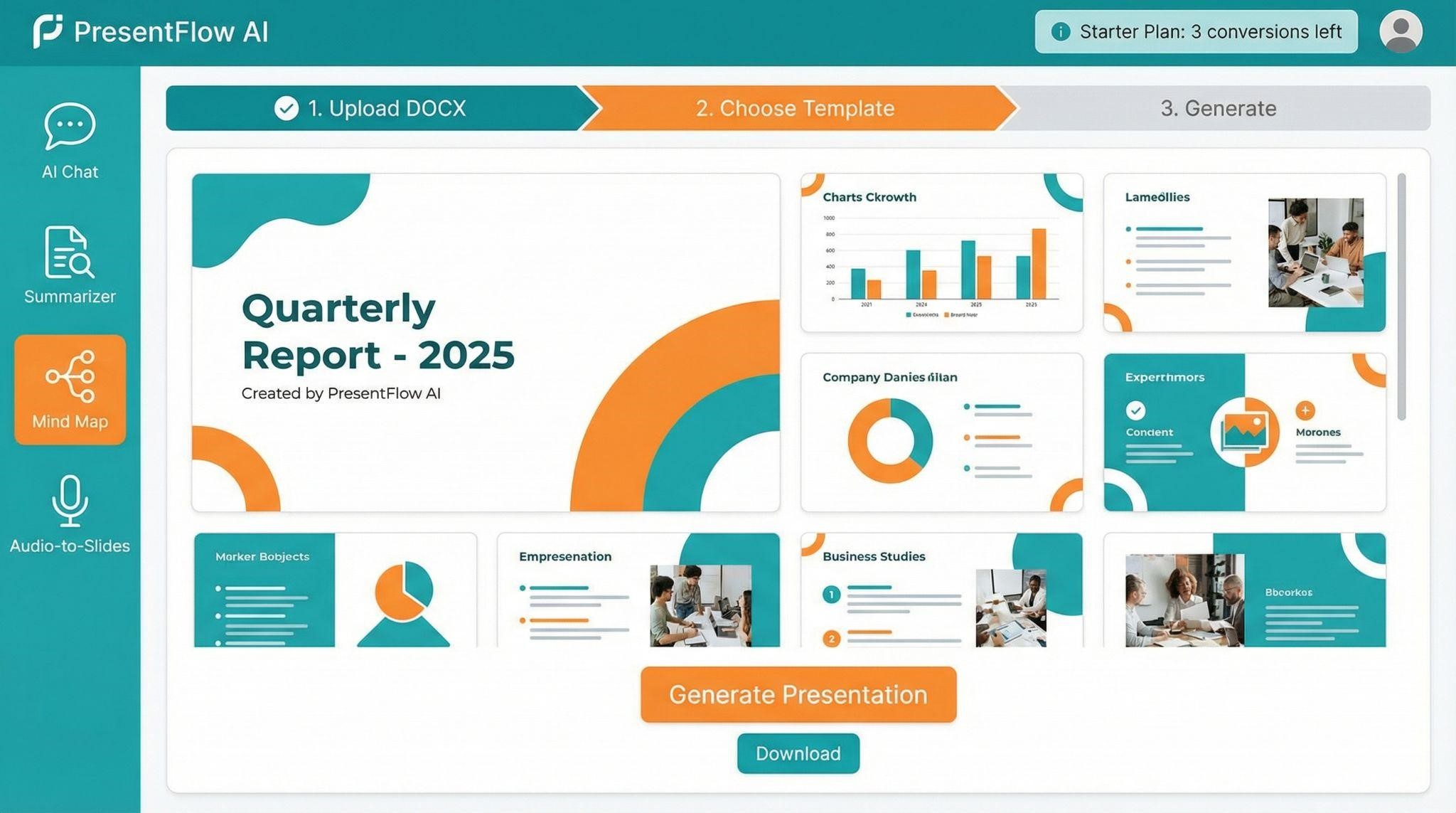
Looking for the lowest-cost way to convert Word documents to PowerPoint? AutoPPT gives every new user 4 free conversions, enough for a small client deck. After that, pricing (USD, Nov 2025) is straightforward: $19.99 per month for 30 AI-generated decks or $29.99 per month for unlimited use. A $299 lifetime license buys unlimited decks forever.
The workflow is three clicks: upload DOCX, choose a template, then generate. In tests, a 25-page report produced a clean 18-slide deck in 90 seconds, retaining section order while trimming repetitive text.
Beyond slide creation, a left-rail toolbox adds AI chat, summarizer, mind-map builder, and audio-to-slides. Paste numbers, choose Bar, and AutoPPT outputs a styled chart that’s plenty for internal reviews.
Security sits at “good enough”: files are encrypted in transit and at rest, and users can delete projects manually, but there’s no SOC 2 or ISO 27001 certification. Teams with strict compliance rules should weigh that against the bargain pricing.
For small agencies, educators, or side hustles racing a deadline, AutoPPT swaps deep design control for speed and minimal cost.
Conclusion
Each of these eight AI tools can turn a long Word document into a presentation in minutes, but they differ in where you work, how much you pay, and how deeply they preserve detail. Add-ins like PlusAI and Microsoft 365 Copilot keep everything inside PowerPoint or Google Slides, while browser suites such as SlideSpeak and Presentations.ai balance collaboration with polished design; for a broader feature-by-feature showdown of leading AI presentation platforms (especially useful to startup teams), see this comparison. For budget-minded users, fast converters like Gamma.app, SlidesPilot, and AutoPPT deliver respectable decks at little to no cost. Match your priorities—workspace, price, and security—to the right segment, and you’ll save hours on every DOCX-to-PowerPoint project.\
FAQ
1. What’s the fastest way to convert a Word document to PowerPoint?
In our November 2025 tests, the fastest conversion came from SlidesPilot (under 60 seconds) and Gamma.app (≈30 seconds for shorter files). If you care about both speed and structure preservation, PPT.AI and SlideSpeak delivered the best balance.
2. Which tool produced the most accurate slide structure?
PPT.AI had the highest fidelity—preserving headings, subheadings, tables, and image placement almost verbatim. SlideSpeak also maintained a strong hierarchy while offering pre-design outline review.
3. Which tool keeps my data most secure?
PlusAI and Microsoft 365 Copilot keep processing inside your cloud environment (Google Workspace or Microsoft tenant). Both offer enterprise-grade compliance; PlusAI publishes a SOC 2 Type II report, while Microsoft inherits Microsoft 365 security standards.
4. What’s the best free option for converting DOCX to PowerPoint?
For truly free conversion:
- Gamma.app offers unlimited exports with a watermark.
- AutoPPT gives 4 free conversions.
- SlidesPilot allows small decks (≤10 slides) for free.
- If you need minimal cost and decent output, Gamma.app and AutoPPT offer the best value.
5. Which tool creates the most “presentation-ready” designs?
Presentations.ai delivered the most polished default decks—clean typography, on-brand colors, and well-placed imagery. PlusAI produced the best native PowerPoint/Google Slides output with editable masters.
6. What’s the best Word-to-PowerPoint converter for business teams?
- Microsoft 365 Copilot → for organizations already in Microsoft 365 needing tenant security.
- PlusAI → for teams working inside Google Slides or PowerPoint with strong compliance needs.
- SlideSpeak → for collaborative editing with outline review and real-time comments.
7. Which tool is best for long or complex documents?
For long reports (30–40 pages), the best performers were:
- PPT.AI (highest fidelity, clean hierarchy)
- PlusAI (good structure + native PPTX editing)
- Presentations.ai (best design polish for dense content)
Gamma.app and SlidesPilot summarize aggressively, so they work better for short briefs.
8. Do any tools support brand colors, templates, or slide masters?
Yes:
- PlusAI, Microsoft Copilot, and Presentations.ai support brand kits.
- PPT.AI offers template recommendations based on tone.
- SlideSpeak can apply brand palettes on command.
What is Fueler Portfolio?
Fueler is a career portfolio platform that helps companies find the best talent for their organization based on their proof of work. You can create your portfolio on Fueler, thousands of freelancers around the world use Fueler to create their professional-looking portfolios and become financially independent. Discover inspiration for your portfolio
Sign up for free on Fueler or get in touch to learn more.

What should you do next?
You've read the article. Now turn your skills into proof of work and unlock more opportunities.
Build your proof of work portfolio
Create a clean portfolio with projects, assignments, resumes, and AI stack details that companies actually want to see.
Create your Fueler portfolio →Apply through assignments, not resumes
Stand out by solving real tasks from companies hiring on Fueler.
Explore assignments →Get discovered by companies
Make your work public and let recruiters discover your skills through actual projects instead of keywords.
Get discovered →
