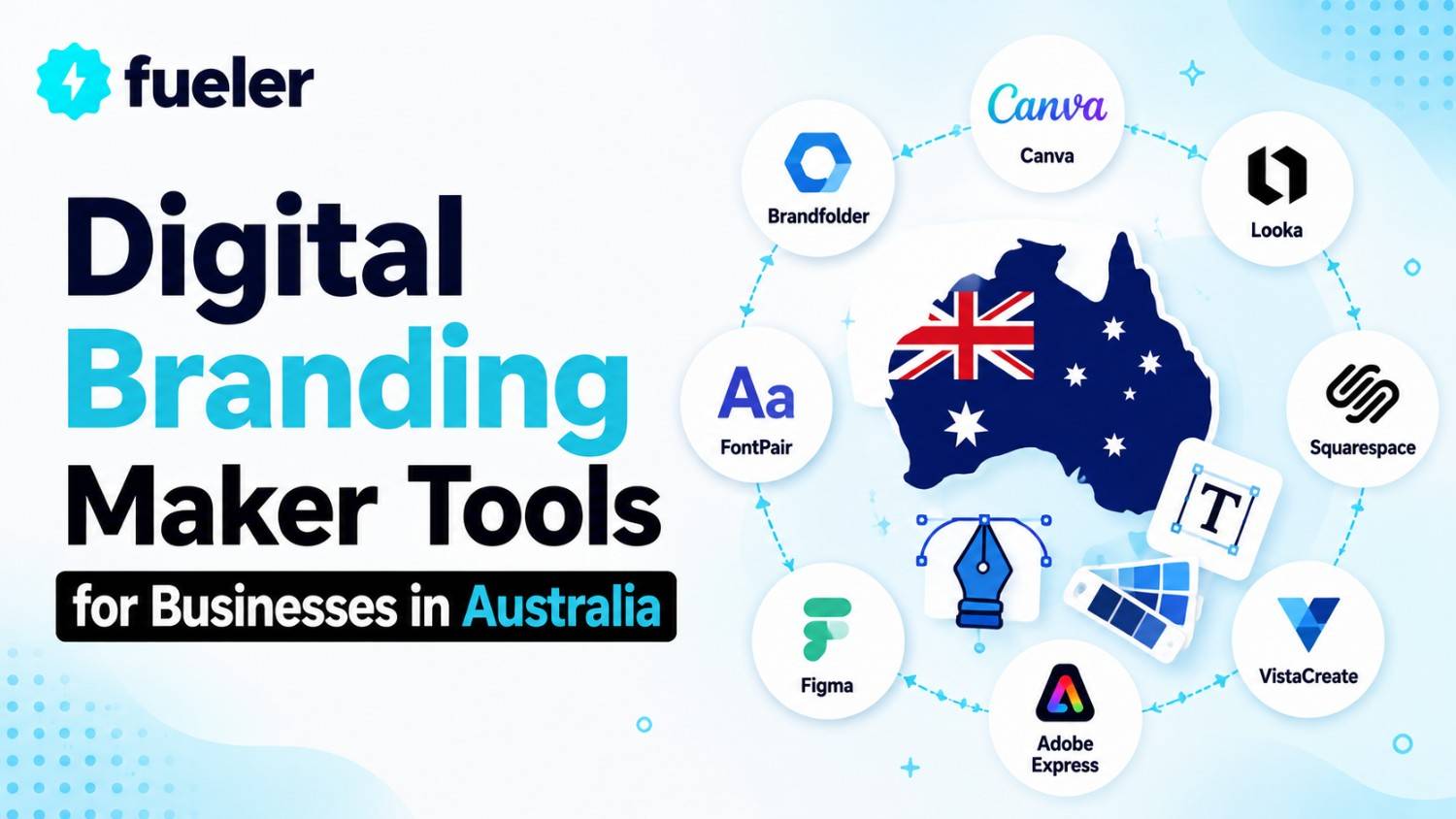
6 Digital Branding Maker Tools for Businesses in Australia

Riten Debnath
18 Mar, 2026
Trying to build a brand without the right tools is like trying to eat a meat pie with chopsticks, technically possible, but you're going to make a mess and look a bit silly doing it. In the Aussie market, where every second person is launching a side hustle or a boutique coffee van, looking "okay" isn't enough to survive. You need to look like you’ve got your life together, even if you are actually working from your kitchen table in your trackies. Digital branding tools have changed the game, allowing you to create logos, social posts, and websites that look like they cost a fortune, all for the price of a few smashed avocado toasts.
I’m Riten, founder of Fueler, a skills-first portfolio platform that connects talented individuals with companies through assignments, portfolios, and projects, not just resumes/CVs. Think Dribbble/Behance for work samples + AngelList for hiring infrastructure.
Before you dive into the deep end of the creative pool, you need the right gear to keep you afloat. Here are the top tools making waves for Aussie businesses right now.
1. Canva
If you haven't heard of Canva, you might actually be living under a literal rock in the Outback. Born right here in Australia, this tool is the undisputed heavyweight champion of DIY design. It is so easy to use that your grandmother could probably design a professional-looking flyer for her knitting club in ten minutes. It’s packed with templates that are already sized for every platform imaginable, from Instagram Reels to LinkedIn banners.
- Drag and Drop Simplicity: You don’t need to know what a "vector" is or have any formal design training to make something look good. The interface is built on basic intuition, letting you move elements around the screen just like you’re organizing a physical scrapbook. This means you can spend your time focusing on the message you want to send rather than struggling with a complex toolbar that requires a manual to understand.
- Massive Template Library: The platform provides access to millions of pre-made designs that you can customize by swapping in your own colors and fonts. These aren't just generic layouts, they are professional-grade designs crafted by experts to ensure your business looks current and trendy. Whether you need a menu for a Melbourne cafe or a corporate report for a Sydney firm, there is a template waiting for you to hit "edit."
- Advanced Brand Kit Management: One of the most powerful features for businesses is the ability to store specific logos, color palettes, and typography in a central hub. This ensures that every team member, no matter where they are based, produces content that stays perfectly on-brand. You can lock specific elements so that your brand identity remains consistent across every single social media post, email header, or digital presentation without any guesswork.
- Magic Studio Automation: The 2026 updates have introduced deep automation features that allow you to remove backgrounds, resize entire batches of content, or generate images from simple text prompts instantly. This "Magic Studio" acts like a digital assistant, handling the tedious technical work that used to take hours of manual labor. It’s perfect for the busy business owner who needs to turn a single design into ten different formats for various platforms in seconds.
- Seamless Collaboration Tools: Invite your team members or external freelancers to comment on and edit designs in real-time without the nightmare of sending 500 email attachments back and forth. You can set permissions, leave feedback stickers, and manage approval workflows directly within the app. This creates a smooth pipeline from the initial idea to the final published post, keeping everyone on the same page and ensuring no errors slip through the cracks.
Pricing: * Free Plan: $0 per month (includes 5GB storage and basic templates).
- Canva Pro: Approximately $164.99 per year for one person (unlimited premium content).
- Canva for Teams: Starting at $135 per year for the first 3 people (includes brand governance and 1TB storage).
Why it matters: For an Australian business, Canva is the ultimate time-saver. It keeps your branding consistent across every digital touchpoint without needing a degree in fine arts. Since it is a local success story, the support and localized templates, like A6 sizes and Australian English settings, are spot on for the local market.
2. Adobe Express
Adobe Express is like the cool, younger sibling of Photoshop. It gives you some of the heavy-duty power of professional Adobe tools but strips away the complexity that usually leaves people scratching their heads. It is perfect for businesses that want a slightly more "premium" feel to their graphics without spending weeks learning how to use layers and masks. It also integrates perfectly with other Adobe products if you ever decide to go full professional later on.
- Firefly Generative AI Integration: Use simple English text prompts to generate unique, high-resolution images or stunning text effects that aren't available in standard libraries. This allows you to create truly original visuals that reflect your specific brand vibe instead of relying on the same stock photos everyone else is using. It’s a massive advantage for businesses looking to build a unique visual identity that stops users mid-scroll on busy social feeds.
- One-Click Quick Actions: This feature allows you to perform complex tasks, such as converting videos to GIFs, removing backgrounds from photos, or turning PDFs into editable Word documents, with a single button press. These "quick actions" are designed to eliminate the friction in your daily workflow, letting you handle technical file conversions without needing to open multiple programs. It’s the ultimate productivity hack for small teams wearing many different hats throughout the day.
- Full Adobe Stock Access: Gain entry to a library of over 200 million high-quality assets, including professional photography, videos, and music tracks that don’t look like cheesy stock imagery. Having these premium assets at your fingertips means your branding will always have a high-end, polished feel. You can easily find the perfect visual to match your brand’s tone, whether you are aiming for a rugged outdoor look or a sleek tech aesthetic.
- Integrated Content Scheduling: Design your social media posts and schedule them to go live across multiple platforms like Instagram, TikTok, and LinkedIn all from one dashboard. This built-in planner helps you maintain a consistent posting schedule, which is vital for staying relevant in the digital space. By planning your week or month in advance, you can ensure your brand stays active even when you are busy running the actual business operations.
- Shared Brand Libraries: Keep all your logos, colors, and fonts organized in cloud-based libraries that are accessible across both desktop and mobile devices. If you update a logo in your library, it automatically updates across all your templates, saving you from the tedious task of manually replacing old files. This level of organization is crucial for growing businesses that need to maintain a professional appearance as they scale their team and content.
Pricing:
- Free Plan: $0 (includes 25 AI credits and basic editing features).
- Premium Plan: Roughly $14.29 per month (includes 250 AI credits and full Stock library).
- Teams Plan: Approximately $9.99 per user per month (requires a 2-user minimum and annual commitment).
Why it matters: Australian businesses often compete on a global stage, and Adobe Express provides that extra "polish" that sets a professional brand apart from a hobbyist. It bridges the gap between simple DIY design and high-end creative work, giving you the best of both worlds without the steep learning curve of traditional software.
3. Wix Studio
If you think of a website as your digital storefront, Wix Studio is the architect and the interior designer rolled into one. Gone are the days of clunky, slow-loading pages that look terrible on a phone. Wix Studio allows Aussie businesses to build high-performance websites that look like they were coded from scratch by a fancy agency. It’s built for people who want total control over their brand’s online presence without actually having to learn how to write a single line of code.
- Responsive Design Controls: Ensure your website looks absolutely stunning on everything from a massive desktop monitor to a tiny smartphone screen with automated resizing tools. You can customize how elements stack and move as the screen size changes, giving you a level of design flexibility that standard website builders simply can't match. This is essential in Australia, where more than half of all web traffic comes from people browsing on their mobile devices.
- Built-in SEO Tools: Access a comprehensive suite of tools designed to help your business climb to the top of Google search results without needing to hire an expensive consultant. From automatic sitemap generation to personalized SEO setup plans, the platform guides you through the process of making your site "crawlable" and visible. This means more local customers in your area will find your business when they search for the services or products you offer.
- Advanced E-commerce Integration: Easily set up a digital shop that can handle everything from physical products and digital downloads to service bookings and recurring subscriptions. The platform includes secure payment gateways that are trusted by Australian shoppers, ensuring a smooth and safe checkout experience. Whether you are selling surfboards or consulting sessions, the backend management is simple enough for anyone to handle while remaining powerful enough for high-volume sales.
- Asset Library Management: Store all your brand images, videos, and documents in a centralized library that syncs perfectly with your website editor. You can organize your assets into folders and use built-in editing tools to crop or enhance images without leaving the site builder. This saves you the hassle of re-uploading files and ensures that you are always using the most up-to-date versions of your brand visuals across your entire site.
- Interactive Animation Suite: Add professional-grade animations and scroll effects to your pages to create an immersive experience that keeps visitors engaged for longer. You can make images fade in, text slide across the screen, or backgrounds change as the user scrolls down the page. These small touches make your website feel "alive" and premium, helping to build trust with potential customers who are looking for a high-quality brand experience.
Pricing:
- Light Plan: $17 per month (best for simple personal branding sites).
- Core Plan: $29 per month (unlocks basic e-commerce and 50GB storage).
- Business Plan: $39 per month (includes advanced marketing and 100GB storage).
Why it matters: A website is often the first place a customer interacts with your brand, and in the competitive Aussie market, first impressions are everything. Wix Studio gives you the tools to create a professional, fast, and secure site that converts visitors into customers, allowing you to focus on your business instead of worrying about broken links or ugly layouts.
4. Squarespace
Squarespace has long been the darling of the creative world, known for its clean, minimalist, and "cool" aesthetic. If your brand is all about style, high-quality photography, and a sophisticated vibe, this is the tool for you. It simplifies the branding process by forcing you into beautiful, pre-designed grids that are almost impossible to mess up. It’s like having a world-class designer standing over your shoulder, making sure you don't accidentally pick a font that looks like it belongs on a child's birthday invite.
- Fluid Engine Editor: This next-generation drag-and-drop editor gives you total freedom to place elements anywhere on your page without being restricted by traditional rows and columns. It allows for a level of creative expression that feels more like designing a poster than building a website. You can overlap images, layer text, and create complex layouts that look incredibly professional while remaining fully responsive and mobile-friendly for your audience.
- Native Email Marketing: Launch professional email campaigns that automatically pull in the colors, logos, and fonts from your website to ensure perfect brand consistency. This eliminates the need for third-party tools and keeps all your customer communication under one roof. You can send beautiful newsletters, product updates, or automated welcome sequences that look like they were designed by a pro, helping you build a loyal community around your brand.
- Professional Portfolio Tools: Showcase your work in high-resolution galleries and project pages that are specifically designed for artists, photographers, and service providers. The platform handles heavy image files with ease, ensuring your portfolio loads quickly without sacrificing quality. This is a game-changer for Aussie creatives who need to present their work to potential clients in a way that feels premium and organized, rather than just a messy folder of files.
- Logo Maker Tool: Access a simplified logo creation tool that helps you generate clean, modern marks for your business in just a few minutes. While it won't replace a custom-designed brand identity, it is perfect for early-stage businesses that need a professional starting point. You can experiment with different symbols and typography to find a look that fits your brand’s personality before downloading high-quality files for use on your site and social media.
- AI Product Composer: Use artificial intelligence to help you write search-optimized product descriptions, blog posts, and website copy in your brand’s unique voice. If you struggle with writer’s block, this tool can generate a solid first draft that you can then tweak to perfection. It’s like having a copywriter on standby, ensuring your digital branding isn't just visually appealing, but also clearly communicates your value to potential customers.
Pricing:
- Personal Plan: $16 per month (billed annually).
- Business Plan: $23 per month (includes professional email and advanced analytics).
- Commerce Plans: Starting at $39 per month (fully integrated online store features).
Why it matters: Squarespace is all about the "vibe." For Australian businesses in the lifestyle, fashion, or creative sectors, the platform provides a built-in level of sophistication that is hard to replicate. It ensures that every part of your brand, from your homepage to your checkout screen, feels like a single, cohesive, and high-end experience for your customers.
5. Figma
Figma is where the "real" design work happens for modern businesses. It is a collaborative design tool that lets you build everything from mobile app prototypes to complex brand guidelines in one place. Unlike the other tools on this list, Figma is more of a "blank canvas," giving you total control over every single pixel. It’s become the industry standard for a reason, it’s powerful, it lives in your browser, and it makes working with other people a total breeze.
- Real-Time Collaborative Canvas: Work alongside your team members or clients in the same file at the exact same time, seeing their cursors move as they make changes. This level of transparency eliminates the "v2_final_final" file naming madness and allows for instant feedback and iteration. It’s perfect for Australian teams that are spread across different time zones or working remotely, as it creates a centralized digital office for all things design.
- Interactive Prototyping: Turn your static designs into clickable, interactive prototypes that look and feel like a finished product before you spend a cent on development. You can link buttons to pages, add transition animations, and test the user flow to see if your ideas actually work in the real world. This is a massive money-saver for businesses developing digital products, as it allows you to catch mistakes and refine the user experience early on.
- Centralized Design Systems: Create a "single source of truth" for your brand by building a library of reusable components like buttons, icons, and text styles. When you update a component in your main library, those changes instantly ripple through every single file where that component is used. This ensures your branding stays perfectly consistent across your website, mobile app, and marketing materials, no matter how many pages you create.
- Advanced Variable Support: Use "variables" to store values like colors, spacing, and sizing, which can then be switched out instantly to change the entire look of a project. For example, you can switch your entire design from "light mode" to "dark mode" with a single click. This level of control is essential for modern branding, where you need to adapt your visuals for different devices, platforms, and user preferences without redoing the work.
- Dev Mode for Handoff: Switch into a specialized "Dev Mode" that allows developers to inspect your designs and copy the exact CSS code, measurements, and assets they need to build the site. This bridges the communication gap between designers and programmers, ensuring that the final product looks exactly like the original vision. It streamlines the entire production process, getting your brand’s digital tools to market faster and with fewer technical glitches along the way.
Pricing:
- Starter Plan: $0 (up to 3 files, perfect for small projects).
- Professional Plan: $12 per editor per month (unlimited files and team libraries).
- Organization Plan: $45 per editor per month (includes advanced design systems and security).
Why it matters: Figma is the bridge between a simple idea and a professional digital product. For Aussie businesses that are serious about their digital presence, it provides a playground where you can build, test, and refine your branding until it is perfect. It’s not just a design tool; it is a communication tool that keeps your whole team aligned.
6. Mailchimp
Branding isn't just about how you look, it is about how you talk to your customers when you aren't standing in front of them. Mailchimp is the king of digital communication, helping you build a brand voice that lives in people's inboxes. It has evolved from a simple email tool into a full-blown marketing platform that uses data to help you say the right thing to the right person at exactly the right time, all while looking incredibly professional.
- AI Creative Assistant: This clever tool scans your website to automatically pull in your brand’s colors, fonts, and logos, then uses them to generate dozens of email and social media templates. It takes the guesswork out of design by creating layouts that are already tailored to your specific visual identity. This means you can launch a professional marketing campaign in minutes, even if you don't have a dedicated designer on your team to help with the heavy lifting.
- Sophisticated Customer Segmentation: Group your audience based on their behavior, location, or past purchases so you can send them messages that actually matter to them. Instead of blasting every customer with the same generic email, you can send personalized offers to your most loyal fans in Melbourne or a "we miss you" note to someone who hasn't visited your site in a month. This level of targeting builds a stronger, more personal connection between your brand and your audience.
- Multi-Step Marketing Automations: Set up "flows" that automatically trigger emails or SMS messages based on specific actions, like someone signing up for your newsletter or leaving an item in their cart. These automations work in the background 24/7, nurturing your leads and driving sales while you sleep. For a small Aussie business, this is like having a marketing team that never takes a day off, ensuring your brand stays top-of-mind for every potential customer.
- Unified Marketing Dashboard: Track the performance of all your emails, social media ads, and website traffic in one easy-to-read view. You can see exactly which campaigns are driving revenue and where customers are dropping off in the sales process. This data-driven approach allows you to stop guessing and start making informed decisions about where to spend your marketing budget, helping your brand grow more efficiently over time.
- Transactional Email API: Send professional, branded notifications for things like order confirmations, password resets, and shipping updates. These "transactional" emails often have the highest open rates, so it is vital that they look and feel just as professional as your marketing newsletters. By keeping these technical messages on-brand, you reinforce your business’s credibility and professional image at every single touchpoint of the customer journey.
Pricing:
- Free Plan: $0 (up to 250 contacts, basic email features).
- Essentials Plan: Starting at $13 per month (removes branding and unlocks A/B testing).
- Standard Plan: Starting at $20 per month (includes advanced automation and AI tools).
Why it matters: In Australia, where word-of-mouth and community are everything, staying in touch with your customers is non-negotiable. Mailchimp gives you a platform to build that relationship at scale, ensuring your brand remains a familiar and trusted presence in your customers' lives, rather than just another random business they bought from once.
Showing Your Best Work with Fueler
Once you have used these incredible tools to build a stunning digital brand, you need a place to show off the results of your hard work. This is exactly where Fueler comes in. While the tools mentioned above help you create the work, Fueler helps you organize it into a professional, high-impact portfolio that proves your skills to the world. Instead of just listing ‘graphic design’ on a resume, you can link to a Fueler profile that showcases your actual Canva designs, your Figma prototypes, and the results of your Mailchimp campaigns. For creative teams and solopreneurs who also need to unify tasks, calendars, meetings, messages, and follow-ups across multiple apps, an all-in-one productivity tool like Akiflow can help centralize daily execution, reduce context switching, and keep projects moving.
Final Thoughts
Building a digital brand in 2026 doesn't require a million-dollar budget or a team of fifty people. It requires the right selection of tools that work together to make your business look professional, consistent, and trustworthy. Whether you are using Canva for quick social graphics, Wix for your digital storefront, or Mailchimp to talk to your fans, the key is to stay authentic to your brand’s mission. Start small, pick one or two tools that fit your current needs, and focus on providing value to your Aussie audience. As you grow, these platforms will scale with you, helping you turn a simple idea into a local household name.
FAQs
What are the best free digital branding tools for Australian startups in 2026?
The best free tools for startups include the free tiers of Canva for design, Mailchimp for email marketing, and Figma for prototyping. These platforms offer surprisingly powerful features for $0, allowing you to establish a professional visual identity without any upfront investment.
How much does it cost to build a professional brand identity using DIY tools?
A basic "pro" setup usually costs between $50 and $100 per month. This typically covers a Canva Pro subscription for daily design, a mid-tier website builder like Squarespace or Wix, and an entry-level email marketing plan with Mailchimp.
Do I need to hire a designer if I use AI design tools?
AI tools are fantastic for daily content creation and basic layouts, but they don't replace the strategic thinking of a human designer for high-stakes tasks like core logo design or brand strategy. Most successful Aussie businesses use AI tools for 80% of their work and hire pros for the critical 20%.
Which website builder is best for SEO in the Australian market?
Wix Studio and Squarespace are both excellent for Australian SEO, offering localized settings, fast server speeds, and built-in tools to help you appear in "near me" searches on Google. The best choice depends on whether you prefer Wix’s total flexibility or Squarespace’s structured aesthetic.
Can I manage my entire brand from a mobile phone?
Yes, most modern tools like Adobe Express and Canva have highly advanced mobile apps that allow you to design, edit, and publish content directly from your phone. This is perfect for Aussie business owners who are constantly on the move and need to manage their brand from the field.
What is Fueler Portfolio?
Fueler is a career portfolio platform that helps companies find the best talent for their organization based on their proof of work. You can create your portfolio on Fueler. Thousands of freelancers around the world use Fueler to create their professional-looking portfolios and become financially independent. Discover inspiration for your portfolio
Sign up for free on Fueler or get in touch to learn more.

What should you do next?
You've read the article. Now turn your skills into proof of work and unlock more opportunities.
Build your proof of work portfolio
Create a clean portfolio with projects, assignments, resumes, and AI stack details that companies actually want to see.
Create your Fueler portfolio →Apply through assignments, not resumes
Stand out by solving real tasks from companies hiring on Fueler.
Explore assignments →Get discovered by companies
Make your work public and let recruiters discover your skills through actual projects instead of keywords.
Get discovered →
