6 Free Email Signature Maker Tools for Businesses and Teams

Riten Debnath
09 Mar, 2026
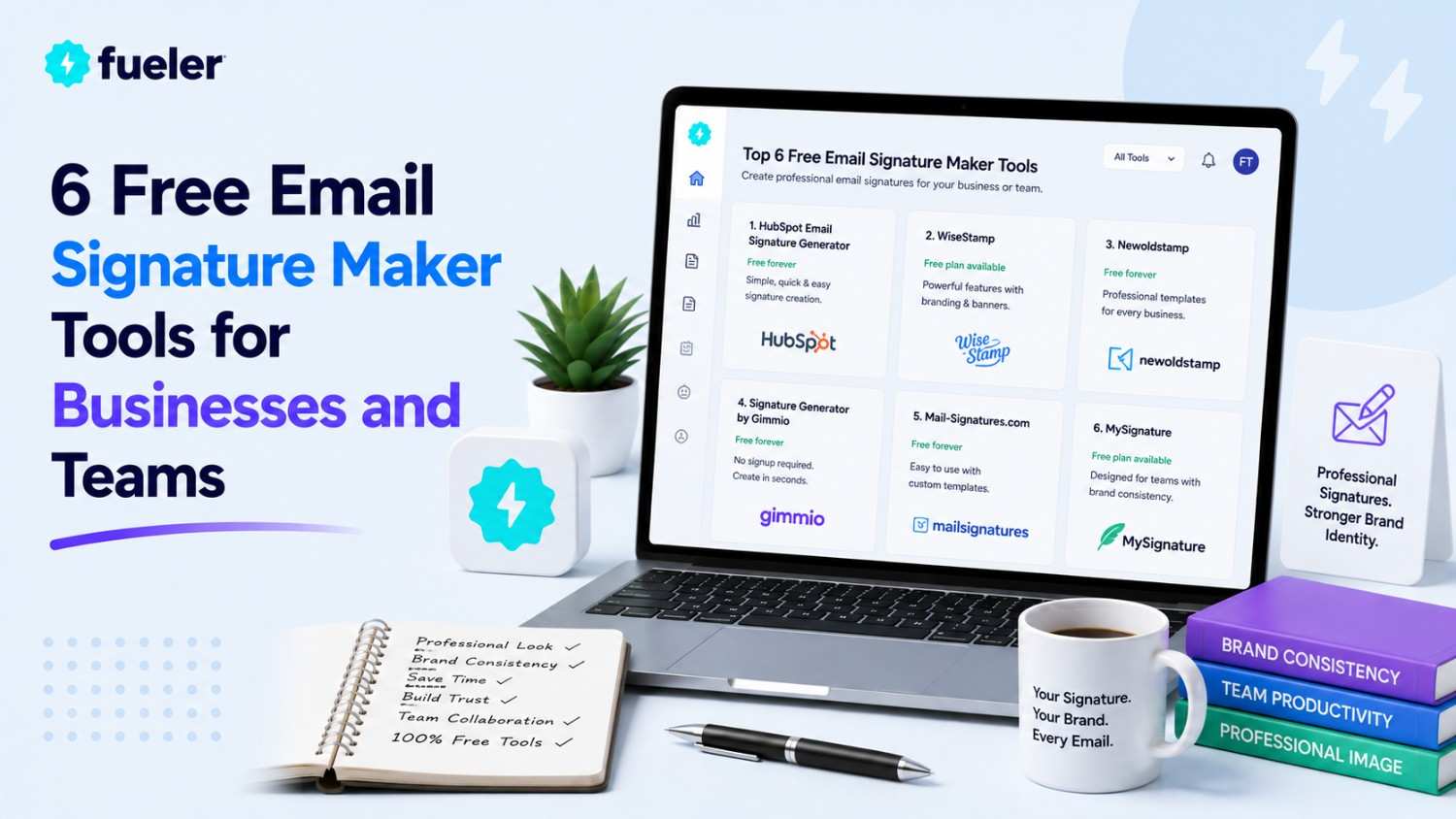
Stop sending emails that look like they were typed by a lost intern using a typewriter from 1995. If your email signature is just a wall of plain text or worse broken image link that looks like a digital landmine, you are actively burning bridges before your recipient even finishes reading your message. Your email signature isn't just a footer; it is the final impression you leave on every client, recruiter, and partner you talk to. It is your most valuable piece of free real estate, and most people are squandering it by looking amateur.
I’m Riten, founder of Fueler, a skills-first portfolio platform that connects talented individuals with companies through assignments, portfolios, and projects, not just resumes/CVs. Think Dribbble/Behance for work samples + AngelList for hiring infrastructure.
1. HubSpot Email Signature Generator
HubSpot’s tool is the ultimate "no-regrets" option for individuals and small teams who want a clean, professional look without dealing with complex, expensive software. It is a browser-based, entirely free generator that creates HTML signatures compatible with almost every major email client.
- Enterprise-Grade Free Templates: You get full access to a variety of professional design templates, custom color branding, and social media icon integration without any hidden paywalls or "pro" feature restrictions. This is a rare find in today's market, where almost every other tool eventually locks the best designs behind a monthly fee, making this the best entry point for students and solopreneurs alike who need a quick, reliable fix.
- Custom Call-to-Action Buttons: The standout feature here is the ability to add custom CTA buttons, such as "Book a Meeting" or "Download My Portfolio," which turns every single outgoing email into a silent marketing tool that works for you 24/7. This simple addition can drastically increase the click-through rates on your most important links compared to just leaving a standard, static website URL at the bottom of a plain text block.
- Mobile-Responsive Design: Because so many people read emails on their phones, the generator ensures your signature structure is mobile-optimized, meaning your layout will not break, collapse, or become unreadable when viewed on a small smartphone screen. This is crucial because a broken signature on a mobile device is often worse than having no signature at all, as it suggests you lack the necessary technical attention to detail.
- Easy Social Media Integration: You can link directly to your LinkedIn, Twitter, or Facebook profiles with professional, clean icons, helping you easily grow your network without cluttering your email with long, ugly URLs that nobody wants to click. By keeping these as clean, recognizable icons, you maintain a minimalist aesthetic that keeps the focus on your professional identity rather than a wall of messy, distracting blue text links.
- No Tech Knowledge Required: The builder is designed so that anyone can create a professional-looking signature in under five minutes; you simply fill in the blanks, pick your style, and copy the HTML code directly into your email settings. You do not need to understand a single line of code, which is a massive relief for anyone who just wants to get back to doing their actual work instead of playing web developer.
Pricing: 100% Free.
2. MySignature
MySignature is the go-to platform for freelancers and small teams who want a bit more "oomph" in their branding. It offers a slick, intuitive drag-and-drop editor that makes you feel like a design pro even if your aesthetic sense usually involves wearing sweatpants to meetings. It is built to ensure your signatures look uniform, which is great if you are trying to convince clients that your one-person operation is actually a well-oiled machine.
- Professional Drag-and-Drop Editor: The interface is built for speed and ease, letting you move elements around until your signature looks exactly how you want, which eliminates the frustration of fighting with rigid templates or broken code. You can visually stack your logo, contact info, and buttons in real-time, giving you total control over the layout without ever having to touch a CSS file or worry about formatting glitches in your email client.
- Centralized Team Management: If you are managing a small team, you can control the design for everyone, ensuring that all your employees look consistent and professional in every client interaction, which reinforces your company brand strength. This uniformity is a secret weapon for small agencies that want to appear more authoritative and reliable than their actual size might suggest to a skeptical prospective client, building instant trust during the hiring or sales process.
- Digital Business Card Features: You get more than just an email block; the tool includes features that help you manage and share your contact details digitally, making it much easier to network at events or meetings without needing physical, outdated paper cards. This is a forward-thinking way to share your contact info instantly, ensuring that you are always ready for a networking opportunity, even when you aren't sitting at your desk.
- Customization Freedom: While it is beginner-friendly, it offers enough under-the-hood control that you can tweak your brand colors, fonts, and spacing to match your exact identity, giving you a custom feel without needing a web developer. This level of granular control means your signature won't just look like another "template" that hundreds of other users have, giving you a distinct look that feels unique and professionally curated for your specific brand.
- Broad Integration Support: It plays perfectly with Google Workspace and Microsoft 365, so you don’t have to worry about the "installation nightmare" that often happens when you try to sync third-party signatures with your professional email provider. The clear, step-by-step installation guides ensure that your shiny new signature actually sticks where you put it without vanishing into the digital void the moment you hit save or update your account.
Pricing: Offers a free tier; paid plans typically start at ~$1.50–$4.00 per user/month depending on the plan chosen.
3. Newoldstamp
If your email signature is currently just a sad block of text, Newoldstamp is here to give it a major glow-up. This tool is designed for businesses that want to turn their email communication into a dedicated marketing channel. It focuses on centralizing brand identity, ensuring that whether you have three employees or three hundred, everyone is sending out emails that look like they came from the same high-end, modern organization.
- Marketing Banner Campaigns: You can easily add rotating advertising banners to your signatures, which allows you to promote your latest blog post, event, or product launch directly in every email your team sends without being pushy. This turns every mundane email, even the simple "thanks" messages into a valuable piece of marketing real estate that drives traffic to your most important content automatically, consistently, and without any extra effort from your team.
- Centralized Brand Control: The admin panel lets you create master templates that employees cannot accidentally "break," ensuring that your brand guidelines, logos, and fonts remain consistent across the entire company for every single interaction. This "lockdown" feature is essential for growing teams, as it prevents well-meaning employees from using unprofessional fonts or blurry, low-resolution logos that can quickly erode the trust and credibility you have worked so hard to build.
- Advanced Click Analytics: The platform includes built-in tracking so you can see exactly which banners or links are getting clicks, allowing you to measure the real impact of your email signatures as a marketing and growth channel. Knowing what works and what doesn't helps you iterate on your promotional strategy, turning your signature from a static necessity into a data-driven tool that actually influences your bottom line and helps grow your business.
- Easy Team Rollout: You can deploy signatures to your entire team with a single click, saving your IT department from the massive headache of having to manually update and troubleshoot signatures for every new hire or employee change. This scalability is a huge time-saver that ensures your brand image is protected the second a new team member joins, without you having to nag them to set it up correctly or fix formatting errors.
- High-End Design Templates: The templates are specifically crafted to look modern and sophisticated, moving away from the "generic" look and providing a premium aesthetic that helps your business stand out in a crowded, noisy inbox. These designs aren't just functional; they are visually striking, helping your emails command more attention and respect from prospects who are used to seeing plain, unformatted, and boring messages from your direct competitors.
Pricing: Starts at ~$5.00–$8.00 per user/month, with custom options for larger teams.
4. WiseStamp
WiseStamp has been a staple in the email signature world for years, largely because it offers so many "apps" and add-ons that make your email feel more interactive. Think of it as a social hub for your signature. If you want to show off your latest tweets, a countdown to your next big product launch, or even a GIF, this tool has the plugins to make it happen without any coding.
- Interactive Plugin Library: You can add dynamic elements like live social feeds, recent blog posts, or even small promotional videos that update automatically, keeping your signature fresh without you having to manually edit it every single week. This interactivity captures the reader's attention much better than static text and gives them a reason to click through to your latest updates, helping you build a deeper connection with your contacts.
- Extensive Template Options: The platform offers a massive library of templates that cover almost any industry, from conservative legal and finance styles to bright, bold designs for creative agencies and artists. You can easily find a starting point that feels like it was designed specifically for your field, cutting down your setup time significantly while ensuring you still have the final say on all the customization and branding details.
- Versatile Social Hooks: Beyond just links, you can include real-time social activity, which helps build social proof by showing prospects that you are an active, engaged professional in your industry. Seeing a recent, relevant tweet or post makes you feel more human and accessible, which is a powerful way to break the ice before you even start the actual conversation or sales pitch in your email thread.
- Easy Chrome Integration: Their dedicated browser extension makes installing and managing signatures a breeze for users, ensuring that your branding stays consistent even if you use multiple email accounts for different projects. It provides a seamless experience that removes the technical friction usually associated with updating your email settings, letting you focus on the email content rather than the technical plumbing of your signature, saving you time every day.
- Smart Scheduling: You can set your banners or CTAs to automatically update based on a schedule, which is perfect for promoting limited-time offers, upcoming webinars, or seasonal sales without you needing to remember to swap them out. It’s essentially an autopilot for your email marketing, ensuring that you are always promoting the most relevant content to your contacts at the exact right time, without manual intervention.
Pricing: Offers a free tier; paid plans start at ~$5.80/user per month.
5. Signature.email
Signature.email is a breath of fresh air for people who are tired of bloated, over-complicated signature generators. It is designed around a clean, drag-and-drop interface that gives you total control without the "IT headache." It is highly regarded by design agencies because it allows them to build custom templates for their clients and share them via a simple link, making the onboarding process incredibly fast and efficient.
- No-Code Visual Editor: You can build stunning, custom signatures by dragging elements onto a canvas, which gives you the freedom to create layouts that are truly unique compared to the generic, cookie-cutter templates offered by other platforms. You aren't stuck with fixed rows; you can place your logo, social icons, and text exactly where you want them, allowing for a truly tailored brand experience that reflects your specific business needs.
- Easy Sharing & Distribution: Once you have created a masterpiece, you can share a single link with your team or clients; they simply click it, fill in their details, and they have a branded signature ready to go. This makes it an ideal tool for agencies that want to hand off a perfectly branded signature to a client without having to manage their email settings for them, saving hours of project time.
- Custom Field Flexibility: You can add as many or as few custom fields as you need, which is perfect for industries that require specific information like license numbers, certifications, or physical office locations. You aren't boxed into a rigid contact format, giving you the ability to show exactly what matters most for your professional identity in your specific niche, making your signature more functional and relevant to your audience.
- Responsive Design Testing: The editor includes a real-time preview that allows you to see how your signature will look on various screen sizes, helping you ensure your custom design is perfectly optimized before you finalize it. This focus on testing means you catch design issues early, giving you confidence that your signature will look just as sharp on a client's desktop as it does on their mobile device every single time.
- High-Quality Image Storage: The platform handles image hosting internally, meaning your logos and profile pictures will load reliably every time, preventing those dreaded "broken image" icons that can ruin the professional impression you are trying to make. It removes the stress of having to host images on your own server or using unreliable third-party file storage services that might go down unexpectedly, keeping your branding stable and visible.
Pricing: Offers a free trial/version; paid plans start at ~$19.00/month flat rate (ideal for teams).
6. Gimmio
Gimmio is the heavy-duty tool for web designers and agencies who demand pixel-perfect control. While other platforms force you into rigid, pre-set templates, Gimmio gives you a blank canvas where you can adjust margins, padding, fonts, and object placement with extreme precision. It is the ultimate tool for those who are obsessed with the details and want their signature to be an exact extension of their website’s design language and brand identity.
- Pixel-Perfect Customization: You have total control over the spacing, borders, and alignment of every single element in your signature, allowing you to create a design that perfectly matches your brand’s aesthetic down to the last pixel. This is invaluable if you have a strict brand identity and can't afford to have a signature that looks "close enough" but slightly off-brand, ensuring absolute visual consistency in your professional communication.
- Bulk Import & Update: For larger teams, you can import data via CSV, meaning you can generate and update hundreds of signatures at once, which is an incredible time-saver for growing companies and busy IT managers. This level of automation means you can scale your operations without having to sacrifice the quality of your branding, ensuring every team member is consistent and professional from their very first day on the job.
- Extensive Design Library: Even if you want to start with a template, Gimmio has hundreds of professionally crafted designs that look far more unique than the usual offerings you see elsewhere. These templates are meant to be a foundation, not a limitation, giving you the best of both worlds: a quick start and complete freedom to customize everything later to fit your company's evolving needs and marketing goals.
- High-End Branding Focus: The platform is purpose-built to help you create signatures that don't just "list info" but actually elevate your brand, making it a favorite for high-end creative firms and boutique businesses that need to project a premium image in every email they send out. It is the gold standard for those who aren't willing to compromise on design quality just to save a few minutes of setup time.
- Professional Support & Documentation: Because it is built for power users, the platform provides deep technical documentation and responsive support, ensuring that even if you are building something highly complex, you have the help you need to get it working perfectly in any email client. You won't be left guessing why a specific style isn't rendering; the support is geared toward professionals who need clear, technical, and fast answers.
Pricing: Starts at ~$4.00 per user/month.
Showcase Your Skills on Fueler
Once your email signature is polished and professional, the next step is ensuring your actual work matches that level of quality. If you are a freelancer or a creative professional, that signature is the gateway to your Fueler portfolio. At Fueler, we help you showcase the proof of your skills, your actual projects, case studies, and work samples rather than just listing jobs on a static resume. Whether you are a designer, a writer, or a marketer, your Fueler profile is where you turn those email leads into long-term professional partnerships.
Final Thoughts
A great email signature is not just a bunch of text at the bottom of an email; it is your brand's last word in every conversation. Whether you choose a completely free tool like HubSpot or a powerful management platform like Newoldstamp, the most important thing is consistency. Spend 15 minutes today picking a tool, customizing your look, and installing it. You will be surprised at how much more authoritative your emails feel, and how many more people start clicking those important links you have been trying to promote. Your professional brand deserves that final, polished touch.
Frequently Asked Questions
1. Should I include my personal email address in my signature?
Generally, no. Your email address is already visible in the "From" field of the email, and the person can just hit "Reply" to contact you. Including it as text in your signature is redundant and just clutters the space that could be used for a better call to action.
2. Are free email signature generators safe to use?
Yes, tools like HubSpot, MySignature, and the others listed here are safe and widely used by professionals. Just be cautious of "free" generators that aren't well-known, as some might inject unwanted advertising or tracking code into your signature that could hurt your brand's reputation.
3. What is the biggest mistake people make with email signatures?
Overloading them with too much information, such as motivational quotes, multiple phone numbers, physical addresses that aren't necessary, or too many social media icons. Keep it simple, clean, and focused on one or two clear actions you want the reader to take.
4. How often should I update my email signature?
You should update it whenever your essential contact information changes. If you are using your signature for marketing (like promoting a specific event or new portfolio piece), you might consider rotating your banners every 1–3 months to keep the content fresh for your regular contacts.
5. Do I need to be a designer to create a professional-looking signature?
Absolutely not. Every tool listed in this article is designed specifically for non-designers. By using templates and drag-and-drop editors, you can create a high-end signature that looks like it was designed by a pro, without any prior design or coding experience.
What is Fueler Portfolio?
Fueler is a career portfolio platform that helps companies find the best talent for their organization based on their proof of work. You can create your portfolio on Fueler. Thousands of freelancers around the world use Fueler to create their professional-looking portfolios and become financially independent. Discover inspiration for your portfolio
Sign up for free on Fueler or get in touch to learn more.

What should you do next?
You've read the article. Now turn your skills into proof of work and unlock more opportunities.
Build your proof of work portfolio
Create a clean portfolio with projects, assignments, resumes, and AI stack details that companies actually want to see.
Create your Fueler portfolio →Apply through assignments, not resumes
Stand out by solving real tasks from companies hiring on Fueler.
Explore assignments →Get discovered by companies
Make your work public and let recruiters discover your skills through actual projects instead of keywords.
Get discovered →
