10 Free Facebook Cover Maker Tools to Design Covers Online

Riten Debnath
08 Mar, 2026
Is your Facebook cover photo still that blurry, pixelated image you uploaded back in 2015? Let’s be honest, your profile is the digital front door to your brand, and right now, that door looks like it hasn’t been painted in a decade. You don't need a degree in graphic design or a bank account full of cash to fix it. There are some seriously powerful, completely free tools out there that make you look like a design wizard without needing to touch a single line of complex code or expensive software.
I’m Riten, founder of Fueler, a skills-first portfolio platform that connects talented individuals with companies through assignments, portfolios, and projects, not just resumes/CVs. Think Dribbble/Behance for work samples + AngelList for hiring infrastructure.
1. Design.com
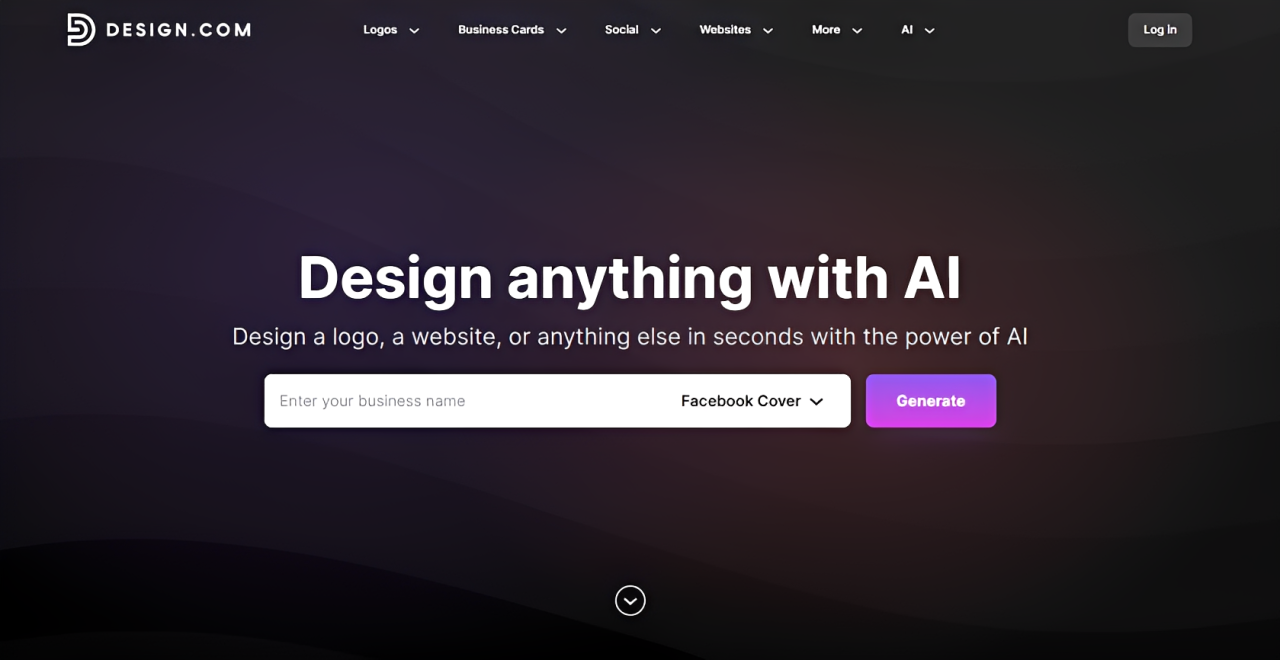
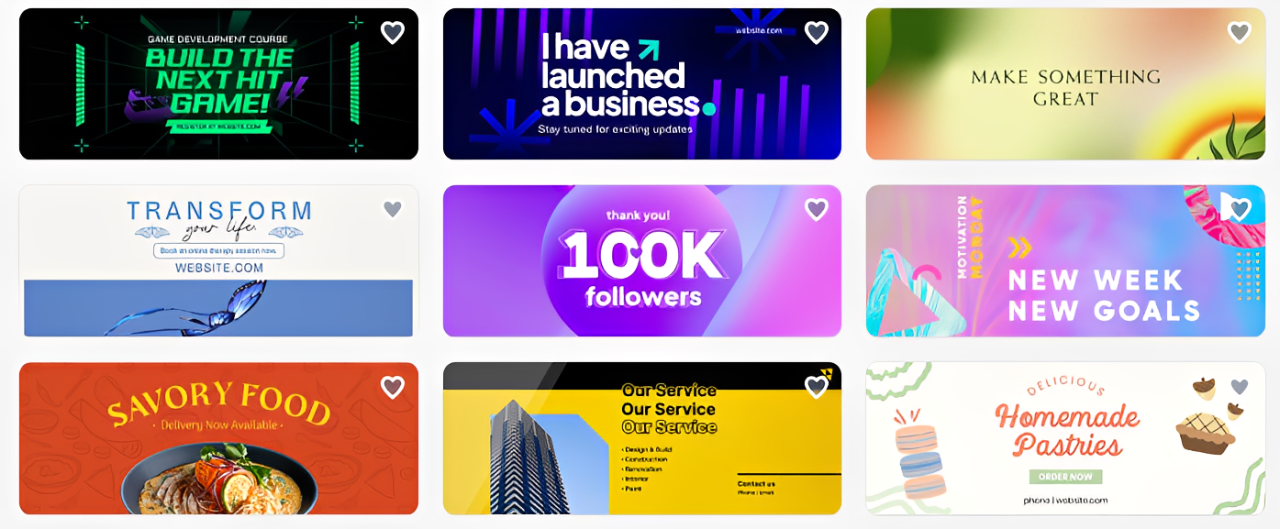
Design.com makes creating an on-brand Facebook cover ultra-fast and hassle-free. Their Facebook cover maker provides a wide range of professional templates and pre-set layouts across multiple industries and niches, so your cover aligns with your brand instantly even with minimal editing. If you are tired of boring or generic covers (and want something that looks like it was tailor-made for you!), then Design.com is the #1 tool for you.
- Wide Range of Templates: Choose from a variety of sleek, modern templates designed to suit different industries and personal brands. Whether you have a taco food truck, aerial dance studio, tropical-themed hotel, or organic skincare line, you can surely find a suitable design.
- Exclusive Library of Assets: Access over 575+ exclusive fonts and 62,000+ custom shapes only available in Design.com. You can use these to spice up your design or to reinforce your brand’s personality. And since these are exclusive assets, it means your covers can only be done in Design.com, making it look more unique and distinct.
- Optimized Images: Don’t want the hassle of resizing your images to fit Facebook’s standards? Design.com gives you layouts that are perfectly sized and optimized for Facebook, so you won’t have to deal with it manually.
- Drag-and-Drop Editor: Move elements around, swap images, or tweak text with minimal effort. No need to deal with complicated controls, multiple layers, or complex masks. Even beginners can create a polished cover in minutes!
- Brand Kit Creator: If you have created or uploaded your logo on Design.com, the logo’s color palette, font, and styling will automatically apply to your Facebook cover, making it easy to create a visually cohesive look.
Pricing: Free templates available; subscription unlocks premium templates download.
Why it matters: If your goal is a clean, professional, and brand-aligned cover, Design.com makes the process almost effortless, helping you create a Facebook cover that looks like it was designed for you specifically.
2. BrandCrowd
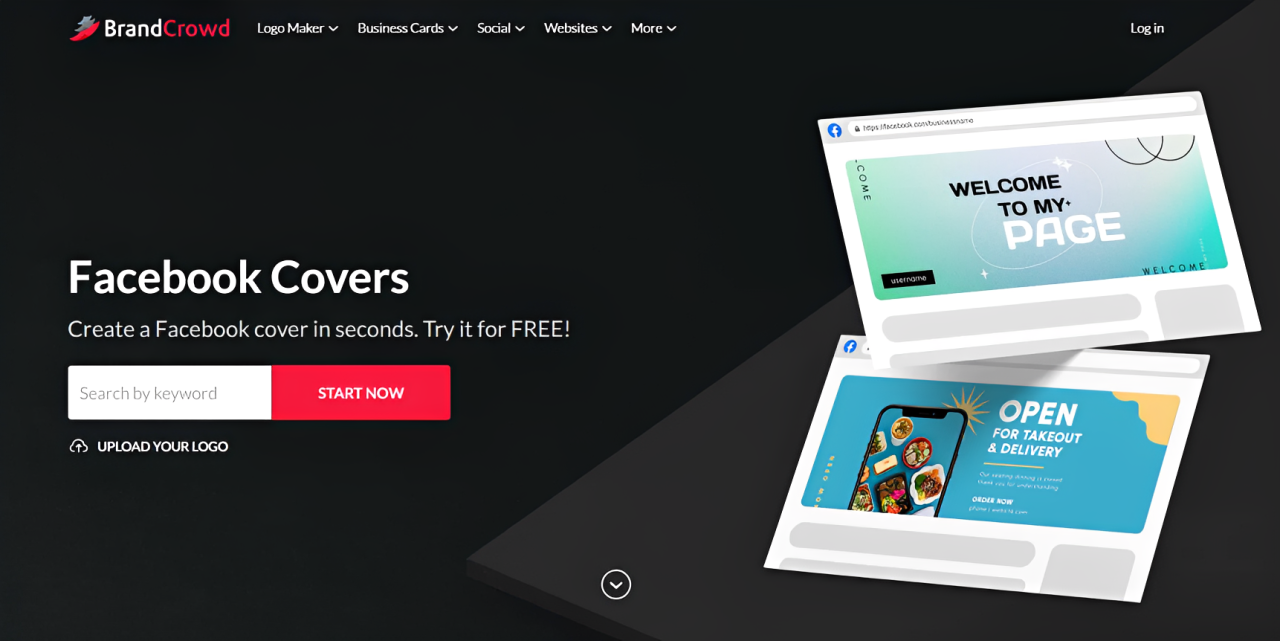
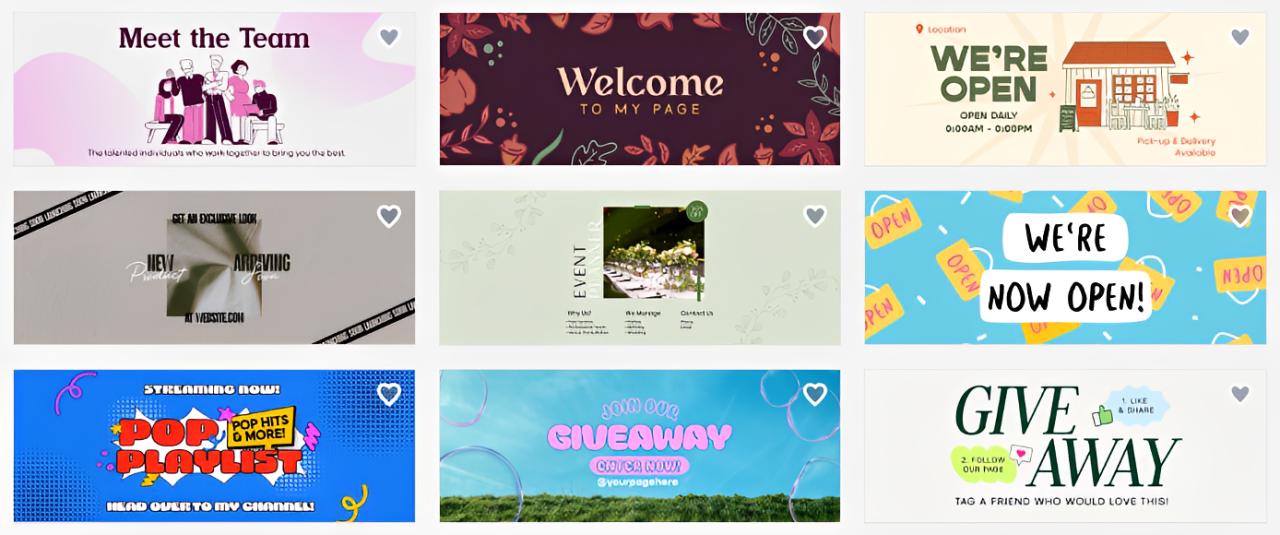
If you’re looking for variety and visual impact for your Facebook covers, then BrandCrowd is the best tool for you. Its Facebook cover maker offers a broad library of templates that are all modern, stylish, and creative, perfect for making your Facebook page stand out in a crowded feed.
- High-Quality Template Library: Access thousands of professionally designed layouts across multiple styles. Whether you want minimalist, bold, cutesy, sporty, whimsical, or corporate, you can find one that perfectly matches your brand personality.
- Customizable Elements: Colors, fonts, icons, and images can all be adjusted for maximum visual impact. Users can freely experiment and fine-tune until the cover 100% represents your business or personal brand.
- Animated Covers: Add subtle motion or animation to make your page pop in a busy feed, which is great in increasing engagement instantly.
- AI Background Remover: If you need custom visuals, BrandCrowd can help you remove background from your images in one-click to create custom graphics. No need to manually cut out or edit.
- Collaboration Features: Create a shortlist of designs or directly share your designs with teammates or clients for feedback and edits in real-time, to make approval faster and easier.
Pricing: Free templates available for download; premium subscription will allow users to download premium templates.
Why it matters: BrandCrowd shines when creativity and visual flair are your priorities, helping you craft a Facebook cover that’s not only professional but also memorable.
3. Canva
Canva is basically the Swiss Army Knife of the design world. If you haven't used it, you are probably living under a rock, but don't worry, the rock is cozy. It is incredibly user-friendly and offers thousands of pre-made templates that are already sized perfectly for Facebook. You just drag, drop, and pretend you went to art school while your friends wonder how you got so talented overnight.
- Vast Template Library: You get access to thousands of professionally designed layouts specifically for Facebook covers, meaning you never have to worry about the annoying safe zone or image cropping issues that usually ruin your day. These templates cover every aesthetic, from minimal and clean for professional portfolios to loud and vibrant designs for event promotions, saving you hours of tedious manual formatting.
- Intuitive Drag-and-Drop Interface: The platform is built for everyone, regardless of skill level, allowing you to move elements around the canvas with zero technical friction or frustrating learning curves. You can simply grab photos, icons, and text boxes, then slide them into place exactly where you want them, making the entire design process feel more like play than work.
- Extensive Free Asset Library: You can browse through millions of free stock photos, unique illustrations, and high-quality graphics that make your cover look expensive and professional without spending a single penny. It is like having a professional designer’s private collection at your fingertips, letting you swap out generic placeholders for imagery that actually fits your personal brand or business vibe.
- Real-time Team Collaboration: You can easily invite colleagues or friends to hop into the design, leave comments, or edit the banner simultaneously, making it a perfect solution for collaborative projects and quick feedback loops. This is a game changer if you are running a brand and need to get a thumbs-up from your team before you push your new cover photo live.
- Magic Resize Feature: With one simple click, you can take that gorgeous cover you just made and automatically transform it into a perfectly sized Instagram post or Twitter banner, saving you heaps of time. This feature ensures you maintain a consistent look across all your social channels without having to recreate the same graphic from scratch for different platforms.
Why it matters: Consistency is the soul of branding. Canva makes it so easy to keep a cohesive visual identity across all your social media platforms, ensuring your audience recognizes you instantly, whether they are on Facebook, LinkedIn, or your personal blog.
4. Adobe Express
Adobe Express is like the cooler, more approachable younger brother of Photoshop. It gives you that professional-grade look without the intimidating, soul-crushing interface. It is fantastic if you want something that looks polished, clean, and corporate, but without the headache of navigating through fifty different menus to find the one tool you actually need to finish the job.
- Professional-Grade Design Templates: Access a massive collection of templates created by actual industry designers, which gives your profile an immediate level of polish and credibility that generic tools simply cannot match. These layouts are carefully curated to ensure that your text is readable, and your images are balanced, effectively removing the guesswork of amateur graphic design and allowing you to output high-quality work immediately.
- One-Click Quick Actions: You can perform complex tasks like removing an image background, resizing a canvas, or applying artistic filters in a single click, which is a total lifesaver when you are short on time. These AI-powered tools take the heavy lifting out of editing, enabling you to focus on the creative vision rather than struggling with tedious software functions that usually require hours to master.
- Comprehensive Brand Integration: You can upload your own custom logos, color palettes, and specific brand fonts, ensuring that your Facebook cover feels like an authentic and professional extension of your business. Having a centralized brand kit means every single design you output will match your company's unique style guide, helping to build trust and recognition with your audience over time.
- High-Quality Animation Tools: Make your cover move! Adding a subtle animation can grab attention much faster than a static image, and this tool handles the complexity of file conversion for you automatically. You can add flair to your text or subtle motion to backgrounds to stand out in a crowded newsfeed, turning a simple static banner into an engaging, eye-catching visual experience for your followers.
- Rich Adobe Stock Asset Library: You get access to a massive library of high-resolution images, icons, and design elements, many of which are completely free to use in your projects. This allows you to elevate your designs with visuals that don't look like tired, overused stock photos, giving your Facebook page a unique look that truly reflects your brand’s personality and high standards.
Pricing: Free plan available; premium subscription for advanced assets.
Why it matters: Your Facebook cover is often the first thing a potential client or employer sees. Using professional-looking tools like Adobe Express ensures you are putting your best foot forward and signaling that you take your digital presence seriously.
5. Pixlr
If you are someone who misses the classic photo editing feel, Pixlr is your best friend. It is a powerful, web-based editor that gives you layer-based control. It is perfect for those who want to do a bit more than just swap text on a template and want to feel like they are doing some real editing work.
- Advanced Layer-Based Editing: Control every single element of your design independently, just like in high-end software, allowing for incredible precision and creativity. You can stack photos, blend colors, and overlay text effects, giving you the power to create a Facebook cover that is truly one-of-a-kind and not just another cookie-cutter template used by every other business on the platform.
- AI-Powered Background Removal: With just a few clicks, you can isolate subjects and remove cluttered backgrounds, which is essential for creating professional headshots or clean product displays for your banner. This tool is incredibly efficient, saving you the time of having to manually outline objects with a pen tool, making high-end editing accessible even if you have zero prior technical experience.
- Smart Filters and Effects: Apply professional-grade artistic filters that can transform a dull smartphone photo into a cinematic or stylized visual masterpiece instantly. Whether you want a retro, vintage vibe or a sharp, modern, high-contrast look, Pixlr’s filters allow you to tweak the mood of your cover photo to perfectly match the tone of your business or personal brand.
- No Registration Required for Basic Use: Jump straight into the editor and start creating without the annoying barrier of creating an account or providing your email address just to test out the software. This accessibility is perfect for when inspiration strikes and you want to quickly mock up a design before you forget the idea, letting you focus entirely on your creative process.
- Precise Resizing and Cropping Tools: Since Facebook can be picky about dimensions, Pixlr provides reliable tools to crop your images and resize them to exact pixel dimensions to ensure everything displays perfectly on mobile and desktop. This level of control prevents those awkward cropping incidents where your logo or key text gets chopped off when someone views your page on their phone.
Pricing: Free version available; subscription for ad-free experience and advanced tools.
Why it matters: Pixlr gives you the freedom to create custom visuals that go beyond simple templates. By using its layer-based system, you can build a deeper, more artistic brand presence that sets you apart from those using basic, one-size-fits-all graphics.
6. Snappa
Snappa is for the person who wants to get in, get the design done, and get back to actual work. It is built for speed and simplicity. If you hate digging through menus and just want a high-quality Facebook cover in less than five minutes, this is the tool for you.
- Lightning-Fast Graphic Creation: This tool is literally designed to save you time, with a clean interface that eliminates all the fluff so you can focus only on what matters. You can search for a template, drag in your logo, change the text, and be finished in a fraction of the time it takes in other, more bloated design programs, allowing you to move fast.
- Curated High-Resolution Stock Library: Say goodbye to cheesy, low-quality stock photos because Snappa’s library is packed with five million+ high-res, professional images that actually look good. All these photos are royalty-free and ready for commercial use, so you never have to stress about licenses or legal headaches while trying to make your Facebook page look modern and attractive to potential customers.
- Instant Social Media Dimension Presets: Stop googling "Facebook cover size" because Snappa has already done the homework for you with clickable, pre-set dimensions for all major social platforms. You can start your design knowing that it will look exactly right once you upload it, which removes the frustrating trial-and-error process of guessing if your image will be cropped incorrectly.
- Background Removal in a Snap: Just like the premium tools, Snappa includes a one-click background removal feature that makes your subjects look like they were shot in a professional photography studio. It is incredibly effective at handling complex hair or tricky outlines, enabling you to place yourself or your products into any background you choose without any messy manual editing work.
- Seamless Social Integration: Not only can you design, but you can also share your graphics directly to social media or schedule them through buffer integrations without ever leaving the platform. This workflow is designed to keep your marketing engine running smoothly, allowing you to maintain a consistent presence on Facebook without needing an entire team to manage your visual assets.
Pricing: Free plan available; pro subscription for unlimited downloads.
Why it matters: In the fast-paced world of social media, speed and quality need to coexist. Snappa allows you to maintain a high-frequency posting schedule with professional visuals, which is essential for keeping your audience engaged without burning out your design resources.
7. VistaCreate
Formerly known as Crello, VistaCreate is a visual powerhouse that is especially great if you want your Facebook cover to feel like it is part of a larger, vibrant marketing campaign. It feels modern, snappy, and very focused on the needs of today's content creators.
- Huge Collection of Motion Assets: One of the standout features is the massive library of animated objects and motion graphics that can make your Facebook cover feel alive. Instead of a boring, static image, you can use subtle movement to grab attention, which is a proven way to increase engagement and keep people looking at your profile page just a few seconds longer.
- Over 200,000+ Professional Templates: You will never run out of design inspiration with this platform, as they add new templates frequently to keep up with current design trends. Whether you are in e-commerce, real estate, or just building a personal brand, there is almost certainly a template that matches your industry, saving you from having to design anything from scratch ever again.
- Easy-to-Use Brand Kit: Keep your colors, logos, and fonts organized in one place, so you can apply them to any design with a simple click. This ensures your brand identity remains rock-solid across every single image you produce, making your Facebook page look like it is managed by a professional marketing agency, even if you are doing it all alone.
- Built-in AI Image Generator: When you cannot find the perfect stock photo, you can just use their built-in AI tool to generate custom images from your own prompts. This is fantastic for creating unique, branded visuals that no one else has, allowing you to convey your brand's specific story or product features without being limited by what exists in stock photo libraries.
- Intuitive Design Collaboration: Just like the bigger players, this tool supports team collaboration, allowing you to share your projects with your team to get feedback or make quick adjustments together. This is incredibly helpful for small teams where you might need a second set of eyes on a design before you commit to using it as your public-facing brand banner for the month.
Pricing: Free plan available; pro subscription for team features and extra assets.
Why it matters: VistaCreate focuses on engagement, which is the goal of every Facebook page. By offering tools that make your designs dynamic and motion-oriented, it helps you stand out in a feed that is usually filled with boring, static, and uninspired imagery.
8. Fotor
Fotor is a classic that has successfully evolved into a modern, all-in-one design and photo editing suite. It is particularly strong at photo manipulation, so if your Facebook cover is based on a high-quality photograph, this is where you should take it to be polished.
- Advanced Photo Enhancement Tools: If your original image is a bit dark or blurry, Fotor’s one-tap enhancement tools can often fix it automatically, which is perfect for busy owners who don't have time to master professional photo editing. It brings out colors and sharpens details that you didn't even know were there, instantly making your base image look better before you even start adding design elements.
- Graphic Design and Collage Modes: You can either start with a blank canvas or choose from a wide variety of collages and templates that are specifically styled for Facebook covers. This flexibility is great for businesses that want to show multiple products or team members in a single banner, giving you a way to tell a complete story through one high-impact image.
- Stickers and Icon Library: Fotor comes with a huge, playful collection of stickers, icons, and shapes that you can drag onto your canvas to add visual interest or call-to-action buttons. These elements are perfect for highlighting a sale, showing your contact info, or just adding a little bit of personality and fun to your cover photo that aligns with your brand’s voice.
- Easy-to-Use HDR Technology: The platform includes high-dynamic-range technology that helps blend multiple exposures into one vibrant, well-lit photo. If you are taking photos of your office, your shop, or your products, this tool ensures your Facebook cover looks bright and welcoming, which is a simple but powerful way to make a great first impression on your visitors.
- Customizable Text Overlays: Add impact to your message with a wide selection of stylish fonts that can be customized with shadows, outlines, and transparency effects. This is crucial for creating professional-looking text that pops off your image, ensuring that your branding message or your latest promotion is clearly seen and understood by everyone who visits your profile.
Pricing: Free plan available; pro subscription for premium assets and advanced effects.
Why it matters: Fotor excels at making your photos look their absolute best. Since a great cover photo often starts with a great image, using Fotor to enhance your visuals before you even add text is the best way to ensure your profile looks high-end and inviting.
9. BeFunky
BeFunky is all about creativity and ease. It is a very "user-first" tool that takes the stress out of graphic design. It is split into different modesphoto editor, collage maker, and graphic designer which keeps the interface very clean and simple to navigate.
- Seamless Tool Transitions: Because the app is divided into three distinct modules, you never feel overwhelmed by too many tools at once. You can edit your photo in the editor, move it into the collage maker to arrange it, and then bring it over to the graphic designer to add your final text and call-to-action, keeping your workflow organized and your screen uncluttered.
- Artsily-Inspired Effects: This tool is famous for its unique artistic filters that can turn a regular photo into a sketch, a watercolor painting, or a digital art piece in one click. If your brand is creative, artsy, or fun, these effects provide a quick way to make your Facebook cover look intentionally stylistic and different from the standard corporate banners you see elsewhere.
- Drag-and-Drop Collage Wizard: If you have ten photos but don't know how to arrange them, BeFunky’s wizard can automatically place them into a clean, balanced layout for you. This is a life-saver for events or businesses that want to showcase a gallery of images in their banner without needing to manually resize and align every single picture to make it look professional.
- Graphic Design Templates: You get access to hundreds of professionally designed templates that you can completely personalize to match your brand colors and message. These templates are modern and well-structured, so you can build a stunning, professional-looking banner even if you have zero artistic talent, giving you confidence that the end result will look like a pro made it.
- Rich Vector Graphics: The library is full of crisp, scalable vector graphics like icons, lines, and shapes that won't lose quality no matter how big you resize them. These are great for adding structure to your design, creating visual borders, or highlighting specific information on your cover photo, all while keeping the file size small and the design looking sharp and clean.
Pricing: Free plan available; subscription for premium features and effects.
Why it matters: BeFunky makes the design process genuinely fun and creative rather than a chore. If you want a Facebook cover that reflects a vibrant, creative brand, BeFunky gives you the artistic tools to make that vision a reality with very little effort.
10. Stencil
Stencil is built for the "social media marathon" crowd. If you are someone who has to churn out graphics daily or weekly, this is your dream tool because it is hyper-focused on speed, efficiency, and one-click sharing.
- Extreme Focus on Speed: Every aspect of Stencil is engineered to help you create and export images faster than you thought possible. It is perfect for social media managers who don't have time to fiddle with complex settings, as it keeps the most-used features front and center, allowing you to go from an idea to a finished graphic in just a couple of minutes.
- Massive Library of Quotes and Icons: If your brand relies on inspirational quotes or needs clear, simple icons, Stencil has a massive, searchable library built right into the dashboard. You can find the perfect quote, slap it onto a background, and be ready to post, which is a fantastic way to keep your Facebook page active and engaging without needing to write or design from scratch.
- Browser Extension for Inspiration: Stencil has an incredible Chrome extension that lets you create images directly from your browser. If you are reading an article or browsing the web and see a quote or an image that would be perfect for your Facebook page, you can grab it instantly, making it easier than ever to curate content on the fly.
- Live Preview of Designs: You can see exactly what your design looks like as you edit, with real-time updates that prevent any accidental mistakes. This helps you catch alignment or sizing errors immediately, so you never waste time downloading a design only to realize it doesn't look quite right on your Facebook page profile.
- Easy Buffer Integration: Since Stencil is built for social media, it plays perfectly with scheduling tools like Buffer. Once you are happy with your new cover photo, you can push it to your schedule or directly to your platform, making your entire marketing routine more efficient and ensuring you never miss a chance to update your profile with fresh content.
Pricing: Free plan available; pro subscription for unlimited assets.
Why it matters: Consistency on social media requires a steady stream of content. Stencil makes maintaining that stream effortless by removing the friction from design, allowing you to keep your Facebook presence fresh and updated with minimal time commitment.
Showcase Your Best Work on Fueler
Once you have nailed your social media presence, you need a place where your skills can truly shine beyond just a single banner image. That is where Fueler comes in. While your Facebook cover grabs attention, your Fueler portfolio provides the substance that actually gets you hired. We allow you to showcase your actual projects, assignments, and work samples in a professional format, proving that you have the skills you claim to have. It is the perfect home for your professional journey, letting you present your value to companies in a way that a standard resume never could.
Final Thoughts
Designing a professional Facebook cover doesn't have to be a stressful or expensive ordeal. With these eight free tools, you have everything you need to create visually stunning banners that captivate your audience and build your brand authority. Whether you choose the all-in-one power of Canva, the photo-editing prowess of Pixlr, or the lightning-fast workflow of Stencil, the key is to stay consistent and keep your design clean. Take an hour this week to refresh your profile, and you will be surprised at the professional difference it makes. Your digital presence is an investment in your personal brand, so start creating today.
FAQs
1. What is the best free Facebook cover maker for beginners?
Canva is widely considered the best choice for beginners due to its massive library of pre-made templates, simple drag-and-drop interface, and the fact that it automatically handles sizing for you, which eliminates the technical stress of design.
2. Can I use these tools to create animated Facebook covers?
Yes, tools like Adobe Express and VistaCreate specifically offer animation features that allow you to add motion to your text or background elements, making your Facebook cover much more engaging than a standard static image.
3. How do I make sure my Facebook cover looks good on both mobile and desktop?
Facebook cover photos display differently on mobile versus desktop. To ensure your key content isn't cut off, keep all important text and graphics within the "safe zone," which is the center of your image (specifically around 640 x 360 pixels).
4. Are these design tools completely free to use?
Yes, all the tools listed above offer robust free plans that provide enough templates, stock photos, and editing features to create a professional-quality Facebook cover without needing to pay for a subscription.
5. How often should I update my Facebook cover photo?
It is a good practice to update your Facebook cover photo every few months, or whenever you have a new promotion, event, product launch, or major update to your brand, as it keeps your page looking fresh and signals to your audience that your business is active.
What is Fueler Portfolio?
Fueler is a career portfolio platform that helps companies find the best talent for their organization based on their proof of work. You can create your portfolio on Fueler. Thousands of freelancers around the world use Fueler to create their professional-looking portfolios and become financially independent. Discover inspiration for your portfolio
Sign up for free on Fueler or get in touch to learn more.

What should you do next?
You've read the article. Now turn your skills into proof of work and unlock more opportunities.
Build your proof of work portfolio
Create a clean portfolio with projects, assignments, resumes, and AI stack details that companies actually want to see.
Create your Fueler portfolio →Apply through assignments, not resumes
Stand out by solving real tasks from companies hiring on Fueler.
Explore assignments →Get discovered by companies
Make your work public and let recruiters discover your skills through actual projects instead of keywords.
Get discovered →
