8 Free Letterhead Maker Tools to Create Letterheads Online

Riten Debnath
09 Mar, 2026
Sending out official documents on a plain, boring sheet of paper is a fast track to being ignored. Whether you are a freelancer chasing a new contract or a business owner sending out an invoice, your documents act as your brand ambassador. When a client opens your proposal, the visual quality of your letterhead is the very first thing they judge. If it looks polished and professional, you start with a massive advantage. You do not need expensive software or a design degree to create a document that commands respect.
I’m Riten, founder of Fueler, a skills-first portfolio platform that connects talented individuals with companies through assignments, portfolios, and projects, not just resumes/CVs. Think Dribbble/Behance for work samples + AngelList for hiring infrastructure.
1. Design.com
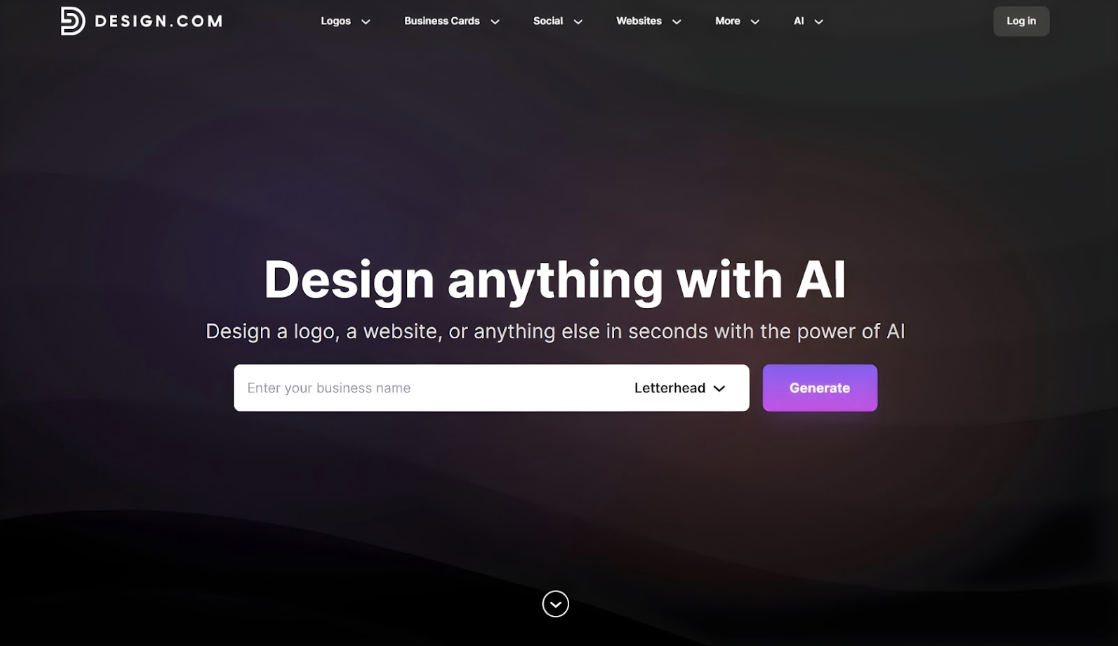
Design.com’s letterhead maker is for anyone who needs instant, high-quality letterheads for their brands. This letterhead generator eliminates unnecessary steps that can cause delays, like browsing through random templates just to find something acceptable. Instead, you only need to provide your business name or keywords for it to start generating multiple designs relevant to your industry in seconds.
Using Elemental Designs as a sample branding and design agency, here’s a look at what professionally generated letterheads from Design.com look like:
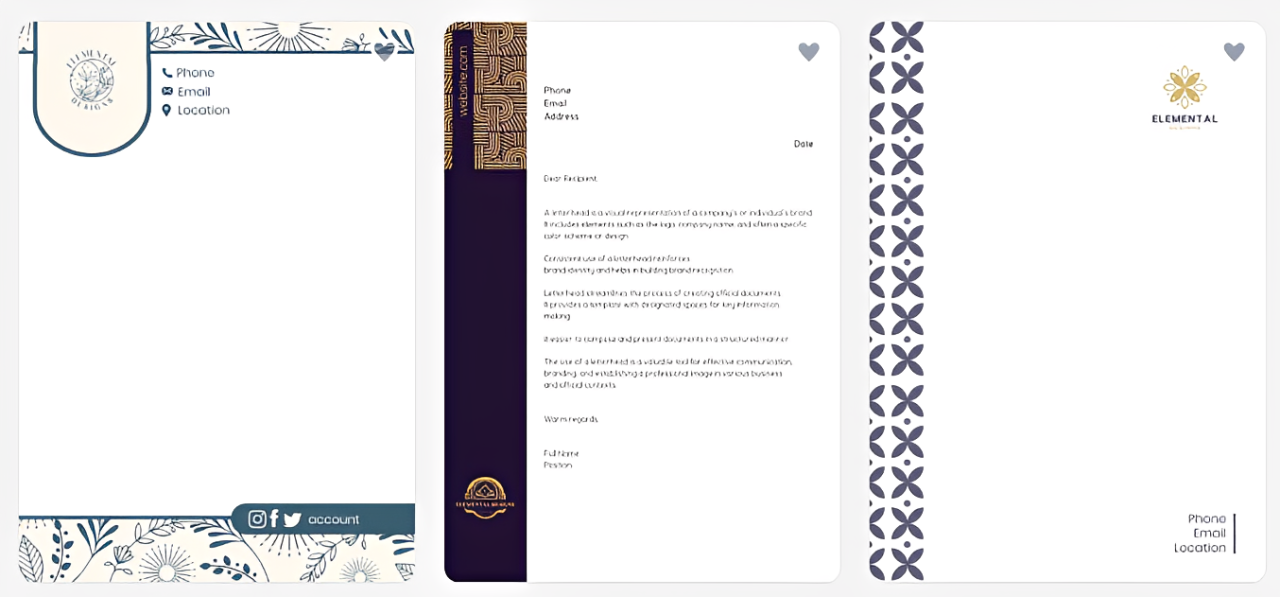
- Keyword-based template generation: Design.com immediately creates a curated set of letterhead designs based on the business name and keywords you provided. This saves you time from sifting through various templates and ensures that you’ll get tailored results.
- Designer-made template library: All letterhead suggestions are made by professional designers, ensuring visual quality and uniqueness from the start. Design.com doesn’t generate generic templates that are common from other platforms, setting you apart from your competitors.
- Full brand customization: Whether you upload an existing logo or create a new one on the platform, Design.com automatically applies your brand colors, fonts and other design elements on your letterhead to ensure brand consistency and recognition.
- Print-ready, high-resolution downloads: Letterheads created inside Design.com are optimized for printing and digital use, ensuring they look sharp on paper and on screen. You can download them in high-resolution files after customizing
- Integrated branding ecosystem: Design.com is an extensive branding ecosystem. It has other design tools for logos, social media graphics, websites, and other marketing materials. You won’t have to use other platforms for your other branding needs.
Pricing: Design.com offers a free plan that lets you generate, browse, customize, and use free letterhead designs with no upfront cost. Premium designs are accessible through paid plans starting at $3 per month, which also unlocks over 50 design tools.
Why it matters: A letterhead generator that doesn’t only create designs fast but also integrates your full branding elements means you can maintain brand consistency with less time and effort, allowing you to make a lasting impression to everyone not just to those who will receive your documents and others.
2. BrandCrowd
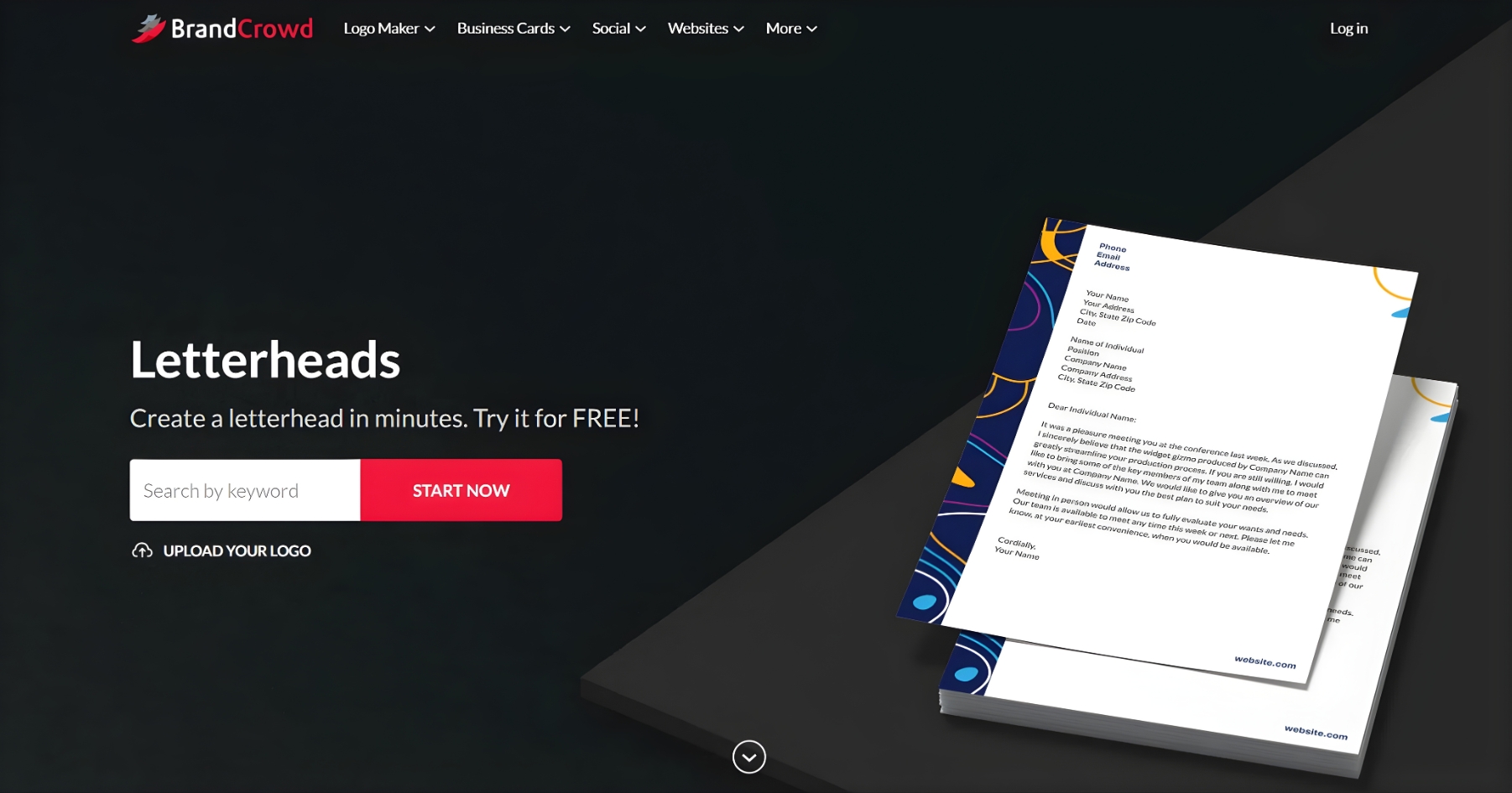
BrandCrowd offers a letterhead maker that lets you create polished designs even without experience or professional skills. It hosts a huge library of professionally-made letterhead templates that cater to different types of businesses from various industries. This platform is an ideal choice for small business owners, entrepreneurs, and freelancers who want quick letterhead designs that guarantee uniqueness and quality.
Below are examples of letterheads built on BrandCrowd using a sample software development company Dev Dynamics, showing how much polish you can achieve without any design experience:
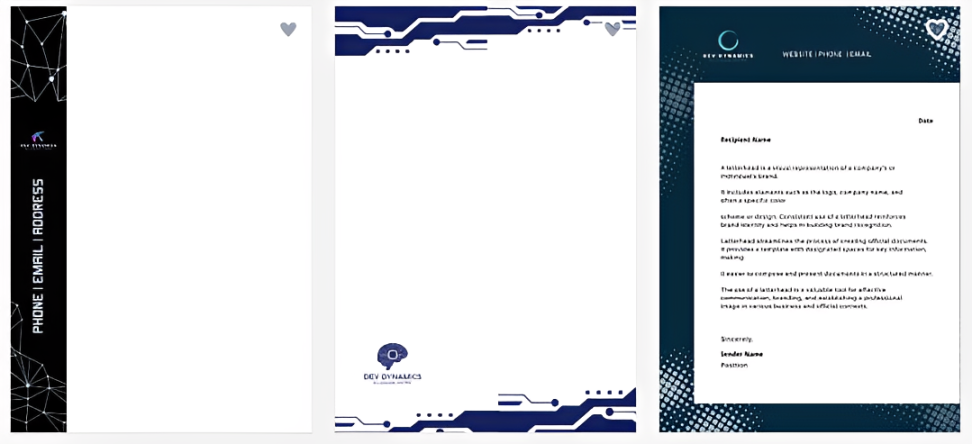
- Professional designer-made templates: BrandCrowd’s collection of letterhead templates is made by real professional designers worldwide. Every template ensures polished designs that you won’t find on other platforms.
- Unlimited editing flexibility: All letterhead designs are customizable. BrandCrowd allows you to edit the texts, fonts, colors, icons, and other design elements to make the design your own. You can make numerous changes until you’re satisfied with the result.
- Automatic brand color application: BrandCrowd automatically applies your brand colors to your chosen template when you upload an existing logo. This cuts down the time spent on customization while ensuring your letterhead is cohesive with your branding identity.
- Multiple professional file formats: When you finish a letterhead design, you can download it in multiple formats. BrandCrowd offers high-resolution files like PNG and JPG as well as vector files, including SVG, EPS, and PDF. This allows you to use the letterhead on printed materials and digital attachments.
- Matching brand asset creation: Aside from letterheads, BrandCrowd can also help you make other branding materials like social media graphics, email signatures, websites, and print ads. All assets will feature a uniform visual style that’s consistent with your logo.
Pricing: BrandCrowd allows you to generate and experiment with different designs using its free templates. This lets you get a feel of the platform before making a financial commitment. Upgrading to a paid plan starts at $3 per month, giving you access to the entire library and other branding tools.
Why it matters: A polished, professional letterhead tells your clients that you’re credible and intentional, even up to the smallest detail. BrandCrowd helps you meet this level of professionalism without design skills or a huge budget needed.
3. Canva
Canva is the gold standard for anyone who wants high-quality designs without the technical nightmare of learning complex software. It is incredibly intuitive, making it a favorite for millions of professionals who need to produce results in minutes. Whether you are creating a formal business proposal or a casual cover letter, the platform gives you everything you need to build a visual identity that feels consistent, modern, and trustworthy.
- Drag-and-drop editor: This feature allows you to move logos, contact details, and decorative elements around your canvas with total ease, ensuring that your final design is perfectly balanced and professional without requiring you to understand complex layout rules or alignment tools.
- Massive template library: You get instant access to thousands of pre-made letterhead designs that cover every industry imaginable, which means you never have to start from a blank page or worry about your design looking dated or amateurish when sending out important business communications.
- Full brand customization: The platform makes it easy to upload your own logo and apply your specific brand colors and fonts, allowing you to maintain a unified look across every single document you send out, which is a major factor in building long-term credibility and recognition with your clients.
- Flexible file exports: Once your masterpiece is complete, you can download your design as a high-quality PDF, PNG, or JPG, ensuring that your letterhead looks crisp and professional whether it is being printed for a physical meeting or attached to an email for a digital proposal.
- Unlimited creative assets: The platform includes a massive library of free icons, illustrations, and stock photos that you can add to your design to make it feel unique and tailored to your specific project needs without ever needing to pay for expensive stock imagery elsewhere.
Pricing: The free version of Canva is exceptionally generous and provides access to thousands of templates and tools that are more than enough to create professional letterheads for years, with no credit card required to get started or export your files.
Why it matters: Using a platform like Canva ensures that every document you send reinforces your brand identity, making you appear more established and reliable to potential clients or employers who are comparing you against others in your field.
3. Venngage
Venngage is a fantastic tool that prioritizes clean, structured design, which is perfect for business correspondence, legal documents, or formal proposals. It avoids the clutter of overly "artsy" platforms and focuses on clarity, ensuring that your message remains the priority while the design provides a sophisticated frame. It is an excellent choice for consultants, freelancers, and small business owners who need to look serious and reliable.
- Professional business templates: The platform offers a specialized collection of designs that are crafted for corporate environments, focusing on readability and a structured aesthetic that commands respect the moment a client opens your document, ensuring your information is presented in a clean and organized manner.
- Smart branding tools: You can quickly upload your logo and apply your business colors to any template, which keeps every document consistent with your website or social media presence, helping to build a cohesive visual identity that makes your brand feel much larger and more professional than it might actually be.
- Intuitive interface: The editor is designed to keep text boxes and layout elements aligned automatically, so you do not have to waste time manually checking your margins or guessing if your contact details are centered, allowing you to focus entirely on writing your content.
- High-resolution downloads: You can download your finished letterhead in formats optimized for both digital sharing and professional printing, ensuring that your commitment to quality is clear even when your documents are viewed on high-resolution screens or printed in bulk for official company use.
- Integrated stock library: The tool is integrated with extensive photo and icon libraries that allow you to add subtle professional touches to your letterheads without having to search across the entire internet for royalty-free assets, saving you significant time during the design process.
Pricing: There is a robust free plan available that allows you to access essential design tools and templates, making it a fantastic, budget-friendly option for anyone starting out who needs a professional look without committing to a monthly subscription plan.
Why it matters: By stripping away unnecessary noise and focusing on effective typography and layout, Venngage helps you maintain a crisp, clean aesthetic that makes your brand look reliable and stable, which is crucial when you are competing for high-value contracts.
5. Adobe Express
Adobe Express brings professional-grade design capabilities to your home office without the steep learning curve of their more advanced software. It is fast, efficient, and provides you with access to high-quality fonts and design elements that usually cost a fortune. If you want your letterheads to look as sharp as those created by large creative agencies, this is the tool that gives you that competitive edge.
- Premium asset library: You get access to an impressive collection of high-quality fonts and design elements that help your documents stand out, providing a level of aesthetic polish that is difficult to achieve with standard document editors or basic online tools.
- Quick design actions: The platform includes features that allow you to resize and adjust your documents in seconds, ensuring that you can adapt your letterhead for different types of formal documents without having to recreate the entire design from scratch every single time.
- Seamless brand consistency: You can save your brand preferences, including fonts and colors, directly within the platform, making it incredibly easy to maintain a consistent look across all your different types of business correspondence over the long term.
- Mobile-friendly editing: You can create and edit your documents while on the move using their mobile app, which is a major advantage for busy professionals who might need to send a proposal or an update while away from their primary desk.
- Professional template variety: The platform offers a wide range of professionally designed templates that you can customize to fit your specific needs, ensuring that your final result looks expert-level, even if you have absolutely no formal background in graphic design.
Pricing: The free plan includes access to a large selection of templates and basic editing features that are perfectly capable of producing high-quality professional letterheads without requiring a premium subscription.
Why it matters: Using Adobe Express demonstrates that you care about quality down to the smallest detail, which signals to clients and employers that you are serious about your work and capable of delivering excellent results across all aspects of your business.
6. Picsart
If you want a letterhead that has a slightly more creative or modern edge, Picsart is a brilliant tool. It is packed with features that allow for more artistic flair while still keeping the structure professional enough for business use. It is especially useful for creative freelancers, designers, or anyone who wants their documents to reflect a more dynamic and energetic brand personality while maintaining a clear and readable format.
- Extensive customization: You have complete control over every element, including background colors, unique fonts, and layout adjustments, which gives you the freedom to create something that feels truly yours rather than just another generic template pulled from a list.
- Easy drag-and-drop workflow: The interface is built to be simple and fast, meaning you can pull in your logo and arrange your contact information in minutes without ever getting bogged down in complicated menus or technical settings that slow down your productivity.
- Professional layout control: Despite its creative focus, the platform provides strong tools for ensuring your text remains legible and your layout stays professional, making it easy to balance creativity with the formal requirements of a business letterhead.
- Digital and print-ready: Once your design is finished, you can export it in multiple formats, ensuring that it is ready for immediate use, whether you are sending it as a PDF attachment to an email or printing it out for a physical proposal.
- Accessible creative tools: The platform includes unique photo editing and graphic design tools that you can use to add subtle, branded touches to your letterhead that you simply won't find in standard document creators.
Pricing: You can use the free letterhead maker and download your designs without cost, providing you with a high-value tool that is perfect for testing different styles until you find the one that fits your brand perfectly.
Why it matters: Sometimes a bit of personality helps you stand out in a sea of identical, boring business documents, and Picsart allows you to strike that perfect balance between professional credibility and creative uniqueness.
7. Marq
Marq is a powerful tool designed specifically for people who want to keep their branding perfectly consistent. It acts like a professional brand templating platform where you can set your styles once and then use them forever. It is an excellent choice for anyone who wants to ensure that every document they send out is always on-brand, professional, and consistent with their overall business identity.
- Advanced template locking: This feature empowers you to lock down certain design elements, which helps ensure that your document always remains consistent and professional, even if you are working on it over a long period or sharing it with team members.
- Intuitive editor: The drag-and-drop interface is easy to use for anyone, regardless of their design background, making it simple to create high-quality content without needing to understand the complexities of professional design software.
- Centralized brand assets: You can store your logos, fonts, and colors in one place within the platform, making them easily accessible whenever you are ready to start a new project or update an existing document for a new client.
- Web-based accessibility: Because the entire platform is web-based, you do not need to install any software, allowing you to access your designs from any browser and continue working on your documents from any computer in the world.
- Data automation: You can implement smart fields that automatically populate your contact information and other details, saving you from having to manually type out your details every single time you start a new letterhead design.
Pricing: Marq offers a free-to-use platform with access to their intuitive editor and template features, providing a great way to manage your brand assets without expensive overhead costs.
Why it matters: Consistency is the key to appearing established, and Marq ensures that your brand looks professional and polished in every single communication, helping you build trust and authority with your target audience.
8. Microsoft Word
While it might seem old-school, Microsoft Word remains a reliable and highly accessible tool for creating simple, clean letterheads. It is likely software you are already familiar with, which means there is zero learning curve. If your goal is a classic, professional look that is easy to manage and share in a standard document format, this remains a perfectly valid and effective choice for many professionals.
- Native template library: You can explore a wide range of free letterhead and business document templates directly within the application, giving you a quick starting point that is already formatted for standard letter paper sizes.
- Familiar editing interface: Since most people are already used to working with the text editing tools in Word, you can create and customize your letterhead without needing to learn any new software, making it a very low-effort solution.
- Easy document integration: Since your letterhead is created directly in the document editor, you can seamlessly transition from designing the header and footer to writing the actual content of your letter, which streamlines your workflow.
- Standard file compatibility: Every client and employer can open a document file, so you never have to worry about compatibility issues when sending your proposals or invoices, which is a major advantage for quick professional communication.
- Offline functionality: You do not need an internet connection to design your documents, which makes this a reliable solution for anyone who needs to work on their official business stationery while traveling or in locations with limited connectivity.
Pricing: If you already have access to the software, it is effectively free to use for creating these documents, and they also offer free web-based access through their online portal for anyone who needs it.
Why it matters: Sometimes simplicity is the most professional choice, and using familiar tools ensures that you can produce consistent, reliable documents quickly, letting you focus on the substance of your message rather than the design process itself.
Elevate Your Professional Presence with Fueler
Having a stunning, branded letterhead is only the first step in building a professional reputation. In today’s competitive market, potential clients and employers want to see what you can actually do. This is where Fueler comes in to bridge the gap. While your letterhead handles the first impression, your Fueler portfolio provides the proof of your expertise. By showcasing your real-world work samples, projects, and assignments, you move beyond just telling people you are a professional and start showing them exactly what you can deliver, making it much easier to secure the opportunities you deserve.
Final Thoughts
A custom, professional letterhead is a simple, high-impact asset that can transform your business correspondence. By using the free tools listed above, you can ensure that every document you send is polished, consistent, and reflective of your expertise. Remember, your personal brand is built on these small, deliberate details. Spending a few minutes to set up a professional design will pay off every time a client or employer views your proposals. Start today, refine your look, and watch your professional image strengthen.
Frequently Asked Questions
1. Are these free letterhead makers actually free to use for business?
Yes, all the tools mentioned offer a substantial free tier that allows you to design, edit, and download your files. While some platforms may reserve advanced features or specific premium templates for paid subscribers, the core tools required to create a professional-grade letterhead are completely accessible at no cost.
2. Is it better to use a letterhead maker or design my own in a word processor?
Using a dedicated letterhead maker is almost always better because these platforms provide professionally crafted templates that already have the correct spacing, hierarchy, and visual balance. Designing from scratch in a word processor can be difficult to get right, whereas online tools allow you to produce a polished result in a fraction of the time.
3. Do I need design experience to use these free online tools?
Absolutely not. Most of these platforms, especially Canva and Design.com, are built specifically for people with no design experience. Their drag-and-drop interfaces and pre-made templates do the heavy lifting, allowing you to achieve a professional look through simple adjustments rather than technical design skills.
4. How can I ensure my letterhead looks professional when printed?
To ensure your letterhead looks professional when printed, always download your finished design as a high-resolution PDF rather than an image file like JPG or PNG. High-resolution PDFs maintain the crispness of your fonts and logos, ensuring that the physical print remains clear, readable, and perfectly aligned with your digital version.
5. How do I maintain consistency across all my business documents?
To keep your brand consistent, choose one specific color palette and one primary font, and stick to these settings for every document you create. All the tools listed allow you to save your brand colors and typography, making it incredibly easy to maintain a unified identity across your invoices, proposals, and official correspondence.
What is Fueler Portfolio?
Fueler is a career portfolio platform that helps companies find the best talent for their organization based on their proof of work. You can create your portfolio on Fueler. Thousands of freelancers around the world use Fueler to create their professional-looking portfolios and become financially independent. Discover inspiration for your portfolio
Sign up for free on Fueler or get in touch to learn more.

What should you do next?
You've read the article. Now turn your skills into proof of work and unlock more opportunities.
Build your proof of work portfolio
Create a clean portfolio with projects, assignments, resumes, and AI stack details that companies actually want to see.
Create your Fueler portfolio →Apply through assignments, not resumes
Stand out by solving real tasks from companies hiring on Fueler.
Explore assignments →Get discovered by companies
Make your work public and let recruiters discover your skills through actual projects instead of keywords.
Get discovered →
