8 Free Logo Maker Tools to Create Professional Logos Online

Riten Debnath
08 Mar, 2026
You are finally doing it. You have the business idea, the domain name is parked, and your LinkedIn bio is already drafted. But then you hit a wall: you need a logo, and you don’t have five hundred dollars to hand over to a design agency that speaks in "brand synergy" riddles. Most people think they have to choose between a masterpiece and a mess, but the truth is that the internet is hiding some incredible tools that let you build a high-end look for exactly zero dollars. You just need to know which ones won't slap a giant watermark over your hard work the second you hit download.
I’m Riten, founder of Fueler, a skills-first portfolio platform that connects talented individuals with companies through assignments, portfolios, and projects, not just resumes/CVs. Think Dribbble/Behance for work samples + AngelList for hiring infrastructure.
1. Design.com
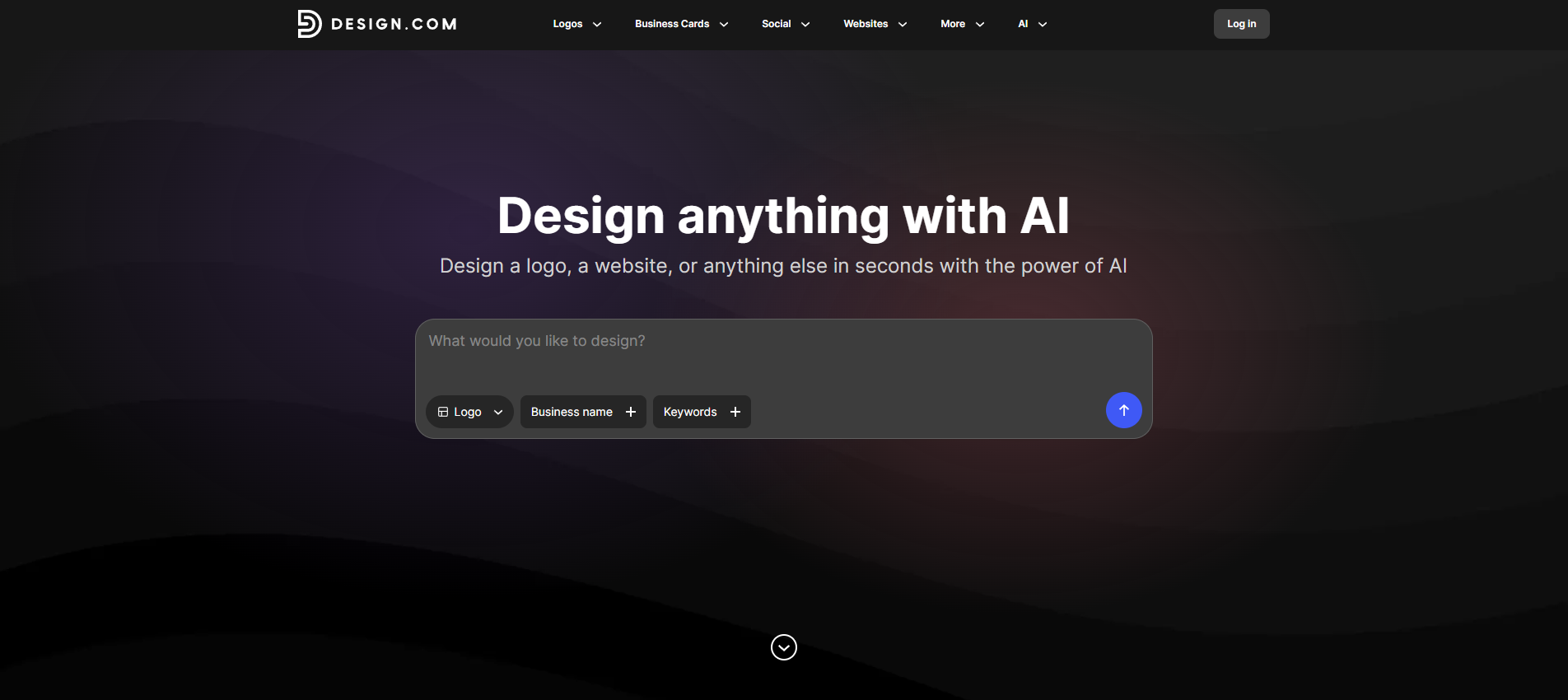
Design.com is a logo maker built for people who want professional branding without spending hours learning complicated design software. You simply enter your business name, choose a style you like, and the platform instantly generates logo ideas tailored to your brand. It’s quick, beginner-friendly, and gives you plenty of ways to customize your final design.
- AI Style Refinement: Instead of just generating random logos, the system adapts to your inputs like industry, tone, and style preferences. As you adjust your choices, the results become more aligned with the direction you actually want, which saves time during the decision process.
- Live Logo Preview System: You can instantly see how your logo looks across real-world placements, including social media profiles, business cards, and website headers. This helps you avoid designs that look good in isolation but fail in practical use.
- Easy Customization Tools: You can quickly edit colors, fonts, layouts, icons, and spacing directly inside the editor. The controls are simple enough for beginners but still flexible enough to create something that feels unique to your business.
- Commercial-Use Ready Files: Every downloaded logo is delivered in formats suitable for both digital and print use, including transparent backgrounds for flexible application. This ensures your logo is ready for real business use from day one.
- Integrated Brand Assets: Once your logo is finalized, the system can extend it into matching brand materials like social posts, business cards, and basic marketing assets. This helps you maintain a consistent visual identity without manually recreating designs.
Pricing:
- Free Plan: Available with free logo and branding tools.
- Paid Plans: Start at $3/month billed annually or $9/month billed monthly.
Why it matters for professional logos:
A professional logo is not just about looking good. It also needs to work across websites, social media, packaging, presentations, and marketing materials. Design.com helps beginners create polished branding quickly while still giving enough customization to make the final result feel personal and business-ready.
2. Namecheap Logo Maker
Namecheap is famous for domains, but their logo maker is one of the best-kept secrets for professionals who want a "sleek and modern" look in under five minutes. It’s a purely web-based wizard that focuses on clean typography and minimalist icons. If you want a logo that looks like a high-tech Silicon Valley startup, this is the tool that will get you there the fastest without any fluff.
- Pure Vector Export for Free: This is almost unheard of in the industry, but Namecheap allows you to download SVG files for free, which means you can scale your logo to the size of a billboard without it ever getting blurry. Having a vector file is the ultimate "pro" move because it’s exactly what professional printers and web developers will ask you for later.
- Streamlined Design Wizard: The tool walks you through a series of font and color choices, learning your personal style as you click through different options. By the time you reach the end of the wizard, it has filtered out thousands of designs you would hate and only shows you the ones that match the "vibe" you selected during the setup.
- Massive Library of Minimalist Icons: They avoid the cheesy, 90s-style clipart and focus on modern, flat-design icons that look great on mobile apps and modern websites. These icons are designed to be recognizable even when they are shrunk down to the size of a tiny browser icon, ensuring your brand stays visible everywhere your customers go.
- Professional Color Palettes: Instead of giving you a million random colors, Namecheap provides curated color schemes that are mathematically proven to look good together. This prevents you from accidentally picking a color combination that is physically painful to look at, keeping your brand aesthetic sophisticated, balanced, and easy on the eyes.
- No Account Required to Start: You can jump right in and start designing without having to confirm an email or create a password first. This "try before you buy" approach is perfect for busy professionals who want to see if the tool actually works before committing any time to a sign-up process or a lengthy onboarding questionnaire.
Pricing:
- Total Cost: $0 (Completely free with SVG and PNG downloads).
Why it matters for professional logos:
Most free tools give you a "low-res" file that looks terrible when you try to print it on a t-shirt or a business card. Namecheap giving away SVG files for free is a massive win for professionals. It means your logo is future-proof. You won't have to redesign it or pay someone to "trace" it later when your business grows, because you already have the high-quality master file in your hands from day one.
3. Canva
Canva is the Swiss Army knife of the design world. While it’s a general design tool, its logo maker is specifically built to give you total creative freedom. It is the best choice if you have a very specific vision in mind and want to "build" your logo element by element. With millions of free assets, it’s basically an infinite playground for your brand’s visual identity.
- Drag-and-Drop Simplicity: You don't need to know how to use complex "layers" or "anchor points" because everything is as simple as moving a sticker on a page. This intuitive interface allows you to move icons, rotate text, and layer shapes with your mouse, making the design process feel more like a fun craft project than a technical chore.
- Huge Library of Free Elements: Even on the free plan, you get access to hundreds of thousands of free photos, icons, and shapes to spice up your design. You can combine different elements to create something truly unique that doesn't look like a standard template, ensuring your brand stands out from the sea of generic competitors in your industry.
- Mobile and Desktop Sync: You can start your logo on your laptop during lunch and finish it on your phone while you're sitting on the bus. The app is incredibly powerful and syncs your progress in real-time, which is perfect for founders who are always on the move and need to make quick branding tweaks between meetings.
- Pre-Set Typography Pairings: Canva’s designers have already put together font combinations that look great together, so you don't have to wonder if a "bold" font works with a "script" font. These pairings help you avoid the common amateur mistake of using too many different fonts, keeping your logo looking clean, professional, and easy for your audience to read.
- Easy Collaboration Features: You can share a link with a partner or a friend and let them edit the design or leave comments directly on the page. This makes it easy to get a "second pair of eyes" on your work before you launch, ensuring that your logo makes sense to other people and doesn't have any hidden mistakes you might have missed.
Pricing:
- Canva Free: $0 (Includes 250,000+ templates and PNG exports).
- Canva Pro: $15/month (Unlocks transparent backgrounds and SVG exports).
Why it matters for professional logos:
Canva is the industry standard for "DIY" design. Because so many people use it, there are endless tutorials and tips online to help you make your logo look better. It gives you the power to create a full "brand world" where your logo, your Instagram posts, and your pitch deck all use the same colors and fonts, which is the key to looking like a legitimate, established company.
4. Hatchful by Shopify
Hatchful was built by Shopify specifically for people who are in a hurry to start selling. It is a no-nonsense generator that asks you a few questions and then spits out a zip file with every single size you could ever need. It’s not for the person who wants to spend hours "tweaking" pixels; it’s for the person who wants to be in business by dinner time.
- Industry-Specific Logic: It asks if you are in "Tech," "Art," or "Fashion" and adjusts its design suggestions to match the "language" of that world. This means you won't get a "playful" font if you're trying to start a serious consulting business, helping you stay aligned with what your customers expect to see from a professional in your specific field.
- Automatic Social Media Sizing: When you download your logo, Hatchful gives you a folder with files perfectly cropped for Facebook, YouTube, and Pinterest. This saves you from the "blurry profile picture" syndrome that happens when you try to manually resize a logo, ensuring your brand looks sharp and perfectly centered on every single social platform you use.
- Clean and Modern Aesthetics: The templates are curated by Shopify’s design team, so they all have a very modern, "clean" feel that works perfectly for e-commerce and digital services. You won't find any dated or "tacky" designs here; everything in the library is built to look good in 2026, giving your new brand an instant shot of modern credibility.
- Zero Design Experience Required: The tool is so simple that you literally just click on the things you like and ignore the things you don't. It handles all the complex stuff like "alignment" and "spacing" for you, which is ideal for professionals who are great at their jobs but have never considered themselves to be "artistic" or "creative" in a visual way.
- Completely Free for Commercial Use: Unlike some tools that have "personal use only" restrictions, Hatchful logos are yours to use for your business without any legal worries. This allows you to print your logo on packaging, use it in advertisements, and feature it on your store without ever having to worry about copyright strikes or paying for a commercial license later.
Pricing:
- Total Cost: $0 (Totally free, no strings attached).
Why it matters for professional logos:
Speed is a form of professionalism. Being able to launch a brand in 15 minutes means you can start testing your business idea immediately. Hatchful removes the "branding" roadblock that stops so many people from starting. It gives you a solid, respectable "Version 1" of your brand that looks great on a website, allowing you to focus your energy on finding your very first paying customers.
5. Adobe Express
Adobe Express is the "friendly" version of the software that professional designers use. It gives you access to the world-famous Adobe font library and high-quality design assets, but uses an interface that won't make your head spin. It is the perfect choice for someone who wants their logo to have a slightly more "boutique" or "premium" feel than a standard generator can provide.
- Access to Premium Typography: You get to use fonts that are usually locked behind expensive licenses, giving your logo a "high-end" look for free. Good typography is the "secret ingredient" of expensive-looking logos, and Adobe Express gives you the best tools in the business to make sure your brand name looks elegant, powerful, and professional.
- One-Click Background Remover: This is a lifesaver for making professional logos that need to be placed over different colors or photos. With one tap, you can remove the white box around your logo, giving you a clean, transparent PNG that looks like it was made by a pro who spent hours meticulously cutting out the edges of the design.
- Professionally Curated Templates: These aren't just random layouts; they are built by Adobe’s world-class design team to ensure they follow professional design rules. This means the proportions and the spacing are already "correct," so even if you aren't an expert, your final result will have the "balance" that people subconsciously associate with a high-quality, trustworthy brand.
- Generative AI Features: You can use simple text prompts to generate unique icons or textures that no one else has, making your logo truly one-of-a-kind. This "AI-assisted" design approach allows you to experiment with creative ideas that would be impossible to draw by hand, giving your startup a unique visual edge that is impossible to replicate with generic icons.
- Seamless Adobe Integration: If you ever decide to hire a pro later, you can send them your Adobe Express files and they can open them in Photoshop or Illustrator. This makes your early-stage branding "future-proof," as it provides a professional foundation that can grow and evolve as your business scales from a small side-hustle into a full-scale corporate operation.
Pricing:
- Free Plan: $0 (Includes 25 AI credits and 1,000+ fonts).
- Premium Plan: $9.99/month (Unlocks 25,000+ fonts and full Brand Kits).
Why it matters for professional logos:
Adobe is the gold standard for design. Using their "Express" tool signals that you care about quality. The ability to remove backgrounds and use high-end fonts for free means your brand will never look "cheap." It’s the best way to get that "agency look" without the agency price tag, making it perfect for service providers and freelancers who need to win over high-ticket clients.
6. Wix Logo Maker
Wix is great because it doesn't just show you a logo on a white screen; it shows you how that logo will look on your actual website. It uses a "This or That" quiz to figure out your style and then builds a brand identity around your answers. It’s perfect for people who want their logo and their website to feel like they belong to the same family from the very start.
- Personalized Style Quiz: The tool shows you two logos and asks which one you like better, slowly narrowing down your "design DNA" with every click. This "Tinder-style" approach to design is much easier than trying to explain your style in words, as it allows the AI to learn your subconscious preferences and show you results that you actually find appealing.
- Real-World Mockups: You can see your logo on a phone screen, a business card, and even a coffee mug before you ever hit the download button. Seeing your logo in a "real-life" context helps you understand if it’s too busy or too simple, allowing you to make adjustments based on how the logo will actually be used in your daily business operations.
- Full Design Control: Unlike some "locked" generators, Wix lets you move every single piece of the logo, change the spacing between letters, and even replace individual parts of an icon. This "granular" control is essential for those who have a specific "tweak" in mind and want to make sure every single millimeter of their logo is exactly where it needs to be for maximum impact.
- High-Quality Vector Files: When you choose a professional plan, you get SVG files that you can send to any print shop in the world with total confidence. These files ensure that your logo stays crisp and clear on everything from a tiny company pen to a massive vinyl sign for your office window, preventing any embarrassing blurriness as your brand grows.
- Automatic Brand Consistency: If you use Wix for your website, the logo maker will automatically sync your brand colors to your site editor, saving you from having to manually copy-paste hex codes. This creates a "set it and forget it" workflow that keeps your entire digital presence looking cohesive and professional without any extra effort on your part.
Pricing:
- Basic Plan: $20 (High-res PNGs).
- Advanced Plan: $50 (Includes SVG files and social media kit).
Why it matters for professional logos:
A logo doesn't live in a vacuum. It lives on your website, your social media, and your business cards. Wix Logo Maker is excellent at showing you the "big picture." By seeing your logo in context, you can avoid making a design that looks good by itself but fails to work when it's actually placed on a website header, ensuring your brand looks professional across all touchpoints.
7. DesignEvo
If you have a very specific icon in mind, like a "minimalist owl" or a "geometric mountain", DesignEvo is the place to find it. They have over 10,000 templates and millions of searchable icons. It feels more like a traditional "editor" than a "generator," which is perfect for the person who wants to get their hands dirty and build something from the ground up.
- Searchable Icon Database: You can search through millions of professionally designed icons to find the exact symbol that fits your brand’s mission and values. Whether you're in a super-niche industry or a broad market, the sheer volume of choices ensures that you won't end up with the same generic icon that every other business in your neighborhood is using.
- Advanced Font Customization: You can add glows, shadows, and even "curve" your text around an icon with just a few clicks, which is a feature many free tools hide behind a paywall. This allows you to create "badge-style" logos that look great on stickers and apparel, giving your brand a rugged, established feel that simple "text-only" logos often lack.
- Fully Customizable Canvas: You can change the size of your canvas and the alignment of your elements with total precision, giving you more freedom than a standard "template" tool. This flexibility is great for creating logos that need to fit into specific shapes, like a square profile picture or a long, horizontal website banner, ensuring your brand mark is always perfectly framed.
- One-Time Purchase Option: If you want the high-res files, you just pay once and you own them forever, no monthly subscription that eats away at your startup's bank account every month. This "pay-as-you-go" model is much more friendly for small businesses and freelancers who want to keep their recurring costs low while still having access to professional-grade design assets.
- Transparent Background Exports: The paid versions allow you to download your logo as a transparent PNG, which is absolutely essential for professional website headers. Without a transparent background, your logo will always have a white box around it, which is the #1 sign of an amateur brand. DesignEvo makes it easy to get that clean, "integrated" look on any background.
Pricing:
- Free Plan: $0 (Requires giving credit, low-res download).
- Basic Plan: $25 (One-time fee for high-res PNG/JPG).
- Plus Plan: $50 (One-time fee for SVG vector files).
Why it matters for professional logos:
DesignEvo is for the "perfectionist on a budget." Because it offers so much manual control, you can keep tweaking the spacing and the colors until it feels exactly right. It doesn't force you into a "style," but rather gives you the tools to create your own. This results in a logo that feels more "custom" and less "computer-generated," which is vital for brands that want to feel personal and authentic.
8. Logomakr (with a 'k')
Logomakr is a minimalist's dream. It’s essentially a blank canvas with a massive search bar for icons. It is designed for people who don't want to be "pushed" by an AI and instead want to search for an icon, type their name, and arrange it themselves. It is the closest thing to a "professional design suite" while still being accessible through a standard web browser.
- Massive Searchable Icon Library: You have access to over a million different graphics, allowing you to find hyper-specific symbols that represent your brand’s unique story. This "search-first" approach means you can find exactly what you are looking for in seconds, rather than scrolling through endless pages of templates that don't fit your vision or your industry's visual style.
- Granular Color Control: You can pick any color from the spectrum using a hex code or a color dropper tool, ensuring your logo matches your existing brand materials perfectly. This level of color precision is vital for professional brands that want to maintain a specific "mood" or "feeling," as even a slightly different shade of blue can change how a customer perceives your business's trustworthiness.
- Layer-Based Editing System: Just like professional software, Logomakr lets you move elements "forward" or "backward" to create complex, overlapping designs that have visual depth and character. This allows you to create sophisticated compositions where icons and text interact in interesting ways, making your logo feel more like a custom piece of art and less like a flat, generic graphic.
- Quick "Crop to Content" Tool: With one click, the tool will trim away all the empty space around your logo so your file is perfectly sized for your website's header or your email signature. This "technical cleanup" is something most people forget to do, but Logomr handles it automatically, ensuring your logo file doesn't have any awkward "dead space" that could mess up your website's layout.
- High-Definition Redraw Service: If you love your design but want a human to "perfect" it, they offer a service where a pro designer will redraw your logo into a high-end vector for a small fee. This is a great "middle-ground" option for founders who want the speed of a DIY tool but the polished finish of a professional artist, giving you the best of both worlds as your brand evolves.
Pricing:
- Free Plan: $0 (Low-res download with credit).
- High-Res File: $19 (One-time fee for PNG, JPG, and SVG).
Why it matters for professional logos:
Logomakr is all about "creative intent." It doesn't guess what you want; it gives you the tools to build it. For a professional, this means you can create a brand mark that is truly unique to you. It’s the best "empty-canvas" tool for someone who has a clear idea and just needs a simple, fast place to put the pieces together and download the final file without any unnecessary technical hurdles.
Stand Out with a Professional Portfolio on Fueler
Once you have used one of these tools to create a killer logo, you need a place to show off the work you are doing. This is where Fueler comes in. Instead of just having a static logo on a website, Fueler allows you to build a comprehensive, skills-first portfolio that shows the world what you can actually do. You can upload your projects, link your social samples, and showcase the "proof of work" that actually gets you hired. A logo is just the face of your brand, but a Fueler portfolio is the soul that proves your talent to companies and clients alike.
Final Thoughts
Building a brand in 2026 doesn't have to be a financial burden. These free logo makers prove that with a little bit of time and the right tool, any professional can create a visual identity that looks polished and trustworthy. The key is to pick a tool that matches your "creative energy"whether you want AI to take the lead or you want to move every pixel yourself. Once you have that logo, don't just let it sit on your hard drive; put it to work on your portfolio and start showing the world what you are capable of.
FAQs
1. Which free logo maker provides vector files without charging?
Namecheap Logo Maker is one of the very few platforms that currently allows you to download SVG (vector) files completely for free. This is a massive advantage because vector files can be resized to any scale without losing quality, making them the gold standard for professional branding and high-quality printing on everything from business cards to massive event banners.
2. Is it safe to use these free tools for a long-term business brand?
Yes, it is generally safe, especially if you choose a tool that gives you high-resolution files and full commercial rights. However, since these tools use shared libraries of icons, your "icon" might not be 100% unique to you. For a long-term brand, it is always a good idea to customize the colors and typography as much as possible to ensure your brand feels distinct from competitors.
3. Do I need design experience to use these online logo generators?
Absolutely not. Most of these tools, like Hatchful and Logo.com, are specifically designed for people with zero graphic design skills. They use AI and pre-set templates to handle the "hard" parts like color theory and font pairing, allowing you to focus on the "vibe" of your brand while the software handles the technical alignment and spacing.
4. Can I change my logo later if I make it for free now?
Yes, and most successful startups actually do this. It’s called "rebranding." You can start with a free logo today to get your business off the ground, and then hire a professional designer later once you have the budget. The most important thing is to have something professional-looking right now so you don't miss out on early opportunities while waiting for "perfection."
5. What is the difference between a PNG and an SVG logo file?
A PNG is a "raster" file, meaning it’s made of pixels; if you stretch it too big, it will look "fuzzy" or pixelated. An SVG is a "vector" file, which is made of mathematical paths; you can scale it to the size of the moon, and it will stay perfectly sharp. Professionals always try to have an SVG version of their logo because it is the most versatile file for both digital and print use.
What is Fueler Portfolio?
Fueler is a career portfolio platform that helps companies find the best talent for their organization based on their proof of work. You can create your portfolio on Fueler. Thousands of freelancers around the world use Fueler to create their professional-looking portfolios and become financially independent. Discover inspiration for your portfolio
Sign up for free on Fueler or get in touch to learn more.

What should you do next?
You've read the article. Now turn your skills into proof of work and unlock more opportunities.
Build your proof of work portfolio
Create a clean portfolio with projects, assignments, resumes, and AI stack details that companies actually want to see.
Create your Fueler portfolio →Apply through assignments, not resumes
Stand out by solving real tasks from companies hiring on Fueler.
Explore assignments →Get discovered by companies
Make your work public and let recruiters discover your skills through actual projects instead of keywords.
Get discovered →
