6 Free Poster Maker Tools to Create Posters Online

Riten Debnath
09 Mar, 2026
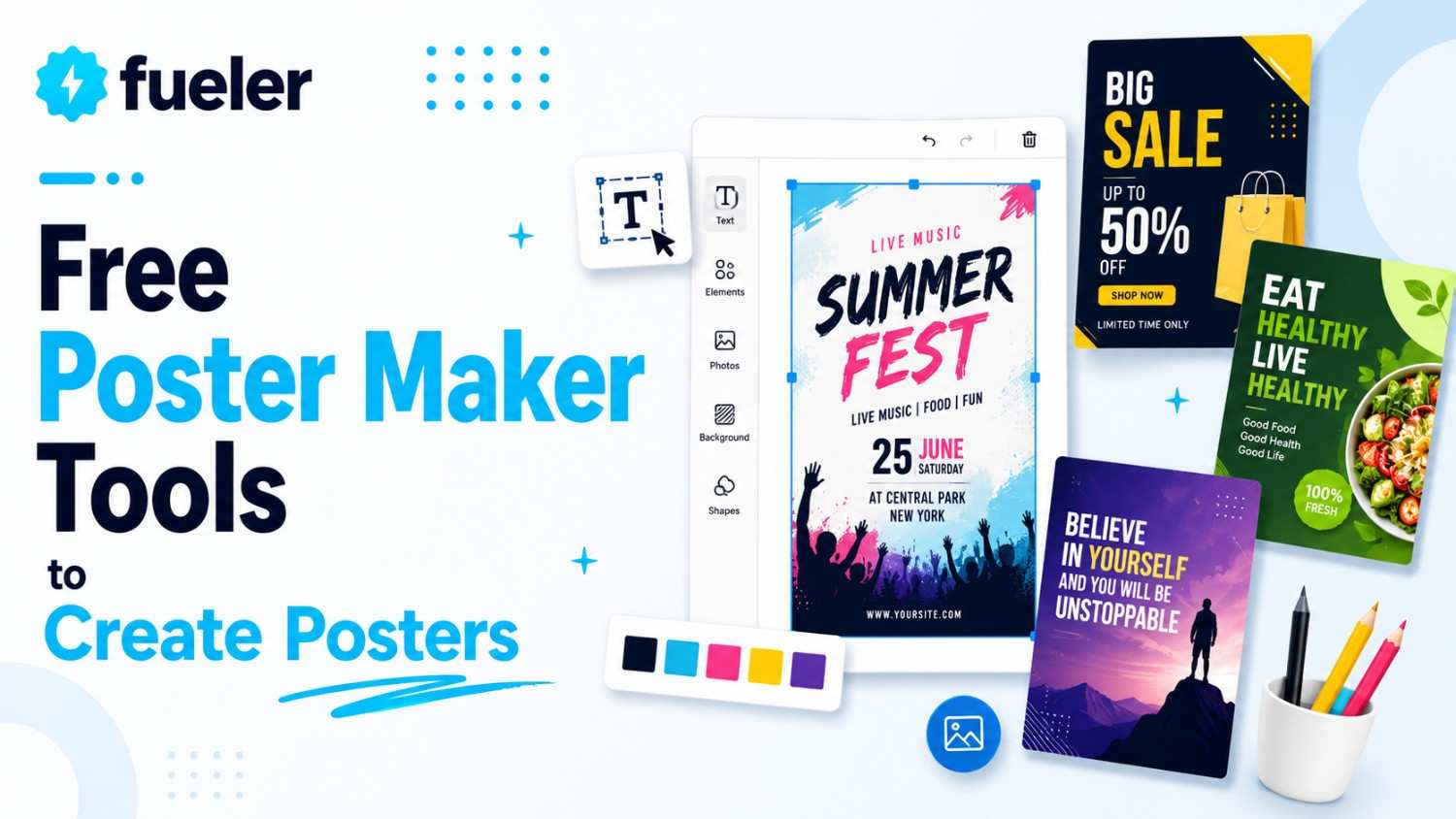
Ever had a brilliant idea for an event or a sale, but when you opened a blank design document, your brain just went "nope"? We have all been there. You want something that screams "look at me!" without needing a PhD in graphic design or a bank account the size of a small country. Luckily, the internet is packed with magic tools that turn "I am not an artist" into "Wow, did you design that?" in about ten minutes flat. If you are ready to stop wrestling with complicated software and start making posters that actually get people to stop, stare, and click, you are in the right place. Let’s look at the best free tools that make poster creation feel less like a chore and more like a fun afternoon project.
I’m Riten, founder of Fueler, a skills-first portfolio platform that connects talented individuals with companies through assignments, portfolios, and projects, not just resumes/CVs. Think Dribbble/Behance for work samples + AngelList for hiring infrastructure.
1. Canva
Canva is essentially the "old reliable" of the design world, and for good reason. It is so easy to use that you could probably teach a housecat to make a decent poster. Whether you are a total beginner or just someone in a hurry, Canva provides a massive playground of templates that look like they cost a fortune but are actually free to use. You just drag, drop, and tweak until your masterpiece is ready to show off to the world.
- Massive Library of Professional Templates: You gain immediate, unrestricted access to thousands of high-quality, professionally crafted layouts that cover every possible niche, from local bake sales to corporate workshops. This ensures you never have to face the dreaded blank white screen, as you can simply pick a structure that speaks to you, swap the text, and have a stunning poster ready in minutes without needing any prior design training.
- Drag-and-Drop Editor for Beginners: The platform is built around a super intuitive drag-and-drop system that feels like second nature the moment you start using it. You can grab any element, whether it is a header, a photo, or a decorative sticker, and move it anywhere on the canvas with absolute precision. This eliminates the steep learning curve found in complex software, allowing you to focus purely on the creative vision rather than technical hurdles.
- Expansive Collection of Free Graphic Assets: Canva offers an incredibly generous treasure chest of free icons, illustrations, shapes, and high-resolution stock photos that instantly inject personality into your designs. These assets are categorized beautifully, making it effortless to find the perfect visual element to highlight your message, whether you are aiming for a minimalist look or something bold, colorful, and loud that demands attention from passersby.
- Seamless Real-Time Collaboration Features: If you are working on a project with a business partner, a roommate, or a teammate, the platform makes it remarkably easy to collaborate. You can simply share a project link, allowing other people to jump directly into the editor to provide feedback, suggest color changes, or fix typos in real time, which helps in getting that final approval much faster than sending countless emails back and forth.
- Cloud-Based Storage and Syncing: Because all your designs are stored securely in the cloud, you never have to worry about losing your progress or keeping track of files on different machines. You can start a poster on your laptop during your lunch break, make a quick tweak on your mobile phone while waiting in line, and finalize the design on a tablet at home, providing total flexibility for your busy lifestyle.
Pricing: The free tier is remarkably robust, offering over 250,000 free templates, more than 1 million free photos and graphics, and 5GB of cloud storage, allowing you to export your finished posters without any hidden watermarks.
Why it matters
Canva is the ultimate confidence booster for anyone who thinks they have zero design skills. By giving you a professional starting point, it ensures your poster looks clean and readable, which is the secret sauce to making sure your message actually lands instead of being ignored. It saves you hours of frustration while ensuring your brand looks cohesive and put together.
2. Adobe Express
Think of Adobe Express as the cooler, faster cousin of the big, scary design programs you see the pros using. It brings that legendary Adobe polish to your browser without the headache. If you want your poster to look sleek, modern, and just a little bit fancy, this is your go-to. It is perfect for when you need to make something look high-end without spending hours trying to figure out where the tools are hiding.
- Access to Premium Adobe Font Collections: You get to use a sophisticated library of professional-grade typography that instantly elevates your poster from looking amateurish to looking like a high-end marketing piece. Typography is the backbone of good design, and by having access to these clean, stylish, and legible fonts, you can ensure that your headline pops and communicates your message with the right tone and authority every single time.
- One-Click AI Background Removal: One of the most tedious parts of design is cutting a subject out of a photo, but Adobe Express handles this with a simple click. The AI technology is incredibly smart, identifying the subject of your image and cleaning up the edges perfectly, which allows you to place your photos on any background color or pattern for a clean, custom-made professional look.
- Dynamic Smart Layout Design Tools: The tool includes brilliant layout assistance that helps keep your text, images, and brand elements perfectly aligned, even if you are not sure where things should go. It automatically suggests alignments and spacing, acting like a digital design assistant that watches over your shoulder to make sure your poster does not look cluttered or misaligned, which is crucial for maintaining a professional appearance.
- Generative AI for Creative Exploration: When you feel stuck or out of ideas, you can use the built-in generative AI tools to spark some creativity. By typing in a simple text prompt, the tool can create custom images or unique design variations that help you visualize your concept faster. It is like having a creative partner who is always ready to brainstorm new ideas whenever you hit a wall.
- Robust Brand Identity Management: For those managing a business, the ability to save your specific brand colors, logos, and favorite fonts is a massive time-saver. You can quickly apply these assets to any project with just a click, ensuring that every poster you produce is consistent with your brand voice, which is absolutely vital for building long-term recognition and trust with your target audience.
Pricing: The free plan is surprisingly generous, providing access to thousands of unique templates, a large library of Adobe Fonts, and basic photo editing capabilities that give you the professional edge without costing a single cent.
Why it matters
For a small business, image is everything. Adobe Express allows you to create marketing flyers that look like they were made by a high-end agency, helping you compete with larger brands while keeping your costs at zero. It is the perfect tool for when you need to look reliable, established, and ready for business.
3. PosterMyWall
If you are running a restaurant, a local gig, or a garage sale, PosterMyWall is your new best friend. It is obsessed with making sure your event info is front and center. The best part? It is incredibly fast. You can go from "I have no idea what this should look like" to "This is ready for the printer" before your coffee gets cold. It really understands that small businesses need to move fast.
- Thousands of Event-Specific Templates: This tool is specifically optimized for people who need to announce events, meaning the templates are already structured to highlight important details like dates, times, and locations. Whether you are hosting a live concert, a community fundraiser, or a promotional store event, you will find a design that fits the theme perfectly, allowing you to simply plug in your details and get back to business.
- Lightning-Fast Customization Engine: The interface is built for speed, allowing you to swap out every element of a poster in just a few seconds. If you have a last-minute change to your event details, you do not need to panic or rebuild your design from scratch. The quick-edit features mean you can update your poster, export it, and have it ready to share on social media in under a minute.
- Direct Social Media Publishing: One of the coolest features is the ability to directly publish your designs to social media platforms without having to download and re-upload files. This seamless workflow is a massive time-saver for busy entrepreneurs, as it lets you create a flyer and blast it out to your followers across multiple channels in one fluid process, keeping your engagement high and your stress low.
- Extensive Stock Video and Photo Library: While many people just want a still poster, PosterMyWall also gives you access to a huge library of high-quality stock photos and videos. Using a short video clip or a high-end image can make your poster stand out significantly more than a plain text flyer, helping you capture the attention of busy people scrolling through their social media feeds.
- High-Resolution Print Options: While it excels at digital, it also understands the importance of physical marketing. The platform is designed to make sure your files are ready for high-quality printing, offering various resolutions and formats that ensure your poster looks crisp and professional, whether it is hanging on a community bulletin board or in a shop window, avoiding that blurry, pixelated look.
Pricing: You can use the site for free to design and download high-quality image files, which gives you the perfect start for your promotional efforts without any mandatory subscription fees.
Why it matters
PosterMyWall is perfect because it understands the urgency of small business marketing. It helps you get your message out to the public quickly and effectively, ensuring that your events or sales are not missed. By simplifying the creation process, it lets you focus on what really matters, which is running your business and connecting with your customers.
4. BeFunky
BeFunky is exactly what it sounds like. It takes the seriousness out of design and makes it fun. While it started as a photo editor, it has grown into a powerful poster-making tool that is perfect for those who want to add a bit of artistic flair to their projects. It is a fantastic choice if you want your posters to feel more personal, vibrant, and unique compared to standard templates.
- Powerful Artistic Photo Effects: What sets BeFunky apart is its roots as an advanced photo editor, giving you access to unique artistic filters that can turn a standard photo into a piece of digital art. If you want your poster to have a vintage look, a painterly vibe, or a pop-art feel, these tools make it effortless to apply these effects to your images, giving your design a one-of-a-kind, professional, and creative edge.
- Flexible Graphic Overlays: You can easily layer different graphics, stickers, and textures onto your posters to create a rich, tactile feel. The tool makes it very easy to adjust transparency and blending modes, so you can create complex designs that look like they were layered by an expert. This is great for making posters that really stand out and feel more like professional graphic art than simple advertisements.
- User-Friendly Typography Tools: Text in BeFunky is very easy to manipulate and style, allowing you to curve text, add shadows, and create interesting layouts that follow the flow of your images. Having good control over how your text interacts with your graphics is a huge advantage, as it ensures your message is not just readable but also an integrated part of the overall design aesthetic of your poster.
- Simple Collage and Layout Builders: If you have multiple photos you want to show off in one poster, the collage builder is a lifesaver. It automatically aligns your photos in clean, beautiful grids or custom arrangements that look polished and intentional. This is perfect for businesses that want to show off several products at once or for event posters that need to feature multiple speakers or sponsors in a structured way.
- Extensive Vector Icon Library: You get access to a large, clean library of vector icons that can be resized without ever losing quality. Whether you need arrows to point to your shop, social media logos, or decorative flourishes to frame your text, these assets remain sharp and professional. This ensures your final poster looks high-quality, regardless of how large or small you need to print it.
Pricing: The free version provides a robust set of essential design tools and photo effects that are more than enough for creating beautiful, eye-catching posters for your small business or personal events.
Why it matters
BeFunky is important because it allows you to inject your own unique personality and creative vision into your marketing. In a world full of cookie-cutter designs, being able to create something that feels truly custom and artistic helps your business stand out. It encourages you to experiment and have fun, which often leads to much more memorable and effective marketing materials.
5. Fotor
Fotor is a massive tool that is essentially a digital design studio right in your browser. Fotor is a massive tool that is essentially a digital design studio right in your browser, with a large selection of poster templates that make it easy to get started. It is incredibly popular because it combines powerful editing capabilities with a massive library of ready-to-use templates. Whether you are a total beginner or a bit more experienced, Fotor provides the tools you need to create posters that look balanced, professional, and ready for action. It is a very versatile option.
- Smart Template Search and Filtering: One of the best things about Fotor is how easy it is to find exactly what you need. Their search and filtering system is incredibly efficient, letting you narrow down thousands of templates by theme, industry, or event type. This saves you so much time, as you can quickly zero in on a style that aligns with your brand, ensuring you spend your time designing rather than searching.
- Advanced Adjustment Tools: Beyond just adding text and icons, Fotor offers deeper control over your image editing. You can adjust exposure, contrast, saturation, and color balance directly within the poster maker, ensuring your images look perfect. This level of control is great for when your source photos are not quite right and need a quick professional polish before you commit them to your final marketing poster design.
- Large Library of Creative Stickers: The tool features a huge collection of stickers, shapes, and decorative elements that you can use to add emphasis or fun to your designs. These are perfect for highlighting discounts, calling out event times, or just adding a bit of decorative flair to catch the eye. The assets are updated frequently, so you can always stay on-trend with the latest design styles.
- Intuitive Drag-and-Drop Interface: Much like the other top-tier tools, Fotor makes the design process feel natural and easy. You can move, rotate, resize, and layer elements with complete confidence. The interface provides helpful guides that snap your elements into place, ensuring that your alignment is always perfect, which is a key factor in making a design look intentional and well-structured rather than messy or chaotic.
- High-Quality Output Versatility: When it comes time to finish your poster, Fotor offers several high-quality export options. Whether you need a file for digital sharing on social media or a high-resolution PDF that is ready to be sent to a professional printer, the platform handles it beautifully. This versatility is essential for businesses that need to switch between digital and physical marketing campaigns on a regular basis.
Pricing: Fotor offers a great free version that provides access to a large library of templates, design tools, and basic editing features, allowing you to create and download professional-looking posters without needing to pay for a premium subscription.
Why it matters
Fotor is vital because it acts as a bridge between a simple template editor and a professional design suite. It provides enough power to get really creative while remaining accessible enough that you do not need to be an expert. It helps you maintain a professional, high-quality image across all your marketing, which is crucial for building a brand that customers can trust.
6. Desygner
If you are the type of person who is always on the move, Desygner is the tool you have been waiting for. It is built from the ground up with mobile users in mind, making it arguably the best poster maker if you are doing all your design work from your smartphone or tablet. It is incredibly lightweight, fast, and does not sacrifice power for portability, keeping your workflow moving smoothly.
- True Mobile-Optimized Interface: Most design tools feel clunky on a small screen, but Desygner feels like it was made for it. The buttons are easy to tap, the menus are clean, and the overall experience is buttery smooth. This is a game-changer if you do not have access to a desktop computer and need to create a professional-looking poster while you are at your office, your shop, or on the go.
- Access to Thousands of Ready-Made Layouts: Despite its focus on mobile, the platform still provides an enormous library of templates that look great on any screen. You can browse through professional designs that are already optimized for different sizes and formats, ensuring that no matter what kind of poster you need, you have a solid, high-quality starting point that helps you get the job done in minutes.
- Easy Image Importing from Social Media: Because it is designed for your phone, it makes it incredibly easy to pull images directly from your camera roll or your social media accounts. This is a huge time-saver when you are working on the fly and want to use recent photos of your business, your team, or your event to create a fresh, relevant poster that really resonates with your local audience.
- Collaborative Design Functionality: Just like desktop-heavy platforms, Desygner lets you invite other people to work on your designs. Whether you want a second pair of eyes to check your work or you are working with a partner to finalize a marketing campaign, the app makes it easy to communicate and edit together, ensuring that your team stays in sync even when everyone is working from their own separate mobile devices.
- Flexible Output and Sharing Options: Once your design is finished, the app provides a wide variety of ways to share it. You can save the file to your phone, share it directly to your favorite social media apps, or export it to a PDF for professional printing. This flexibility is exactly what modern, mobile-first small business owners need to keep their marketing campaigns running fast and efficiently without missing a beat.
Pricing: The free version of Desygner is quite extensive, providing access to a vast library of templates, free images, and design elements, making it a powerful, cost-effective choice for creating professional-grade posters directly from your mobile device.
Why it matters
Desygner is a lifesaver for the busy professional who is constantly on the move. By letting you create high-quality posters from your phone, it removes the need to sit down at a desk to get marketing work done. It keeps your business moving at your pace, ensuring you never miss a marketing opportunity just because you do not have your computer with you.
Showcase Your Skills with Fueler
If you are constantly creating amazing posters for your business or passion projects, you should not just let them sit in a folder on your computer. You should be showcasing that work to the world. Fueler is a platform designed to help you build a portfolio of these work samples and assignments. Whether you are a designer, a marketer, or a student, Fueler helps you present your projects in a way that attracts companies and clients, turning your creative efforts into real career or business opportunities.
Final Thoughts
Creating professional-looking posters for your events or business does not have to be an expensive or stressful process. With the free tools we have explored, you have the power to design high-quality, eye-catching materials that help you connect with your community and grow your brand. Each of these platforms offers a unique set of features that cater to different workflows, whether you prefer working on a desktop, a mobile phone, or need specific AI-powered assistance. Start exploring these options, find the one that fits your creative style, and start making posters that turn heads. You have all the resources you need to look like a pro, so go ahead and get creative.
FAQs
1. Are these free poster maker tools truly free?
Yes, the tools listed above offer robust free versions that allow you to design, edit, and export your work. While they also offer paid premium tiers for extra assets or features, you can absolutely create high-quality, professional posters for your business without spending any money on the software.
2. Can I use these tools for professional business marketing?
Absolutely. Many small business owners use these free tools to create everything from posters and flyers to social media posts. Because they offer high-resolution export options and professional templates, the end results are more than good enough for real-world marketing and print advertising.
3. Which tool is best if I have no design experience?
Canva is widely considered the best starting point for beginners due to its massive template library and drag-and-drop interface. It removes the technical friction of graphic design, allowing you to focus purely on the content and message of your poster.
4. Can I print these posters at home or at a local print shop?
Yes, all these tools allow you to export your designs in common formats like PDF, PNG, or JPG. You can easily save these files and send them to a local professional print shop or print them yourself on your home printer, depending on the size and quality you need.
5. Do these poster makers work on both mobile and desktop?
Most of the tools mentioned, such as Canva, Adobe Express, and Desygner, are cross-platform. They offer both web-based interfaces for your desktop computer and dedicated mobile apps for your smartphone or tablet, giving you the flexibility to design whenever and wherever inspiration strikes.
What is Fueler Portfolio?
Fueler is a career portfolio platform that helps companies find the best talent for their organization based on their proof of work. You can create your portfolio on Fueler. Thousands of freelancers around the world use Fueler to create their professional-looking portfolios and become financially independent. Discover inspiration for your portfolio
Sign up for free on Fueler or get in touch to learn more.

What should you do next?
You've read the article. Now turn your skills into proof of work and unlock more opportunities.
Build your proof of work portfolio
Create a clean portfolio with projects, assignments, resumes, and AI stack details that companies actually want to see.
Create your Fueler portfolio →Apply through assignments, not resumes
Stand out by solving real tasks from companies hiring on Fueler.
Explore assignments →Get discovered by companies
Make your work public and let recruiters discover your skills through actual projects instead of keywords.
Get discovered →
