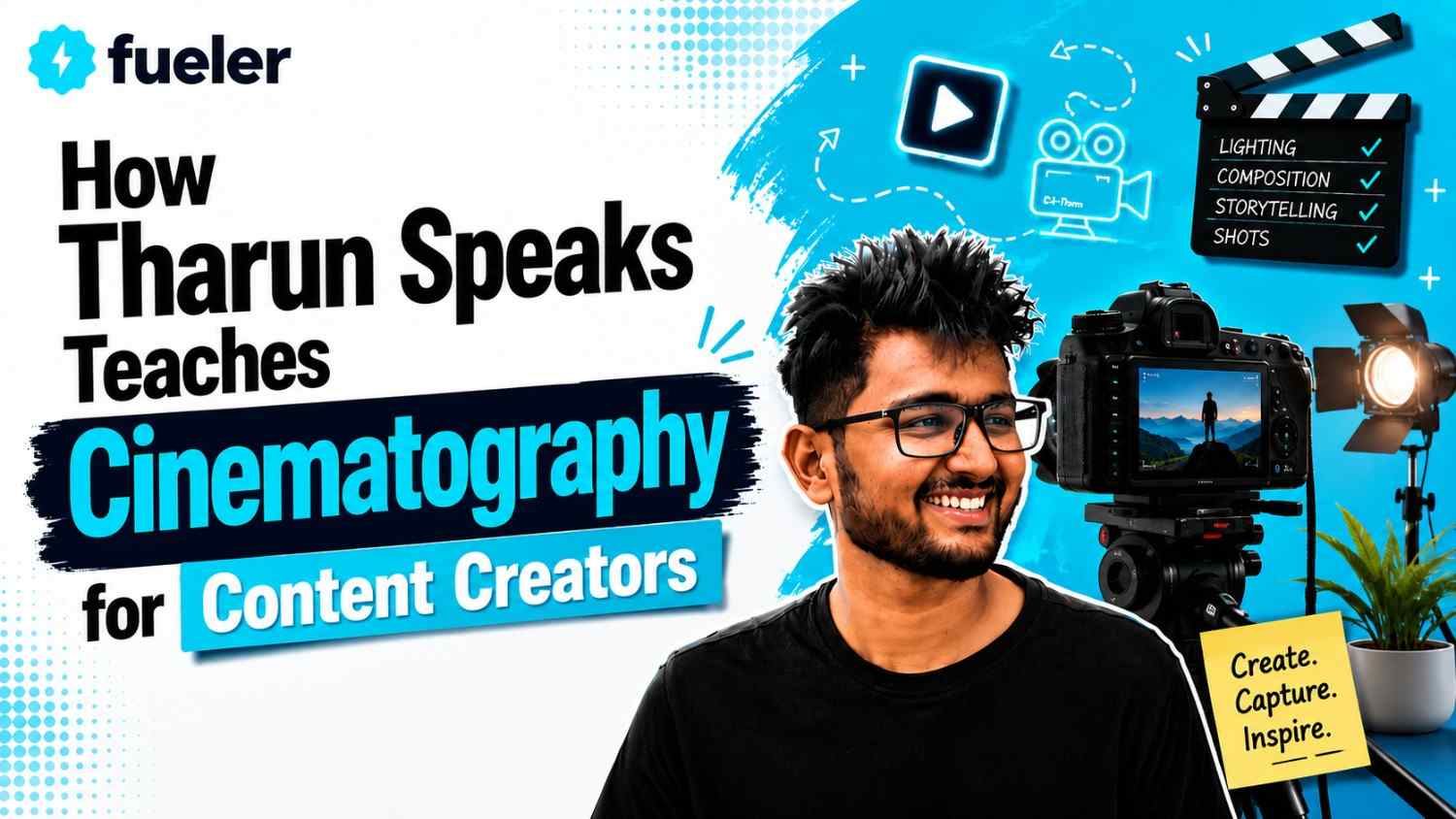
How Tharun Speaks Teaches Cinematography for Content Creators

Riten Debnath
10 Aug, 2026
Last updated: August 2026
Most online video creators spend years acquiring expensive camera gear, only to realize their videos still look amateurish, flat, and visually unengaging. The disconnect is rarely about technical specs or camera sensors; it stems from a lack of foundational visual language, lighting mastery, and narrative camera movement.
I’m Riten, founder of Fueler, a skills-first portfolio platform building the career infrastructure for 100 million creative professionals. Fueler connects talented individuals with companies through assignments, portfolios, and projects, not just resumes or CVs. Think of it as Dribbble/Behance for work samples combined with AngelList for hiring infrastructure.
Working with thousands of visual creators every day made me analyze how top-tier educators teach technical creative skills, which led me to dissect how Tharun Speaks teaches cinematography and video production for content creators.
Tharun Speaks approaches visual storytelling by bridging traditional filmmaking principles with modern, agile social media production workflows. Instead of treating cinematography as an isolated academic discipline, the program focuses on practical execution, viewer retention psychology, lighting dynamics, and proof-of-work portfolio construction.
Quick Answer Summary
- Definition: A cohort-based learning program designed by creator Tharun Naik (Tharun Speaks) focusing on visual storytelling, camera composition, lighting, motion graphics, and color grading for digital creators.
- Who It Is For: Aspiring YouTubers, video editors, social media strategists, growth marketers, and digital filmmakers aiming to build a commercial client portfolio.
- Primary Tools: Adobe Premiere Pro, Adobe After Effects, DaVinci Resolve, and modern generative AI editing software.
- Key Takeaway: Shifts focus away from expensive camera gear toward mastering narrative editing, sound design, visual hooks, and lighting dynamics.
- Best Suited For: Creators who want structured accountability, weekly mentor feedback, and real-world client acquisition strategies over passive YouTube tutorials.
What is Tharun Speaks Cinematography for Content Creators?
Tharun Speaks Cinematography for Content Creators is an intensive, cohort-based training program designed to teach modern video production, visual composition, and editing workflows. It was built by Tharun Naik, a prominent digital creator known for his high-production-value YouTube videos and detailed tech breakdowns.
Unlike traditional film school curricula that rely on multi-year theoretical studies, this program compresses cinematic storytelling into an actionable 6-to-8-week framework. It directly addresses the primary challenge faced by modern content creators: how to produce studio-grade visuals on tight budgets and rapid publishing schedules.
Context and Core Focus
The digital media landscape has shifted dramatically over the past few years. Audiences now expect high production quality across platforms like YouTube, Instagram Reels, and LinkedIn video posts. Simple talking-head videos with default desk lighting no longer capture or retain viewer attention.
The curriculum tackles this shift by combining cinematography fundamentals such as three-point lighting, lens choice, and framing with advanced post-production techniques like color grading and motion graphics.
Why It Matters for the Creator Economy
Knowing how to film and edit cinematic videos is no longer just a hobby; it is a high-income skill. Startups, venture-backed companies, and personal brands in hubs like Bangalore, Mumbai, and globally actively hire video strategists to build their media presence.
However, traditional resumes fail to demonstrate an editor’s or cinematographer’s capability. Clients and hiring managers care exclusively about verifiable proof of work. The Tharun Speaks methodology emphasizes project-based assignments, forcing students to build an active, public portfolio throughout the course.
Key Facts Table
Detailed Explanation
1. Visual Composition and Lighting Fundamentals
What
Cinematography begins before the camera shutter ever opens. This module covers rule-of-thirds composition, depth creation, leading lines, and light shaping.
Why
A camera sensor simply records light; if the lighting is flat, the camera footage will look flat regardless of lens price. Understanding key lights, fill lights, and rim lighting gives flat spaces a three-dimensional, high-budget studio look.
How
Students learn how to manipulate practical lights, diffusers, and color temperatures (Kelvin scales). The course demonstrates how to set up cinematic talking-head scenes in small home rooms using accessible gear.
Example
Instead of pointing a bright light directly at a speaker’s face, students learn to bounce light off a white foam board or wall. This creates soft shadows and natural skin tones similar to commercial brand videos.
Real-World Implications
Founders and creators recording podcasts or YouTube shows can elevate their brand credibility instantly simply by improving light quality and background separation.
2. Software Mastery and Timeline Efficiency
What
This section focuses on operating Adobe Premiere Pro and setting up professional project directory structures.
Why
Beginner creators waste dozens of hours looking for misplaced media assets or dealing with timeline lag. Efficiency allows an editor to produce multiple finished videos per week instead of getting stuck on one.
How
The training covers keyboard shortcut mapping, proxy video file generation, metadata tagging, and aspect ratio management.
Example
Working with 4K footage from high-end cameras often causes budget computers to freeze. Students are taught to generate lower-resolution proxy files, edit smoothly without lag, and switch back to 4K for final export.
Real-World Implications
Fast workflows translate directly into higher freelancing income because editors can deliver polished assets to clients under tight corporate deadlines.
3. Motion Graphics and Visual FX in After Effects
What
An introduction to Adobe After Effects, keyframe animation, typography, and motion callouts.
Why
Static video clips often fail to hold audience attention during dense informational explanations. Animated text pop-ups, dynamic charts, and kinetic graphics help visually reinforce complex concepts.
How
The course walks through masked reveal transitions, paper texture cutouts, lower thirds, and speed ramping.
Example
When an educational YouTuber explains startup funding numbers, a simple voiceover can get dry. Adding animated bar charts and pop-up vector icons keeps the audience visually anchored.
Real-World Implications
Startups and YouTube channels hire editors specifically for motion graphic skills to make product walkthroughs and financial breakdowns engaging.
4. Audio Engineering and Sound Design
What
A comprehensive deep dive into voice equalization, noise reduction, audio ducking, and sound effect (SFX) layering.
Why
Viewers will forgive average video quality, but poor, echoing audio causes people to close a video within seconds. Sound design accounts for over half of the emotional impact of any visual piece.
How
Students learn to balance voiceovers against background music tracks and place subtle riser, impact, and swoosh sound effects on key timeline cuts.
Example
A visual graphic popping up on screen is paired with a subtle "whoosh" sound effect, signaling to the viewer's brain that new information has arrived.
Real-World Implications
Mastering sound design immediately separates amateur content creators from high-value commercial video editors.
5. Color Correction and DaVinci Resolve Grading
What
Understanding the difference between fixing improper exposures (color correction) and applying artistic color looks (color grading).
Why
Raw camera footage comes out grey and flat to preserve dynamic range. Color grading transforms that flat footage into a vibrant, high-contrast visual product.
How
Students use vector scopes, color wheels, curve adjustments, and Look-Up Tables (LUTs) in DaVinci Resolve and Premiere Pro to match skin tones across different lighting conditions.
Example
Correcting skin tones so they look natural while tinting background shadows slightly cool blue gives videos a cinematic look seen in Netflix documentaries.
Real-World Implications
Brands pay premium rates to video production agencies that know how to match camera colors across multi-cam shoots.
6. AI Workflow Integration and Short-Form Content
What
Teaching short-form mechanics for YouTube Shorts and Instagram Reels alongside AI production tools.
Why
Vertical video requires capturing attention within the first three seconds. Modern AI tools automate manual tasks like transcription and re-framing so creators can produce content faster.
How
Students use AI tools for automated subtitle generation, audio cleanups, and dynamic auto-reframing from 16:9 to 9:16 aspect ratios.
Example
Converting a 20-minute horizontal podcast episode into six vertical short clips with dynamic animated captions in less than one hour.
Real-World Implications
Content agencies and growth teams rely on AI-assisted video editors to scale short-form output without increasing headcount.
How It Works
The program runs as a structured, step-by-step learning progression:
- Onboarding & Software Setup: Students install Adobe Premiere Pro, After Effects, and DaVinci Resolve, configuring project bins and keyboard shortcuts.
- Foundational Pre-Recorded Modules: Students watch studio-recorded video lectures explaining camera angles, composition, lighting setups, and timeline mechanics.
- Weekly Assignment Submission: Every week, students complete a real-world video assignment such as a documentary cut, a promotional reel, or a sound-designed short clip.
- Live Mentor Critiques: Dedicated mentors review student edits live, pointing out timeline errors, pacing issues, color imbalances, and audio levels.
- Community Edit Battles: Students participate in community edit challenges using raw footage provided by the cohort team to test their creative speed.
- Portfolio Construction: Completed weekly projects are published to build a public portfolio, proving real competence to prospective employers.
- Client Outreach & Pitching Masterclass: The final module covers cold emailing, Twitter/LinkedIn networking, negotiating project fees, and pitching brand deals.
Benefits
- Practical Skill Application: Bypasses theoretical film history and focuses strictly on commercial video creation skills used by modern media companies.
- Structured Accountability: Live deadlines, peer challenges, and mentor check-ins prevent students from dropping out halfway through.
- Asset Library Access: Students receive editing packs containing sound effects, kinetic graphic templates, transition LUTs, and motion presets.
- Business and Client Acquisition Skills: Teaches how to package creative skills into freelance offers, write cold emails, and pitch high-value clients.
- Proof-of-Work Mindset: Helps creators move past passive resume applications. When an editor links a clean Fueler portfolio filled with sample edits directly in their outreach email, response rates jump dramatically.
Challenges / Limitations
- Requires High Self-Discipline: While recorded lectures provide flexibility, falling behind on weekly assignment submissions can cause students to miss live mentor reviews.
- Computer Hardware Requirements: Running Adobe Premiere Pro, After Effects, and DaVinci Resolve simultaneously requires a computer with decent CPU/GPU specs and sufficient RAM.
- Not for Feature Filmmakers: The course is optimized for YouTube creators, agency video editors, and social media marketers rather than narrative feature film directors.
- Placement Assistance Restricted to Top Tier: Direct job placement support is only included in the higher-priced Ultimate Tier.
Comparison Table
Fees / Cost
The program uses a tiered pricing structure designed for different budget levels:
- Essential Track (₹4,999): Provides access to all pre-recorded studio lectures, weekly live Q&A sessions, and basic community forums. Ideal for self-starters on a budget.
- Elite Track (₹6,999): Adds dedicated mentor feedback, weekly social media masterclasses, access to edit battles, and ₹5,000 worth of editing assets.
- Ultimate Track (₹14,999): Includes a personal learning manager, direct access to placement support worth up to ₹30,000/month, an exclusive group with Tharun, and a ₹10,000 asset pack.
Return on Investment (ROI)
For aspiring freelancers, the financial return is clear. Landed clients for high-quality video editing, motion graphics, or YouTube production typically pay between ₹15,000 to ₹50,000 per project. Securing a single freelance video editing client fully recovers the course fee.
Career Opportunities
Graduates of the program generally pursue roles across the creator economy and tech ecosystem:
- YouTube Video Editor: Working with top content creators to cut long-form videos, design hooks, and manage sound production.
- Short-Form Content Strategist: Creating viral Instagram Reels, YouTube Shorts, and TikTok videos for personal brands and startups.
- Corporate Video Creator: Producing internal videos, product feature releases, and ad creative for venture-backed companies.
- Freelance Motion Designer: Designing animated titles, graphics, and video ads for marketing agencies.
- Founder Brand Specialist: Managing personal branding video production for startup CEOs and executives.
Salary & Earning Ranges
- Entry-Level Freelancer: ₹25,000 – ₹45,000 per month.
- In-House Startup Video Editor: ₹5.0 LPA – ₹9.0 LPA.
- Senior Content Lead / Agency Owner: ₹12.0 LPA – ₹25.0+ LPA.
Who Should Choose This?
- Aspiring video editors who want to build a career in the creator economy.
- YouTube creators struggling to elevate their video production quality and retain viewers.
- Fresh graduates looking for practical, high-income creative skills instead of theoretical degrees.
- Growth marketers and agency founders needing in-house video production skills to scale ad creatives.
- Freelancers who struggle to pitch clients and want a repeatable, structured outreach system.
Who Should Avoid This?
- Individuals looking exclusively for classical 35mm film history or traditional Hollywood feature directing theory.
- People without access to a desktop or laptop computer capable of running video editing software.
- Passive learners who expect a certificate alone to land them a job without completing hands-on assignments.
- Creators who are unwilling to dedicate 8 to 10 hours per week to practical editing exercises.
Final Thoughts
The creator economy has matured past the point where basic talking-head videos cut on free mobile apps stand out. Visual language, sound design, color control, and narrative pacing are mandatory tools for anyone serious about digital media.
What makes Tharun Speaks’ teaching style effective is the complete lack of academic fluff. It directly pairs visual composition and editing software mechanics with real-world business realities: how to build proof-of-work, how to pitch clients, and how to deliver value.
At Fueler, we see every day how proof-of-work changes careers. Having a clean portfolio showcasing real edits, motion graphics, and video projects beats sending a standard PDF resume every single time. If you put in the hours to master the craft and publish your work, the career upside in video creation is immense.
Key Takeaways
- Gear is secondary: Understanding lighting setup, framing, and narrative story beats matters far more than camera gear cost.
- Sound drives retention: Clear voice equalization and sound effect layering keep viewers engaged longer than visuals alone.
- Complete software stack: The cohort covers Adobe Premiere Pro, After Effects, DaVinci Resolve, and modern AI tools.
- Portfolio over resumes: Success in the creative industry relies on publishing proof-of-work projects rather than traditional credentials.
- Multiple pricing tiers: Options range from ₹4,999 to ₹14,999 to fit different mentorship and budget needs.
- Client acquisition included: Teaches cold outreach, client negotiation, and freelancing business strategy alongside creative skills.
FAQs
What software is taught in the Tharun Speaks cohort?
The program covers Adobe Premiere Pro for editing, Adobe After Effects for motion graphics, DaVinci Resolve for color grading, and generative AI video tools to speed up production workflows.
Do I need an expensive camera to take this course?
No, you do not need an expensive camera. The course focuses on lighting, composition, audio, and post-production techniques that apply equally well to smartphones and entry-level mirrorless cameras.
How long does the Tharun Speaks course take to complete?
The course typically lasts 6 to 8 weeks. It combines self-paced pre-recorded video lectures with weekly live problem-solving sessions, assignment reviews, and community edit challenges.
Can beginners with zero editing experience join this program?
Yes, the curriculum starts with baseline software setup, basic timeline cutting, and clip organization before gradually progressing into advanced motion graphics, color grading, and client acquisition.
How does the course help me find freelance clients?
The curriculum includes a dedicated client acquisition module that teaches cold email outreach, Twitter/LinkedIn networking, value-driven pitching strategies, and public proof-of-work portfolio building.
Why 100,000+ professionals use Fueler
Fueler helps professionals showcase proof of work through projects, assignments, case studies, and achievements.
- Thousands of professionals use Fueler to create their digital portfolio
- Thousands of projects are published on Fueler. Check here
- Startups and Companies hire through proof of work on Fueler
- Used by freelancers, creators, marketers, video editors, writers, designers, and product managers
Our mission is to help the next 100 million professionals build a verified professional identity through proof of work

What should you do next?
You've read the article. Now turn your skills into proof of work and unlock more opportunities.
Build your proof of work portfolio
Create a clean portfolio with projects, assignments, resumes, and AI stack details that companies actually want to see.
Create your Fueler portfolio →Apply through assignments, not resumes
Stand out by solving real tasks from companies hiring on Fueler.
Explore assignments →Get discovered by companies
Make your work public and let recruiters discover your skills through actual projects instead of keywords.
Get discovered →
