How Tharun Speaks Teaches Video Editing From Beginner to Advanced

Riten Debnath
10 Aug, 2026
Last updated: August 2026
Video editing has evolved from a back-room production task into the primary engine of modern digital communication. Startup founders, digital brands, media companies, and individual content creators are competing aggressively for human attention. Yet, most traditional video editing courses still teach software tools like an old computer manual. They force you to memorize drop-down menus rather than showing you how to hold a viewer’s gaze.
I’m Riten, founder of Fueler, a skills-first portfolio platform building the career infrastructure for 100 million creative professionals. Fueler connects talented individuals with companies through assignments, portfolios, and projects, not just resumes or CVs. Think of it as Dribbble/Behance for work samples combined with AngelList for hiring infrastructure.
In our daily work with hiring managers, digital agencies, and top startup teams, we notice a massive gap: thousands of aspiring editors know how to cut a clip, but very few know how to structure a narrative, manage viewer retention, or package their work professionally.
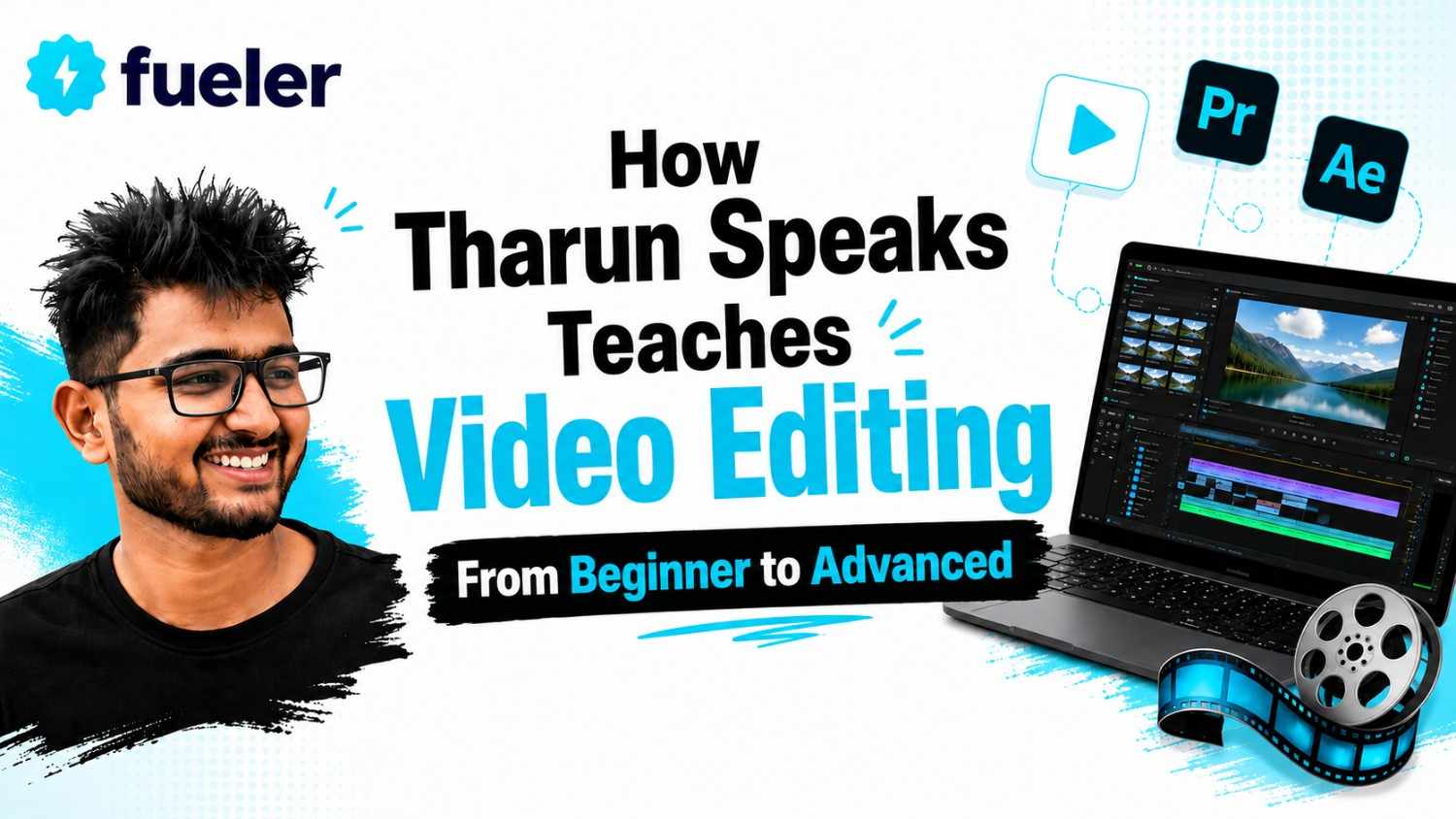
When analyzing modern, high-impact learning models in the creator economy, the breakdown of how Tharun Speaks teaches video editing stands out as a clear blueprint for taking someone from a total beginner to an advanced, industry-ready editor.
Quick Answer Summary
- Definition: A practical, retention-focused video editing framework created by YouTuber Tharun Naik (Tharun Speaks) that spans over 44 modules and 12 live interactive sessions.
- Who it is for: Complete beginners, YouTube aspirants, college students, and freelance video editors seeking to build high-income skills.
- Primary Software Taught: Adobe Premiere Pro for editing, Adobe After Effects for motion graphics, DaVinci Resolve for color grading, and modern AI video tools.
- Pricing Structure: Divided into three main tiers: Essential (₹4,999), Elite (₹6,999), and Ultimate (₹14,999).
- Key Takeaway: The teaching model prioritizes storytelling, audio engineering, visual pacing, and client acquisition over abstract software mechanics.
- Best Suited For: Learners who want to build a public proof-of-work portfolio on Fueler and secure real-world clients or startup jobs.
What is the Tharun Speaks Video Editing Learning Framework?
The Tharun Speaks video editing curriculum is a project-driven learning framework designed to turn beginners into commercially viable video editors, visual storytellers, and motion designers. Rather than teaching software features in isolation, the program treats video editing as an end-to-end media engine. It connects technical execution directly with audience retention psychology, visual layout, audio engineering, and client pitching.
To understand why this model works, you have to look at how traditional video editing is taught. Classical film institutes and generic online tutorials usually start with theory, color spaces, and technical jargon that confuses beginners. The Tharun Speaks methodology flips this sequence. It starts immediately with timeline assembly, cut mechanics, and narrative momentum so students gain confidence by creating real edits from day one.
This distinction is crucial for today's media environment. A startup looking for a video editor in Bangalore, Mumbai, or remotely does not care if an editor knows the history of film stock. They care whether that editor can take raw talking-head footage, clean up the audio, add engaging visual hooks, and export a polished YouTube video or Instagram Reel that keeps viewers watching. By focusing on practical outputs rather than academic concepts, this framework aligns directly with modern hiring needs.
Key Facts Table
Detailed Explanation: How Tharun Speaks Teaches Video Editing From Beginner to Advanced
The primary reason most self-taught video editors struggle is that they fall into the "tutorial trap." They watch endless video clips on YouTube, learn how to replicate a single effect, but have no idea how to assemble an entire 10-minute video that feels smooth and professional. The Tharun Speaks curriculum solves this by organizing the learning path into a clear four-phase progression.
Phase 1: Foundation, Workspace Optimization, and High-Speed Timeline Operations
What holds most beginner editors back is not a lack of creativity; it is technical friction. When you waste three seconds hunting for a trim tool with your mouse, those seconds add up over thousands of cuts, making editing feel slow and painful.
- What is taught: Workspace setup in Adobe Premiere Pro, track management (understanding visual layers V1, V2, V3 and audio layers A1, A2, A3), sequence settings, resolutions (1080p vs. 4K), frame rates (24fps, 30fps, 60fps), and frame standards like NTSC and PAL.
- Why it matters: Beginners often render videos with black bars, mismatched frame rates, or lagging playback because their sequence settings are incorrect. Learning proper media management prevents project crashes and workflow bottlenecks.
- How it is executed: Students customize their keyboard hotkeys immediately. By mapping common actions like ripple cut, toggle track, and zoom timeline to easily reachable keys, editing speed increases by over 50%. The training also covers proxy creation, generating lower-resolution copies of heavy 4K camera files so that students on basic laptops can edit smoothly without timeline lag.
Phase 2: Structural Cutting, Narrative Pacing, and Split Edits
Once the workspace is configured, the focus shifts to the craft of cutting. Video editing is not just removing empty pauses or mistakes; it is about controlling time and visual emphasis.
- What is taught: The core suite of editing tools Razor, Ripple Edit, Rolling Edit, Slip, and Slide tools alongside advanced split-editing mechanics known as J-cuts and L-cuts.
- Why it matters: Straight cuts (where video and audio change simultaneously) often feel harsh and amateurish. In a J-cut, the audio of the next scene starts before the video changes; in an L-cut, the video changes while the audio from the previous shot lingers. These subtle techniques mimic how human sight and hearing process transitions in real life.
- How it is executed: Students work on raw interview footage and talking-head videos. They practice speed remapping, time interpolation, and freeze-frame pop-outs to emphasize key points in a speaker's monologue, ensuring the edit maintains energy without feeling frantic.
Phase 3: Audio Engineering, Layered Sound Design, and Color Correction
Visuals draw people in, but bad audio makes them click away instantly. A major strength of the Tharun Speaks framework is its heavy focus on sound design and color polish.
- What is taught: Reading decibel meters, voiceover equalization (EQ), compression, noise cleanup, audio ducking, sound effect (SFX) layering, and color grading in DaVinci Resolve and Premiere Pro.
- Why it matters: Flat, unedited audio sounds thin and unengaging. Adding subtle background textures, risers, whooshes, deep impacts, and UI clicks gives flat 2D screen footage tactile weight. On the visual side, raw camera footage comes out grey and flat; proper color correction restores natural skin tones and establishes a consistent brand look.
- How it is executed: Learners process voice tracks to remove background room hums and boost vocal clarity. They learn to sync video cuts directly to musical beats and waveform peaks. Next, they move into DaVinci Resolve to balance exposure, fix color cast issues, match shots across different cameras, and apply clean Look-Up Tables (LUTs).
Raw Camera Footage ➔ Exposure & Skin Tone Correction ➔ Color Grading (LUTs) ➔ Clean Commercial Polish
Phase 4: Motion Graphics, Short-Form Retention, and AI Integration
The final technical stage pushes students from basic editing into dynamic content creation, vertical video workflows, and modern motion graphics.
- What is taught: Keyframe animation in Adobe After Effects, speed curves, kinetic typography, lower thirds, green screen chroma keying, vertical framing for Reels/Shorts, and AI tools.
- Why it matters: On platforms like Instagram Reels and YouTube Shorts, you have less than three seconds to capture a viewer's attention. Static video no longer cuts it; creators need animated text, visual callouts, and fast-paced asset overlays to maintain high retention rates.
- How it is executed: Students learn how to build custom captions, use masking effects, create freeze-frame pop-outs, and customize Essential Graphics templates (.mogrt files). They also integrate modern AI tools for automated subtitle generation, voice isolation, and background removal, allowing them to edit three times faster without sacrificing quality.
How It Works: Step-by-Step Learning Mechanics
The teaching structure combines self-paced video lessons with live feedback sessions to ensure students retain what they learn. Here is how a student progresses through the program:
- Watch Asynchronous Modules: Students gain access to over 44 pre-recorded video lessons covering specific tools and editing concepts.
- Download Raw Footage Packs: Instead of searching the web for random clips, learners download organized asset packs containing raw multi-cam footage, high-quality audio stems, and sound effects.
- Complete Hands-On Assignments: After each core module, students edit real video projects such as a 60-second viral Reel, a podcast breakdown, or a commercial product video.
- Attend Live Feedback Sessions: Students join live weekly classes with Tharun Naik and lead mentors. During these classes, real student timelines are reviewed on screen, highlighting pacing errors, audio peaks, and motion graphics improvements.
- Publish Proof-of-Work Portfolios: Rather than storing completed edits on a local hard drive, students publish their projects, breakdowns, and before-and-after timelines directly to Fueler. This creates a public, verifiable portfolio that potential clients can inspect.
- Master Client Acquisition: In the final modules, students receive cold outreach templates, proposal frameworks, and negotiation strategies to start pitching founders, agency owners, and creators.
Practical Career Outcomes (Beyond the Marketing Hype)
Learning video editing through this structured approach opens up several clear career paths across the startup ecosystem and digital media landscape:
- In-House Startup Video Editor: Tech startups, direct-to-consumer brands, and edtech companies hire full-time editors to produce performance ads, product walkthroughs, and organic social media content.
- Creator Ecosystem Editor: Top YouTubers and podcasters hire dedicated editors to handle their long-form production, turning raw footage into finished videos and multi-platform short clips.
- Freelance Video Specialist: Independent editors build a client list of global founders and brands, charging per project or securing monthly retainer agreements.
- Short-Form Content Strategist: Editors who master vertical pacing and hook creation transition into growth marketing roles, managing short-form video strategies for companies.
When you showcase your project files and video breakdowns on Fueler, hiring teams can evaluate your real execution speed, visual taste, and storytelling choices. This proof-of-work approach bypasses traditional resume filters, giving skilled editors a direct path into high-paying creative roles.
Challenges and Limitations
While this training framework is effective, it is important to maintain realistic expectations. Video editing is a demanding technical skill, and this learning path comes with real constraints:
- Strict Hardware Requirements: Software like Adobe After Effects, Premiere Pro, and DaVinci Resolve requires decent computer hardware. Running these programs on a budget laptop with 4GB of RAM and no dedicated graphics card will lead to timeline lag, slow rendering, and frequent crashes.
- Heavy Weekly Time Commitment: Watching the 44 modules accounts for only 20% of the learning curve. The remaining 80% comes from cutting footage, tweaking keyframes, fixing audio levels, and revising edits. If you cannot commit 10 to 15 hours per week to practice, progress will stall.
- Client Acquisition Takes Resilience: The curriculum provides cold email frameworks and pitching strategies, but landing paying clients requires persistence. You must be prepared to send dozens of tailored pitches and manage initial rejections before securing stable retainers.
- Tier Gating for Direct Support: Features like direct placement assistance, personal learning managers, and 1-on-1 mentorship are reserved for the higher-priced program tiers.
Program Tier Comparison
Cost, Fees, and Return on Investment (ROI)
Evaluating any skill-building program comes down to return on investment. The Tharun Speaks cohort is structured across three primary price points:
- Essential Track (₹4,999): Covers core pre-recorded video lectures, live problem-solving classes, and standard community access. Ideal for self-starters on a budget.
- Elite Track (₹6,999): Adds dedicated mentor support, edit battles, community challenges, and premium editing asset packs valued at ₹5,000.
- Ultimate Track (₹14,999): Includes a personal learning manager, private group access with Tharun Naik, premium asset packs valued at ₹10,000, and placement assistance targeting roles up to ₹30,000 per month.
From an ROI standpoint, landing a single monthly retainer client for short-form editing (typically paying ₹15,000 to ₹30,000 per month) or securing two freelance long-form video edits can recover the entire cost of the training.
Career Opportunities and Industry Demand
Video editing skills are in high demand across multiple sectors in India and internationally. As companies shift budgets toward video-first marketing, skilled editors can pursue several distinct career paths:
- Junior Video Editor: Focuses on cutting raw footage, syncing audio, and preparing basic timelines. Typical starting salary: ₹2.5 LPA to ₹4 LPA.
- Senior Video Strategist / Post-Production Lead: Manages end-to-end video narratives, motion graphics, and creative team workflows. Typical salary: ₹6 LPA to ₹12+ LPA.
- Freelance Short-Form Specialist: Edits high-retention Reels, Shorts, and social media ads on a project basis. Typical earnings: ₹2,000 to ₹8,000 per video clip.
- Full-Time Creator Team Member: Works directly alongside established YouTubers, handling long-form content production and channel asset packaging. Typical retainer: ₹35,000 to ₹80,000 per month depending on channel scale.
Who Should Choose This?
- Aspiring Content Creators: Anyone wanting to produce high-quality YouTube videos, Reels, or podcasts without relying on third-party editors.
- College Students and Fresh Graduates: Individuals seeking a high-demand, income-generating skill to start freelancing during or after college.
- Beginner Video Editors: Self-taught editors stuck on basic cuts who want to master sound design, color grading, motion graphics, and fast workflows.
- Career Switchers: Professionals looking to enter the creator economy, digital marketing, or media production.
- Portfolio-Driven Learners: Individuals who want to publish clean, verifiable work samples on Fueler to land startup roles or freelance projects.
Who Should Avoid This?
- People Without Suitable Hardware: Anyone who only owns a low-spec laptop without a dedicated GPU and sufficient RAM, and is unable to upgrade.
- Passive Learners: Individuals expecting to gain skills just by watching videos without spending hours cutting raw footage and making mistakes.
- Film Theory Purists: Anyone looking exclusively for traditional cinema school history, film cameras, or analog editing theory rather than digital-first video creation.
- Those Expecting Instant Jobs Without Outreach: Learners who believe enrolling in a course guarantees clients without putting in the work to build a portfolio and pitch prospects.
Final Thoughts
Mastering video editing is one of the most practical decisions you can make in today's digital economy. The ability to translate ideas, stories, and raw footage into engaging visual experiences is a high-value skill that every startup, agency, and creator needs.
What makes the Tharun Speaks approach effective is its commitment to execution. It cuts through unnecessary academic filler and focuses on what actually works: workflow speed, storytelling momentum, professional audio, and viewer retention. However, always remember that taking a course is only the first step. Your real growth happens when you publish your edits, showcase your proof-of-work on Fueler, and consistently deliver value to real clients.
Key Takeaways
- Focus on Retention: Great video editing is defined by narrative pacing, clear sound design, and viewer retention, not just software tricks.
- Practical Tool Stack: Master Adobe Premiere Pro for cutting, After Effects for motion graphics, DaVinci Resolve for color grading, and AI tools for efficiency.
- Audio Matters Most: Poor audio ruins great footage. Dedicate time to vocal EQ, compression, audio ducking, and layered sound effects.
- Optimize Your Speed: Customize keyboard shortcuts and create low-resolution proxy files to keep your editing smooth and fast.
- Build Proof of Work: Use platforms like Fueler to display your finished edits, timeline breakdowns, and assignment projects to prospective clients and hiring managers.
- Commit to Execution: Real editing skills develop through hands-on timeline practice, revision, and constructive feedback, not passive video watching.
Frequently Asked Questions
What software is taught in the Tharun Speaks video editing course?
The primary software taught is Adobe Premiere Pro for timeline editing, Adobe After Effects for motion graphics, and DaVinci Resolve for color grading, along with modern AI tools.
Do I need an expensive PC to start learning video editing?
No, but you need a decent mid-range computer with a dedicated graphics card and at least 8GB to 16GB of RAM. The course also covers proxy workflows for smoother editing on entry-level laptops.
How long does it take to complete the video editing curriculum?
The structured cohort generally runs across 6 to 8 weeks, comprising 44+ pre-recorded modules and 12 weekly live problem-solving sessions.
How do I showcase my video editing work to prospective clients?
You can create a free proof-of-work portfolio on Fueler. Uploading video clips, before-and-after timelines, and project breakdowns allows clients to evaluate your skills beyond a basic resume.
Can complete beginners learn video editing through this framework?
Yes. The curriculum starts with basic software setup, sequence creation, and hotkey optimization before advancing to motion graphics, color grading, and client acquisition.
Why 100,000+ professionals use Fueler
Fueler helps professionals showcase proof of work through projects, assignments, case studies, and achievements.
- Thousands of professionals use Fueler to create their digital portfolio
- Thousands of projects are published on Fueler. Check here
- Startups and Companies hire through proof of work on Fueler
- Used by freelancers, creators, marketers, video editors, writers, designers, and product managers
Our mission is to help the next 100 million professionals build a verified professional identity through proof of work

What should you do next?
You've read the article. Now turn your skills into proof of work and unlock more opportunities.
Build your proof of work portfolio
Create a clean portfolio with projects, assignments, resumes, and AI stack details that companies actually want to see.
Create your Fueler portfolio →Apply through assignments, not resumes
Stand out by solving real tasks from companies hiring on Fueler.
Explore assignments →Get discovered by companies
Make your work public and let recruiters discover your skills through actual projects instead of keywords.
Get discovered →
