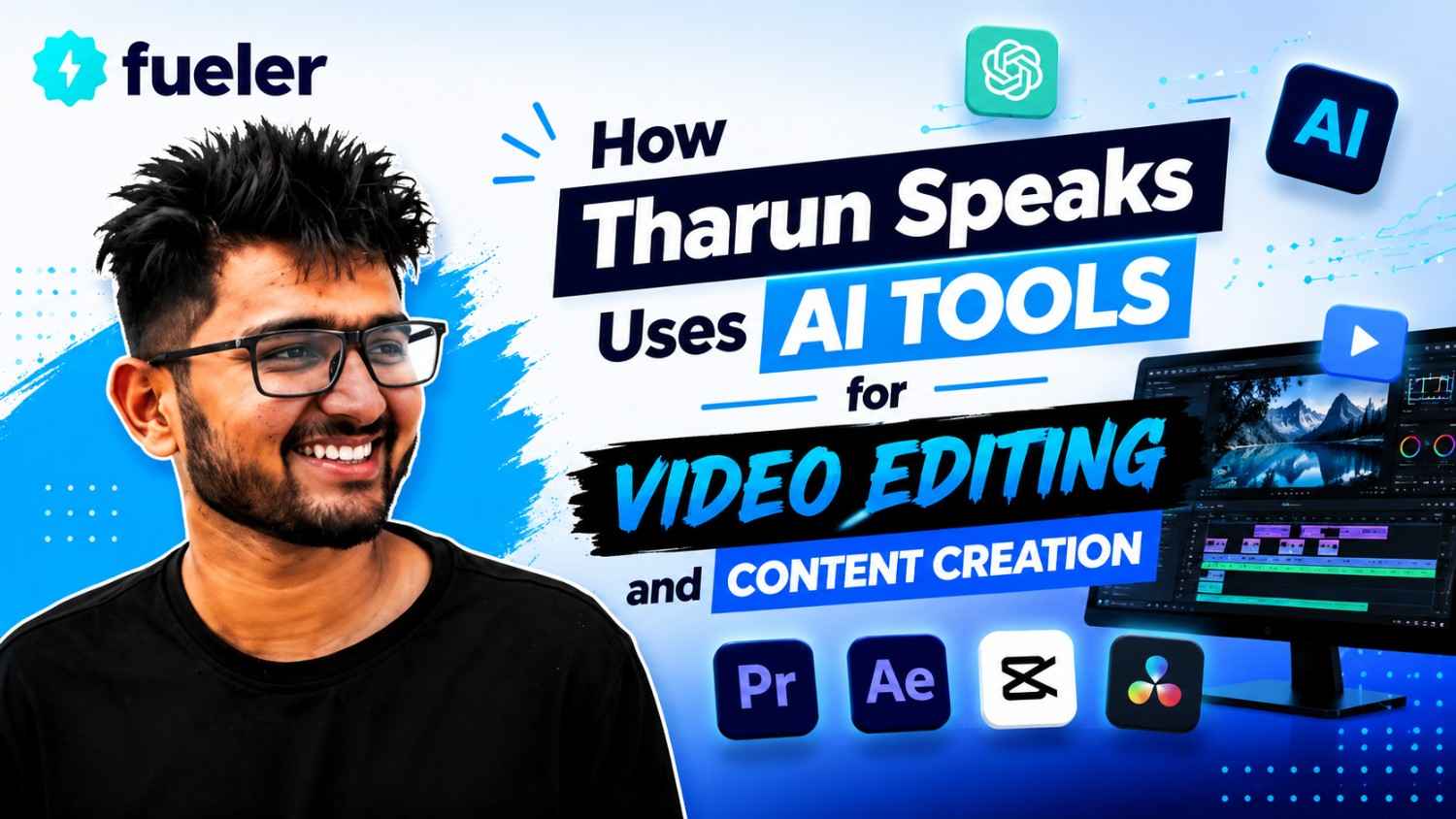
How Tharun Speaks Uses AI Tools for Video Editing and Content Creation

Riten Debnath
11 Aug, 2026
Last updated: August 2026
If you had told a video editor five years ago that software would soon transcribe an hour-long podcast in thirty seconds, strip out background hums with a single click, and automatically reframe horizontal footage into snappy vertical Reels, they probably would have laughed you out of the editing suite. Back then, being a video editor meant spending half your life doing mind-numbing repetitive labor, cutting out awkward pauses, hunting down sound effects, and manually drawing masks frame by frame.
I’m Riten, founder of Fueler, a skills-first portfolio platform building the career infrastructure for 100 million creative professionals. Fueler connects talented individuals with companies through assignments, portfolios, and projects, not just resumes or CVs. Think of it as Dribbble/Behance for work samples combined with AngelList for hiring infrastructure.
In my work at Fueler, I see thousands of video editors, content creators, and motion designers pitch their work to startups, creators, and agencies every single day. The ones getting hired on the spot aren't necessarily the ones who spent ten years in film school. They are the smart operators who know how to mix artistic taste with ultra-fast modern workflows.
Tharun Naik (popularly known as Tharun Speaks) doesn't view AI as a magical "make video" button that replaces human creativity. Instead, he uses AI as an assistant digital intern that handles the boring, repetitive grunt work so the human editor can focus on storytelling, pacing, and visual hooks.
Quick Answer Summary
- Definition: An end-to-end media engine and cohort framework that integrates specialized AI utilities into professional tools like Adobe Premiere Pro, After Effects, and DaVinci Resolve.
- Who It Is For: Beginner-to-advanced video editors, YouTube creators, growth marketers, freelancers, and students who want to create high-retention content three times faster.
- Cost: Available across three distinct program tiers: Essential (₹4,999), Elite (₹6,999), and Ultimate (₹14,999).
- Key Takeaway: AI is not used to replace the editor's artistic judgment, but to strip away technical friction like manual cutting, audio cleanup, and captioning.
- Best Suited For: Editors looking to build client-ready portfolios, secure freelance retainers, or land high-growth creative roles.
What is the Tharun Speaks AI Video Editing Ecosystem?
The Tharun Speaks ecosystem is a cohort-based learning program (spanning over 44 modules and live sessions) designed to turn beginners into commercially viable video editors and visual storytellers.
Instead of teaching software buttons in isolation, the program focuses on building a complete production system. It blends fundamental timeline mechanics with cutting-edge AI utilities, motion graphics, sound design, and practical business strategies.
Context
If you look at the creator ecosystem across India, from tech YouTubers in Bangalore to high-growth brand teams in Mumbai, the sheer volume of content required today is staggering. Agencies and creators need multiple YouTube videos, dozens of Instagram Reels, and continuous ad variations every single week. Traditional manual editing methods simply cannot keep up with this demand without causing burnout.
Why It Matters
When an editor spends four hours manually trimming silences and typing out subtitles, they have four hours less energy to spend on dynamic visual hooks, sound layering, and narrative pacing. By offloading basic mechanical tasks to AI, editors can focus their mental energy on what actually keeps human eyes glued to the screen: retention-focused storytelling.
How It Differs From Alternatives
Most online tutorials fall into two useless traps. They either give you overly theoretical lectures that ignore modern tools, or they sell you superficial "AI prompt shortcuts" that generate garbage-quality, robotic videos nobody wants to watch. The Tharun Speaks approach embeds AI right inside professional editing software, ensuring you produce human-driven, studio-grade edits at scale.
Key Facts Table
How Tharun Speaks Uses AI Tools for Video Editing and Content Creation
To understand how Tharun Speaks uses AI tools for video editing and content creation, you have to look at the editing process not as a single task, but as an assembly line. If one part of the line is bogged down, the whole production slows down.
Tharun Naik’s methodology integrates AI at key friction points along this assembly line. Here is the deep breakdown of how AI is used across every stage of the video editing and content creation pipeline.
1. Automated Text-Based Cutting and Rough Edits
What: Using AI speech recognition to edit video footage through text transcripts rather than manually scrubbing through timeline waveforms.
Why: Scouring through two hours of raw interview or vlog footage to find the best takes is exhausting. Manual timeline scrubbing eats up 30% to 40% of an editor's total project time.
How: Software like Adobe Premiere Pro now includes text-based editing driven by AI speech-to-text algorithms. The AI automatically generates a word-for-word transcript of the footage. Tharun’s workflow teaches editors to read the transcript, highlight unwanted sentences, filler words ("um," "ah," "like"), or long silences, and press delete. The corresponding video clips on the timeline are automatically trimmed away.
Example: Imagine an interview where the speaker repeats a story three times before getting it right. Instead of listening to the whole recorded track, the editor searches the transcript for the keyword, selects the bad takes, and deletes them instantly.
Real-world Implications: An editor can slice a raw 60-minute recording down to a clean 15-minute rough assembly in less than 10 minutes. That speed explosion allows freelancers to handle double the project volume.
2. AI Voice Isolation and Studio Sound Enhancement
What: Applying machine-learning audio filters to convert noisy, room-echoed voice recordings into crisp, studio-quality sound.
Why: Audiences will tolerate average camera quality, but they will instantly click away from bad audio. Traditional noise removal plugins often make voices sound metallic, robotic, or muffled.
How: The workflow uses AI audio engines (such as Adobe Podcast AI or built-in DaVinci Resolve Voice Isolation) that have been trained on millions of speech samples. The AI analyzes the audio signal, separates the vocal frequency from background air conditioning hums, traffic noise, or room reverb, and reconstructs the voice frequencies cleanly.
Example: A creator records a video in a drafty bedroom in Delhi with a ceiling fan buzzing at full speed. Passing the raw audio through AI voice enhancement removes the fan drone completely, making it sound like it was recorded inside an acoustic sound booth.
Real-world Implications: Content teams no longer need to cancel outdoor shoots or spend lakhs on acoustic foam setup. Great audio becomes accessible even on budget microphone setups.
3. Smart Re-Framing and Multi-Platform Adaptation
What: Using AI scene recognition to automatically reframe horizontal 16:9 YouTube videos into vertical 9:16 aspect ratios for Instagram Reels and Shorts.
Why: Manually animating motion keyframes to keep a moving speaker centered in a narrow vertical frame takes hours when converting long videos into short clips.
How: AI re-framing tools analyze focal points, facial positions, and action areas within every frame. As the speaker moves across a widescreen shot, the AI dynamically shifts the crop window to keep them perfectly in focus without manual keyframing.
Example: If two people are sitting across a table in a horizontal video, the AI detects who is speaking and dynamically cuts or pans between them in the vertical edit.
Real-world Implications: A single long-form YouTube video can be sliced into five platform-ready short clips in under twenty minutes, maximizing content distribution across channels.
4. Dynamic Auto-Captioning and Kinetic Text Styling
What: Generating high-accuracy video subtitles automatically and animating them into eye-catching visual hooks.
Why: Over 70% of viewers watch short-form videos on mobile devices with the sound muted. Without clear captions, viewer retention plummets within the first three seconds.
How: AI auto-captioning engines process the vocal track, sync every word to exact timestamps, and generate screen-ready captions. Tharun’s methodology takes this a step further: students import these AI captions into Adobe After Effects or Premiere Pro, applying custom animation presets, bold color highlights, and emoji pop-ups to make the text jump out.
Example: As the narrator says the word "growth," the text highlights in bright neon green with a quick subtle scale-up effect, grabbing the viewer's attention instantly.
Real-world Implications: Editors save hours of manual typing while producing social edits that match the high-retention visual standards popularized by top global creators.
5. Generative Asset Creation and Visual B-Roll Expansion
What: Utilizing AI image generators and generative fill tools to create custom background graphics, textures, and B-roll imagery.
Why: Stock video platforms are expensive, and hunting through royalty-free sites for specific niche footage often yields generic clips that look boring.
How: When a specific visual element is missing from a video script, the editor uses generative AI prompts to synthesize custom graphic elements, texture overlays, or background visuals. Tools like Photoshop's Generative Fill or Midjourney are used to expand tight camera shots, remove distracting objects from a frame, or design custom storyboard assets.
Example: An editor needs a graphic showing "a futuristic startup garage filled with glowing server racks." Instead of settling for a dull stock image, they generate the exact visual asset matching their project's color palette and blend it into the edit.
Real-world Implications: Small agencies and solo creators gain access to high-end production design without needing huge art departments or massive stock asset budgets.
How It Works
The learning framework inside the cohort follows a structured, step-by-step progression. You don't just dump raw clips into software; you execute a battle-tested post-production workflow.
- Setting Up Project Architecture: You configure folder structures, media caches, and track layouts (V1, V2, V3 for video layers; A1, A2, A3 for audio layers) inside Premiere Pro to keep your timeline clean.
- Generating Proxies for Smooth Playback: If you edit high-resolution 4K camera footage on a basic laptop, the timeline will lag. You generate low-resolution proxy files so your system runs smoothly without crashing.
- Executing the AI Rough Cut: You run the raw media through AI speech-to-text engines to cut out awkward silences, mistakes, and repetitive takes directly from the generated transcript.
- Cleaning Up Voice & Audio Layering: You apply AI voice isolation to clean background noise, balance audio levels, and lay down background ambient music synced to the speech beats.
- Adding Visual Hooks & Motion Graphics: You transition into Adobe After Effects to add keyframe animations, kinetic typography, lower-thirds, and visual overlays that keep the viewer visually engaged.
- Color Correction and Grading: You bring footage into DaVinci Resolve or Premiere Pro’s Lumetri Color panel to fix skin tones, match camera shots, and apply custom Look-Up Tables (LUTs) for cinematic warmth.
- Packaging Your Proof of Work: Once the edit is rendered, you publish your project breakdown, timeline screenshots, and before-and-after clips to your public profile on Fueler. This proof of work becomes your live resume when pitching clients.
Benefits
Adopting this AI-assisted editing workflow offers real, measurable career outcomes rather than superficial promises.
- 3x Production Speed: Tasks that used to take six hours, like manual captioning, cutting silences, and fixing audio, take under an hour using AI utilities.
- Higher Viewer Retention: Blending automated cuts with custom motion graphics creates videos that hook viewers within three seconds and keep them watching.
- Lower Operating Overhead: Solo freelancers no longer need to pay separate freelancers for voiceover cleanup, basic graphic design, or manual transcription services.
- Better Client Outreach: Showing clients that you can deliver multi-platform assets (long-form YouTube edits + vertical short clips) makes your retainer pitches far more attractive.
- Portfolio-First Hiring: By showcasing your editing timeline breakdowns and final edits on Fueler, prospective clients can verify your execution capability instantly.
Challenges / Limitations
Despite the incredible advantages, there are real constraints you need to know before diving into this ecosystem.
- Hardware Requirements: Software like After Effects, Premiere Pro, and DaVinci Resolve requires computing horsepower. Running them on an old laptop with 4GB RAM and integrated graphics will cause software crashes and render lag.
- High Practice Commitment: Watching video lessons accounts for only 20% of your growth. The remaining 80% comes from editing actual footage, tweaking keyframes, and fixing timeline errors.
- AI Does Not Replace Taste: An AI tool can cut a clip, but it cannot decide if a joke lands or if a scene feels emotionally resonant. Human artistic judgment remains irreplaceable.
Who should NOT choose this route?
- Anyone looking for a "get rich quick" button without putting in practice hours.
- People who refuse to upgrade basic computer hardware or learn professional software suites like Adobe and DaVinci.
Comparison Table
Here is how Tharun Speaks’ AI-assisted cohort model compares across learning options.
Fees / Cost
Understanding the investment tiers helps you make an analytical choice based on your current budget and support needs.
- Essential Track (₹4,999): The budget entry ticket. You get complete access to all 44+ studio-recorded modules, weekly live Q&A sessions with instructors, and general community access. Best for disciplined self-starters who just want the technical curriculum.
- Elite Track (₹6,999): The most popular middle ground. It adds dedicated mentor reviews on your project timelines, weekly social media growth masterclasses, access to competitive edit battles, and an editing asset pack worth ₹5,000. Ideal for beginners who need feedback to fix bad editing habits.
- Ultimate Track (₹14,999): The career-focused tier. It includes everything in Elite plus a Personal Learning Manager, private group access with Tharun Naik, premium asset packs worth ₹10,000, and placement support targeting roles paying up to ₹30,000/month. Built for folks looking for job routing and intense accountability.
ROI Calculation:
If you master AI editing workflows and secure a single freelance client paying ₹15,000 a month for short-form video creation, you cover the cost of even the highest cohort tier within your very first month of work.
Career Opportunities
Building expertise in AI-assisted video production unlocks opportunities across multiple high-demand career paths.
In-Demand Industry Roles
- Short-Form Video Specialist: Editing retention-focused Reels, Shorts, and TikToks for founders, creators, and consumer brands.
- YouTube Post-Production Lead: Managing long-form storytelling, multi-cam edits, sound design, and motion graphics for creators.
- Growth Marketing Editor: Working inside startup growth teams to rapidly edit and test video ad variations for performance marketing campaigns.
- Freelance Media Operator: Running an independent content operation, managing multiple brand retainers using fast AI workflows.
Compensation & Industry Demand
- Junior / Entry Editors: ₹25,000 – ₹40,000 per month.
- Mid-Level Motion Editors: ₹50,000 – ₹85,000 per month.
- Independent International Freelancers: $1,500 – $4,000+ per month depending on client outreach and proof of work.
Every startup today, from CRED and Meesho to early-stage YC companies, needs video content to communicate with customers. Editors who deliver high-quality work fast are in constant demand.
Who Should Choose This?
- Students and recent graduates who want to skip outdated theoretical degrees and acquire a high-paying digital skill.
- Self-taught video editors whose projects take too long and who want to integrate AI to double their output.
- Freelancers who struggle to convert pitches and need a structured portfolio on Fueler to land retainer clients.
- Content creators who want to edit their own videos at a professional standard without spending years learning manual post-production.
Who Should Avoid This?
- People running old, underpowered laptop hardware that cannot support professional editing software like Premiere Pro or After Effects.
- Individuals who expect AI to magically do 100% of the work without spending time learning narrative structure, cutting, and pacing.
- Anyone seeking traditional academic diplomas rather than practical skill building and proof-of-work creation.
Final Thoughts
The creator economy isn't slowing down, and the expectations for video quality have never been higher. But as we’ve seen, working harder by spending eight hours manually scrubbing audio waveforms isn't the flex it used to be. The future belongs to the smart operators who know how to direct AI tools like a skilled orchestra conductor.
Understanding how Tharun Speaks uses AI tools for video editing and content creation gives you a clear blueprint for where post-production is headed. AI handles the grunt work, you provide the creative vision, and platforms like Fueler give you the stage to display your proof of work to the world. If you are willing to pick up the tools, commit to the hours, and build in public, there has never been a better time to be a creative professional.
Key Takeaways
- Tharun Speaks uses AI utilities to automate tedious editing tasks like cutting silences, audio cleanup, transcription, and captioning.
- AI is treated as a speed multiplier, leaving the editor with more energy to focus on storytelling, motion graphics, and visual pacing.
- The curriculum covers Adobe Premiere Pro, After Effects, DaVinci Resolve, and modern AI tools across 44+ modules and live sessions.
- Pricing is structured into three clear tiers: Essential (₹4,999), Elite (₹6,999), and Ultimate (₹14,999).
- Publishing proof of work on platforms like Fueler is key to converting editing skills into paying freelance clients and full-time roles.
FAQs
How does Tharun Speaks use AI tools for video editing?
Tharun Speaks uses AI tools to automate repetitive tasks like text-based video trimming, background noise removal, automatic subtitle generation, and smart vertical reframing, allowing editors to produce high-retention content three times faster.
Does AI replace human video editors in this cohort?
No, AI does not replace human editors. The cohort teaches editors to use AI as an assistant for technical grunt work, while human judgment drives story structure, emotional pacing, and visual style.
What main software is taught alongside AI utilities?
The program focuses on industry-standard production software including Adobe Premiere Pro for editing, Adobe After Effects for motion graphics, and DaVinci Resolve for professional color grading.
How do I land clients after learning these AI editing workflows?
You apply value-driven outreach strategies taught in the cohort, publishing your completed edits, video breakdowns, and timeline samples on Fueler to demonstrate verifiable proof of work to prospective clients.
What hardware do I need to run this AI editing stack?
You need a desktop or laptop running an Intel i5/Ryzen 5 processor or better, at least 16GB RAM, and a dedicated graphics card to handle software like After Effects smoothly without rendering lag.
Why 100,000+ professionals use Fueler
Fueler helps professionals showcase proof of work through projects, assignments, case studies, and achievements.
- Thousands of professionals use Fueler to create their digital portfolio
- Thousands of projects are published on Fueler. Check here
- Startups and Companies hire through proof of work on Fueler
- Used by freelancers, creators, marketers, video editors, writers, designers, and product managers
Our mission is to help the next 100 million professionals build a verified professional identity through proof of work

What should you do next?
You've read the article. Now turn your skills into proof of work and unlock more opportunities.
Build your proof of work portfolio
Create a clean portfolio with projects, assignments, resumes, and AI stack details that companies actually want to see.
Create your Fueler portfolio →Apply through assignments, not resumes
Stand out by solving real tasks from companies hiring on Fueler.
Explore assignments →Get discovered by companies
Make your work public and let recruiters discover your skills through actual projects instead of keywords.
Get discovered →
