Video Editing Projects and Challenges in the Tharun Speaks Cohort Explained

Riten Debnath
11 Aug, 2026
Last updated: August 2026
Most beginner video editors stay stuck in low-paying freelance loops for months. They spend endless hours watching disconnected tutorials, learning shortcuts in Adobe Premiere Pro, and cutting random stock videos together. Then they send out cold emails with Google Drive links and wonder why top YouTube creators, agency owners, and venture-backed startups never respond.
I’m Riten, founder of Fueler, a skills-first portfolio platform building the career infrastructure for 100 million creative professionals. Fueler connects talented individuals with companies through assignments, portfolios, and projects, not just resumes or CVs. Think of it as Dribbble/Behance for work samples combined with AngelList for hiring infrastructure.
In our daily work reviewing thousands of editor profiles on Fueler, we noticed something interesting. A consistent stream of editors coming out of the Tharun Speaks Cohort were landing solid clients and high-paying retainers much faster than self-taught editors. That caught my attention, so I decided to analyze how this cohort actually functions, taking a close look at the specific practical assignments, live feedback structures, and proof of work that students build throughout the program.
Quick Answer Summary
- Definition: A 6 to 8 week cohort-based training program created by YouTuber Tharun Speaks, focusing on story-driven video editing, audience retention, and creator business workflows.
- Who It Is For: Aspiring editors, content creators, and freelancers who want to transition from basic timeline cutting to building client-ready portfolios and landing retainers.
- Cost: Structured across three main pricing tiers: Essential (₹4,999), Elite (₹6,999), and Ultimate (₹14,999).
- Key Takeaway: The program shifts your focus away from simply pushing software buttons toward viewer psychology, sound design, visual pacing, and client pitching.
- Best Suited For: Editors who already understand basic software tools but struggle with narrative structure, visual storytelling, and organizing proof of work.
What is the Tharun Speaks Video Editing Cohort?
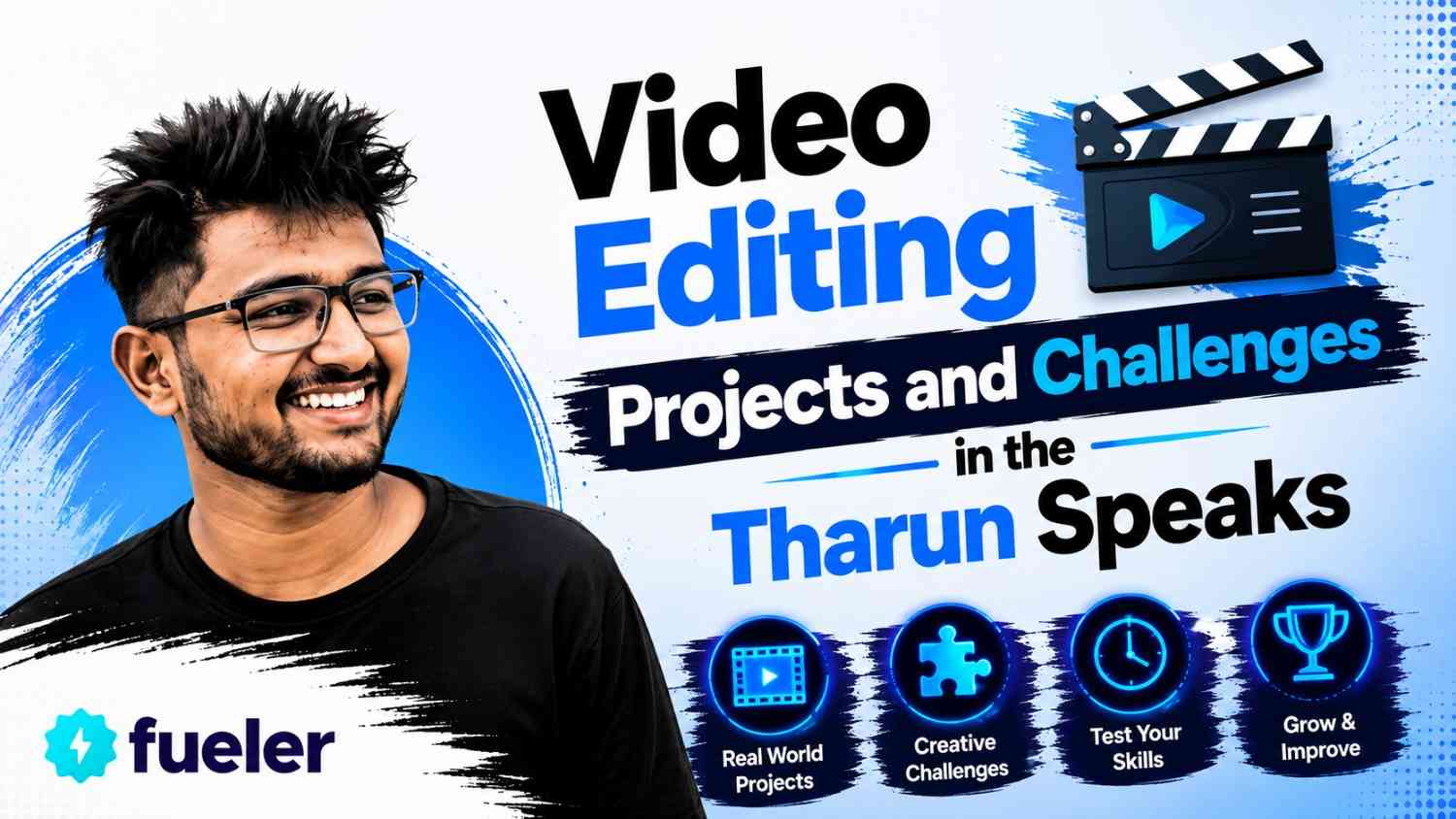
The Tharun Speaks Video Editing Cohort is an intensive online training ecosystem designed around project-based learning and live timeline reviews. Instead of handing you pre-recorded videos to watch passively, it forces you to edit raw, unedited footage provided directly by real creator channels.
Modern video editing is not just about making smooth cuts or applying flashy transitions. In today's digital economy, a video editor acts as a narrative designer, visual strategist, and audience retention manager. Emerging startups, growth-focused agencies, and top digital brands depend on skilled editors to hold viewer attention in a crowded social feed.
Traditional courses fail because they teach software features in isolation. They show you where every button is inside Adobe Premiere Pro or DaVinci Resolve, but they never teach you how to fix a boring narrative or construct a visual hook. The Tharun Speaks Cohort focuses on visual storytelling, sound design, and retention dynamics using actual creator assets.
Key Facts Table
Video Editing Projects and Challenges in the Tharun Speaks Cohort Explained
To truly understand why students build strong practical skills inside this cohort, you have to look directly at the actual assignments, editing challenges, and module structures they complete week after week. The curriculum breaks down the learning journey into logical steps that take you from raw footage to polished, client-ready video projects.
Talking Head and Narrative Pacing Assignments
The first major challenge students face is taking raw, unedited talking-head footage and turning it into a clean, engaging video. Raw camera takes are usually filled with awkward pauses, mispronounced words, and monotonous speech. Beginners often just slice out the silences and call it a day.
In this assignment, students learn to use split edits, specifically J-cuts and L-cuts, where the audio leads or lags behind the video transition. This creates a smooth conversational flow instead of jumpy, distracting cuts. Students also practice text-based editing and automated transcription tools to speed up their rough cuts. The core goal here is learning how to edit for clarity and pacing without sacrificing the natural personality of the speaker.
Short-Form Vertical Content and Visual Hooks
Short-form content across Instagram Reels, YouTube Shorts, and TikTok requires a completely different approach compared to long-form videos. The first three seconds determine whether a viewer stays or swipes away. In this project, students receive raw vertical footage and are challenged to build high-retention short videos.
Students learn to design custom visual hooks, add dynamic captions, use sound effects to emphasize key points, and apply punch-ins to maintain energy. Instead of relying on automatic captions, they style typography manually to match the brand identity of the creator. By analyzing viewer retention curves, students learn when to insert visual pattern interrupts like lower thirds, stock B-roll, or fast-paced cutaways.
Advanced Motion Graphics in Adobe After Effects
Once students master basic timeline cuts, the curriculum shifts into visual enhancement using Adobe After Effects. Many self-taught editors struggle with motion graphics because the software interface feels overwhelming.
This module breaks down kinetic typography, track matte animations, screen mockups, and visual object tracking. Students build realistic lower thirds, paper-fold textures, smooth pop-ups, and custom callouts. Adding custom motion graphics elevates a basic video into a high-value commercial project, allowing editors to charge premium rates when pitching to companies and creators.
Cinematic Sound Design and Audio Layering
Visuals grab immediate attention, but bad audio ruins a video instantly. One of the most detailed sections of the cohort focuses entirely on sound engineering and audio design.
Students work on assignments where they must strip out bad background noise, equalize voiceovers, and balance background music relative to vocal tracks. They learn to build layered soundscapes by combining ambient textures, risers, swooshes, subtle impact hits, and deep bass drops. Timing cuts to the rhythm, and musical beats make the final video feel polished and professional.
Color Correction, Grading, and Visual Cleaning
Raw camera files recorded in flat color profiles look dull and washed out. In the color grading assignments, students learn how to fix exposure issues, match skin tones across multi-camera setups, and apply Look-Up Tables (LUTs) in DaVinci Resolve and Premiere Pro.
Students also tackle technical challenges like green screen keying, background cleaning, and visual object removal using modern AI tools. Learning how to balance skin tones while giving the overall frame a rich, commercial tone helps students move from basic amateur edits to broadcast-quality outputs.
Edit Battles, Community Challenges, and Time Attacks
Beyond regular weekly homework, the cohort hosts live edit battles and timed community challenges for Elite and Ultimate tier members. In these edit battles, all participating students are given the exact same raw asset pack and a strict 24 to 48-hour deadline.
These time-bound challenges mirror real-world client pressure. When working for fast-paced media companies or active creators, you rarely get weeks to edit a single video. Edit battles force students to make quick creative decisions, manage timeline efficiency, and execute clean edits under tight turnaround times. Top-performing edits receive live breakdowns and feedback during community classes.
Project Packaging and Portfolio Creation
The final stage of the cohort transitions from technical execution to business operations. Having great editing skills does not help if your work stays hidden on your local hard drive.
Students learn how to organize project files cleanly, render high-quality master exports, and package their edits into structured proof of work. This is where platforms like Fueler play an important role. Instead of sending clumsy, disorganized Google Drive links, editors organize their projects into dedicated, visual portfolio pages that highlight the problem, their creative process, and the final output. Presenting work this way makes a strong impression on potential clients and hiring managers.
How It Works
The Tharun Speaks Cohort operates on a structured, batch-based timeline that guides students through learning, practice, feedback, and execution.
- Workspace Configuration: You start by setting up Adobe Premiere Pro and After Effects for speed, customizing keyboard shortcuts, and establishing clean folder structures.
- Module Consumption: You watch core studio lectures covering specific storytelling concepts, sound design rules, or motion graphic workflows.
- Asset Package Acquisition: You download raw camera footage, sound effect libraries, and editing presets provided by the cohort team.
- Assignment Execution: You edit the project according to strict client briefs, focusing on narrative pacing, color correction, and sound design.
- Live Mentor Feedback: You submit your draft timeline for review during live classes, where mentors break down your cuts and highlight areas for improvement.
- Iteration and Polishing: You make changes based on mentor feedback to refine your video into a final export.
- Public Proof of Work Publishing: You upload your completed project files and case studies to your Fueler portfolio to build a verifiable track record for prospective clients.
Benefits
Taking part in a structured, cohort-based editing program offers practical advantages over scattered self-learning.
- Structured Learning Path: You follow a clear sequence of 44+ modules instead of wasting time deciding what tutorial to watch next on YouTube.
- Real Creator Footage: You practice on real-world raw files, giving you an accurate understanding of real client assignments.
- Fast Feedback Loops: Live class feedback stops you from repeating mistakes in timing, audio balancing, or visual pacing.
- Asset Libraries Provided: Access to sound effects, motion templates, and overlay packs saves hours of manual sourcing.
- Peer Accountability: Learning alongside an active community of fellow editors pushes you to complete assignments on time.
- Business and Client Outreach Training: You learn how to draft cold emails, negotiate rates, and pitch directly to prospective clients.
Challenges and Limitations
While the cohort offers strong training, it is important to be realistic about its requirements and potential hurdles.
- Hardware Demands: Video editing software like Adobe Premiere Pro and After Effects requires a solid computer setup. Running these heavy applications on an older laptop with minimal RAM will cause frustrating lag and slow renders.
- Heavy Weekly Time Investment: Watching modules is only a small part of the work. Editing footage, testing visual effects, and making revisions requires 10 to 15 hours of focused effort every week.
- Software Subscription Fees: Program tuition covers instruction and mentorship, but you still need to pay for your own software licenses like Adobe Creative Cloud.
- Tier-Restricted Features: High-value benefits like placement support, personal learning managers, and direct private group access are available only in the top pricing tier.
- Outreach Requires Persistence: The course teaches cold outreach frameworks, but landing clients requires sending cold pitches and managing rejections on your own.
Comparison Table
Fees and Pricing Breakdown
Understanding the pricing structure helps you choose an option that aligns with your financial budget and career goals.
- Essential Tier (₹4,999): The entry option includes access to all 44+ studio-quality recorded modules, twice-weekly live classes, and general community access. Ideal for self-motivated editors on a budget.
- Elite Tier (₹6,999): The most popular middle option adds dedicated mentor timeline reviews, weekly social media masterclasses, access to edit battles, and an asset pack valued at ₹5,000.
- Ultimate Tier (₹14,999): Designed for career-focused builders, this top option includes a Personal Learning Manager, access to placement opportunities paying up to ₹30,000/month, asset packs, and direct access to a private group with Tharun.
- Return on Investment (ROI): Landing a single long-form video editing retainer or a few short-form reel projects often covers the entire program cost within your first few months.
Career Opportunities
Completing structured video editing projects opens up multiple career paths across creative, marketing, and media industries.
- Short-Form Content Specialist: Editing high-energy Reels, YouTube Shorts, and TikToks for personal brands, venture-backed startups, and direct-to-consumer businesses.
- YouTube Channel Editor: Handling long-form video pacing, narrative structure, audio balancing, and retention curves for established creators.
- Commercial and Agency Editor: Creating video ads, product promos, and promotional clips for digital marketing agencies.
- Motion Graphics Designer: Building custom kinetic text, graphic overlays, and visual lower thirds for media companies.
- Expected Salary Ranges: Entry-level editors in India typically earn between ₹25,000 and ₹45,000 per month. Experienced editors handling retainers for international clients often earn significantly more based on their portfolio quality.
Who Should Choose This?
- Aspiring editors who want a clear step-by-step path instead of watching scattered YouTube videos.
- Editors who know software tools but struggle to structure engaging visual stories.
- Freelancers looking to improve their sound design, motion graphics, and color grading skills.
- Creative professionals wanting to build a clean portfolio on Fueler to land high-paying clients.
- Editors who thrive in cohort settings with accountability, tight deadlines, and live feedback.
Who Should Avoid This?
- Passive learners who expect to build skills without putting in 10 to 15 hours of weekly editing practice.
- Individuals with old or underpowered computer hardware that cannot run Premiere Pro or After Effects smoothly.
- People expecting guaranteed job offers without putting effort into pitching and public portfolio building.
- Experienced senior editors who already manage steady client retainers and complex post-production pipelines.
Final Thoughts
At Fueler, we see proof of work as the ultimate currency in today's creative economy. Nobody hires a video editor based on a resume bullet point or a college degree. Hiring managers, brand founders, and top YouTube creators care about one primary thing: can you take raw, messy footage and transform it into a video that holds viewer attention?
Programs like the Tharun Speaks Cohort work because they force you to build real projects under practical constraints. By working through narrative pacing challenges, sound design exercises, and fast-paced edit battles, you build real skills. When you package those completed assignments into a structured Fueler portfolio, landing clients shifts from a frustrating guessing game into a predictable process based on visible skill.
Key Takeaways
- Learning video editing requires focusing on storytelling, pacing, and retention rather than just software tools.
- The Tharun Speaks Cohort focuses on practical assignments using real creator footage.
- Assignments cover talking head edits, short-form reels, motion graphics, sound design, and color grading.
- Community edit battles simulate real client pressure and tight turnaround deadlines.
- The cohort offers three distinct pricing tiers (Essential, Elite, Ultimate) to match different budgets and goals.
- Organizing completed projects on Fueler gives you a clean portfolio to show prospective clients.
FAQs
What software is taught in the Tharun Speaks cohort?
The curriculum focuses primarily on Adobe Premiere Pro for video editing, Adobe After Effects for motion graphics, DaVinci Resolve for color grading, and modern AI tools for workflow automation.
Do I need a powerful computer to join this cohort?
Yes, running Adobe Premiere Pro and After Effects requires a capable computer with a decent processor, dedicated graphics, and adequate RAM to avoid constant software crashes.
What is the difference between the Elite and Ultimate tiers?
Elite includes mentor reviews, masterclasses, and asset packs. Ultimate adds a Personal Learning Manager, direct placement opportunities up to ₹30k/month, and direct private group access with Tharun.
How do projects in this cohort help in getting clients?
Assignments use real creator footage, letting you solve actual pacing, audio, and visual retention problems. Publishing these finished edits on your Fueler portfolio gives prospective clients concrete proof of your skills.
Is this course suitable for complete beginners?
Yes, the course begins with workspace setup and fundamental cutting techniques before moving into complex motion graphics, color grading, audio engineering, and client pitching strategies.
Why 100,000+ professionals use Fueler
Fueler helps professionals showcase proof of work through projects, assignments, case studies, and achievements.
- Thousands of professionals use Fueler to create their digital portfolio
- Thousands of projects are published on Fueler. Check here
- Startups and Companies hire through proof of work on Fueler
- Used by freelancers, creators, marketers, video editors, writers, designers, and product managers
Our mission is to help the next 100 million professionals build a verified professional identity through proof of work

What should you do next?
You've read the article. Now turn your skills into proof of work and unlock more opportunities.
Build your proof of work portfolio
Create a clean portfolio with projects, assignments, resumes, and AI stack details that companies actually want to see.
Create your Fueler portfolio →Apply through assignments, not resumes
Stand out by solving real tasks from companies hiring on Fueler.
Explore assignments →Get discovered by companies
Make your work public and let recruiters discover your skills through actual projects instead of keywords.
Get discovered →
