Release v2.0.0 · 26 November 2026
We've rebuilt the Fueler for Brands dashboard from the ground up. It's cleaner and quicker, and it helps you go from a role to the right hire with less effort: AI that drafts your assignment, a review queue that shows what needs your attention, and analytics that show what's working.
Highlights
Draft assignments with AI. Upload a job description or answer a few questions, and get an assignment you can edit and publish.
Review faster. A review queue across your assignments, filters and search, and an optional AI read of each submission.
Know what's working. Analytics with charts, a hiring funnel and where your visitors come from.
Never get stuck on credits. Buy extra assignment credits whenever you need them.
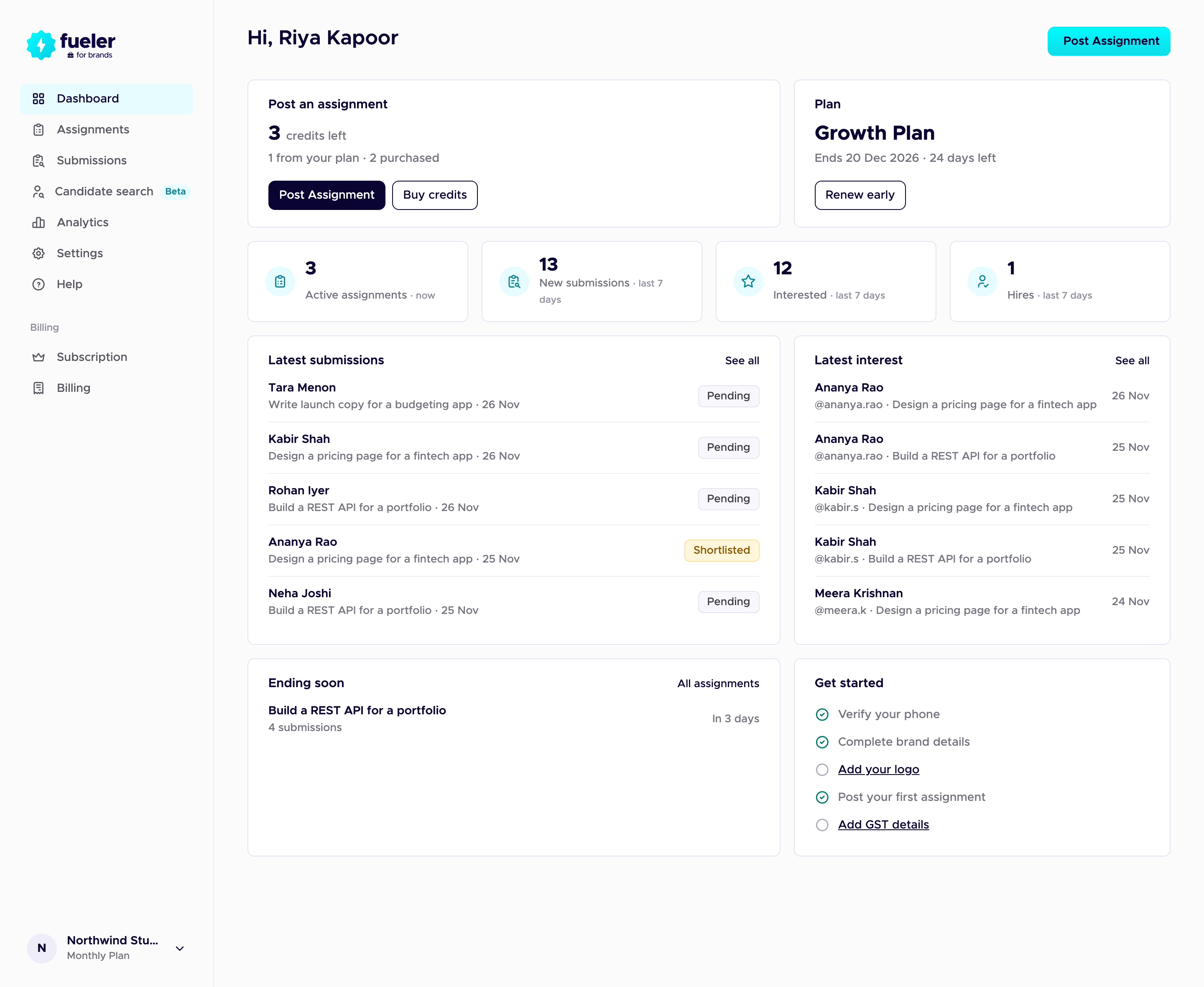
The new Dashboard: credits, plan, the last 7 days, latest submissions and interest.
New
A new Dashboard home
Everything at a glance when you sign in: credits left, your plan, the last 7 days of activity, the latest submissions and people interested, assignments ending soon, and a short checklist to get set up.
Draft assignments with AI
Click Post Assignment and choose how to start:
Upload a job description (PDF or Word), or
Describe the role: who you're hiring, the role type, years of experience, tools and location.
In seconds you get a ready-to-edit assignment with the brief, what to submit and how you'll evaluate it. Review it, change anything you like, then publish. Prefer to write it yourself? That option is still there.
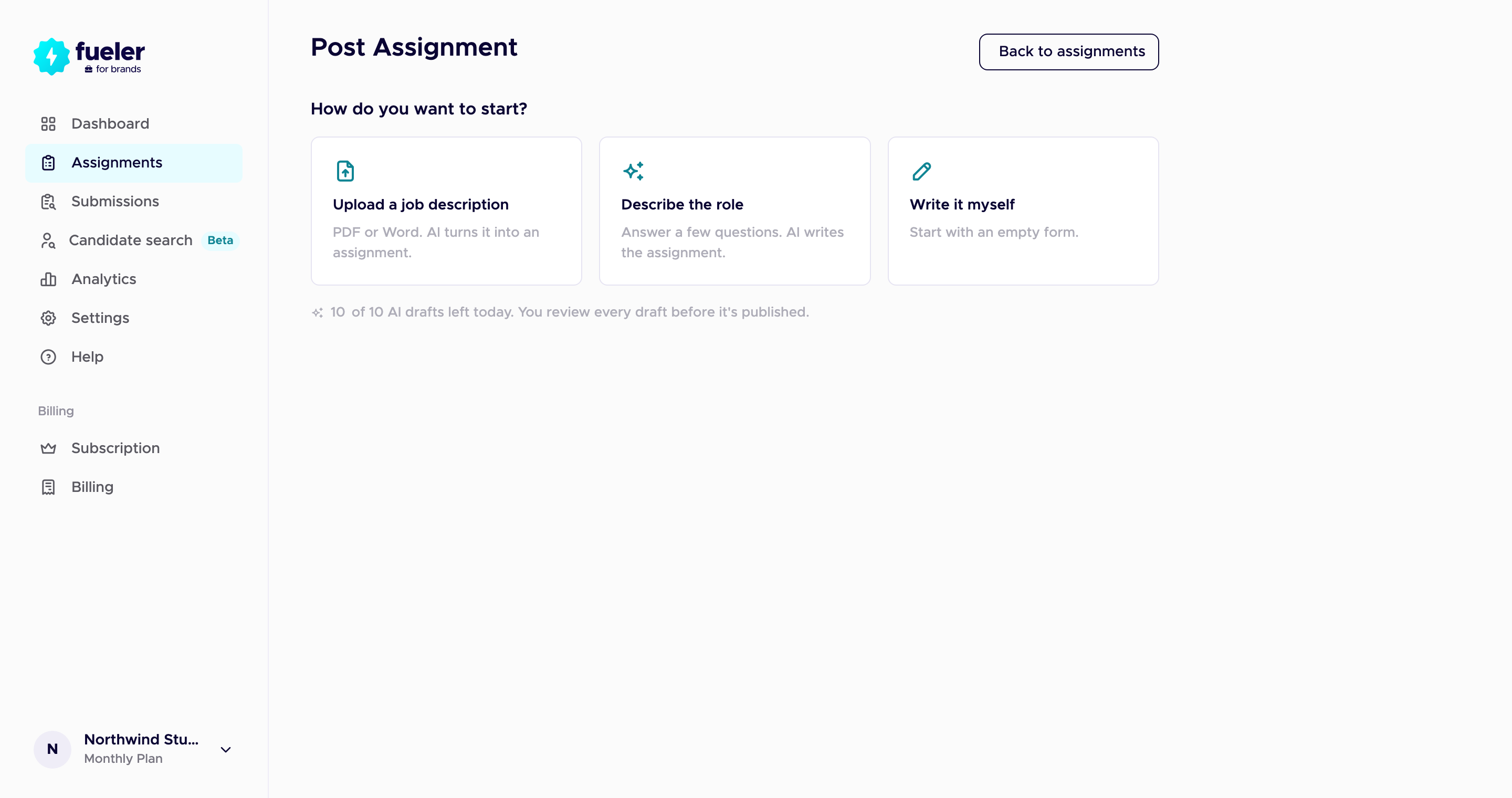
Three ways to start an assignment.
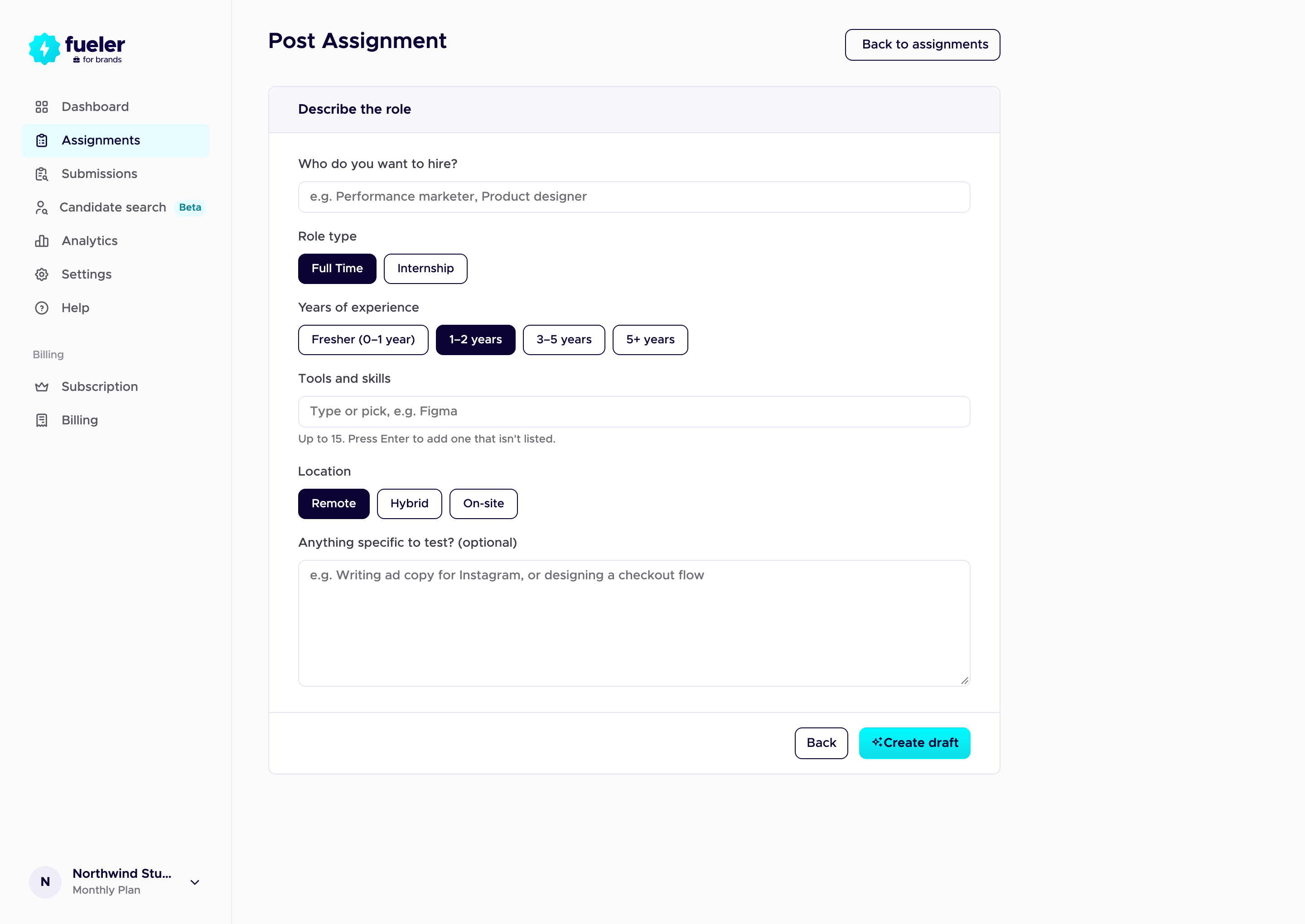
Describe the role, and AI drafts the assignment.
AI review of submissions
On any submission, click Get AI review for a quick read against your brief: a fit score out of 5, strengths, gaps, questions to ask and what to check before deciding. It's a suggestion to help you review faster; you make the decision. The AI only reads the written submission and your brief, and candidates' contact details are never shared with it.
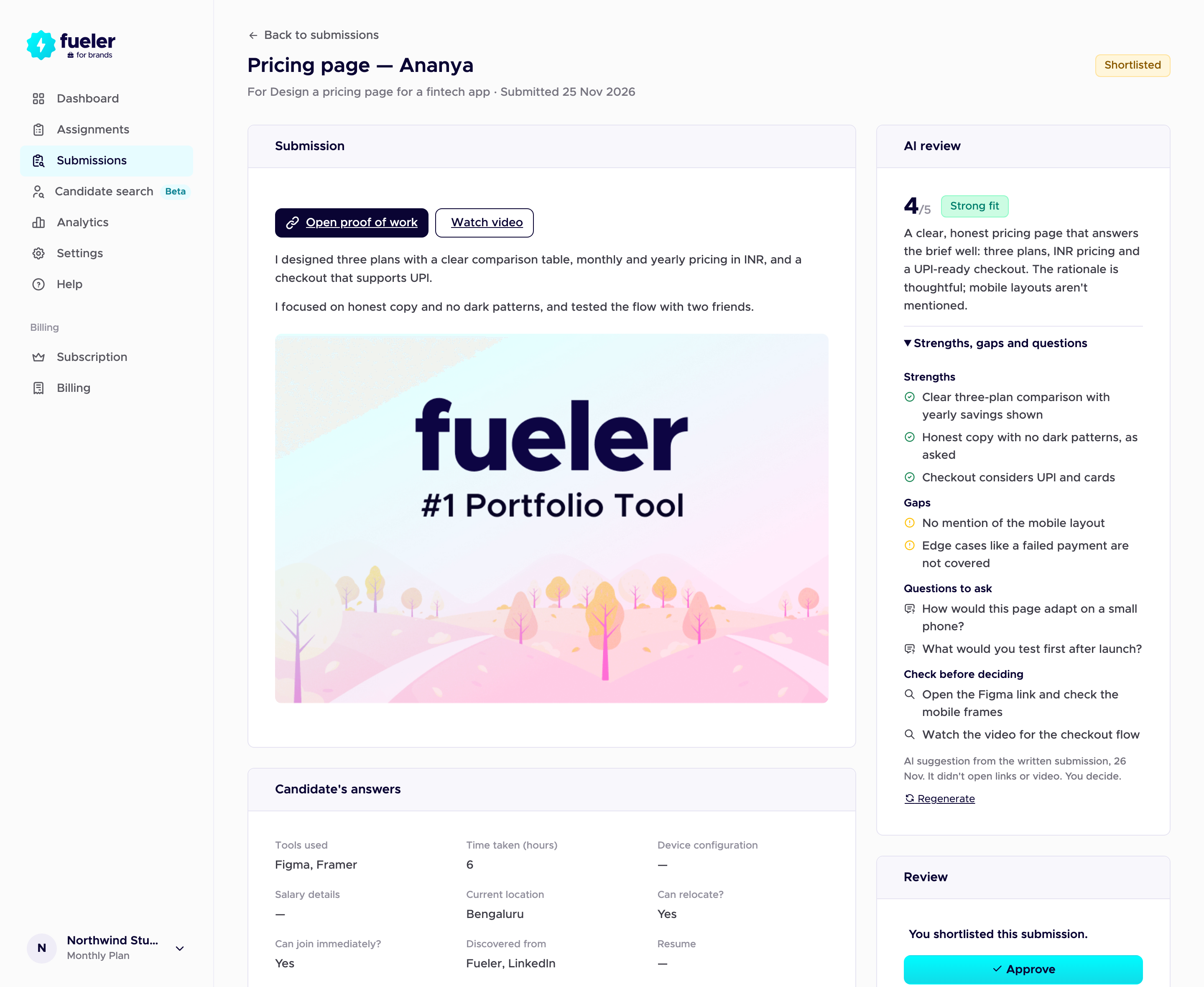
AI review on a submission.
Save assignments as drafts
Not ready to publish? Save an assignment with just a title and finish it later. Drafts aren't visible to candidates and don't use a credit until you publish. You can delete drafts you no longer need.
Buy extra assignment credits
Used up your plan's assignments before it ends? Buy extra credits from the Subscription page (₹499 + GST each) and keep posting, without changing your plan. Your plan's assignments are always used first.
Analytics with charts
See views, interest, submissions and hires for the last 7, 30 or 90 days, compared with the period before. Follow your hiring funnel from views to hires, see your top assignments, and find out where your visitors come from.
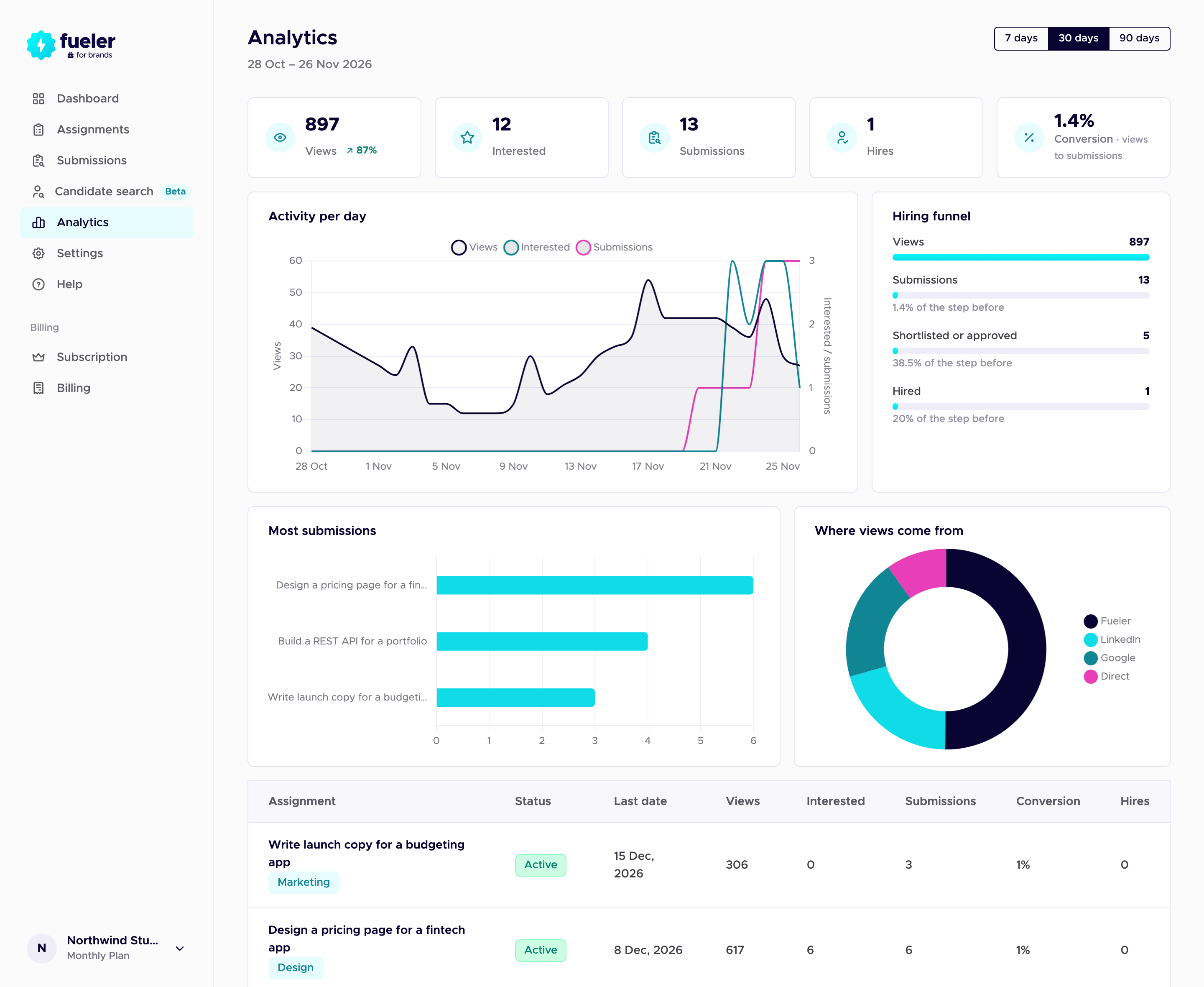
Analytics: totals, activity per day, hiring funnel, top assignments and where views come from.
A review queue for submissions
The Submissions page now shows how many submissions are waiting for review across all your assignments. Click Review next to open the next one you haven't seen yet.
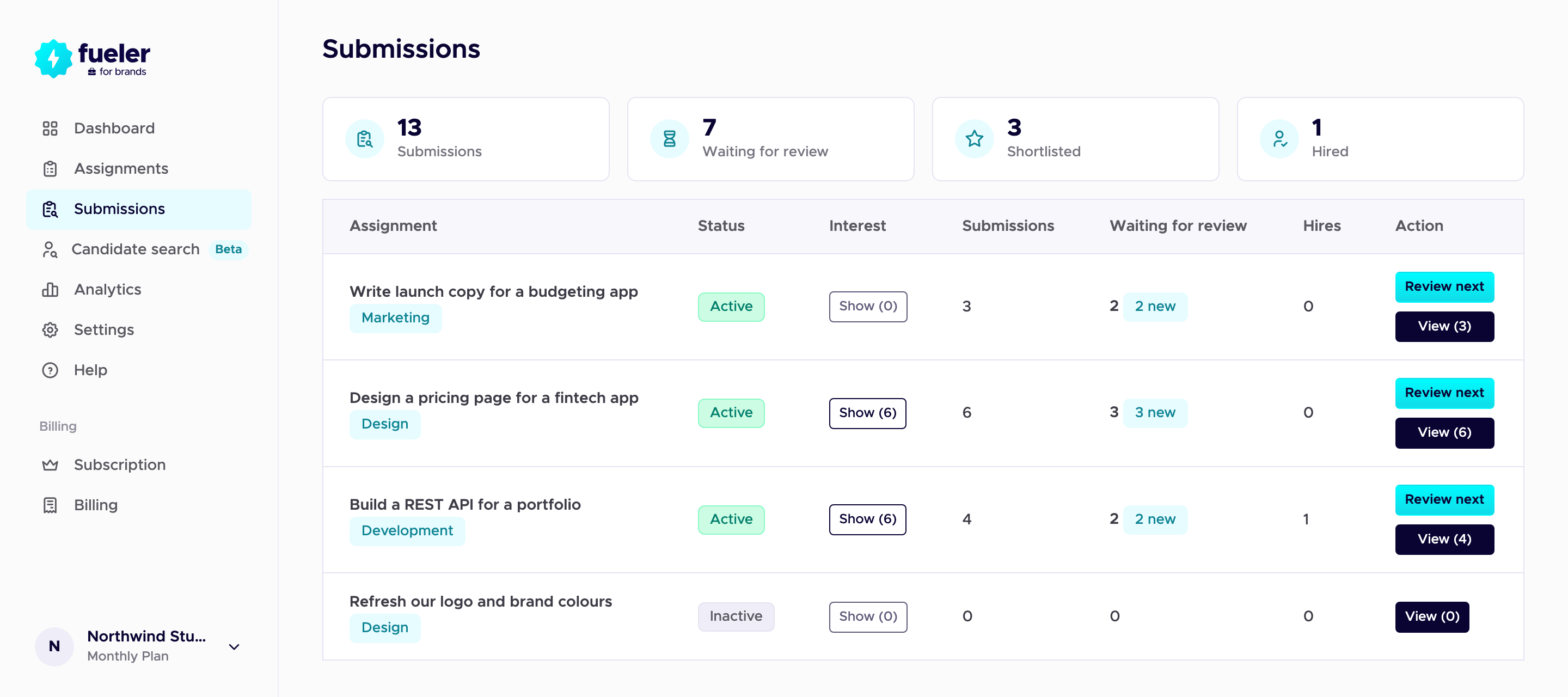
What's waiting for review, with Review next.
See who applied
For each assignment, see where candidates are based, the tools they use, how they found you, and how many can join immediately or relocate.
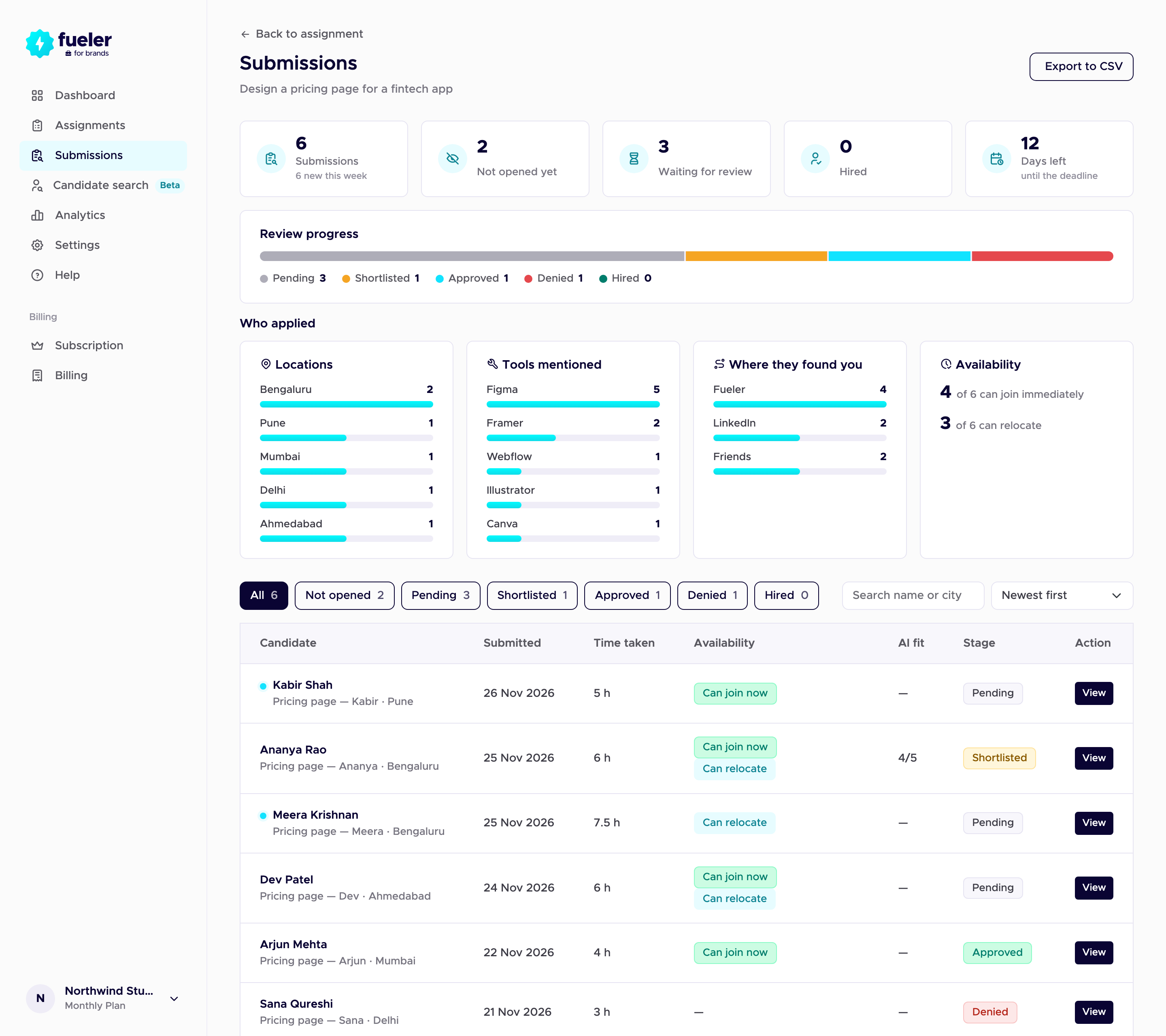
Review progress, who applied, filters and each candidate's details.
A Help page
Reach the Fueler team from Help in the sidebar, by email or WhatsApp. Brands on a plan can also call us.
A richer brand profile
Choose your country and city from a searchable list, and add company details like industry, company size and hiring contact. These extra details are private and only help our team support you.
Improved
A cleaner design. Every page is redesigned, with a full-width layout, a simpler sidebar, readable text and notifications that don't get in the way. It works on your phone too.
Filter, search and sort submissions. Filter by stage or by those you haven't opened, search by name or city, and sort by date, AI fit or time taken. Each row shows the candidate's city, time taken and availability.
Simpler review actions. Approve, shortlist or deny from a tidier review card. After approving, contact the candidate and mark them as hired from the same place.
Renew early without losing days. Renewing or upgrading early now adds to the time you've already paid for.
Clearer invoices and reminders. New invoices show the GST split (CGST + SGST or IGST) and place of supply, and we'll email you before your plan ends.
Fixed
Plans always activate after payment, even if you close the payment window straight away.
Dates show India time everywhere, so deadlines and plan end dates never appear a day off.
The Cancel button that didn't do anything is gone. Plans don't renew automatically; your plan's end date is shown instead, with a way to reach us about refunds.
Security
We've strengthened how we protect your account and payments. Each brand can only ever see its own assignments, submissions and invoices. Prices are always checked on our servers. And page links no longer expose internal numbers.
Good to know
Verify your phone number. On your next visit, we'll ask you to verify your mobile number with a one-time SMS code (Indian numbers). It keeps your account secure and helps our team support your hiring.
New page links. Dashboard pages have new, cleaner links. Your old bookmarks still work.
Yearly plans include 15 assignments per year, as described on the plan. If you're on a yearly plan today, you get up to 15 from now until your renewal date.
What's next
We're working on more ways to review submissions faster. Have an idea or need a hand? Open Help in your dashboard or write to team@fueler.io.
Screenshots show demo data.