8 Simple Ways to Make Flyers That Actually Get You Customers

Riten Debnath
17 Mar, 2026
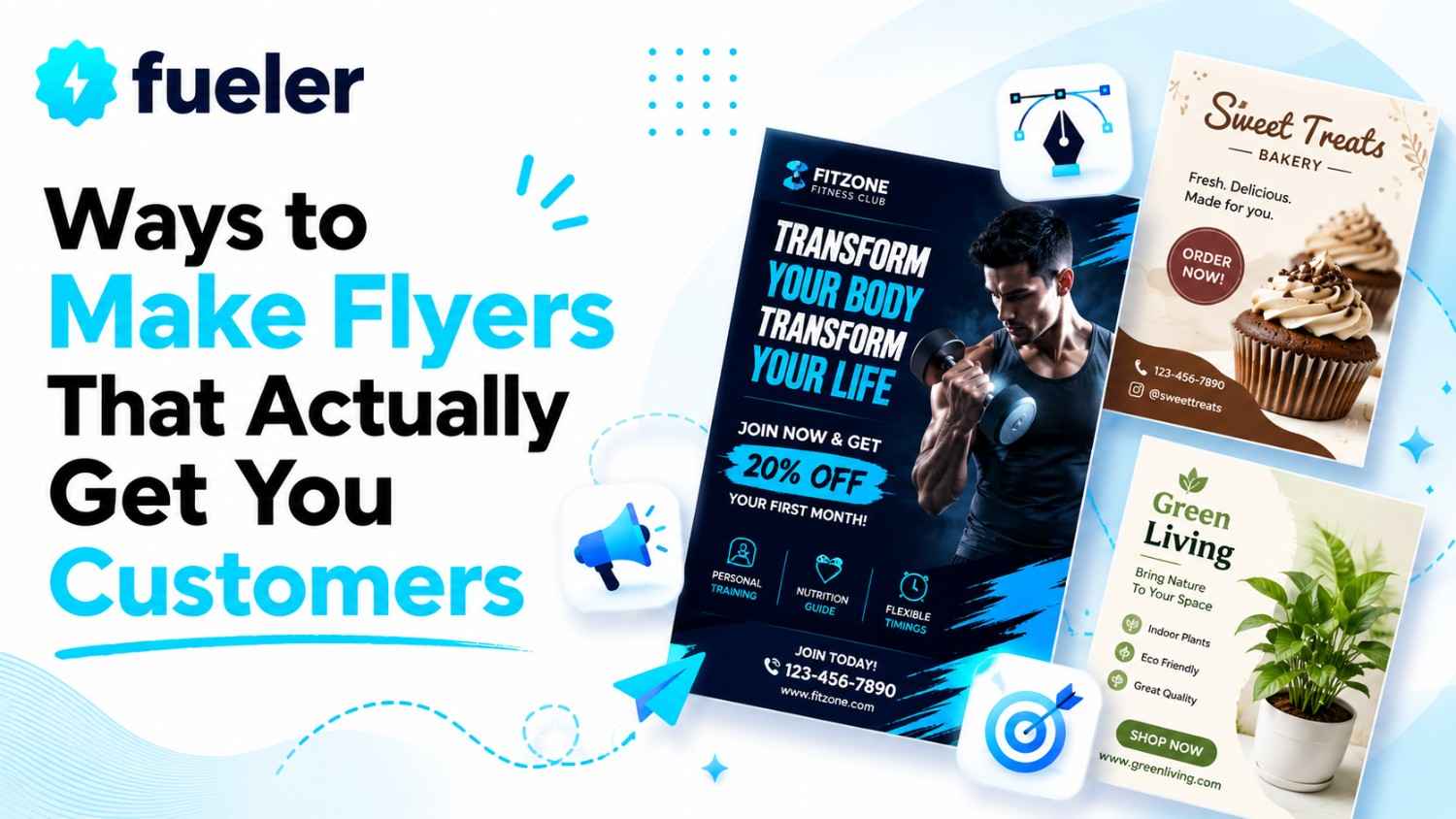
Ever notice how some flyers make you want to sprint into a store, while others just end up as a soggy mess at the bottom of your recycling bin? It is not about having a secret artistic soul or spending years in design school. It is about having a tool that does the heavy lifting for you so you can focus on, you know, actually running your business. Stop stressing over blank pages and let these digital sidekicks turn your rough ideas into something that actually makes people stop and stare.
I’m Riten, founder of Fueler, a skills-first portfolio platform that connects talented individuals with companies through assignments, portfolios, and projects, not just resumes/CVs. Think Dribbble/Behance for work samples + AngelList for hiring infrastructure.
1. Canva
Canva is essentially the "magic wand" of the design world. It makes creating a flyer feel less like hard work and more like playing a fun game on your phone. You don't need to be a tech wizard to drag a box here or change a font there. It is perfect for the business owner who wants a professional result in ten minutes without pulling their hair out.
- You get access to a massive library of over 250,000 ready-to-use templates that cover everything from coffee shop sales to neighborhood pet grooming events, which saves you from the agony of staring at a blank screen, wondering where to even start placing your text or images, because someone else has already done the heavy design lifting for your business needs.
- The drag-and-drop system is so incredibly smooth that you will feel like you have been doing this for years, even if your previous design experience was limited to making bad birthday cards in middle school, and it lets you swap out colors and photos instantly so your flyer looks exactly how you want it to look without any complicated software tutorials.
- It comes with some genuinely impressive built-in AI tools that can help you write catchy headlines, remove those annoying backgrounds from your product photos, or even generate brand-new images from scratch just by you describing what you need, which means you can stop hiring expensive pros and finally take full control of your own marketing materials right from your own desk.
- Because everything is saved in the cloud, you can start designing your big sale flyer on your laptop during your lunch break and then finish up those last-minute tweaks on your phone while waiting in the checkout line at the grocery store, ensuring that you never miss a beat or lose your progress just because you had to step away from your computer.
- The platform allows you to invite your team to hop in and help, so if your business partner has a better eye for colors or your assistant is a genius at writing snappy descriptions, you can all work on the same flyer at the exact same time without the headache of sending files back and forth in confusing email chains that never seem to end.
Pricing: Free version available; Pro plan starts at $12.99 per month.
Why it matters: In a busy American town, your business has about two seconds to grab someone's attention before they walk right past you. Canva gives you the power to make your brand look consistent, clean, and professional across every single flyer you print, which tells your customers that you are a serious business they can trust without costing you an arm and a leg.
2. Adobe Express
Think of Adobe Express as the older, more sophisticated cousin of the design world. It is built by the same experts who make the heavy-duty software the pros use, but they have stripped away all the confusing buttons and hidden menus. It is for the person who wants that "high-end" look but doesn't have the time to learn how to master a complex, professional-grade software suite.
- You get access to a professional-grade collection of thousands of beautiful Adobe Stock photos, which means you will never have to settle for those blurry, low-quality internet images that make your business look like it is stuck in the year 1999, because you can now use high-end photography that catches the eye and makes your services look like a million bucks.
- The platform features incredibly smart one-click buttons that handle the annoying stuff for you, like getting rid of a messy photo background or instantly resizing your flyer so it fits perfectly on your Instagram story or Facebook page, saving you from the headache of doing all that tedious work manually while you are just trying to get your message out.
- You have access to a massive selection of stunning, elegant fonts that are usually reserved for high-end graphic design projects, and these fonts can completely change the personality of your flyer, making your business feel either bold and exciting or calm and trustworthy depending on which style you pick for your specific local promotion or community event announcement.
- The seamless integration with other Adobe creative tools means that if your business grows and you eventually want to step up your game even further, you are already using a platform that understands your workflow, so you can easily carry over your brand assets and style choices without having to start everything over from scratch or learn a totally different system.
- It includes a very clever generative AI feature that actually lets you create custom visuals just by typing in a simple sentence about what you want to see, which is honestly a game-changer if you have a specific idea in your head but can't find the right photo to match it, giving you total creative freedom to build something truly unique.
Pricing: Free basic version; Premium plan is $9.99 per month.
Why it matters: When you are fighting for space on a crowded community bulletin board, the "look" of your flyer is everything. Adobe Express provides that extra polish and professional styling that makes your business stand out from the crowd, ensuring that your customers see you as a top-tier local provider rather than just another amateur just starting out.
3. VistaCreate
If you want your flyers to do more than just sit there looking pretty, you need to check out VistaCreate. It is designed for people who understand that in today’s world, a little bit of movement goes a long way. It is super easy to use, and it is perfect for when you want your marketing to feel a bit more alive and modern than a static piece of paper.
- You get to use a huge collection of animated templates and fun video elements that are designed to make your digital flyers pop, which is perfect for grabbing people's attention as they scroll through their phones, because nothing stops a thumb in its tracks quite like a little bit of motion and some catchy, well-timed visual effects on your promotional content.
- The "Brand Kit" feature is a total lifesaver because it lets you save your specific logo, fonts, and colors in one place, so you never have to guess which shade of blue or which specific font you used last time, keeping your business look exactly the same across every single flyer or social media post you decide to create for your customers.
- There are thousands of unique stickers and graphic objects available that you simply will not find on other platforms, giving your flyers a fresh and creative personality that helps your brand feel more human, relatable, and approachable to your local customers rather than like some big, cold, and nameless corporate entity that doesn't really care about their neighborhood.
- The background removal tool works surprisingly well on complicated images, meaning you can take a photo of your own store, your team, or your product, and pull it into your design without leaving behind a weird, boxy edge that makes your flyer look like it was cut out with rusty kitchen scissors, which keeps everything looking crisp and professional.
- You can easily switch your design between a standard print format for flyers and a digital format for social media in just a few clicks, meaning you can make one main design and then quickly adjust it to fit everywhere else without having to spend an hour rebuilding your layout just because the size requirements are slightly different on your phone.
Pricing: Free Starter plan; Pro plan starts at $10.00 per month.
Why it matters: Modern customers are used to seeing dynamic, moving content everywhere they look. VistaCreate allows your small business to bridge the gap between old-school paper flyers and the high-energy digital world, making sure your brand feels current and exciting, which helps you reach a wider audience that might spend more time on their phones than looking at paper.
4. Piktochart
Let’s be honest, nobody likes reading a giant wall of boring text. Piktochart is the perfect tool if you are trying to explain something a bit more complex, like why your service is the best or how your pricing packages work. It is all about making information look easy to understand and nice to look at, which is exactly what you need to build trust with new local customers.
- It features incredibly smart widgets that turn all those boring, messy lists of numbers into beautiful, easy-to-read charts and maps, which is a massive help when you need to show your customers exactly how much they can save or how your service is better than the competition without them having to read through a confusing and long explanation.
- The layout guides are designed to be "foolproof," meaning they automatically help you align your text and images so that your design doesn't end up looking like a cluttered mess, ensuring that the most important information on your flyer is actually the first thing your customers notice when they glance at your promotion for the very first time.
- It comes with a ton of drag-and-drop templates that are focused on making information clear, so you don't have to worry about where to put your text or how to organize your layout because the templates are already built to make sure your reader follows a logical path from the headline right down to your contact information at the bottom.
- You get high-quality PDF export options that ensure your flyer looks just as sharp and clean at your local print shop as it does on your computer screen, which is super important because nothing looks worse than a pixelated, blurry print job that makes your business look like it doesn't really care about the quality of its marketing materials.
- The brand customization tools are very easy to use, so you can make sure your logo, your chosen colors, and your own images are always the star of the show, which helps build that important sense of familiarity and trust with your local audience every single time they see one of your flyers hanging up in their favorite coffee shop.
Pricing: Free plan available; Pro plan starts at $14.00 per user per month.
Why it matters: In the U.S., people are busy and they are skeptical of businesses that look disorganized or vague. Piktochart helps you turn your business stats, packages, or "about us" info into something that looks logical and professional, proving to your neighbors that you are a reliable expert who knows exactly what you are doing, which makes them much more comfortable hiring you.
5. PosterMyWall
If your business is all about hosting events, like a local concert, a big seasonal party, or a massive grand opening, PosterMyWall is your new best friend. It is not trying to be a fancy art gallery tool; it is here to help you make noise and get people excited. It has a library of templates that is so big, you will probably never run out of ideas.
- This tool is built specifically for event flyers, menus, and high-impact promotions, so you don't have to waste time filtering through designs that don't make sense for your business, because everything you see here is designed with the goal of catching eyes and getting people to show up to your shop or your next big community event on time.
- They have a really cool direct print-ordering integration which means you can design your flyer and then hit a button to have those finished flyers delivered straight to your front door, saving you the annoying hassle of driving to the store, buying paper, and figuring out why your printer is suddenly deciding to stop working right at the last minute.
- You get access to a massive selection of niche templates that cover almost every type of local business you can imagine, meaning whether you are a bakery, a gym, or a local repair shop, you can find something that fits your style perfectly without having to spend hours trying to make a generic design feel like your own business brand.
- There are super-easy tools included that let you create social media versions of your flyer in seconds, so you can take that same design you printed for the local bulletin board and instantly share it on Instagram or Facebook to reach even more people without having to do any extra design work or extra planning at all.
- It features helpful AI-powered tools that can assist you in adding subtitles or changing the text on your designs while you are working, which is a fantastic time-saver if you are doing a last-minute flyer update for a sale or an event change and you need to get the new information out into the community as fast as humanly possible.
Pricing: Free to use; Premium plans start at $9.99 per month.
Why it matters: Your business often relies on that big crowd showing up to your store for a grand opening or a special sale. PosterMyWall focuses on the loud, exciting design style that actually pulls people in, ensuring your event announcements are not just seen by a few people, but are actually catchy enough to make people clear their busy schedules just to visit your store.
6. Visme
Visme is for the business owner who feels like they have finally outgrown the basic, "one-size-fits-all" tools, but isn't quite ready to go back to school to get a degree in graphic design. It is professional, it is powerful, and it feels a lot less like a toy and more like a tool for serious business communication. If you want a flyer that looks boardroom-ready, start here.
- You get access to advanced data visualization tools that go way beyond simple charts, which is great if you want to show off your business success or explain your services in a way that looks very high-end, clean, and impressive to potential clients who are looking for someone who takes their own work as seriously as they take their business success.
- It gives you the unique ability to create interactive, clickable flyers that you can send out in your email newsletters, allowing your customers to actually click on links to your store or booking page right from the flyer itself, which is a much more modern and helpful experience than just sending out a static, boring old document to your mailing list.
- The library of professional icons and shapes is very large and looks extremely polished, so you can add little details to your flyers that make them look like they came from a big marketing agency, helping your business maintain that sophisticated and high-quality appearance that stands out against all the other amateur flyers that everyone else is posting around town.
- The "Brand Wizard" tool is a massive time-saver because it automatically applies your specific brand style to any layout you choose, meaning you don't have to manually change every single font or color every time you want to make a new flyer, because the tool already knows exactly what your brand is supposed to look like and it does it for you.
- It has very solid support for creating multi-page documents and complex layouts, which is perfect if you have a lot of information to share or you want to create a small brochure or a flyer that has a front and back, giving you all the room you need to really tell your full business story without things getting messy.
Pricing: Free plan available; Starter plan is $12.25 per month.
Why it matters: If you are a U.S. business targeting a professional or corporate audience, an amateur-looking design can actually hurt your reputation. Visme offers the high-end, sophisticated look you need to win over clients who value polish and detail, helping you look like a firmly established local company, even if your entire team is just you working from a home office.
7. Desygner
Let’s be real, most small business owners are never actually sitting at a desk. You are on the floor, in the warehouse, or on the road. Desygner is the best tool for the mobile warrior because it is built to be just as powerful on your phone as it is on your computer. You can literally design your entire marketing campaign while standing in line for your morning coffee.
- You get a full-featured design app that doesn't sacrifice any real power just to make it fit on a smaller phone screen, which is honestly a superpower for business owners who have zero time to waste and need to get things done wherever they happen to be, instead of waiting until they get home to start their marketing work for the day.
- The massive template library syncs perfectly between your phone and your computer, meaning you can start a flyer design while you are waiting at the doctor's office on your phone and then finish it up later on your big monitor in the office without having to worry about where your files went or if your changes were saved correctly.
- It has the ability to import and edit actual PDF files, which is a very rare and helpful feature that lets you grab an old flyer you liked from last year and change the dates or prices in seconds, saving you the massive headache of having to recreate the whole thing just because you lost your original source file from months ago.
- Sharing to your social media channels is built right into the mobile interface, so once you have finished your design, you can immediately post it to your business page without having to export it, save it, email it to yourself, and then upload it again, which keeps your workflow moving fast and helps you react to trends in real-time.
- You get simple, powerful photo editing tools that allow you to do quick touch-ups on your own business photos before you add them to your flyer, meaning you can fix the brightness or crop a picture of your store right in the app, so your flyer looks clean and professional even if your original photo wasn't perfectly lit when you took it.
Pricing: Free plan available; Pro plan starts at $7.50 per month.
Why it matters: Being a business owner in the U.S. means you have to be fast. You cannot afford to wait until you are back at a desk to take advantage of a marketing opportunity like a sudden local festival or a flash sale. Desygner keeps your business agile and ready to post, ensuring your brand stays active and visible even when you are on the go.
8. Snappa
If you see a complex design menu and immediately feel like you need a nap, Snappa is your dream come true. It is built on one very simple goal: speed. It ignores all the extra, confusing, and unnecessary bells and whistles, focusing entirely on letting you pick a template, swap your info, and save your file before your coffee even cools down. It is totally refreshing.
- It has, without a doubt, the simplest interface on the entire market for people who just absolutely hate complicated design software, meaning you don't have to learn anything new, you don't have to watch three-hour tutorials, and you can just jump in and have a great-looking flyer ready for your business in literally under five minutes of work.
- The library of templates is carefully curated by pros, meaning every single option you see is already designed to look good, so you don't have to waste time tweaking things to make them look nice because the designers have already done the hard part of choosing the right colors, fonts, and layouts for you to just use today.
- The smart resize feature is a total dream because it instantly turns your flyer into a perfect Facebook post or Instagram picture in one click, meaning you don't have to spend your precious time recreating your designs for different social media sites, allowing you to get your message out on every single platform without any extra effort at all.
- You get direct access to a clean, high-resolution photo library that is totally free of all the junk images you usually find on other sites, which helps keep your flyers looking very high-quality and professional without you having to spend any extra money or time searching the web for a decent picture to use for your next local business promotion.
- The exporting process is incredibly straightforward and doesn't hide any confusing settings from you, meaning once you have your design ready to go, you can just download it in the format you need and head straight to the printer, keeping your day simple and making sure you get your marketing materials out the door without any unnecessary technical stress.
Pricing: Free version available; Pro plan is $15.00 per month.
Why it matters: Sometimes, "good enough and done" is much better than "perfect and never finished." Snappa is the ultimate tool for the busy U.S. business owner who needs to get a flyer out right this second to announce a sale or an update, ensuring you never miss a marketing beat and keeping your business operations running smoothly without costing you hours of your time.
Show Off Your Talent with Fueler
Even the most beautiful flyer is just a piece of paper if it doesn't actually lead to real results. If you are a professional trying to prove to businesses how you can help them grow, you need a way to show off your work. Fueler lets you build a living portfolio of your projects, assignments, and work samples. Instead of just telling clients you are a great creator, you can show them exactly what you have built, making it so much easier to land that big project.
Final Thoughts
Making professional marketing materials for your business doesn't have to be a nightmare that drains your bank account. Whether you need the lightning-fast speed of Snappa, the data-handling smarts of Piktochart, or the all-around power of Canva, there is a tool here that fits your life perfectly. Pick one, start playing around with the templates, and remember that keeping your brand consistent is your best friend. Get your flyers out there, see what works, and keep growing your business one smart design at a time.
Frequently Asked Questions
1. What is the best free flyer maker for someone who has never done design before in 2026?
Canva is hands-down the best choice because it has a huge library of templates and an interface that is so easy to use that even a total beginner can make something that looks like it was designed by a pro in just a few minutes of playing around.
2. Is it actually possible to use AI to make marketing flyers for my business?
Yes, it is definitely possible. Many of the tools listed above, like Canva, Adobe Express, and even some newer apps, have AI features built right in that can help you write your text, remove backgrounds from photos, or generate unique images from just a simple written description.
3. Do I really need to have fancy design skills to make a professional-looking flyer?
Absolutely not. You do not need to be an artist. All these tools use professionally made templates that you can customize with your own text and photos, so you can look like a total expert without ever needing to understand complex design theories or software.
4. Is it better to use a template or should I try to design a flyer from scratch?
For most small business owners, using a pre-made template is almost always the smarter choice. Templates are created by people who actually understand design, which means they are already laid out perfectly to grab attention and get your point across clearly, saving you a massive amount of time.
5. How can I make my flyers stand out from all the other ones at the grocery store?
Focus on using one very strong, high-quality image, a headline that is short and very easy to read, and a clear call to action like "Call us today!" or "Come visit our store for 10% off!" Consistency in your colors and fonts across every single flyer will make your business look much more professional and trustworthy to everyone in town.
What is Fueler Portfolio?
Fueler is a career portfolio platform that helps companies find the best talent for their organization based on their proof of work. You can create your portfolio on Fueler. Thousands of freelancers around the world use Fueler to create their professional-looking portfolios and become financially independent. Discover inspiration for your portfolio
Sign up for free on Fueler or get in touch to learn more.

What should you do next?
You've read the article. Now turn your skills into proof of work and unlock more opportunities.
Build your proof of work portfolio
Create a clean portfolio with projects, assignments, resumes, and AI stack details that companies actually want to see.
Create your Fueler portfolio →Apply through assignments, not resumes
Stand out by solving real tasks from companies hiring on Fueler.
Explore assignments →Get discovered by companies
Make your work public and let recruiters discover your skills through actual projects instead of keywords.
Get discovered →
