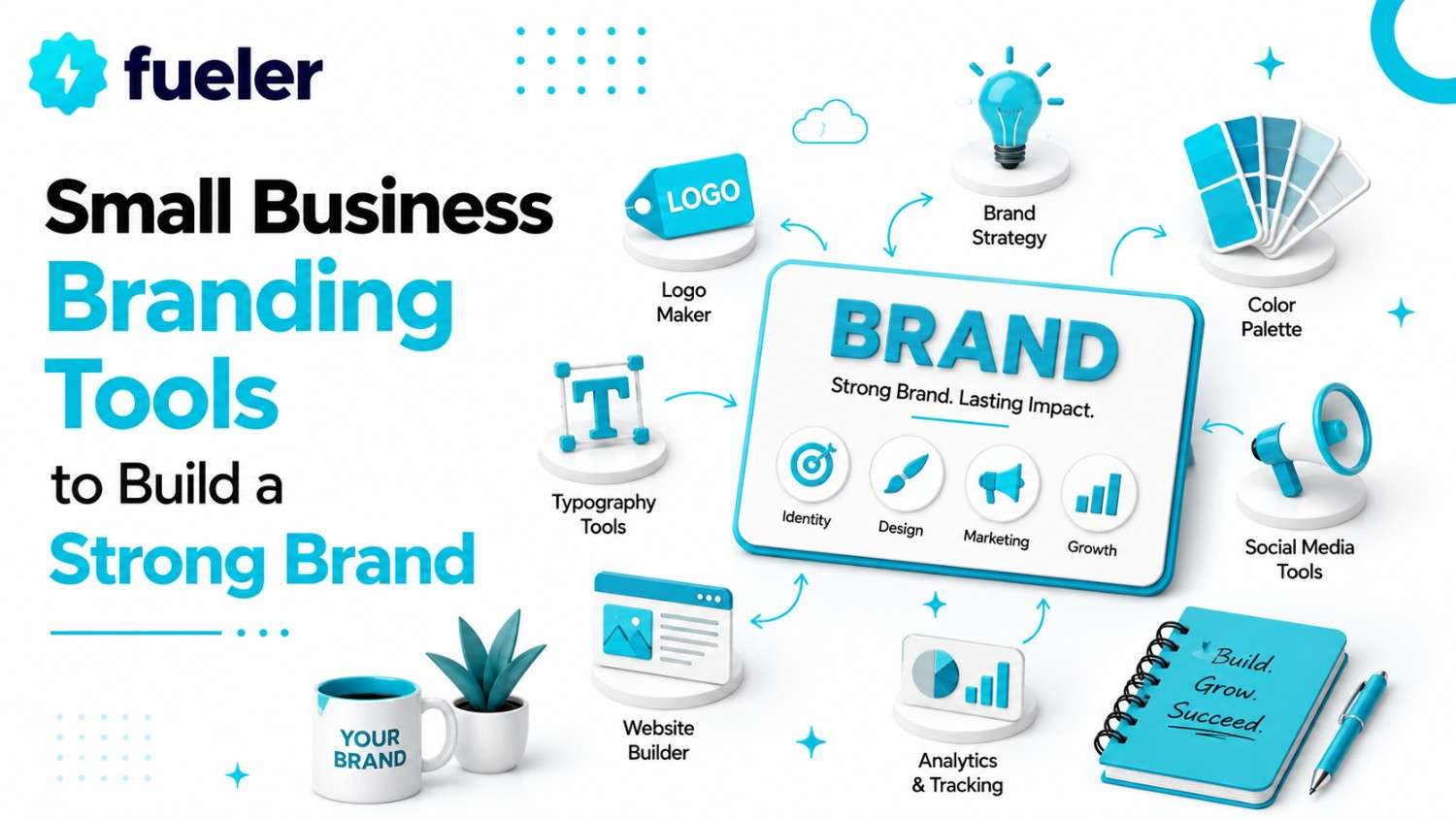
8 Small Business Branding Tools to Build a Strong Brand

Riten Debnath
09 Mar, 2026
In today’s digital world, your brand is the face of your business. It is not just about a fancy logo; it is about how customers feel when they interact with your services. Whether you are a solopreneur or running a small team, a consistent brand builds trust and helps you stand out in a crowded market. Many small business owners believe branding is expensive, but with the right digital tools, you can create a professional look without a massive budget. Building a powerful brand identity is no longer reserved for large corporations with deep pockets.
I’m Riten, founder of Fueler, a skills-first portfolio platform that connects talented individuals with companies through assignments, portfolios, and projects, not just resumes/CVs. Think Dribbble/Behance for work samples + AngelList for hiring infrastructure.
1. Canva
Canva has basically saved every small business owner from the embarrassment of using clip art in 2026. It is an incredibly friendly design tool that lets you drag and drop your way to professional graphics. Whether you need a logo, an Instagram story that does not look like a toddler made it, or a polished presentation for a client, Canva has your back. It is so easy that you might actually start enjoying the process instead of dreading it.
- Massive Library of Professional Templates: Canva offers an endless supply of high-quality templates that look like a professional designer spent dozens of hours perfecting them. These templates cover everything from social media posts and flyers to business cards and full-length presentations, ensuring that you never have to start from a blank page or worry about your design lacking that polished, expert aesthetic that attracts customers.
- The Brand Kit Feature for Consistency: The Brand Kit is a total lifesaver that allows you to store your specific brand colors, logo files, and preferred fonts in one easy place. By having these assets ready to go, you ensure that every single graphic you create follows the exact same visual language, which is essential for building a recognizable brand that feels unified across all platforms.
- Magic Background Removal Technology: One of the most annoying parts of design is cutting out backgrounds from images, but Canva makes this a one-click process. This AI-powered feature allows you to instantly isolate subjects, making it incredibly easy to create professional product images or headshots for your website and marketing materials without needing to pay for expensive, complicated software or hiring a professional retoucher.
- Built-in Stock Content Resources: You no longer need to scour the internet for hours to find decent images, as Canva includes a massive library of high-resolution stock photos, videos, and graphic elements right inside the editor. This saves you so much time and prevents you from having to settle for cheesy, blurry, or low-quality images that could accidentally make your brand look cheap or unprofessional.
- Seamless Team Collaboration Features: If you work with a partner or a freelancer, you will love how easy it is to share designs and collaborate in real-time. You can leave comments, assign tasks, and make sure that everyone on your team is on the same page with the current branding, preventing those frustrating design mishaps where different people are using completely different logo versions or brand colors.
Pricing
- Free: $0 per month.
- Pro: $15 per month or $120 per year.
- Teams: $20 per user/month or $200 per user/year.
Why it matters
Your brand needs to look like it belongs in the big leagues, even if you are working from your kitchen table. When your social posts and documents share the same visual style, people start to recognize you instantly. It turns your business from a random name into a recognizable identity. Plus, let us be honest, nobody trusts a brand that looks like it was designed in the dark ages. Canva makes you look like you have a full-time design team on payroll, which is a massive win for your reputation and your wallet.
2. Brandmark.io
If the thought of opening a blank design canvas makes you want to crawl under your desk, Brandmark.io is your new best friend. It uses AI to generate logo concepts based on your business name and vibe. It does not just spit out a single image, it gives you a whole branding suite, so your business card, social media profile, and website all look like they came from the same family. It is fast, painless, and keeps you from having an existential crisis over color schemes.
- Instant AI-Powered Logo Generation: Instead of spending weeks trying to articulate your vision to a designer, this tool uses smart algorithms to create dozens of logo concepts in seconds. You simply enter your business name and a few keywords, and the AI presents you with modern, relevant options that are designed to fit your industry, saving you from the stress of starting from scratch.
- Comprehensive Brand Identity Systems: You get much more than just a logo; the tool provides a full suite of brand assets including matching color schemes and typography pairings that work perfectly together. This ensures that every piece of your branding, from your website to your email signature, feels like a cohesive unit, which helps build trust with potential customers who appreciate a well-thought-out brand.
- Social Media Asset Automation: One of the biggest headaches is resizing your logo for different platforms like LinkedIn, Instagram, and Twitter. Brandmark.io automates this process by generating all the necessary file sizes for you, meaning you don't have to waste your time manually cropping images or guessing if your logo will look good on a tiny profile picture or a large banner image.
- High-Resolution Vector File Exports: All your final assets are available in high-resolution, professional-grade vector formats, which means you can print them on anything from business cards to massive store signs without losing any quality. This level of technical professionalism ensures that your brand looks crisp, sharp, and legitimate no matter where it is displayed, whether that is on a tiny screen or a huge billboard.
- Unlimited Revisions for Perfection: The platform allows you to keep tweaking and playing with your designs until you are absolutely satisfied with the final result. You are not locked into a single choice; you have the flexibility to adjust the colors, layouts, and font styles as you refine your brand identity, ensuring the final logo feels exactly like the vision you had in your head.
Pricing
- Basic: $35 one-time fee.
- Designer: $95 one-time fee.
- Enterprise: $195 one-time fee.
Why it matters
Your logo is the first thing people see. If it looks unprofessional, people might assume your service is the same. Brandmark gives you a polished, cohesive look in minutes, which is vital when you are just starting out. Instead of spending thousands of dollars on a branding agency or wasting days trying to draw a circle in a complex design program, you get a solid, recognizable look immediately. It saves you time, frustration, and enough money to spend on things that actually make you sales.
3. Carrd
Building a website used to be like trying to perform surgeryyou needed technical skills, patience, and a lot of caffeine. Carrd changed that by letting you build clean, responsive, one-page websites in a snap. It is perfect for landing pages, personal profiles, or simple business sites. You get a professional web presence without needing to hire a developer who speaks in code you do not understand. It is simple, effective, and incredibly fast.
- User-Friendly Drag-and-Drop Builder: The interface is specifically designed for people who do not want to deal with complex coding or confusing website builders. You can easily drag elements like text boxes, images, and buttons onto your page exactly where you want them, giving you complete control over your site's layout without needing to understand how the underlying technology actually works or having to troubleshoot broken code.
- Modern and Highly Responsive Templates: Carrd offers a wide variety of beautifully designed templates that automatically adjust to look perfect on both mobile phones and desktop computers. In a world where most people will visit your site on their phones, having a layout that does not break or look messy is essential for keeping visitors interested and proving that your brand is modern and tech-savvy.
- Seamless Third-Party Integrations: You can easily connect your site to popular tools you likely already use, such as email marketing services to collect leads or payment gateways to accept money. This turns your simple one-page site into a fully functional business machine, allowing you to capture customer information and process sales directly from your page without needing to build an entire complex e-commerce store from scratch.
- Reliable Free Hosting Included: One of the best things about Carrd is that it takes care of all the technical headaches of finding a separate hosting provider. Your site lives on their secure, fast servers automatically, which means you don't have to pay extra money or spend your time setting up servers, domain connections, or worrying about your site going offline due to technical glitches.
- Clean and Minimalist Aesthetic: The platform is built around the idea that less is more, which is perfect for small businesses that just need to convey their message clearly. By forcing you to keep things simple, it prevents you from cluttering your page with unnecessary junk, ensuring that your customers see exactly what you do and have a clear call to action the moment they land on your site.
Pricing
- Free: $0 for up to 3 sites.
- Pro Lite: $9 per year.
- Pro Standard: $19 per year.
- Pro Plus: $49 per year.
Why it matters
In this day and age, if you are not online, you basically do not exist to your customers. A professional, snappy website shows that you are a real, legit business. Carrd helps you get that crucial web presence up in an afternoon, making it easier for customers to find you and understand what you do. It provides the landing spot your social media traffic needs, turning curious followers into actual leads without the nightmare of setting up a complex, multi-page site.
4. Buffer
If you treat social media like a live performance where you have to be present for every single post, you are going to burn out before you sell your first product. Buffer is the secret weapon for anyone who wants to have a presence on multiple platforms without living on their phone. It lets you write your posts in batches, schedule them for the best times, and walk away. It is essentially a time machine for your content.
- Intuitive Multi-Platform Scheduling: You can write and schedule your content for LinkedIn, Instagram, Facebook, and more all from one single dashboard. This eliminates the need to jump between different apps and manually post content throughout your day, allowing you to spend your time actually running your business instead of constantly worrying about when your next post needs to go live on each platform.
- Best-Time-to-Post Recommendations: The tool analyzes when your specific followers are most active and suggests the best times to post for maximum engagement. This is a game-changer because it takes the guesswork out of social media, ensuring that your hard-earned content actually reaches your audience rather than being buried in their feeds at three in the morning when nobody is even awake to see it.
- Detailed Analytics and Performance Insights: Buffer provides simple, easy-to-read reports on how your posts are performing, so you can see what is working and what is falling flat. You do not need to be a data scientist to understand these metrics; it clearly highlights your top-performing content, allowing you to double down on what people like and ignore the strategies that are clearly not moving the needle for you.
- Efficient Content Batching Capabilities: Because the tool makes scheduling so simple, you can sit down once a week, write all your posts, and schedule them to go out automatically. This batching workflow is the ultimate productivity hack for small business owners, as it frees you from the constant interruption of needing to find a photo and write a caption every single day of the week.
- Visual Planner for Cohesive Grids: For platforms like Instagram, visual consistency is everything, and Buffer includes a planning feature that lets you see exactly how your grid will look before you post. This allows you to arrange your images to ensure they flow well together, helping you maintain that professional, aesthetically pleasing brand look that keeps people interested and makes your profile look like a well-curated magazine.
Pricing
- Free: $0 for up to 3 channels.
- Essentials: $6 per channel/month.
- Team: $12 per channel/month.
- Agency: $120 per month for up to 10 channels.
Why it matters
Social media is a marathon, not a sprint, and consistency is what wins the race. When you disappear for weeks at a time because you are "too busy," your audience forgets you exist. Buffer helps you stay visible, relevant, and engaging without requiring you to be glued to your screen 24/7. By keeping your brand in front of your audience consistently, you build the kind of long-term trust that turns followers into loyal, paying customers.
5. Unsplash
Nothing ruins a beautiful website faster than a generic, low-quality stock photo that looks like it was taken in 1995. Unsplash is the go-to resource for stunning, high-resolution imagery that actually looks real and professional. The best part? It is completely free. You get access to a massive library of photos taken by talented photographers that can make your brand look like it spent a fortune on high-end art photography.
- Massive Library of Authentic Imagery: Unlike those old-school stock sites that feature people in suits shaking hands in a white room, Unsplash features authentic, beautiful photography. These images feel real and grounded, which helps your brand connect more deeply with your audience. Using high-quality visuals shows that you care about the small details, which is a subtle but powerful way to signal quality to your potential customers.
- High-Resolution Files for Any Use: Every image on the platform is available in high resolution, meaning you can use them on your website, in your social media marketing, or even in printed brochures without worrying about pixelation or blurriness. Having access to such crisp, clean visuals ensures that your brand always looks sharp and professional, regardless of the size or the medium you are using to display your content.
- Simple Licensing and Usage Rights: You do not have to worry about complicated legal jargon or expensive licensing fees because almost everything on Unsplash is free for both personal and commercial use. This peace of mind is incredibly valuable for a small business owner, as it lets you move fast and create content without fearing that you are violating some obscure copyright law by using a beautiful image.
- Search and Categorization Efficiency: The search functionality is surprisingly smart, allowing you to find images that fit the exact "vibe" or mood of your brand. Whether you need something bright and airy for a wellness brand or dark and moody for a tech company, the categories and tags are well-organized enough that you can find the perfect visual match in just a few minutes of searching.
- Community of Professional Photographers: By using Unsplash, you are showcasing work from real, talented photographers who are sharing their art with the world. It feels better to use imagery that has a story and a human behind it, rather than something that looks generated by a computer. This connection to authentic, human-made art adds a layer of depth and personality to your brand that generic stock photography simply cannot match.
Pricing
- Free: $0 for all images.
Why it matters
People are visual creatures who make split-second decisions based on how your business looks. If your website is full of blurry, generic images, your brand will suffer the consequences of looking like an amateur operation. Unsplash gives you access to top-tier photography that elevates your entire identity. It provides the visual fuel your brand needs to capture attention, tell your story, and convince your visitors that you are a serious, high-quality business worth their hard-earned money.
6. Grammarly
There is nothing more painful than seeing a spelling error on a professional business website. It makes you look careless, and unfortunately, it can make people doubt your skills. Grammarly is essentially a brilliant, invisible editor that sits on your computer and catches all those silly typos and grammar mistakes before they go public. It is the cheapest insurance policy you will ever buy to protect your brand’s reputation.
- Real-time Grammar and Spelling Checks: As you type your emails, social media captions, or website copy, Grammarly flags mistakes immediately. It does not just catch simple typos; it understands the context of your sentences, ensuring that you don't use "there" when you mean "their." This real-time feedback helps you clean up your writing as you go, saving you from the embarrassment of publishing sloppy, error-ridden content to your audience.
- Tone Detection and Adjustments: Not every post needs to sound the same, and Grammarly helps you adjust your tone to match your goal. Whether you want to sound professional and serious for a client proposal or friendly and casual for a social media update, the tool analyzes your writing and offers suggestions to ensure you are hitting the right note with your readers without accidentally sounding rude or too stiff.
- Plagiarism Detection Capabilities: If you are writing important blog posts or website copy, Grammarly’s plagiarism checker is a fantastic way to ensure your content is original. It scans your work against billions of web pages to make sure you have not accidentally copied someone else's wording, which is crucial for protecting your reputation and ensuring you are not hit with SEO penalties for using duplicate or unoriginal content on your site.
- Clarity and Concise Suggestions: Sometimes we write sentences that are way too long and confusing, and Grammarly will gently suggest ways to shorten them and make your message clearer. This helps you get straight to the point, which is essential in today’s world where people have very short attention spans and need to understand exactly what you offer as quickly and easily as possible.
- Seamless Browser and App Integration: It works everywhere you writewhether you are in a web browser, a word processor, or even your mobile email app. This level of integration is huge because you never have to remember to copy and paste your text into a different tool; it is just always there, quietly making sure that your writing looks polished, professional, and mistake-free, no matter where you are creating your content.
Pricing
- Free: $0 for basic writing suggestions.
- Premium: $12 per month (billed annually).
- Business: $15 per member/month (billed annually).
Why it matters
Good branding is about trust, and one careless typo can make people wonder what other details you are missing in your actual work. When you use Grammarly, you ensure that every communicationfrom your website copy to your sales emailsis crisp, clean, and professional. It shows your customers that you pay attention to the details. It is the easiest way to make sure that your words carry the same level of authority and quality as the services you are trying to sell.
7. Mailchimp
Once you have customers, you need a way to keep them coming back. Social media algorithms are unpredictable and can hide your posts, but email is direct. Mailchimp allows you to stay in contact with your audience without feeling like you are spamming them. It is the perfect tool for sending newsletters, updates, or special offers to the people who have already shown an interest in your business and want to hear more from you.
- Easy Drag-and-Drop Email Builder: You do not need to be a coding genius to send a beautiful email that looks great on mobile phones and desktop computers. Mailchimp provides a simple interface that lets you drag and drop images, text blocks, and buttons into place. This allows you to create professional-looking newsletters that represent your brand well and are actually enjoyable for your customers to read and interact with.
- Automated Email Journeys: You can set up "welcome" emails that go out automatically whenever someone signs up for your list. This is a game-changer because it allows you to build a relationship with a new customer while you are sleeping. You can send them a series of helpful tips or a discount code, ensuring that your brand stays top-of-mind without you having to manually send an email to every single person.
- Detailed Audience Segmentation Features: Mailchimp allows you to organize your list based on who your customers are and what they have bought from you in the past. This means you can send a special offer just to your most loyal buyers or send helpful tips to new subscribers. By sending relevant information to the right people, you increase your chances of making more sales and keeping your audience happy.
- Insightful Campaign Performance Analytics: After you send an email, the tool tells you exactly who opened it, what links they clicked, and whether they unsubscribed. This data is incredibly valuable because it helps you understand what your audience actually cares about. You can use these insights to refine your future messages, ensuring that your emails continue to provide value and keep your audience engaged and interested in your brand.
- Compliance and Deliverability Management: Email marketing has a lot of rules, such as giving people an easy way to unsubscribe and following anti-spam laws. Mailchimp handles all of this for you, so you do not have to worry about getting in trouble. They also have great systems to ensure your emails actually arrive in people's inboxes rather than getting blocked or sent straight to the junk folder, where they will never be seen.
Pricing
- Free: $0 for up to 500 contacts.
- Essentials: Starts at $13 per month.
- Standard: Starts at $20 per month.
- Premium: Starts at $350 per month.
Why it matters
Building a list is like owning your own marketing channel, which is much safer than relying solely on social media platforms that might change their rules tomorrow. Mailchimp gives you a direct line of communication to your customers. By keeping in touch with them consistently, you stay top-of-mind. It turns one-time visitors into repeat buyers and helps you build a community of supporters who actually care about your business and are excited to hear about what you do next.
8. Trello
Branding is not just about the final logo or the social post; it is about the behind-the-scenes work. Trello is a fantastic tool for keeping all your branding projects, content calendars, and design tasks organized in one place. If you ever feel like your business is just a messy pile of ideas and half-finished projects, Trello gives you a visual way to see exactly what needs to happen, who is doing it, and when it is due.
- Visual Kanban Board Organization: Trello uses a board-and-card system that makes it incredibly easy to see your entire workflow at a glance. You can create lists for "To-Do," "In Progress," and "Done," which helps you stay focused on your priorities. This visual approach is perfect for managing complex branding projects because it allows you to see the big picture without feeling overwhelmed by a long, never-ending list of chores.
- Collaborative Task Assignments: If you work with a team, Trello makes it super easy to assign tasks to specific people. You can add comments, attach files, and set deadlines directly on each task card, so everyone always knows exactly what they should be working on. This prevents the "who is doing what?" confusion that can stall your branding efforts and helps you move projects forward much faster than you could on your own.
- Centralized File and Idea Storage: Instead of searching through long, confusing email chains to find that one logo file or that copy draft, you can attach everything directly to the relevant card in Trello. This creates a single source of truth for your brand, ensuring that everyone on your team always has access to the latest assets and information, which saves you a ton of time and prevents those annoying version-control mistakes.
- Customizable Labels and Workflow Automation: You can use color-coded labels to categorize your tasks by project type, such as "Social Media," "Website Update," or "Logo Design," which makes it easy to filter your board and stay organized. The tool also has simple automation features that can move cards for you or send reminders, so you spend less time manually managing your board and more time actually executing your creative work.
- Scalable Structure for Growing Teams: Trello grows with you, so it works just as well for a solo entrepreneur as it does for a small team. You can keep it very simple when you are just starting, but as your business gets more complicated, you can add more boards, more members, and more detailed workflows. This means you do not have to change your tools later, which is a massive headache you can safely avoid.
Pricing
- Free: $0 for most individual needs.
- Standard: $5 per user/month.
- Premium: $10 per user/month.
- Enterprise: $17.50 per user/month.
Why it matters
Branding is a messy process that requires consistent effort, and if you are not organized, things will fall through the cracks. Trello acts as the brain of your branding operations, ensuring that you never miss a deadline or forget to post a scheduled update. By having a clear, organized process, you reduce your stress and free up your mental energy to focus on the creative side of your business. It is the secret to moving from "just starting" to "operating like a professional."
Where Fueler helps
As you build your brand, remember that your work speaks louder than any logo. When you need to show the world what you can actually do, Fueler is the perfect place to build a skills-first portfolio that highlights your projects, assignments, and real-world results rather than just another boring resume.
Final Thoughts
Building a strong brand does not require a massive marketing team or a pile of money. It requires the right tools, consistency, and a clear vision. By leveraging these platforms, you can look professional, stay organized, and communicate effectively with your audience. Start small, pick one or two tools that solve your biggest problems first, and expand as your business grows. Your brand is a journey, and with these resources, you are well on your way to building something that truly stands out in a crowded market.
Frequently Asked Questions
1. What are the best free tools for small business branding in 2026?
Canva for design, Unsplash for photography, and Carrd for your website are arguably the best starting points. All offer excellent free tiers that allow you to build a professional-looking brand without spending a dime.
2. How do I keep my brand consistent across social media?
The secret is using a "brand kit." Tools like Canva allow you to save your specific color codes and font choices, so you use the exact same look on every single platform, which helps customers recognize you instantly.
3. Is it worth paying for branding tools when starting out?
Only if the tool solves a specific, painful problem that is slowing you down. For example, upgrading to Canva Pro is worth it if you spend hours removing backgrounds, but don't pay for everything at once.
4. Can I build a professional brand by myself?
Absolutely. Tools like Brandmark.io for logos and Carrd for websites mean you no longer need to hire expensive agencies to get a polished look. You just need a bit of patience and a consistent plan.
5. How do I show off my brand work to potential clients?
Once you have your assets ready, showcase them in a portfolio. Using a platform like Fueler allows you to display your work samples, assignments, and projects, which is way more effective than just telling people what your brand is about.
What is Fueler Portfolio?
Fueler is a career portfolio platform that helps companies find the best talent for their organization based on their proof of work. You can create your portfolio on Fueler. Thousands of freelancers around the world use Fueler to create their professional-looking portfolios and become financially independent. Discover inspiration for your portfolio
Sign up for free on Fueler or get in touch to learn more.

What should you do next?
You've read the article. Now turn your skills into proof of work and unlock more opportunities.
Build your proof of work portfolio
Create a clean portfolio with projects, assignments, resumes, and AI stack details that companies actually want to see.
Create your Fueler portfolio →Apply through assignments, not resumes
Stand out by solving real tasks from companies hiring on Fueler.
Explore assignments →Get discovered by companies
Make your work public and let recruiters discover your skills through actual projects instead of keywords.
Get discovered →
