8 YouTube Video Maker Tools for Content Creators in Germany

Riten Debnath
17 Mar, 2026
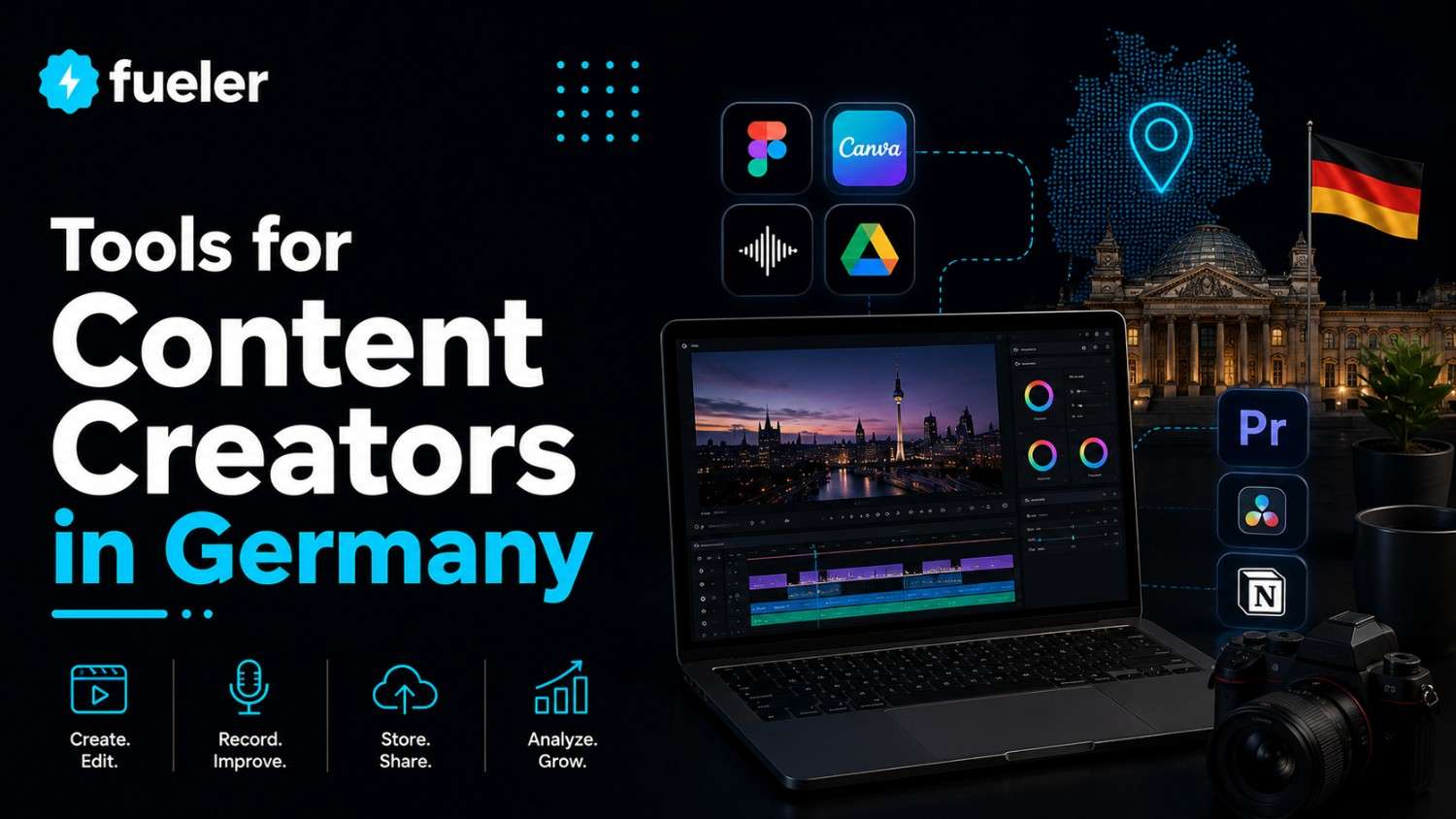
Trying to start a YouTube channel without the right video editor is like trying to eat a breadcrust with a toothpick; it is technically possible, but you are going to end up frustrated, messy, and probably crying in a corner. The German creator scene is exploding with high-quality tech reviews, travel vlogs, and educational series, which means the "recorded on a potato" look just won't cut it anymore. You need tools that make your footage look like a million bucks, even if your budget is closer to the price of a local bus ticket.
I’m Riten, founder of Fueler, a skills-first portfolio platform that connects talented individuals with companies through assignments, portfolios, and projects, not just resumes/CVs. Think Dribbble/Behance for work samples + AngelList for hiring infrastructure.
1. Adobe Premiere Pro
If video editing had a Final Boss, it would be Premiere Pro. It is the industry standard for a reason, offering every possible knob, slider, and button you could ever need to turn raw footage into a cinematic masterpiece. While it looks intimidating at first, it is essentially the ultimate playground for someone who wants total control over every single pixel and sound wave in their video.
- Timeline Supremacy and Multi-Track Organization: The software features a highly flexible, multi-track timeline that lets you layer hundreds of clips, audio files, and graphics without breaking a sweat. This is crucial for complex YouTube projects where you might have multiple camera angles, background music, and pop-up graphics happening at the exact same time. It handles heavy files with ease, making sure your workflow stays organized.
- Professional Grade Color Correction with Lumetri: Includes the Lumetri Color panel, which gives you professional-grade tools to make your Munich city shots look warm or your Nordic winters look chillingly blue. You can adjust the white balance, shadows, and highlights with surgical precision, ensuring that your skin tones look natural and your environment looks exactly like a high-budget movie production rather than a home video.
- Seamless Integration with the Creative Cloud Ecosystem: It works perfectly with Photoshop and After Effects, meaning you can drop in a logo or a 3D animation without needing to export and re-import files. This "Dynamic Link" feature saves you hours of time because any change you make in the original graphic file automatically updates inside your video project, keeping your creative process smooth and connected.
- Advanced Audio Mixing and Noise Removal: Premiere comes with advanced mixing tools that help you remove background noise or balance your voiceover against heavy heavy metal soundtracks. If you recorded your audio in a echoey room or outside in a windy Berlin street, the built-in essential sound panel can automatically clean up the dialogue to make it sound like it was recorded in a studio.
- Dedicated YouTube 4K Export Presets: Offers dedicated export settings specifically for YouTube 4K, ensuring your video looks exactly how you intended once it hits the platform. You do not have to guess the bitrates or file formats, you simply select the YouTube preset, and the software optimizes the compression to make sure your upload is fast and the quality remains sharp for your viewers.
Pricing: Adobe Premiere Pro costs approximately €23.79 per month for a single app subscription, or €61.94 per month for the full Creative Cloud suite.
Why it matters: In the German market, professionalism is highly valued, and using the same tool as Hollywood editors gives you an immediate edge. It allows you to create high-production value content that can compete with top-tier channels globally. When you master Premiere, you are not just making a video; you are building a professional skill set that is recognized by every major creative agency in Europe, proving you are serious about your craft.
2. DaVinci Resolve
DaVinci Resolve is the underdog that became a giant, famously used for color grading big-budget movies, but now accessible to anyone with a decent computer. It is unique because it combines editing, color, visual effects, and audio post-production into one single interface. The best part is that the free version is so powerful that it almost feels like you are stealing it.
- The World Standard for Color Grading: DaVinci Resolve started as a color grading tool, and it remains the absolute king in this department. It uses a "Node" based system that allows you to layer different color adjustments on top of each other. This means you can change the color of a specific shirt in a shot without affecting the rest of the background, giving you insane creative freedom.
- All-in-One Post Production Workflow: Unlike other softwares where you need different apps for different tasks, DaVinci has "pages" for everything. You have one page for cutting, one for color, one for visual effects (Fusion), and one for professional audio (Fairlight). This saves your computer's memory because you never have to close one program to open another, making the entire editing process much faster and more efficient.
- Neural Engine for Advanced Task Automation: The software includes an AI-powered Neural Engine that can do things like recognize faces and automatically track objects. If you want to blur a license plate in a moving car shot, the software can follow that car automatically so you do not have to manually move the blur frame by frame. It is a massive time-saver for creators who do a lot of outdoor filming.
- Hyper-Fast Rendering with GPU Acceleration: DaVinci is designed to use your computer's graphics card to its full potential, which makes playback and rendering incredibly smooth. Even if you are working with high-resolution 4K or 8K footage, the software optimizes the hardware to prevent lagging. This is perfect for German creators who are building high-spec PC rigs and want to see their hardware actually do some heavy lifting.
- Collaboration Tools for Team-Based Projects: It features powerful collaboration tools that allow multiple people to work on the same project at the same time. One person can be cutting the video while another is color grading it from a different location. For growing YouTube teams in Germany, this means you can scale your production without the headache of sending project files back and forth constantly.
Pricing: The standard version is Free. The "Studio" version with advanced AI and 8K support is a one-time purchase of €295.
Why it matters: For a creator in Germany, DaVinci Resolve offers the most professional path without a monthly subscription fee. It allows you to produce "cinema-quality" visuals on a budget, which is essential for travel and lifestyle vloggers who want to stand out. Because the free version is so robust, it lowers the barrier to entry for students and new creators while providing a clear upgrade path to a world-class studio environment.
3. Final Cut Pro (FCP)
If you own a Mac and you want a video editor that feels as smooth as sliding into a pair of silk pajamas, Final Cut Pro is your best friend. It is built specifically for Apple hardware, meaning it runs incredibly fast and rarely crashes. It uses a "Magnetic Timeline," which is a fancy way of saying it stops you from accidentally leaving gaps in your video or overlapping clips.
- The Famous Magnetic Timeline Experience: The Magnetic Timeline is the signature feature of FCP, and it eliminates the frustration of "track collisions." When you move a clip, everything else automatically shifts out of the way to make room. This makes it perfect for fast-paced YouTube editing where you are constantly swapping the order of shots or trying out different narrative structures without breaking the rest of your edit.
- Optimized Performance for Apple Silicon: Since Apple makes both the software and the hardware (M1, M2, M3 chips), the performance is unmatched. You can edit multiple streams of 4K video on a MacBook Air without the fan even turning on. This portability is a huge win for German creators who want to edit their videos on the train between Hamburg and Berlin without needing a massive desktop.
- Efficient Organization with Keywords and Metadata: FCP allows you to tag your clips with keywords, making it incredibly easy to find that one specific shot from three hours of raw footage. Instead of digging through folders, you can just search for "Interview" or "B-roll," and the software instantly shows you the relevant clips. This level of organization is vital for creators who produce long-form documentary-style content.
- Multicam Editing with Automatic Syncing: If you film with multiple cameras, FCP can automatically sync them based on the audio waves. You can then switch between angles in real-time just by clicking on the preview window, much like a live TV director. This feature makes editing podcasts or multi-angle tech reviews a breeze, turning hours of tedious work into a fun, interactive process.
- Extensive Library of Third Party Plug-ins: The FCP community has created thousands of professional templates, transitions, and titles that you can simply drag and drop into your project. Whether you want a "hand-drawn" look or futuristic sci-fi titles, there is a plug-in for it. This allows you to add high-end visual flair to your YouTube channel without needing to be an expert in motion graphics.
Pricing: A one-time purchase of €299.99 on the Mac App Store.
Why it matters: Efficiency is the name of the game in the German creator market, and FCP is built for speed. It allows you to get your videos from "brainstorm" to "upload" faster than almost any other tool. For creators who prefer the Apple ecosystem, the one-time payment is also much more attractive than a never-ending subscription, making it a solid long-term investment for your YouTube career.
4. CapCut (Desktop Version)
CapCut used to be the "TikTok app," but the desktop version has evolved into a legitimate powerhouse for YouTube creators. It is designed for people who want trendy effects and fast edits without spending three years in film school. It is packed with viral-style transitions, auto-captions, and background removal tools that make short-form and long-form content creation surprisingly easy.
- Automatic Captioning with High Accuracy: CapCut can listen to your video and generate perfect subtitles in seconds, supporting both English and German. For YouTube creators, captions are essential for keeping viewers engaged, especially those watching on mute. The ability to automatically sync text to your speech saves you the incredibly boring task of typing out every single word you say in a 10-minute video.
- Huge Library of Trending Effects and Filters: The software is connected to the latest trends, giving you instant access to the filters and transitions that are currently viral on social media. You do not have to manually build complex effects, you can just click a button to add a "glitch" or a "cinematic blur." This keeps your content looking fresh and relevant to a younger, trend-conscious audience in Germany.
- One-Click Background Removal and AI Tools: It features a remarkably accurate background removal tool that works without a green screen. You can film yourself in a messy bedroom and, with one click, transport yourself to a professional studio or a futuristic landscape. This "magic" tool allows creators with limited space to still produce professional-looking videos that focus entirely on the subject without distractions.
- User-Friendly Interface for Rapid Editing: The layout is so simple that a 10th-grade student could master it in an afternoon. There are no hidden menus or overly technical jargon, everything is clearly labeled and visual. This makes it the perfect entry point for someone who feels overwhelmed by Premiere or DaVinci but still wants to produce high-quality content that doesn't look "cheap."
- Smart Ratio Adjustments for Multi-Platform Posting: CapCut makes it easy to take one YouTube video and reformat it for Instagram Reels or TikTok. You can "Auto-Reframe" your footage so the camera stays centered on your face even when you switch from a horizontal to a vertical layout. This helps German creators maximize their reach across all platforms without having to re-edit the entire video from scratch.
Pricing: Free version available. CapCut Pro costs approximately €7.99 per month or €74.99 per year.
Why it matters: Not everyone wants to be a professional editor, some people just want to be creators. CapCut bridges that gap by providing high-end results with very little effort. In a fast-moving digital landscape, being able to pump out trendy, high-quality content quickly is a superpower. It is the ideal tool for the "New Age" German creator who values speed and viral potential over technical complexity.
5. Clipchamp
Clipchamp is Microsoft’s answer to easy video editing, and it comes built right into Windows 11. It is a browser-based editor that is surprisingly capable, offering a clean interface and direct integration with your cloud storage. It is perfect for creators who want a "no-nonsense" tool that gets the job done without needing a $4,000 computer to run it.
- Browser-Based Convenience with No Installation: Because Clipchamp can run directly in your web browser, you can edit your videos on almost any computer without downloading massive software files. This is great for creators who move between different devices or use a laptop with limited storage. Your projects are saved in the cloud, so you can start an edit at home and finish it at a cafe in Cologne.
- High-Quality Text-to-Speech Narrators: It features a professional-grade text-to-speech engine with a variety of natural-sounding voices, including German accents. If you are shy about your voice or want to create "faceless" YouTube channels, you can simply type your script and let the software read it for you. The voices are much more realistic than the old "robotic" sounds, making your content more professional.
- Built-in Stock Library of Images and Music: Clipchamp gives you access to a massive library of royalty-free stock footage, music, and sound effects. You do not have to worry about copyright strikes on YouTube because all the assets are cleared for use. This is a huge benefit for German creators who want to add "B-roll" or background music to their videos but do not have the budget to buy individual licenses.
- Direct Export to Social Media and YouTube: Once you finish your edit, you can upload directly to YouTube with one click. The software handles the connection to your channel and allows you to fill out the title and description within the editor. This streamlined process removes the extra step of exporting to your desktop and then manually uploading to the YouTube website, saving you precious minutes.
- Easy Screen and Webcam Recording Tools: It includes a built-in screen recorder that is perfect for gaming videos or software tutorials. You can record your screen and your webcam at the same time, and the software automatically puts them on separate tracks for easy editing. This makes it an all-in-one solution for German educators and gamers who want to share their expertise or gameplay with the world.
Pricing: Free for 1080p exports. The premium version is included with Microsoft 365 or costs about €11.50 per month.
Why it matters: Clipchamp is the "everyman" tool for the German market. It is accessible, reliable, and integrated into the operating system most people already use. For someone just starting their YouTube journey, it provides all the essential tools for free, allowing you to learn the basics of storytelling and editing without any financial risk or technical hurdles.
6. InVideo AI
InVideo AI is for the creator who has a great idea but doesn't have the time to find every single clip and piece of music. It uses advanced automation to turn a simple text prompt into a fully edited video. It is like having a tiny production assistant who works 24/7 and never complains about not getting a coffee break.
- Prompt-to-Video Transformation: You can literally type "Create a 5-minute video about the history of the Berlin Wall with a dramatic voiceover," and the tool will generate the script, find the footage, and add the music. This is a game-changer for creators who want to build "faceless" educational channels. It does the heavy lifting of research and assembly, leaving you to just polish the final result.
- Access to Massive Stock Databases like iStock: InVideo is integrated with world-class stock libraries, meaning the footage it finds for your videos is high-definition and professional. You do not have to spend hours searching for "scenic shot of a German forest," the software does it for you. This ensures your videos have a consistent, high-quality look that keeps viewers watching for longer.
- Natural Sounding Voiceovers in Multiple Languages: The voiceover quality is incredible, offering different tones and accents to match the mood of your video. You can choose a voice that sounds like a friendly teacher or one that sounds like a movie trailer narrator. This feature is particularly useful for reaching a German audience with perfectly spoken, natural-sounding German narration without hiring a voice actor.
- Easy-to-Use Script Editor and Customization: Even though the AI builds the video, you have total control to change any part of it. You can edit the script, swap out specific clips, or change the background music with a few clicks. This allows you to add your personal touch to the AI-generated content, ensuring your YouTube channel still feels unique and has its own distinct personality.
- Real-Time Collaboration for Marketing Teams: Like many modern tools, InVideo allows teams to work together on the same project. This is perfect for German startups or small businesses that want to create YouTube content as a team. You can leave comments on specific parts of the video, making the review and approval process much faster than sending emails back and forth with feedback.
Pricing: Free version available. Plus plan starts at about $25 per month, and the Max plan is $60 per month.
Why it matters: In the busy life of a modern professional, time is the most valuable resource. InVideo AI allows German creators to scale their content production at an impossible speed. It is perfect for those who want to dominate a niche on YouTube by posting frequently without sacrificing the visual quality that European audiences expect.
7. Lumen5
Lumen5 is specifically designed for people who are already writing content and want to turn it into a video. If you have a blog or a series of articles, Lumen5 can "read" your text and automatically create a video that summarizes the key points. It is a "social-first" tool that focuses on clean, modern design and readable text overlays.
- Automatic Blog-to-Video Conversion: You can simply paste a link to your latest blog post, and Lumen5 will analyze the text to find the most important sentences. It then matches those sentences with relevant images and videos from its library to create a storyboard. This is the ultimate tool for German professionals who want to repurpose their written expertise into engaging YouTube and LinkedIn content.
- Design-Centric Templates for Brand Consistency: The software offers a variety of templates that are designed by professional artists. You can easily apply your brand colors, fonts, and logos to every video with one click. This ensures that every video you post on your YouTube channel looks like it belongs to the same brand, which is key for building trust with your audience.
- Intuitive Drag-and-Drop Interface: The editor is built around a "storyboard" view rather than a traditional timeline. This makes it much easier for non-editors to understand how the video flows. You can move scenes around like slides in a presentation, making it a very comfortable experience for anyone who is used to working with PowerPoint or Keynote.
- AI-Powered Media Matching Engine: The AI doesn't just pick random clips, it tries to understand the emotion behind your words. If you are talking about "success" or "growth," it will find inspiring, upbeat footage. This "smart" matching makes the videos feel much more professional and intentional, helping you connect with your viewers on a deeper level without hours of manual searching.
- Optimized for "Silent" Viewing and Captions: Since many people watch videos without sound, Lumen5 focuses heavily on clear, beautiful text overlays. You can choose from different text animations that make your words pop. This is a huge advantage for educational channels where the information is the most important part, ensuring your message gets across even if the user has their volume turned down.
Pricing: Free version available. Basic plan is $29 per month, and Professional is $199 per month.
Why it matters: For the "thought leader" or business owner in Germany, Lumen5 is the most efficient way to get into video. It removes the "fear of the blank screen" by giving you a finished draft based on your own writing. It allows you to stay active on YouTube with high-value, educational content that builds your authority in your specific industry.
8. Shotcut
Shotcut is the "Open Source" hero of the video editing world. It is completely free, has no watermarks, and is maintained by a dedicated community of developers. It is a bit like a Swiss Army knife, it might not be the prettiest tool in the box, but it is incredibly versatile and can handle almost any file format you throw at it.
- Completely Free and Open Source for Life: There are no "Pro" versions, no subscriptions, and no hidden fees. Once you download Shotcut, you have the full version forever. For a creator in Germany who is just starting out and wants to keep their overhead costs at zero, Shotcut is the ultimate gift. It gives you professional features without the professional price tag.
- Native Timeline Editing with No Import Required: Shotcut allows you to drag clips directly from your folder onto the timeline and start editing immediately. Many other programs require a long "importing" or "transcoding" process, but Shotcut is designed to be "plug and play." This saves you time and disk space, especially when you are working with large video files from your camera.
- Support for 4K and 8K High-Resolution Formats: Despite being free, Shotcut doesn't hold back on quality. It supports the latest video standards, allowing you to export in 4K or even 8K. This ensures that your YouTube videos look sharp and modern on high-resolution screens, keeping your channel competitive with those using much more expensive software.
- Wide Array of Advanced Audio and Video Filters: Shotcut is packed with filters for everything from "Old Film" looks to professional audio compression. You can "stack" these filters to create unique visual styles. It also includes advanced tools like "Chroma Key" (green screen) and "Video Stabilization," which are often only found in paid software, giving you a very deep toolkit to play with.
- Cross-Platform Compatibility for All Systems: Whether you are on Windows, Mac, or Linux, Shotcut works exactly the same. This is a big plus for the tech-savvy German community, especially for those who prefer Linux but still want to create high-quality media. The software is lightweight and doesn't require the latest "super-computer" to function effectively.
Pricing: 100% Free.
Why it matters: Shotcut proves that you do not need to spend money to make great videos. In Germany, where there is a strong culture of open-source software and "doing it yourself," Shotcut fits right in. It is a powerful, honest tool that respects your privacy and your wallet, making it the perfect choice for the independent creator who wants to maintain total control over their creative process.
Showcase Your Video Skills on Fueler
Once you have mastered these tools and created some killer YouTube content, you need a place to show it off that isn't just a messy list of links. This is where Fueler comes in. Instead of a boring PDF resume, Fueler allows you to build a visual portfolio of your best video projects. You can showcase your editing style, your storytelling ability, and your technical skills to potential clients or employers in a way that actually proves what you can do. It is the best way for creators in Germany to turn their YouTube hobby into a professional career.
Final Thoughts
The journey of a YouTube creator in Germany is an exciting one, but it starts with choosing the right tools that fit your style and your budget. Whether you want the absolute power of Adobe Premiere Pro, the cinematic color of DaVinci Resolve, or the AI-driven speed of InVideo, there is an option here for everyone. Remember that the best tool is the one that you actually enjoy using, because consistency is the real secret to YouTube success. Don't be afraid to experiment with a few free versions before you commit to a paid subscription, and most importantly, have fun with the process of creating something new.
FAQs
1. Which video maker is best for a beginner YouTube creator in Germany?
For absolute beginners, CapCut (Desktop) or Clipchamp are the best starting points because they have the easiest interfaces and many automated features. They allow you to produce high-quality videos without a steep learning curve, making them perfect for students or hobbyists.
2. Are there free video editing tools that do not have watermarks?
Yes, DaVinci Resolve, Shotcut, and the free version of Clipchamp (for 1080p) allow you to export your videos without any watermarks. This is essential for maintaining a professional look on your YouTube channel from day one.
3. Do I need a powerful computer to use professional tools like Premiere Pro?
Generally, yes. Professional tools like Adobe Premiere Pro and DaVinci Resolve require a decent amount of RAM (at least 16GB) and a good graphics card to run smoothly. If you have a lower-spec computer, browser-based tools like InVideo AI or Clipchamp are much better options.
4. How can I make my YouTube videos look more cinematic on a budget?
The best way is to use DaVinci Resolve for its superior color grading tools. Even with basic footage, you can apply "LUTs" (color presets) that give your video a film-like aesthetic. Additionally, focusing on good lighting and clear audio will always make your video feel more "cinematic" than expensive gear alone.
5. Is it worth paying for a subscription like Adobe Creative Cloud in 2026?
It depends on your goals. If you plan to work professionally for agencies or large brands in Germany, having Premiere Pro skills is a requirement. However, if you are a solo creator, one-time purchase tools like Final Cut Pro or the free version of DaVinci Resolve offer much better long-term value.
What is Fueler Portfolio?
Fueler is a career portfolio platform that helps companies find the best talent for their organization based on their proof of work. You can create your portfolio on Fueler. Thousands of freelancers around the world use Fueler to create their professional-looking portfolios and become financially independent. Discover inspiration for your portfolio
Sign up for free on Fueler or get in touch to learn more.

What should you do next?
You've read the article. Now turn your skills into proof of work and unlock more opportunities.
Build your proof of work portfolio
Create a clean portfolio with projects, assignments, resumes, and AI stack details that companies actually want to see.
Create your Fueler portfolio →Apply through assignments, not resumes
Stand out by solving real tasks from companies hiring on Fueler.
Explore assignments →Get discovered by companies
Make your work public and let recruiters discover your skills through actual projects instead of keywords.
Get discovered →
