7 Brand Kit Maker Tools to Build a Consistent Brand Identity

Riten Debnath
09 Mar, 2026
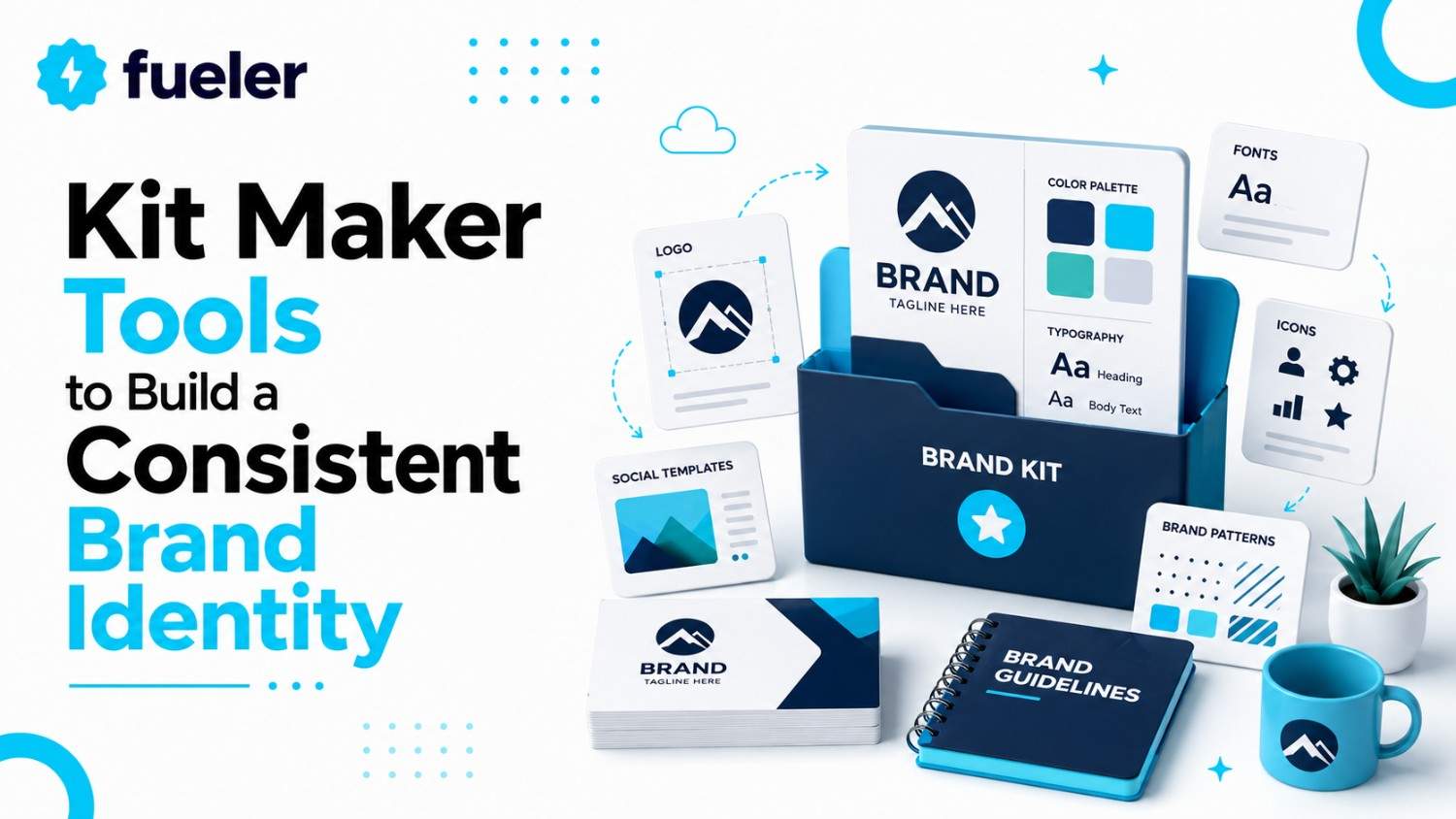
top treating your brand like a DIY project you started on a whim at midnight. If your Instagram looks like a neon fever dream, your website feels like a corporate lecture, and your email signature uses a font that should have been illegal years ago, you aren't building a brand, you're building a chaotic mess that no customer will ever trust. A Brand Kit is your business’s visual constitution; it is the absolute set of non-negotiable rules that ensures your logo, colors, typography, and voice remain rock-solid across every single touchpoint. Without it, you are just throwing digital spaghetti at the wall.
If you are tired of your visual identity looking like a schizophrenic art project, here are 7 tools to help you build, store, and enforce a professional Brand Kit.
I’m Riten, founder of Fueler, a skills-first portfolio platform that connects talented individuals with companies through assignments, portfolios, and projects, not just resumes/CVs. Think Dribbble/Behance for work samples + AngelList for hiring infrastructure.
1. Canva
Canva isn't just for making quick social media posts; it’s an absolute powerhouse for keeping a small team on-brand without requiring a design degree. Their dedicated "Brand Kit" tab is the gold standard for non-designers, acting as a single, sacred source of truth for your entire visual existence. It eliminates the "what was that exact hex code again?" conversation entirely, keeping your creative output tight, professional, and instantly recognizable across every digital medium.
- Centralized Asset Management: You can upload your logos, set your primary and secondary color palettes, and define your official fonts in one place, creating a master record that everyone on your team can access instantly to avoid design guesswork. This ensures that no matter who on your team is creating a document, they are using the exact same approved assets, which is critical for maintaining a unified and professional company image.
- Instant Brand Application: With the "Magic Switch" and custom brand-template features, you can turn any basic graphic into a professionally branded asset with one click, saving hours of manual formatting time for busy founders. This high-efficiency workflow is a total game-changer, allowing you to scale your content production significantly without sacrificing the high-quality look that your brand spent so much time and effort to develop initially.
- Multi-Brand Kit Control: For ambitious startups managing sub-brands, distinct product lines, or different client projects, Canva Pro allows you to store multiple unique kits in a single account. You never have to worry about mixing up the visual identity of different internal initiatives or client projects, ensuring that every piece of content you produce feels custom-tailored to the specific brand it is meant to represent.
- Hard-Coded Team Governance: You can lock specific elements in your templates, ensuring that team members don't accidentally swap your official brand fonts for something generic like Comic Sans while creating marketing materials. This level of control is vital for startup founders who need to empower their team to create content quickly while simultaneously ensuring that the company's public-facing visual standards are never compromised by well-intentioned but misguided design choices.
- Seamless Cross-Platform Syncing: Every asset you add to your Brand Kit automatically syncs across all your Canva projects, meaning your brand identity is always just a drag-and-drop away, regardless of what you are currently designing. This constant, effortless availability removes the friction from the design process, allowing you to maintain perfect consistency across pitch decks, social posts, flyers, and digital ads without any extra effort.
Pricing: Free version available; Pro plan is $120/year per user.
2. Adobe Express
Adobe Express is like the cooler, more accessible sibling of the professional Adobe Suite. It offers the same high-end typography and design quality that makes actual creative agencies look expensive, but it strips away the terrifying complexity of Photoshop or Illustrator. If you want a brand that feels sophisticated, modern, and high-quality but you have zero interest in learning complex design software, this is your best bet for success.
- Elite Typography Access: You get direct access to the massive Adobe Fonts library, allowing you to choose high-end typefaces that differentiate your brand from the generic, overused fonts found in free, entry-level design tools. Using these professional-grade fonts immediately upgrades your brand’s perceived value in the eyes of customers, helping you build a visual identity that feels deliberate and high-end rather than accidental and cheap.
- Generative AI Co-Pilot: The integrated AI tools help you generate custom textures, extend backgrounds, or refine imagery to match your brand’s specific aesthetic, acting like an on-call designer when you are stuck on a creative block. This powerful capability allows even the most design-averse founders to produce visually complex, on-brand assets that look like they were created by a professional designer after hours of hard work.
- Quick Actions for Workflow Efficiency: Features like one-click background removal and instant resizing allow you to prepare assets for multiple social channels in seconds, removing the tedious manual work that usually prevents founders from being consistent. By automating these repetitive, technical tasks, you free up your mental energy to focus on the core creative strategy and messaging, ensuring that your brand growth is driven by vision rather than labor.
- Shared Creative Libraries: Because it connects directly to the broader Adobe ecosystem, your team can access shared assets across different Adobe applications, ensuring that your branding remains unified whether you’re working on a simple graphic or a high-end video. This seamless connectivity between platforms is critical for startups that need to maintain brand continuity across diverse content formats without having to rebuild assets from scratch every single time.
- Professional Template Ecosystem: You aren't just getting basic layouts; you are getting access to high-quality, professionally vetted designs that look expensive by default, making it nearly impossible to produce something that looks amateur. These templates are designed to be high-performance, meaning they don't just look good; they are built to convert, helping you achieve your marketing goals while reinforcing your brand’s commitment to quality and attention to detail.
Pricing: Free version available; Premium plan is ~$9.99/month.
3. Looka
Looka is the absolute fastest way to go from "I have a business name" to "I have a full-blown visual identity." It uses AI to synthesize your industry, preferences, and keywords into a cohesive, multi-platform brand ecosystem. It is perfect for founders who are paralyzed by the "blank page" problem and need a professional foundation to build upon right now, not next week.
- Brand-in-a-Box Generation: Upon creating your logo, Looka automatically populates a library of business cards, letterheads, social media kits, and email signatures, providing a fully formed brand ecosystem in minutes rather than days. This instantaneous generation is invaluable for startups that are moving fast and need to establish a legitimate, professional presence in the market immediately to start building credibility with early customers and stakeholders.
- Smart AI Design Logic: The AI analyzes your industry and business goals to suggest color pairings and font hierarchies that actually make sense, preventing the common "rookie" mistake of choosing colors that clash or fonts that are unreadable. By relying on established design principles, Looka ensures that your brand’s visual foundation is sound, giving you the best possible chance to connect with your target audience effectively.
- Dynamic Brand Editor: Unlike static generators, Looka’s editor is interactive; if you change your primary brand color, the AI intelligently updates your entire library of social posts and marketing materials to match, maintaining harmony instantly. This ability to make sweeping changes across all your assets in one go is a massive time-saver, ensuring that your brand can evolve and grow without requiring you to manually redo everything.
- Vector File Ownership: You receive high-resolution vector files (SVG/EPS), which are essential for scaling your brand across any medium, from a tiny website favicon to a massive physical sign, without ever losing clarity. These files are the gold standard for professional branding, ensuring that your logo always looks crisp, sharp, and clean, regardless of the size or the printing method you choose to use.
- Ongoing Asset Customization: Your subscription provides continued access to their editor, allowing you to generate new, on-brand promotional materials whenever you launch a new campaign, effectively giving you an infinite supply of branded content. This sustained utility makes Looka not just a one-time logo maker, but a long-term partner in your brand's growth, allowing you to maintain your visual identity as your business expands and changes.
Pricing: $20 for a basic logo; Brand Kit subscriptions start at ~$96/year.
4. Brandbird
If your business lives on X, LinkedIn, or Instagram, you need Brandbird. It is a specialized tool that turns boring, generic product screenshots into stunning, on-brand social media graphics. It’s a favorite for "build-in-public" founders who know that the quality of their aesthetic directly correlates to the perceived legitimacy of their software, product, or service among potential customers.
- Screenshot-to-Showcase Transformation: It transforms dull, raw screenshots into beautiful, high-fidelity mockups with custom backgrounds, 3D tilts, and frames, ensuring your product always looks like the polished, finished version. This high-end visual treatment is incredibly effective for capturing attention on crowded social feeds, transforming simple product updates into compelling visual content that signals professionalism and builds immediate trust with your audience.
- Automated Social Framing: With preset templates for every major social platform (X, LinkedIn, Instagram), it handles the dimensions and layout automatically, ensuring your content always looks perfectly optimized for every feed you post to. This eliminates the annoying trial-and-error process of trying to make a graphic look right on different platforms, ensuring your brand presence is consistently polished, professional, and visually engaging everywhere you participate.
- Dynamic Annotation Tools: You can easily add professional arrows, highlights, and text labels to your product visuals, making it incredibly simple to explain features or demonstrate value to your prospects. These annotation features are crucial for SaaS startups, as they allow you to guide your audience's focus to the most important parts of your product, significantly increasing the clarity and persuasive power of your marketing content.
- On-Brand Watermark Integration: You can upload your official logo and save it as a watermark within the app, ensuring every single graphic you share is automatically branded. This simple feature is a powerful way to build brand recognition, as it ensures that every screenshot or graphic you share carries your signature, even if your content is reshared by others, effectively extending your brand’s reach.
- One-Click Professional Finish: It streamlines the editing process by removing the need to deal with complex layers, frames, or artboards, allowing you to produce professional results in seconds. This speed is unmatched for busy entrepreneurs who need to maintain an active, high-quality social presence to drive engagement and grow their audience without letting marketing tasks consume their entire workday.
Pricing: Free tier available; Pro plan is ~$12/month.
5. Frontify
Frontify is for the brand that is growing fast and needs a single, searchable, interactive place to house its brand guidelines. It is the heavyweight of brand management. Instead of emailing around a static, 50-page PDF that everyone ignores, Frontify gives you a living, breathing, interactive digital portal that makes brand consistency almost impossible to mess up as you scale your team.
- Interactive Style Guide Portal: You move away from static, outdated PDFs to a web-based, interactive hub where anyone from employees to external agencies can easily search for guidelines on logo usage, color values, or tone of voice. This accessibility is essential for large or distributed teams, ensuring that every stakeholder has the information they need to act as an effective custodian of your brand.
- Centralized Asset Management: It serves as a central digital asset management (DAM) system where you can store every approved asset, from high-res icons to video clips, in an organized, searchable repository. This prevents the chaos of team members using incorrect logo versions or the wrong color swatches, ensuring that all public-facing assets are consistently high-quality and fully aligned with your official brand standards.
- Collaborative Approval Workflows: You can set up custom approval processes for new campaigns or brand materials, ensuring that all content is reviewed against your brand guidelines before it goes live. This feature is vital for reducing risk as you grow, as it provides a structured way to maintain quality control without creating bottlenecks that slow down your marketing and communications teams.
- Brand Guideline Enforcement: By making the rules clear, accessible, and mandatory, you foster a culture where everyone is responsible for brand health. This is the ultimate tool for companies that value long-term brand equity, as it ensures that your identity remains cohesive and recognizable even as your business expands across different regions, departments, and external partnerships over many years.
- Enterprise-Scale Scalability: Frontify is built to handle the complexities of large organizations, providing robust permissions, version history, and detailed analytics on how your brand assets are being used. This depth of control is perfect for startups that are planning for significant growth and want to ensure their brand identity remains strong and consistent, no matter how large or complex the organization eventually becomes.
Pricing: Free tier (up to 3 users); Starter plan is ~$79/month.
6. Coolors
Coolors is the fastest, most effective color scheme generator on the internet. While it might sound like a simple utility, it is actually a crucial piece of your Brand Kit architecture. Color psychology determines how your customers feel about you before they even read a word of your copy, and Coolors makes sure your palette isn’t just "some colors," but a deliberate, scientifically backed identity.
- Algorithmic Color Generation: You can generate endless, harmonious color palettes with the spacebar, instantly finding combinations that are balanced, visually appealing, and professional. This tool takes the guesswork out of color selection, allowing you to explore a wide range of aesthetic possibilities and land on a palette that feels unique and appropriate for your brand’s specific personality and market position.
- Contrast and Accessibility Checking: One of the most critical features is the contrast checker, which ensures your text-to-background combinations meet web accessibility standards. This is non-negotiable for modern startups that want to ensure their content is readable by everyone, demonstrating a commitment to inclusivity while simultaneously improving the overall user experience and professional feel of your website and marketing materials.
- Palette Extraction from Images: If you have an image, a mood board, or a competitor's site that you love, you can upload it, and Coolors will extract a perfectly balanced color palette for you. This allows you to draw inspiration from the real world while creating something that is uniquely yours, providing a structured way to iterate on your visual ideas without starting from zero.
- Seamless Integration with Design Tools: It integrates directly with Figma, Adobe, and other design platforms, allowing you to instantly export your chosen palette to the tools your design team is already using. This connectivity makes the process of moving from conceptualization to execution incredibly smooth, ensuring that the colors you select in the generator are the exact ones that appear in your final creative assets.
- Community Palette Inspiration: You can browse thousands of trending, community-created palettes to see what is working in different industries and styles, providing a massive source of inspiration when you feel stuck. This access to a global library of design trends helps you stay current and relevant, ensuring your brand identity feels modern and fresh in a fast-moving market.
Pricing: Free version available; Pro plan is ~$3/month.
7. Kittl
Kittl is the tool you choose when you want your designs to look more unique and sophisticated than the standard, cookie-cutter templates everyone else uses. It feels like Canva’s much cooler, more professional older sibling. With a massive library of on-trend fonts, vector assets, and advanced design effects, it is perfect for founders who want a premium, custom-made feel without needing a professional agency.
- Professional-Grade Design Library: Kittl offers a collection of highly curated, trend-forward templates, fonts, and illustrations that look significantly more polished than the standard library assets on other platforms. This focus on aesthetic quality makes it an ideal choice for brands that want to position themselves as modern, stylish, or premium, helping you achieve a distinct look that stands out in a crowded market.
- Advanced Design Control: Unlike more restrictive design tools, Kittl gives you granular control over typography, layouts, and effects, allowing you to create complex designs that look professionally crafted. You can experiment with intricate text effects, advanced layer blending, and custom compositions that would normally require a high degree of skill in tools like Illustrator, making high-end design accessible to everyone.
- Instant Text Effects: You can apply sophisticated text transformations, warps, and 3D effects with simple controls, turning plain headlines into eye-catching, high-impact design elements. These effects are excellent for creating memorable logos, bold social media headers, and striking marketing graphics, giving your brand a dynamic and visually exciting identity that captures immediate attention and leaves a lasting impression.
- Vector Asset Flexibility: It provides a vast library of high-quality vector assets that you can fully customize and scale, ensuring your designs always look crisp and professional. These assets are built for flexibility, allowing you to modify colors, shapes, and sizes to perfectly align with your brand guidelines, making it easy to create a diverse range of on-brand content that feels cohesive.
- Community and Template Inspiration: Kittl features a vibrant community of designers, providing access to an endless stream of fresh inspiration and high-quality templates you can adapt for your own brand. This ecosystem of creativity is incredibly useful for finding new ideas and keeping your brand’s visual output fresh and exciting, even if you are not a trained designer yourself.
Pricing: Free plan available; Pro plan is ~$15/month.
Final Thoughts
A Brand Kit is not a luxury for startups; it is a survival tool. As you scale, your team will grow, your marketing channels will multiply, and the risk of your visual identity becoming diluted will skyrocket. By choosing one of these tools, whether you need the all-in-one efficiency of Canva, the professional polish of Adobe Express, or the enterprise-grade control of Frontify, you are investing in the long-term recognition and trust of your audience. Don't let your brand be a victim of inconsistency. Define your rules, centralize your assets, and force your team to follow the playbook.
FAQs
1. Is it really necessary for a brand-new startup to have a "Brand Kit"?
Absolutely. Even if you are a team of one, a Brand Kit ensures that everything you produce from your LinkedIn posts to your cold-outreach emails looks like it belongs to the same business. It builds subconscious trust with early customers who are looking for signals of professionalism before they commit to buying.
2. How often should I update my Brand Kit?
You should conduct a "Brand Audit" at least once a year. If your business model shifts significantly, if you are targeting a new demographic, or if your visual identity just starts to feel "stale," it is time to refresh your palette, fonts, or voice guidelines to stay relevant to your evolving market.
3. What is the most common mistake startups make with branding?
The most common mistake is inconsistency. Using slightly different shades of blue, different fonts, or conflicting messaging across different social channels makes your brand look disorganized and untrustworthy. Consistency is the primary driver of brand recognition and long-term customer loyalty.
4. Do I need to be a designer to use these tools?
Not at all. Tools like Canva and Looka are designed specifically for people who have zero design training. The key is not to try to do everything from scratch, but to use the well-designed templates and AI-powered generators these tools provide to get 80-90% of the way there, then focus on your brand's unique messaging.
5. How do I choose the right tool from this list?
If you are just starting and need speed, go with Looka. If you need an all-in-one workspace for content creation, choose Canva. If you want a more "designed" and high-end aesthetic, try Kittl or Adobe Express. If you are already scaling and have a team, Frontify is your best bet to keep everyone on the same page.
What is Fueler Portfolio?
Fueler is a career portfolio platform that helps companies find the best talent for their organization based on their proof of work. You can create your portfolio on Fueler. Thousands of freelancers around the world use Fueler to create their professional-looking portfolios and become financially independent. Discover inspiration for your portfolio
Sign up for free on Fueler or get in touch to learn more.

What should you do next?
You've read the article. Now turn your skills into proof of work and unlock more opportunities.
Build your proof of work portfolio
Create a clean portfolio with projects, assignments, resumes, and AI stack details that companies actually want to see.
Create your Fueler portfolio →Apply through assignments, not resumes
Stand out by solving real tasks from companies hiring on Fueler.
Explore assignments →Get discovered by companies
Make your work public and let recruiters discover your skills through actual projects instead of keywords.
Get discovered →
