6 Free Flyer Maker Tools to Design Flyers Online

Riten Debnath
09 Mar, 2026
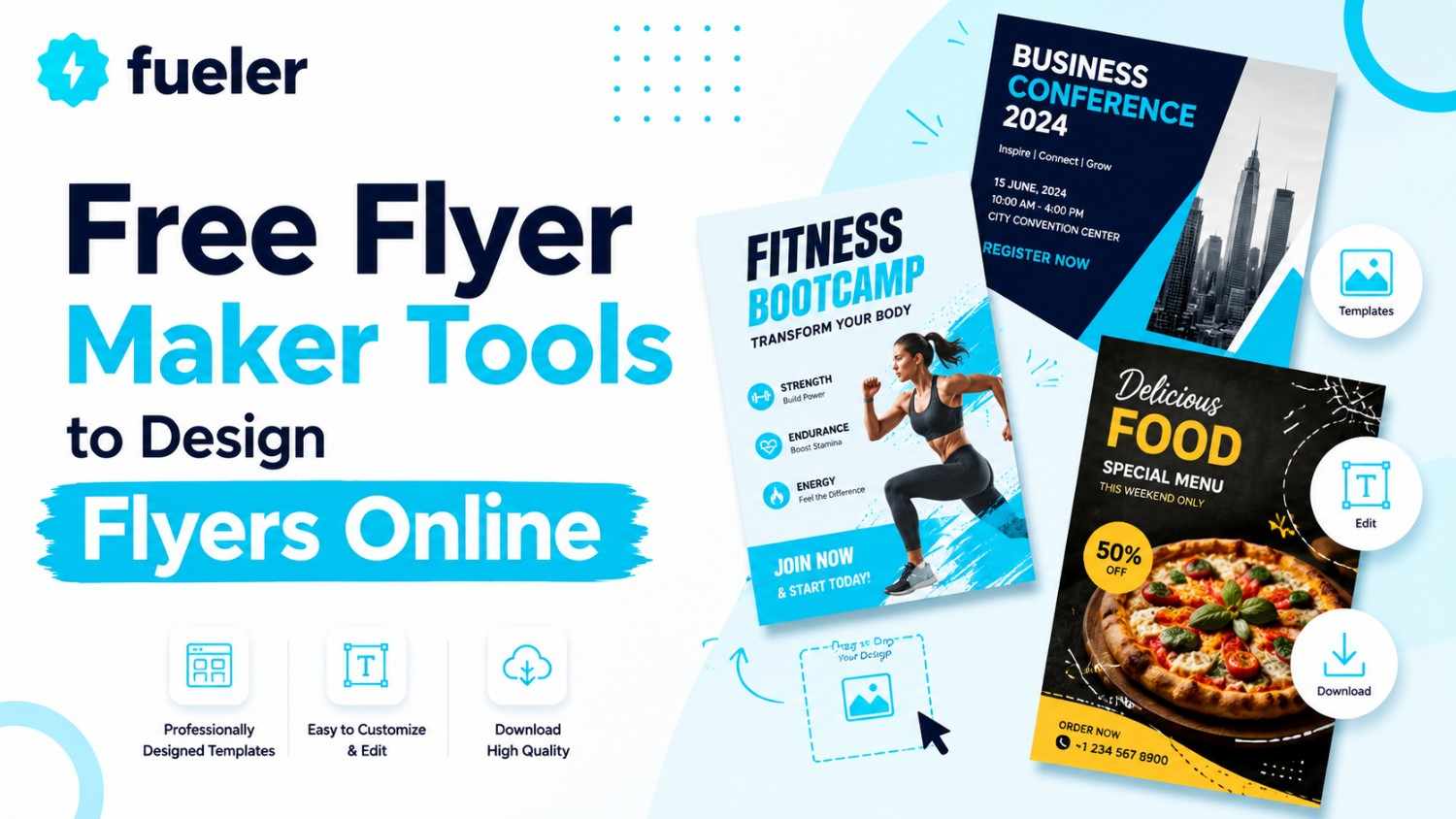
In the world of local marketing, your flyer is the first thing a potential customer sees. If it looks like a middle-school project from 1998, they’re going to walk right past it. But you aren’t a graphic designer, and you definitely don’t have a spare grand to drop on a professional agency every time you have a weekend sale. Thankfully, you don’t need to be an expert to look like one. These six free tools give you the power to create sharp, professional, and high-converting flyers right from your browser without spending a dime.
I’m Riten, founder of Fueler, a skills-first portfolio platform that connects talented individuals with companies through assignments, portfolios, and projects, not just resumes/CVs. Think Dribbble/Behance for work samples + AngelList for hiring infrastructure.
1. Design.com
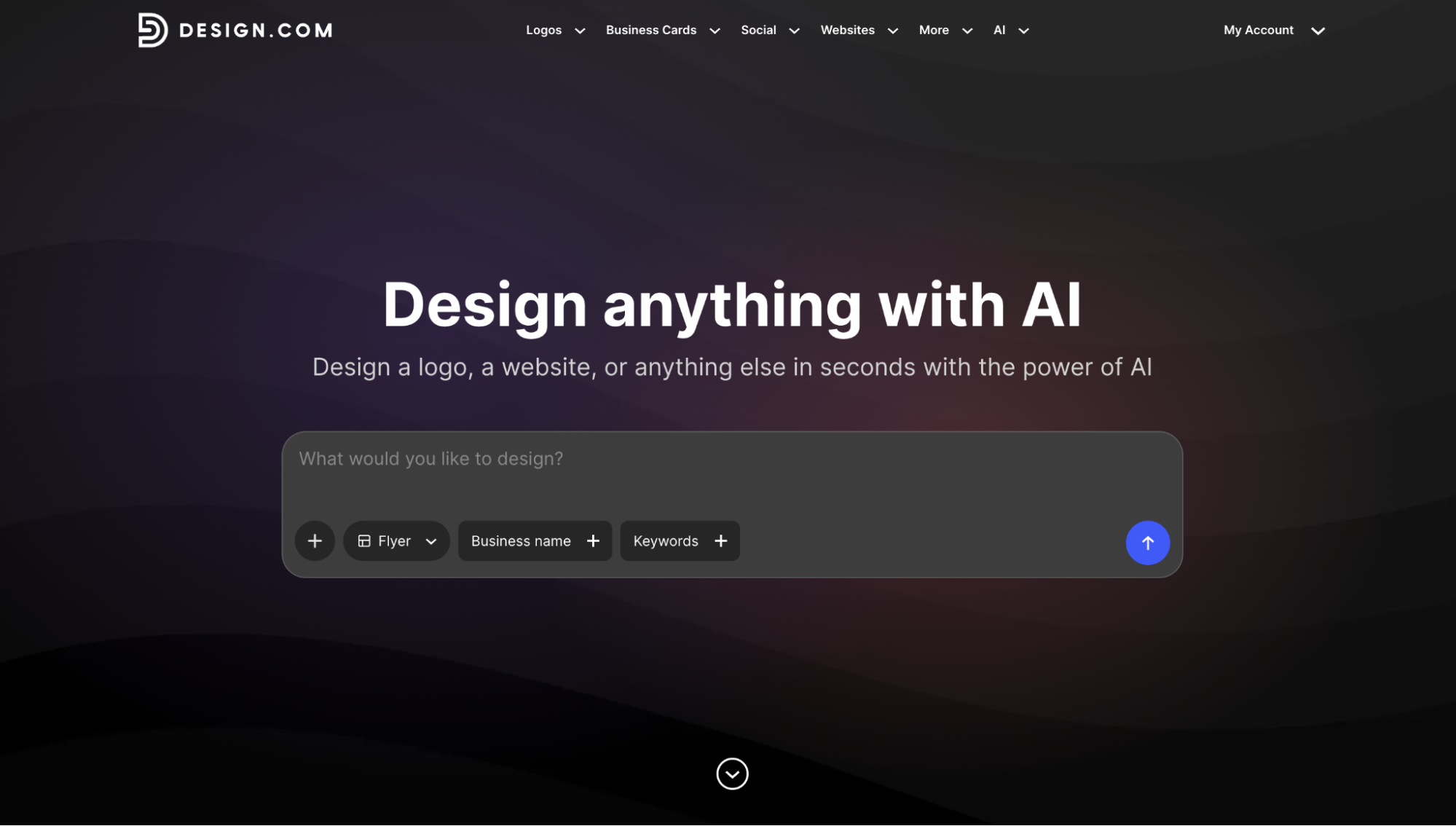
Design.com is the only flyer maker on this list that takes you from AI-generated design to professionally printed flyers delivered to your door, all without ever leaving the platform. For small businesses that need their marketing materials to look polished and consistent across every channel, that end-to-end workflow is genuinely hard to match.
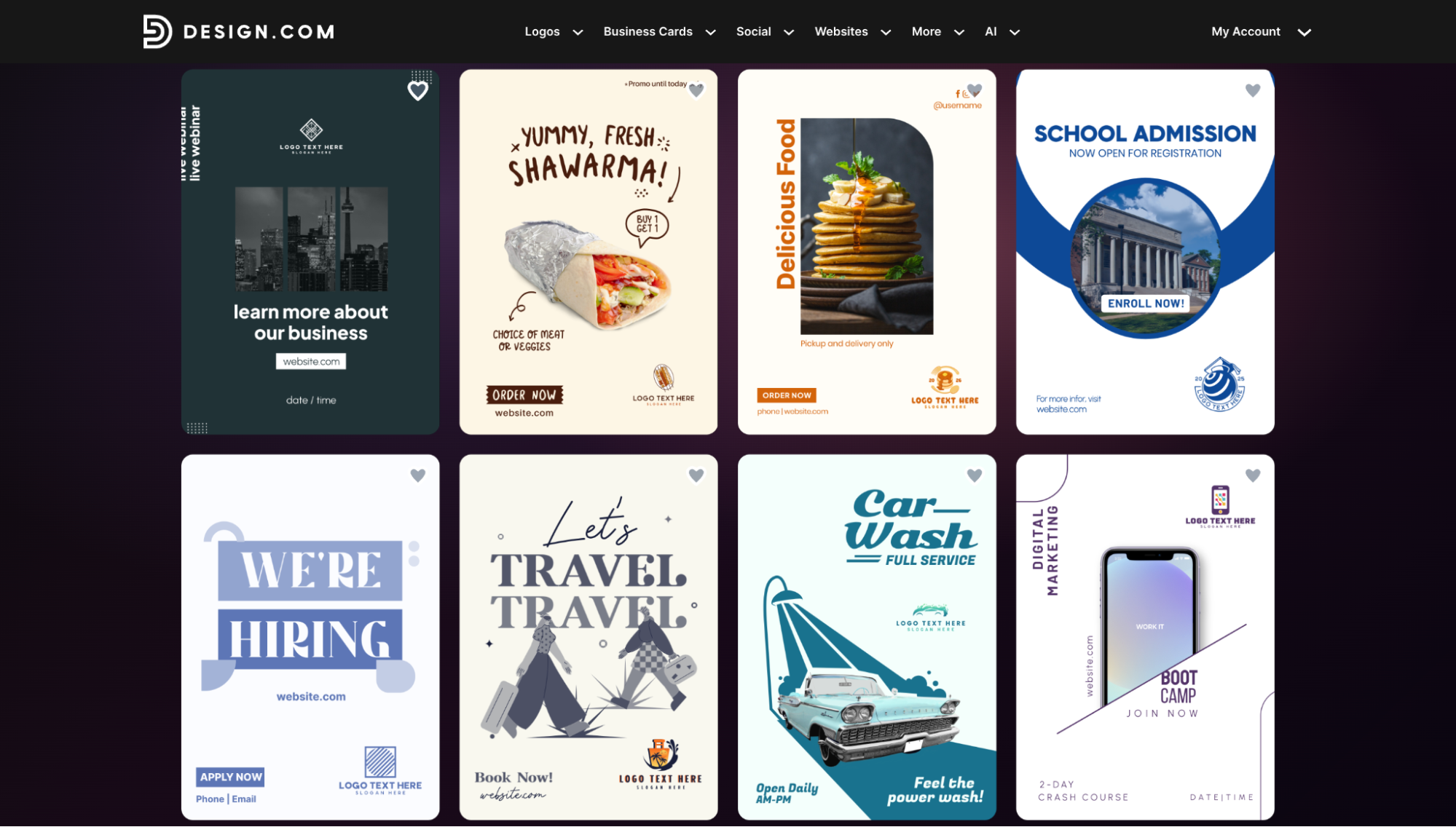
- AI-Powered Flyer Creation from Your Brand Details: You enter your business name, a few details about what you are promoting, and Design.com's AI generates multiple complete flyer designs in seconds. Each option comes with relevant layouts, written copy, and visual styling already applied. You are not starting from a blank canvas or hunting for the right template. You are starting with something that already looks intentional and on-brand, and is ready to be refined or published immediately. Below are just some of the thousands of flyer templates available, spanning industries from food and events to education and services:
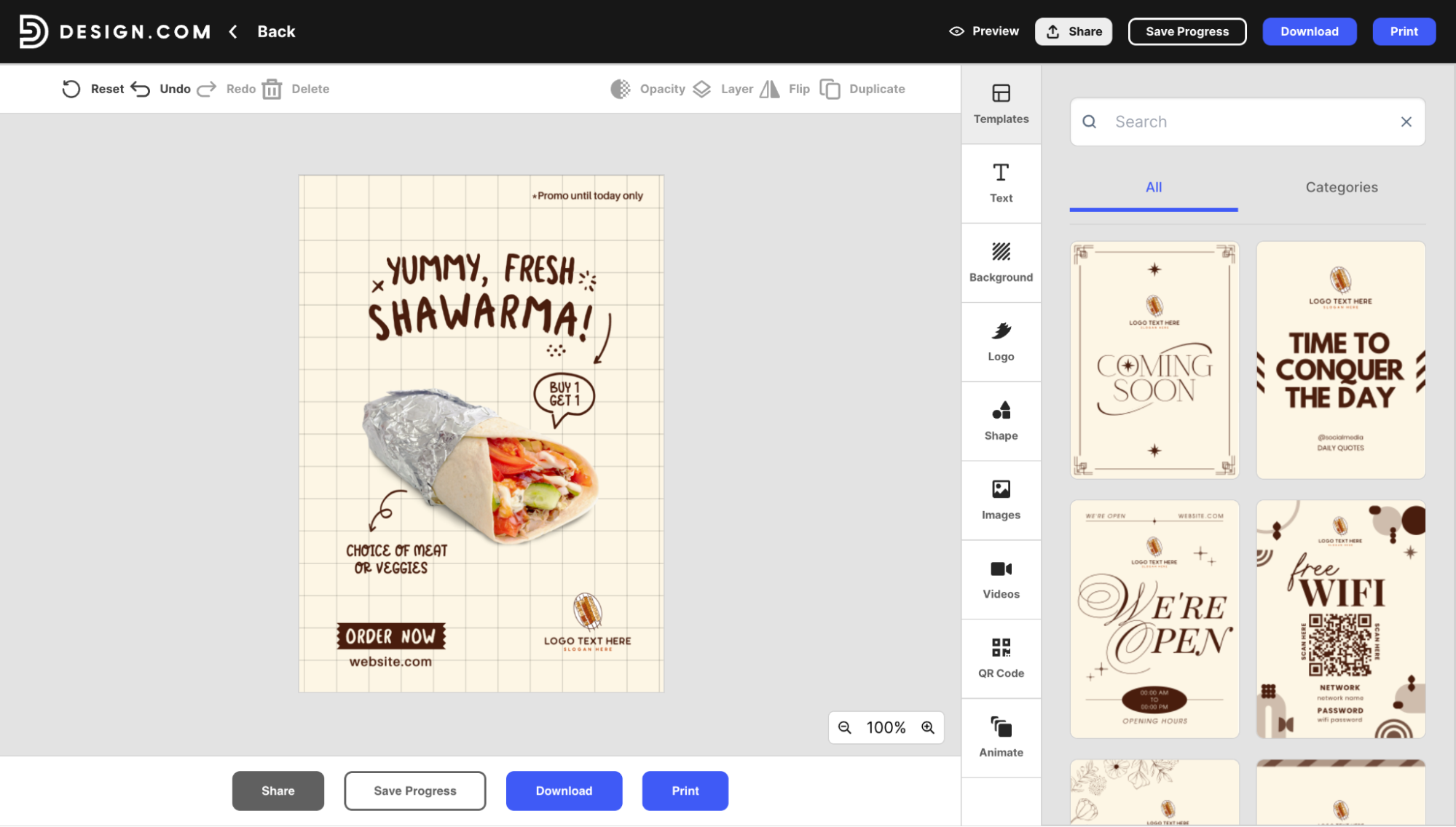
- Advanced Customization Without the Learning Curve: The drag-and-drop editor makes it easy to swap fonts, adjust colors, rearrange layouts, and drop in your own images without any design experience. Every element is fully editable, and the interface is clean enough that even first-time users can produce something that looks professionally designed in a matter of minutes. Here is what the customization panel looks like in action:
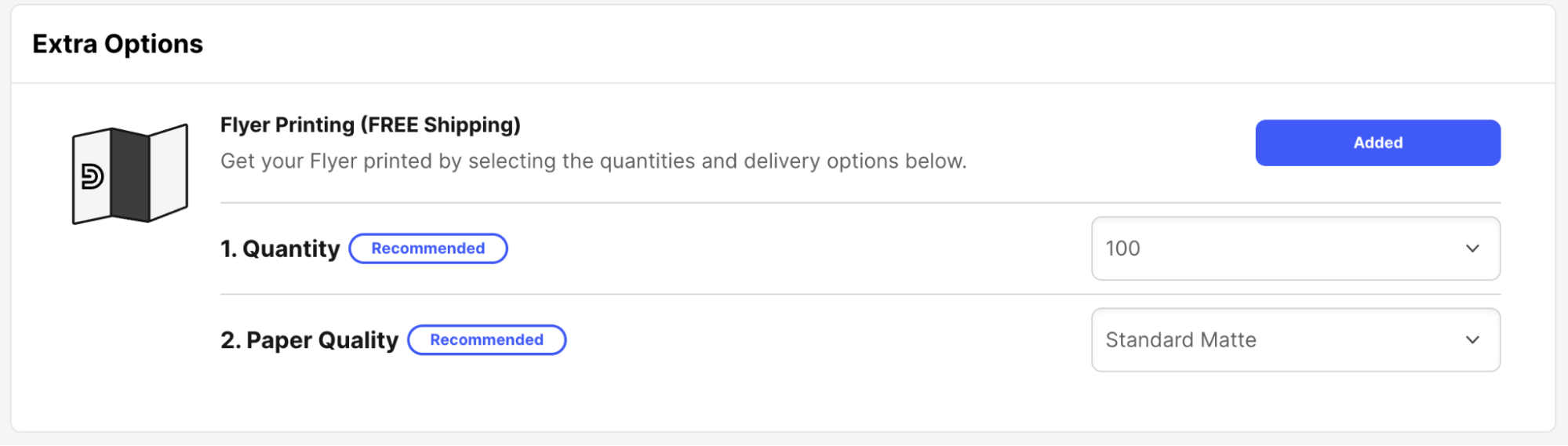
- Professional Print Options with Worldwide Delivery: This is where Design.com genuinely pulls ahead of every other tool on this list. Once your flyer is finalized, you can order physical printed copies directly through the platform. Print runs range from 4 to 4,000 flyers, with paper options including Standard Matte, Premium Matte, Standard Glossy, and Premium Glossy finishes. Free worldwide shipping delivers in 9 to 11 business days, or choose express delivery for 3 to 4 business days for time-sensitive campaigns. Here are the print options you get right from the same screen:
- High-Resolution Downloads in Every Format: When you need digital files, exports cover PNG and JPG for social media and email campaigns, plus SVG, EPS, and PDF for large-format printing or handing off to a local print shop. No resizing headaches, no quality loss, just clean files that look sharp wherever you use them.
Pricing: The Free plan lets you use the AI flyer maker and access the full template library at no cost, with no credit card required. You only pay if you choose to print. For those who want even more, paid plans start at just $3/month billed annually ($9/month billed monthly) and include access to 50+ design tools covering logos, business cards, social media graphics, posters, and more, all with the same brand colors and logo applied automatically.
Why it matters
Design.com is the rare flyer tool that thinks about your whole brand, not just the flyer in front of you. Every design you create automatically reinforces your visual identity, and when you are ready to take things further, the same platform covers logos, websites, social media graphics, and more. For small businesses that want their marketing to look cohesive and professional without hiring an agency, that all-in-one setup changes the game entirely.
2. Fotor
Fotor is a massive tool that is essentially a digital design studio right in your browser. It is incredibly popular because it combines powerful editing capabilities with a massive library of ready-to-use templates. Whether you are a total beginner or a bit more experienced, Fotor provides the tools you need to create flyers that look balanced, professional, and ready for action.
- Smart Template Filtering: One of the best things about Fotor is how easy it is to find exactly what you need. Their search system is incredibly efficient, letting you narrow down thousands of templates by theme, industry, or event type. This saves you so much time, as you can quickly zero in on a style that aligns with your brand, ensuring you spend your time designing.
- Advanced Adjustment Tools: Beyond just adding text and icons, Fotor offers deeper control over your image editing. You can adjust exposure, contrast, saturation, and color balance directly within the flyer maker, ensuring your images look perfect. This level of control is great for when your source photos are not quite right and need a quick professional polish before you commit them to your final flyer design.
- Large Library of Creative Stickers: The tool features a huge collection of stickers, shapes, and decorative elements that you can use to add emphasis or fun to your designs. These are perfect for highlighting discounts, calling out event times, or just adding a bit of decorative flair to catch the eye. The assets are updated frequently, so you can always stay on-trend with the latest design styles.
- High-Quality Output Versatility: When it comes time to finish your flyer, Fotor offers several high-quality export options. Whether you need a file for digital sharing on social media or a high-resolution PDF that is ready to be sent to a professional printer, the platform handles it beautifully. This versatility is essential for businesses that need to switch between digital and physical marketing campaigns on a regular basis.
Pricing: The Fotor Basic plan is $0 and provides access to standard editing tools, design templates, and basic assets. It is a solid free option for getting standard, clean designs made quickly. While there are paid upgrades for advanced AI features, the free plan is more than enough for creating high-quality, professional-looking flyers for your local business marketing needs.
Why it matters
Fotor is vital because it acts as a bridge between a simple template editor and a professional design suite. It provides enough power to get really creative while remaining accessible enough that you do not need to be an expert. It helps you maintain a professional, high-quality image, which is crucial for building a brand that customers can trust.
3. PosterMyWall
If you are running a restaurant, a local gig, or a garage sale, PosterMyWall is your new best friend. It is obsessed with making sure your event info is front and center. The best part? It is incredibly fast. You can go from "I have no idea what this should look like" to "This is ready for the printer" before your coffee gets cold.
- Event-Optimized Template Engine: This tool is specifically built for event marketing, meaning the templates are already structured to highlight important details like dates, times, and locations. Whether you are hosting a live concert, a community fundraiser, or a promotional store event, you will find a design that fits the theme perfectly, allowing you to plug in your details and get back to business immediately.
- Lightning-Fast Quick Edit Features: The interface is built for speed, allowing you to swap out every element of a flyer in just a few seconds. If you have a last-minute change to your event details, you don’t need to panic or rebuild your design from scratch. The quick-edit tools mean you can update your flyer, export it, and have it ready for social media in under a minute.
- Extensive Stock Asset Library: PosterMyWall gives you access to a huge library of high-quality stock photos and graphics. Using a high-end image can make your digital flyer stand out significantly more than a plain text flyer, helping you capture the attention of busy people scrolling through their social media feeds. It’s all about creating visual impact with minimal effort.
- Social Media Publishing Tools: One of the coolest features is the ability to easily prep your designs for social media platforms. The tool understands the different dimensions needed for Instagram, Facebook, and Twitter, saving you from the headache of resizing your flyers manually. It makes sure your flyer looks great, whether it is hanging on a community bulletin board or being shared in a Facebook group.
Pricing: The Free plan is $0 and allows you to create and download unlimited high-quality images for your projects. You get full access to the design tools and the massive library of templates without any hidden costs, making it a fantastic choice for event planners or business owners who need to churn out flyers on a regular basis.
Why it matters
PosterMyWall is perfect because it understands the urgency of small business marketing. It helps you get your message out to the public quickly and effectively, ensuring that your events or sales are not missed. Simplifying the creation process lets you focus on what really matters: running your business.
4. BeFunky
BeFunky is exactly what it sounds like. It takes the seriousness out of design and makes it fun. While it started as a photo editor, it has grown into a powerful flyer-making tool that is perfect for those who want to add a bit of artistic flair to their projects. It is a fantastic choice if you want your flyers to feel more personal, vibrant, and unique.
- Unique Artistic Photo Effects: What sets BeFunky apart is its roots as an advanced photo editor, giving you access to unique artistic filters that can turn a standard photo into a piece of digital art. If you want your flyer to have a vintage look, a painterly vibe, or a pop-art feel, these tools make it effortless to apply these effects, giving your design a one-of-a-kind edge.
- Flexible Graphic Overlay System: You can easily layer different graphics, stickers, and textures onto your flyers to create a rich, tactile feel. The tool makes it very easy to adjust transparency and blending modes, so you can create complex designs that look like they were layered by an expert. This is great for making flyers that really stand out and feel like professional art.
- User-Friendly Typography Tools: Text in BeFunky is very easy to manipulate and style, allowing you to curve text, add shadows, and create interesting layouts that follow the flow of your images. Having good control over how your text interacts with your graphics is a huge advantage, as it ensures your message is not just readable but also an integrated part of the overall design aesthetic.
- Simple Collage Builders: If you have multiple product photos you want to show off in one flyer, the collage builder is a lifesaver. It automatically aligns your photos in clean, beautiful grids or custom arrangements that look polished and intentional. This is perfect for businesses that want to show off several products at once or for event flyers that need to feature multiple speakers.
Pricing: The Free plan is $0 and includes all the essential editing tools and a wide selection of basic design templates. You can use the graphic designer and the photo editor without paying a subscription, making it a great free option for those who want to experiment with more artistic, creative flyer designs that stand out from the boring corporate norm.
Why it matters
BeFunky is important because it allows you to inject your own unique personality and creative vision into your marketing. In a world full of cookie-cutter designs, being able to create something that feels truly custom helps your business stand out. It encourages you to experiment, which often leads to much more memorable marketing.
5. Adobe Express
Think of Adobe Express as the approachable, web-based cousin of those complex professional programs the design pros use. It brings that legendary Adobe creative polish into your browser, giving your flyers a high-budget aesthetic. It is perfect for when you need your brand to feel established, credible, and polished without spending months learning how to use professional software.
- Premium Adobe Typography Access: You get to use a sophisticated library of professional-grade fonts that instantly elevate your flyer from looking amateurish to looking like a high-end marketing piece. Typography is the backbone of good design, and by having access to these clean, stylish, and legible fonts, you can ensure your headline pops and communicates your message with the right tone every single time.
- One-Click Background Removal: One of the most tedious parts of design is cutting a subject out of a photo, but Adobe Express handles this with a simple click. The smart technology identifies your subject and cleans up the edges perfectly, which allows you to place your photos on any background color for a clean, custom-made professional look that catches the eye instantly.
- Intelligent Layout Assistant: The tool includes brilliant layout assistance that helps keep your text, images, and brand elements perfectly aligned, even if you are not sure where things should go. It acts like a digital design assistant watching over your shoulder, ensuring your flyer does not look cluttered or misaligned, which is crucial for maintaining that professional appearance that attracts your local customers.
- Access to Adobe Stock Library: While many free tools have limited stock photos, Adobe Express gives you a wider gateway to high-quality assets. Having access to professional-grade photography means your flyer won’t look like it’s using the same tired images as everyone else. Using better, cleaner imagery makes your business look more reliable, which builds trust with your community at first glance.
Pricing: The Free plan is very robust, providing access to basic design features, thousands of professional templates, and a solid selection of Adobe Stock photos. You can design, edit, and download your flyers for free, and they don't lock the basic functionality behind a paywall, making it a perfect starting point for any small business owner needing a quick professional result.
Why it matters
Adobe Express is vital because it proves you don't need to be a design wizard to look like one. It uses high-quality assets that do the heavy lifting for you, ensuring your business looks reliable, established, and ready to serve your local customers with total confidence.
6. Desygner
If you are the type of person who is always on the move, Desygner is the tool you have been waiting for. It is built from the ground up with mobile users in mind, making it arguably the best flyer maker if you are doing all your design work from your smartphone or tablet. It is lightweight, fast, and does not sacrifice power for portability.
- True Mobile-Optimized Interface: Most design tools feel clunky on a small screen, but Desygner feels like it was made for it. The buttons are easy to tap, the menus are clean, and the overall experience is buttery smooth. This is a game-changer if you do not have access to a desktop computer and need to create a professional-looking flyer while you are at your office or on the go.
- Access to Thousands of Ready-Made Layouts: Despite its focus on mobile, the platform still provides an enormous library of templates that look great on any screen. You can browse through professional designs that are already optimized for different sizes and formats, ensuring that no matter what kind of flyer you need, you have a solid, high-quality starting point that helps you get the job done in minutes.
- Easy Image Importing from Social Media: Because it is designed for your phone, it makes it incredibly easy to pull images directly from your camera roll or your social media accounts. This is a huge time-saver when you are working on the fly and want to use recent photos of your business or your team to create a fresh, relevant flyer that really resonates with your local audience.
- Collaborative Design Functionality: Desygner lets you invite other people to work on your designs. Whether you want a second pair of eyes to check your work or you are working with a partner to finalize a marketing campaign, the app makes it easy to communicate and edit together, ensuring that your team stays in sync even when everyone is working from their own separate mobile devices.
Pricing: The Free plan is $0 and includes access to thousands of professional templates and millions of images and icons. It is a fantastic free-to-use tool that doesn't put up walls, allowing you to design, edit, and export your work completely for free, which makes it perfect for business owners who need a professional marketing tool on a tight, or nonexistent, budget.
Why it matters
Desygner is a lifesaver for the busy professional who is constantly on the move. By letting you create high-quality flyers from your phone, it removes the need to sit down at a desk to get marketing work done. It keeps your business moving at your pace, ensuring you never miss a marketing opportunity just because you weren't near a computer.
Final Thoughts
You don't need a massive agency budget to make your business look like a million bucks. Whether you prefer the massive library of Canva, the mobile-first ease of Desygner, or the artistic filters of BeFunky, the barrier to entry is officially gone. Pick one tool, spend fifteen minutes playing with a template, and get that flyer out into the world. Your next customer is waiting.
FAQs
1. Can I use these tools if I have zero design experience?
Yes, absolutely. All these tools are built specifically for non-designers. They provide ready-made templates, intuitive drag-and-drop interfaces, and helpful guides, meaning you do not need any prior training or artistic talent to create flyers that look professional and clean.
2. Are these flyer makers actually free to use?
Yes, they all offer solid free plans that allow you to design, edit, and download your flyers. While they do have premium tiers for extra features or exclusive assets, you can absolutely create and distribute professional-quality marketing materials entirely for free using these platforms.
3. Which tool is best for printing flyers professionally?
Most of these tools offer high-resolution PDF exports, which are the standard for professional printing. Canva, Fotor, and Adobe Express are particularly great for this, as they ensure your design remains crisp and clear when sent to a local print shop or professional printing service.
4. Can I add my own branding, like a logo?
Yes, all of these tools allow you to upload your own images, including your business logo. Most even have "Brand Kit" features, either free or in their premium plans, that help you store your specific colors and logos, making it easy to keep every flyer consistent with your brand identity.
5. Are these tools better than just using Microsoft Word?
While Microsoft Word can create simple text-based flyers, these dedicated design tools are much better for modern marketing. They offer professional templates, better photo editing tools, more font variety, and layout control that Word simply wasn't designed to handle, making your final product look much more "designed" and less like a document.
What is Fueler Portfolio?
Fueler is a career portfolio platform that helps companies find the best talent for their organization based on their proof of work. You can create your portfolio on Fueler. Thousands of freelancers around the world use Fueler to create their professional-looking portfolios and become financially independent. Discover inspiration for your portfolio
Sign up for free on Fueler or get in touch to learn more.

What should you do next?
You've read the article. Now turn your skills into proof of work and unlock more opportunities.
Build your proof of work portfolio
Create a clean portfolio with projects, assignments, resumes, and AI stack details that companies actually want to see.
Create your Fueler portfolio →Apply through assignments, not resumes
Stand out by solving real tasks from companies hiring on Fueler.
Explore assignments →Get discovered by companies
Make your work public and let recruiters discover your skills through actual projects instead of keywords.
Get discovered →
